Mailjet Template with Variables
Status: Closed · Asked by Brendan Sheppard on · 0 views
Hi all
I'm trying to build a workflow that places variables gained in one platform and places them within a Mailjet template.
One pabbly action seems to do templates but no variables, and the one that supports variables doesn't seem to support templates despite the second option sounding like it does what I need. Maybe I've missed something....
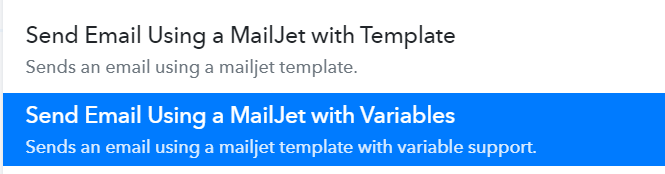
Can somebody please assist?
I've seen an example of this working in Zapier using the below action.

Thank you
Hey @bsh3p !
We have forwarded the concern with the team and they are checking the possibilities of your request.
Once there is any update on this, we'll revert you back with it.
Hey @bsh3p !
Thanks for waiting.
We have added the template with variable event for Mailjet as shown below-
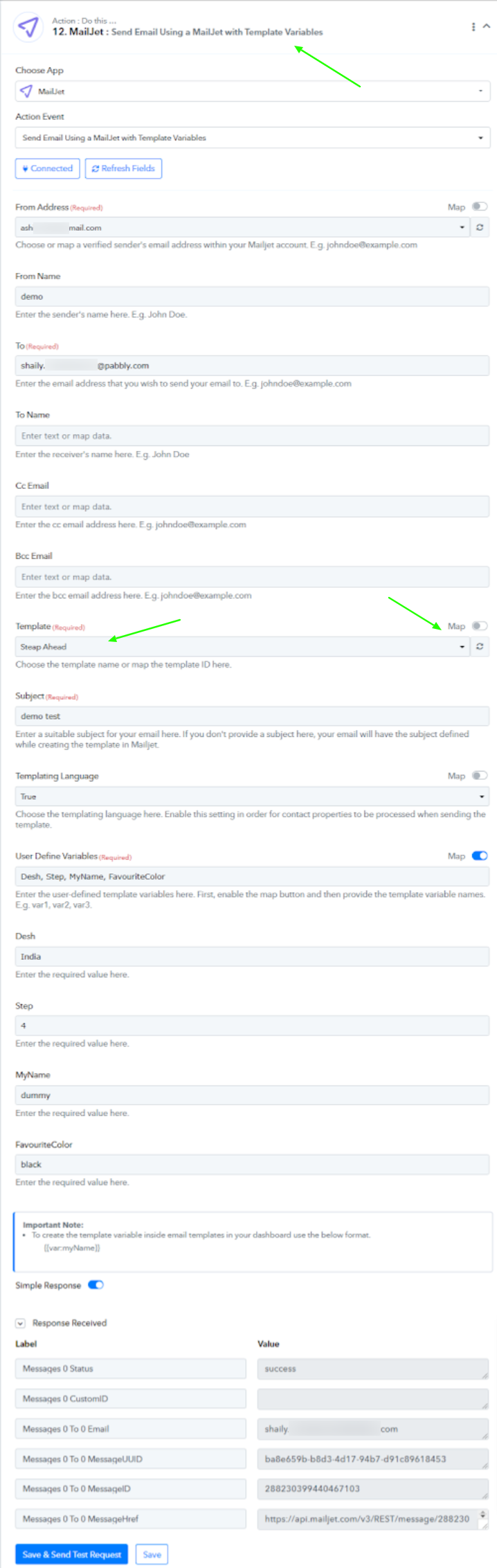
Kindly check on this and let us know if this works for you.
Hey @bsh3p !Thanks for waiting.
We have added the template with variable event for Mailjet as shown below-
Kindly check on this and let us know if this works for you.
Thank you so much.
I'll run a test over the coming days and let you know how I go.
I really appreciate the swift response :D
Hey @bsh3p !Thanks for waiting.
We have added the template with variable event for Mailjet as shown below-
Kindly check on this and let us know if this works for you.
Thanks again for this.
I have been testing this but am running into problems. I checked for Mailjet API errors but I didn't find their website very helpful.
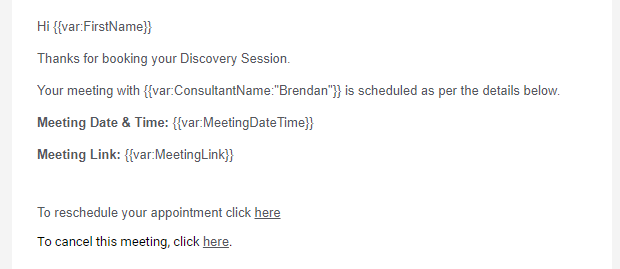
I have attached my Mailjet template and the errors if you could please check to see what I might be doing wrong. All I got from the Mailjet side was this:
Mailjet template
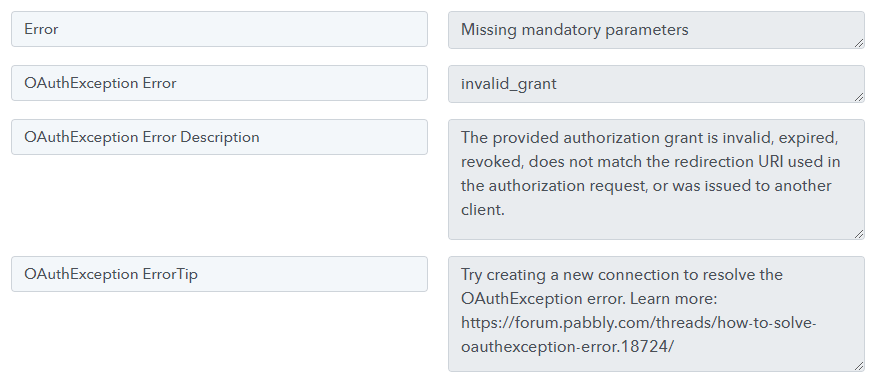
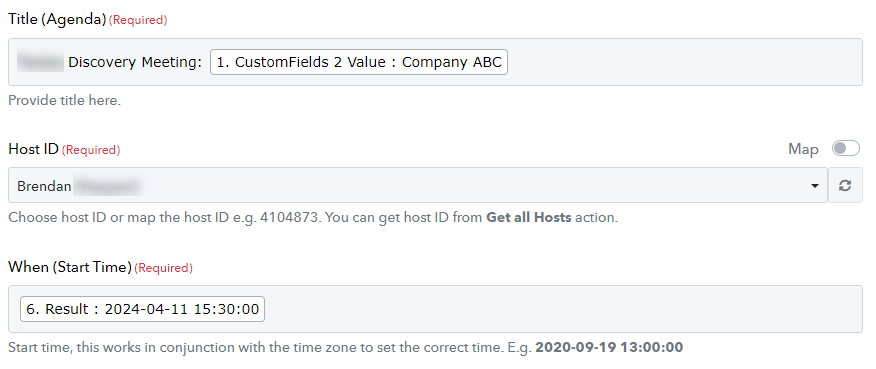
Regarding the missing mandatory parameters, I think I have these covered as below?
Hey @bsh3p !
Kindly provide us with the workflow URL in which you have tried the setup?
Furthermore, we would like to have confirmation to edit your workflow by adding few steps and making dummy test submission in order to check on it further.
Hey @bsh3p !Kindly provide us with the workflow URL in which you have tried the setup?
Furthermore, we would like to have confirmation to edit your workflow by adding few steps and making dummy test submission in order to check on it further.
Thanks Subin
Here is the link and happy for you to edit.
Hey @bsh3p !
We can see that you have an ongoing thread for VivoMeeting here- https://forum.pabbly.com/threads/oauth-invalid_grant-vivomeetings.21550/
The team will be reverting back with an update once its fixed.
Hey @bsh3p !We can see that you have an ongoing thread for VivoMeeting here- https://forum.pabbly.com/threads/oauth-invalid_grant-vivomeetings.21550/
The team will be reverting back with an update once its fixed.
Hi Subin
The issue with Vivo has nothing to do with this issue.
Thanks again for this.I have been testing this but am running into problems. I checked for Mailjet API errors but I didn't find their website very helpful.
I have attached my Mailjet template and the errors if you could please check to see what I might be doing wrong. All I got from the Mailjet side was this:
Mailjet template
Regarding the missing mandatory parameters, I think I have these covered as below?
Hey @bsh3p !
Can you please check on this screenshot and confirm if these are related to the Mailjet step or VivoMeeting step?
We are not able to see the exact error on the Mailjet step when checking on your workflow. This error can be seen in the VivoMeeting step,
Kindly check and let us know about it.
Hi @Subin
All my screenshots relate to Mailjet, not VivoMeetings.
Hey @bsh3p !
On checking upon your workflow, we can see that the Mailjet step is working correctly from our end without any error-
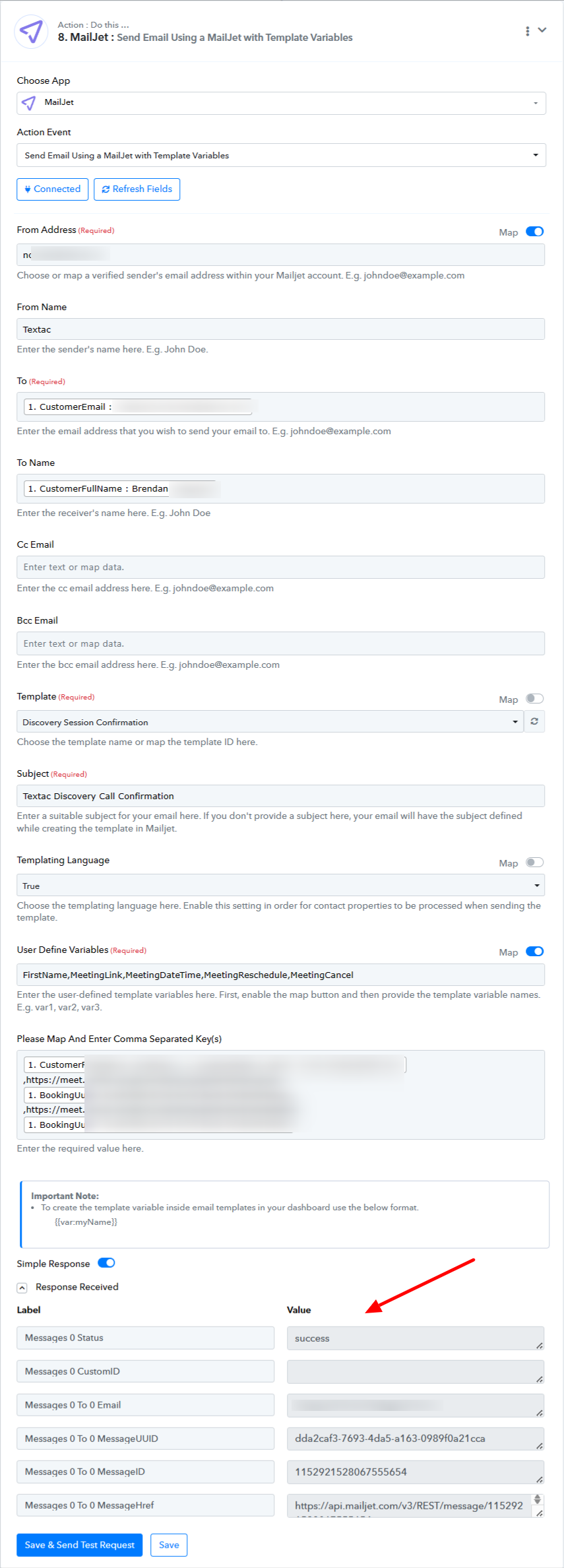
So it seems you were able to make it work on your end.
Kindly cross check on your workflow, as we can see that all things for Mailjet are working correctly.
Hey @bsh3p !
Sure, the action event is made out from the API Docs of Mailjet, so it should not be an error from our end.
Furthermore, sure do check it once with the Mailjet support and let us know about it.
Hey @bsh3p !Sure, the action event is made out from the API Docs of Mailjet, so it should not be an error from our end.
Furthermore, sure do check it once with the Mailjet support and let us know about it.
Hi @Subin this is now working.
When I last had the action open, as per your screenshot above, the variable values were all in one box but now they are separated per line. Not sure if that made a difference but it's all working :D Thank you