Make a step optional
Status: Closed · Asked by davidw on · 0 views
I want to save WooCommerce orders to a Google spreadsheet. Here are the steps in my plan:
- New WooCommerce order
- Only proceed if order status is complete
- Reformat coupon lines (because I need to remove double quotes)
- Map order details to spreadsheet
The problem is step 3. Not every order has coupons, so this step will fail. How can I make step 3 optional, or at least have the workflow continue even if there's an error in step 3?
Hey @davidw
Have you explored the "Ignore Error" feature within the specific action step you're working with? If you haven't already, I recommend giving it a try.
This feature can be beneficial in situations where errors may occur, allowing the process to continue without being interrupted. It's worth experimenting with, as it may potentially provide a solution to the issue you're currently facing.
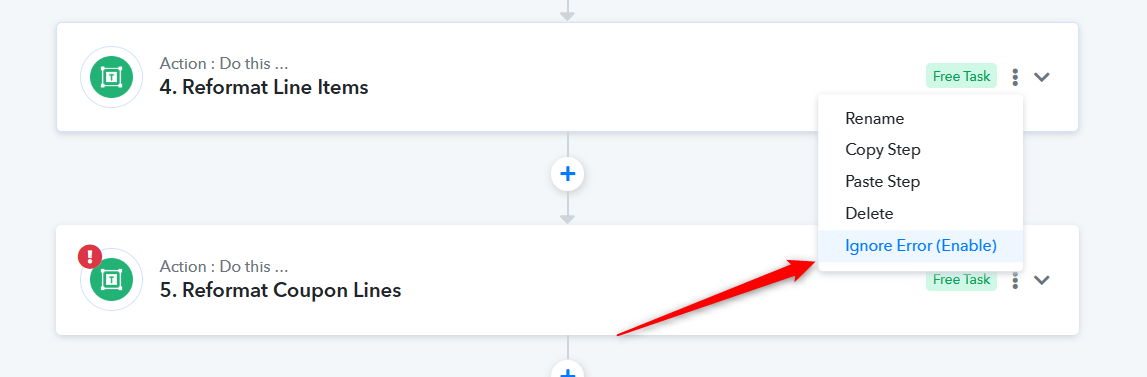
I’ve been using this ignore error setting, but the workflow reports “Partial error”. How can I avoid partial errors so that I don’t miss when errors really happen? Is my only option to use a Router step, or create a 2nd workflow?
Hello @davidw ,
You need to check your task history for what error you getting. And you need to go ahead with your workflow according to that.
FYI I'm not from pabbly team. I'm Automation Freelancer who helps other pabbly users.
Contact me - https://www.facebook.com/himeshsoni07
Email - [EMAIL][email hidden][/EMAIL]
I would say you use a router between step 2 and 3 with those settings:
Path 1 > continue if coupon code value is not empty > reformat coupon lines > map order details to spreadsheet
Path 2 > continue if coupon code value is empty > map order details to spreadsheet
That way you don't have to ignore errors, let me know if this was helpfull