Mandrill data to Google Sheet
Status: Closed · Asked by Praveen on · 0 views
Hello. How do I add the details of any messages Rejected or Hard Bounced in Mandrill to a Google Sheet?
My attempt so far: 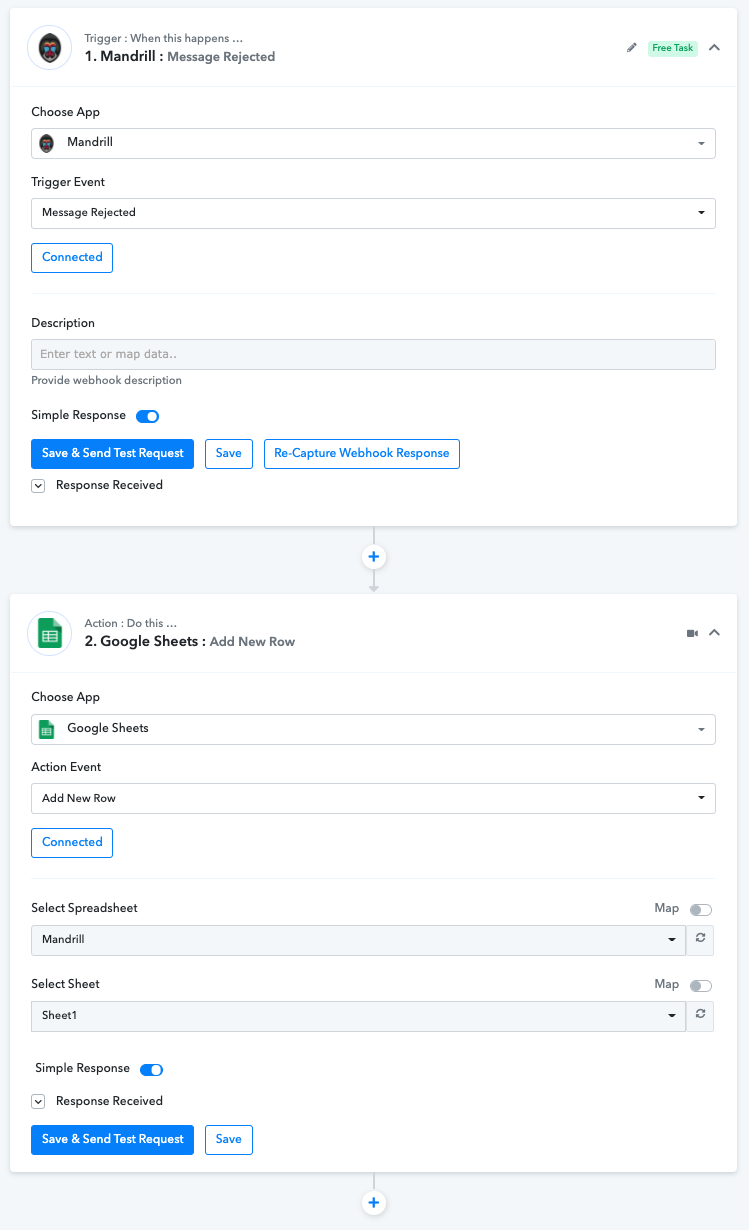
Hey @Praveen
As we can see you might have captured the webhook response but were unable to feed it further to the Google Sheets action event.
Kindly reconnect the action event and then select the desired sheets in which you want to pass the data then map the fields accordingly. To develop your concerning workflow, you can watch our tutorial video for a better experience.
Kindly try this at your end and let us know if that works for you.
(Watch the second part of the video)
Hey @Supreme
Thanks for your help. I was able to set this up successfully after watching the YouTube video. ?
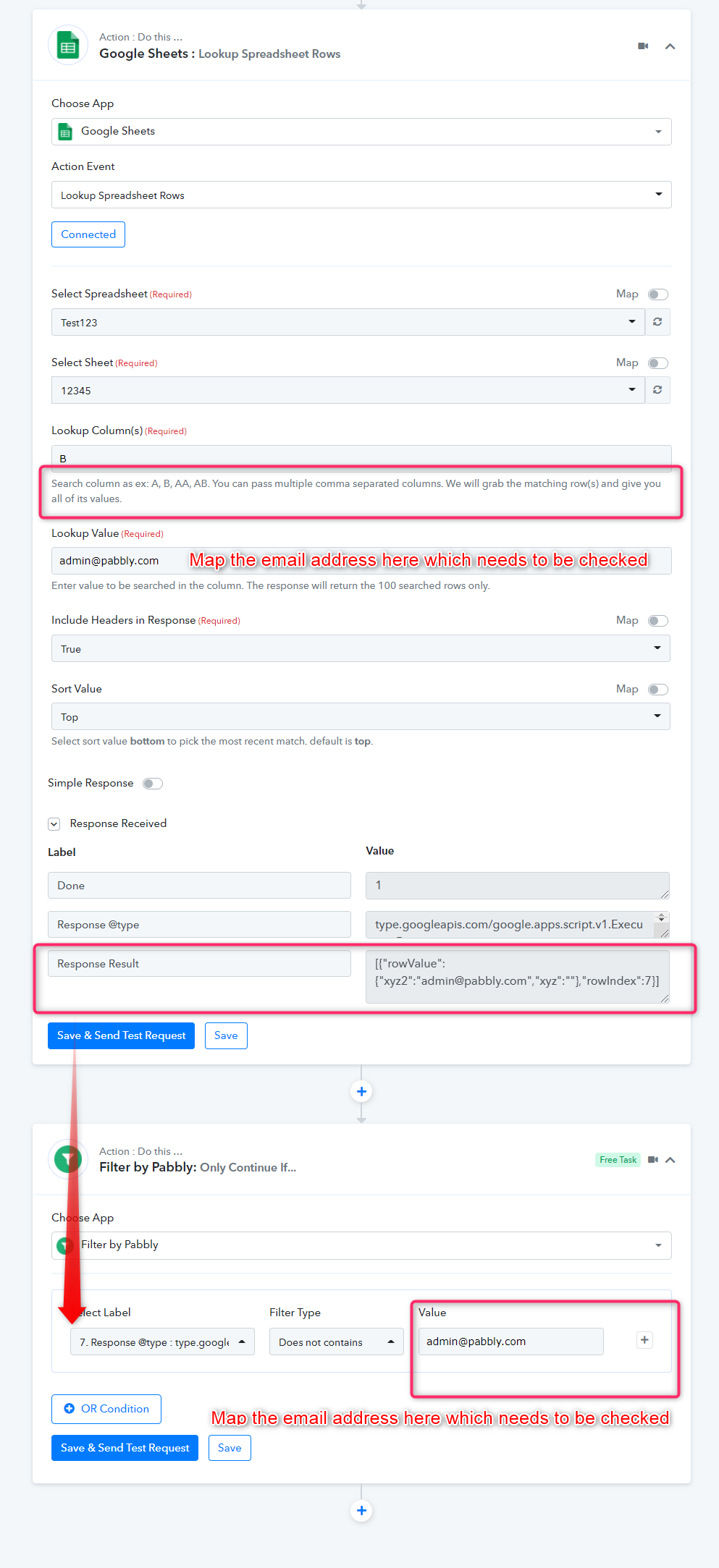
@Supreme Now how to setup a filter so that Pabbly Connect passes the data to the Google Sheet only if the Email Address column is not a duplicate of an existing entry in the same Google Sheet?
Hey @Praveen
Now how to setup a filter so that Pabbly Connect passes the data to the Google Sheet only if the Email Address column is not a duplicate of an existing entry in the same Google Sheet?
Use the following screenshot to validate the Google Sheets data -
@Supreme

What does "response will return the 100 searched rows only" mean? It only searches 100 rows?
Hey @Praveen
It means that it will only get 100 rows in the response received from your Google sheets if the sheets contain the same data in those rows.