Map details within the Router workflow?
Status: Closed · Asked by Mathew Kulkewycz on · 0 views
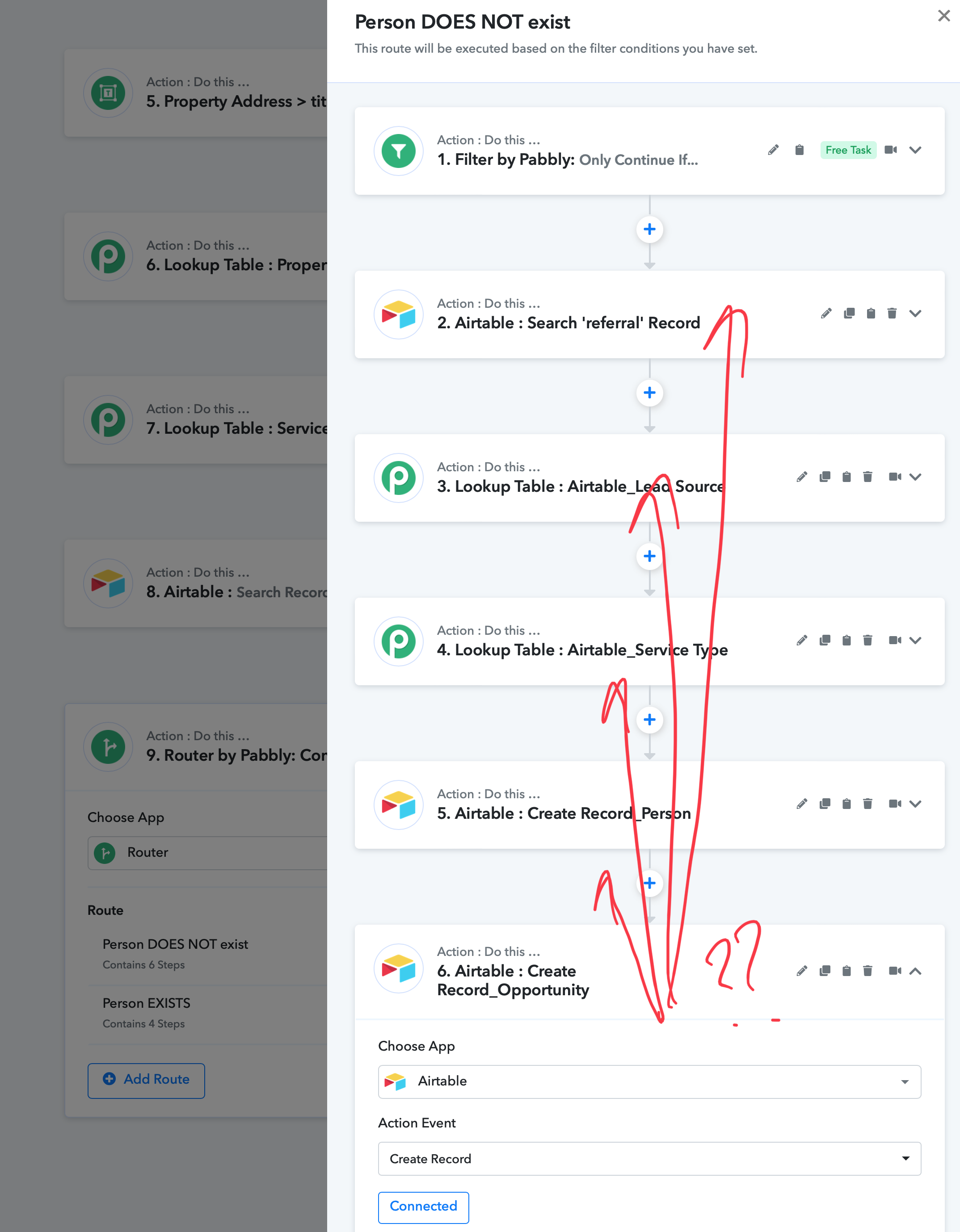
How can I map the details, within the route of the Router workflow module (picture), i.e the data in the foreground (marked in red)?
i.e I have created a Router flow, however the data that I can map is only that of that of the 'parent' workflow i.e the Steps 1-9 in the background.
I have saved, refreshed etc.
My logic in the workflow is that if the person does not exist (Step 8, 'searches for the contact in Airtable' in the Parent Flow), it will proceed down the "Person DOES NOT exist" Router flow (forefront in picture) and create a Contact and an associated Opportunity), however If I can not map the newly created contact (within the Router flow), I cannot map it under the subsequent ''opportunity'?? This seems absurd.
What am I missing? Thanks
Hey @Mmmk
You can simply look for the route's inner action step's response within the label then you can map it accordingly.
Inside the same route, the data label will look like this -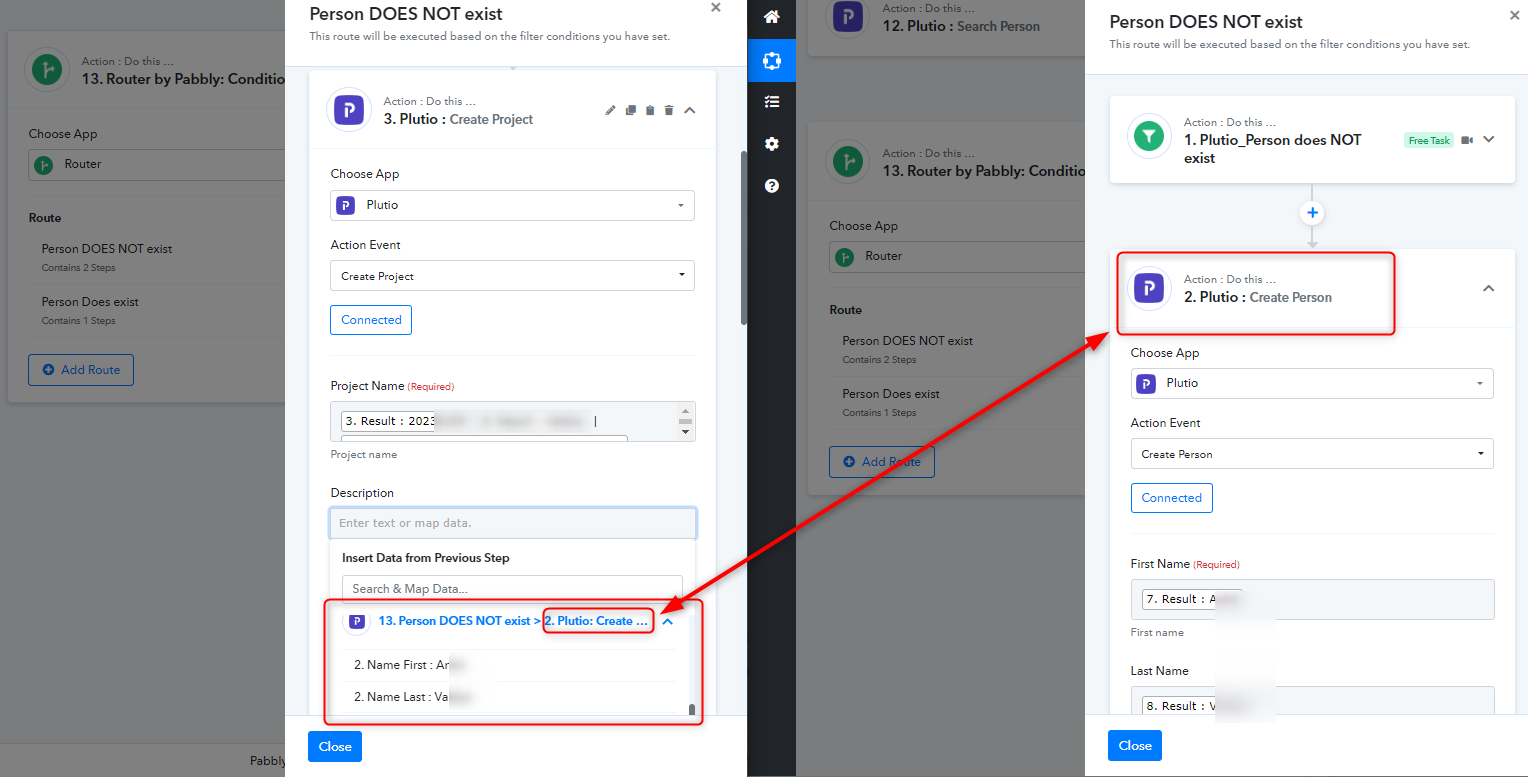
Hey @MmmkYou can simply look for the route's inner action step's response within the label then you can map it accordingly.
Inside the same route, the data label will look like this -
Oddly yesterday, when I click on any module within a Router Workflow, the drop down available fields only relate to the parent folder. Trying again and have been able to do it, from within a Router field, within a Router field.
Perhaps browser issue??
Try clearing your browser's cache memory once, then try again because it's possible that it became full.