Map fluent Forms fields to Dropbox sign Document
Status: Closed · Asked by l.rozner on · 0 views
Greetings,
I am trying to find solutions for our company, to automate some processes, Pabbly looks very promising, however I am not able to set up this one thing that I really need, maybe someone could help me.
So our process is, that we fill out a longer (fluent) form on our website, then I would like to send the contract PDF to the customer to sign it through HelloSign(Dropbox Sign now I think)
I was able to make this connection, and the PDF is sent to the correct email, however it is empty, and I can't really figure out how to map the fields from fluentforms to Hellosign with the help of Pabbly.
Any help would be greatly appreciated,
Thanks!
Hey @l.rozner
Could you please provide a brief video demonstration of your template, detailing all the parameters and how you have linked your action steps so that we can review it?
Hello @Supreme
I can provide some additional screenshots.
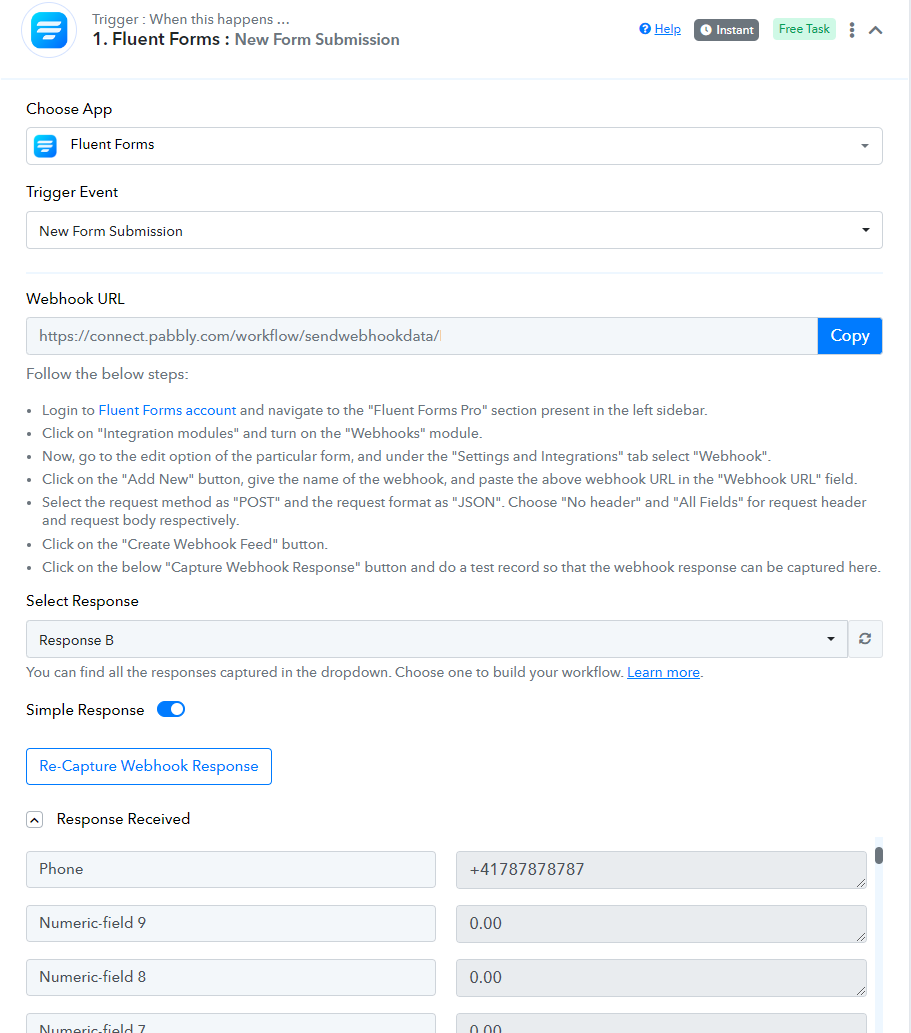
My pabbly integration: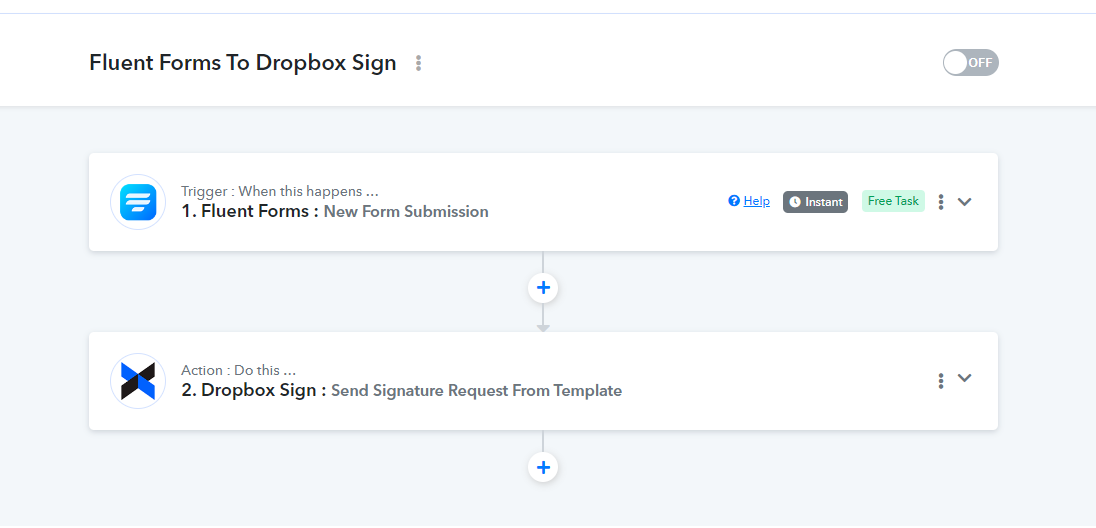
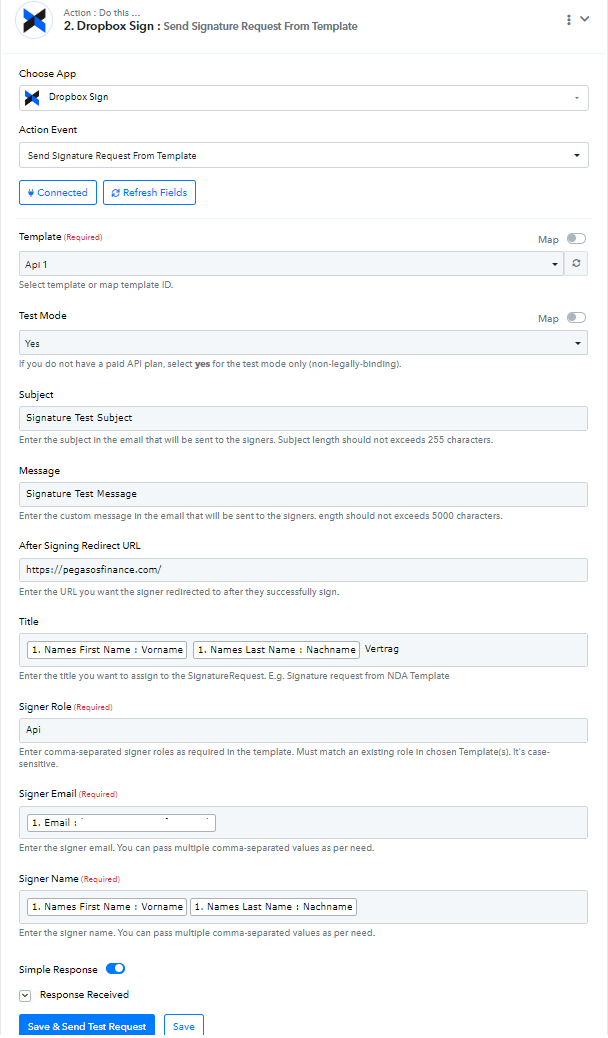
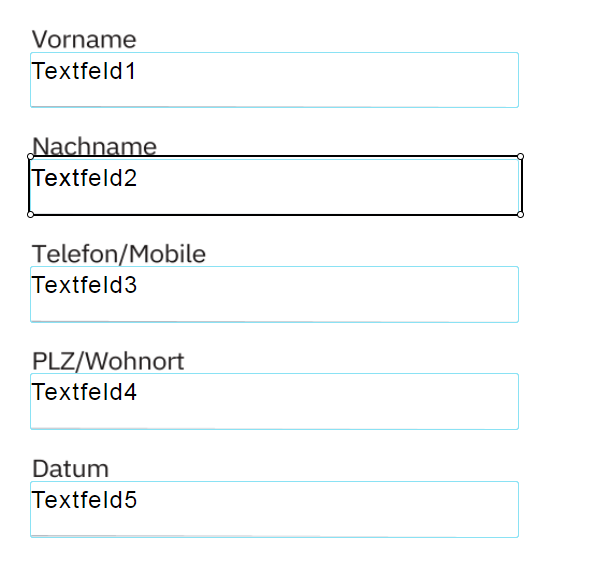
And here is my PDF template on Dropbox sign: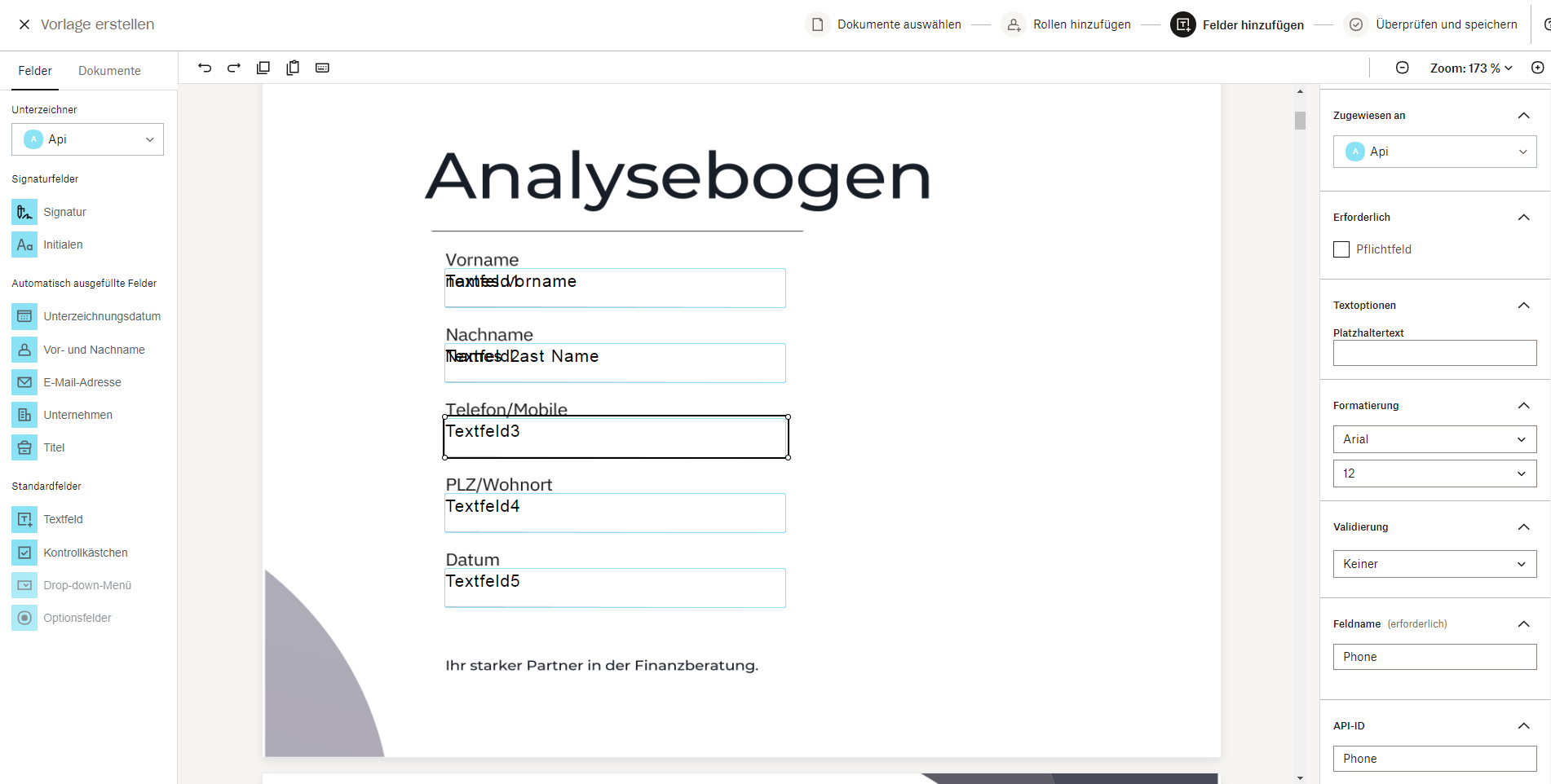
I have made the ID's the same for example for the phone everywhere, but it will be empty, once it sends out the PDF for signature.
If you need more information, let me know.
Thank you!
Our team is currently looking into it and we will get back to you with an update soon.
Thank you! In the meantime, I am thinking of alternative solutions, but I am a bit stuck.
Since we generate this PDF already with the help of the E2PDF plugin, and we can save this locally on our website, would it be possible to sync this PDF to OneDrive? From OneDrive, we can easily sync the already filled PDFs to Dropbox sign.
I am having troubles setting this up since I can't give ftp permissions to Pabbly, and it can't seem to be able to access my local files.
Or am I missing something?
I am having troubles setting this up since I can't give ftp permissions to Pabbly, and it can't seem to be able to access my local files.
Or am I missing something?
I am afraid to say, but currently FTP support is not available on the platform.
Hey @l.rozner
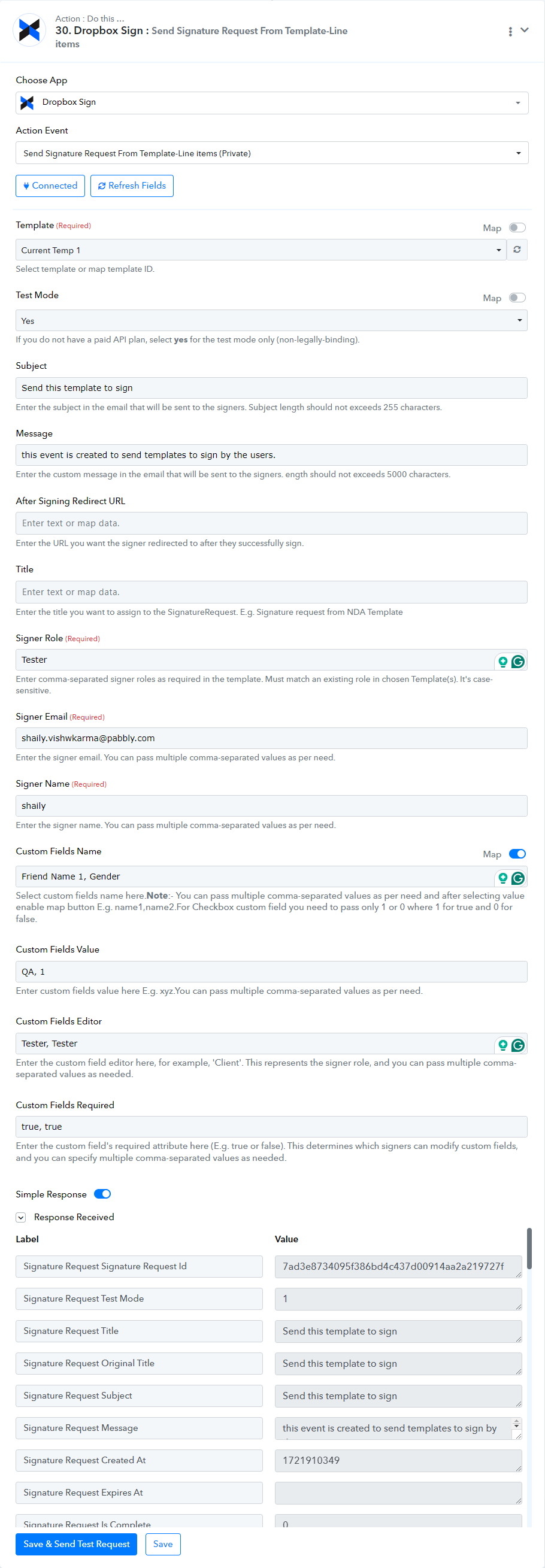
Our integration team has updated the 'Send Signature Request From Template-Line Items' action step, and the fields are now populating accordingly.
Please give it a try and let us know if it works for you.