Mapping TextBox_List data type coming from HighLevel
Status: Closed · Asked by gjpab on · 0 views
What options do we have to map a textbox_list data type coming in from HighLevel?
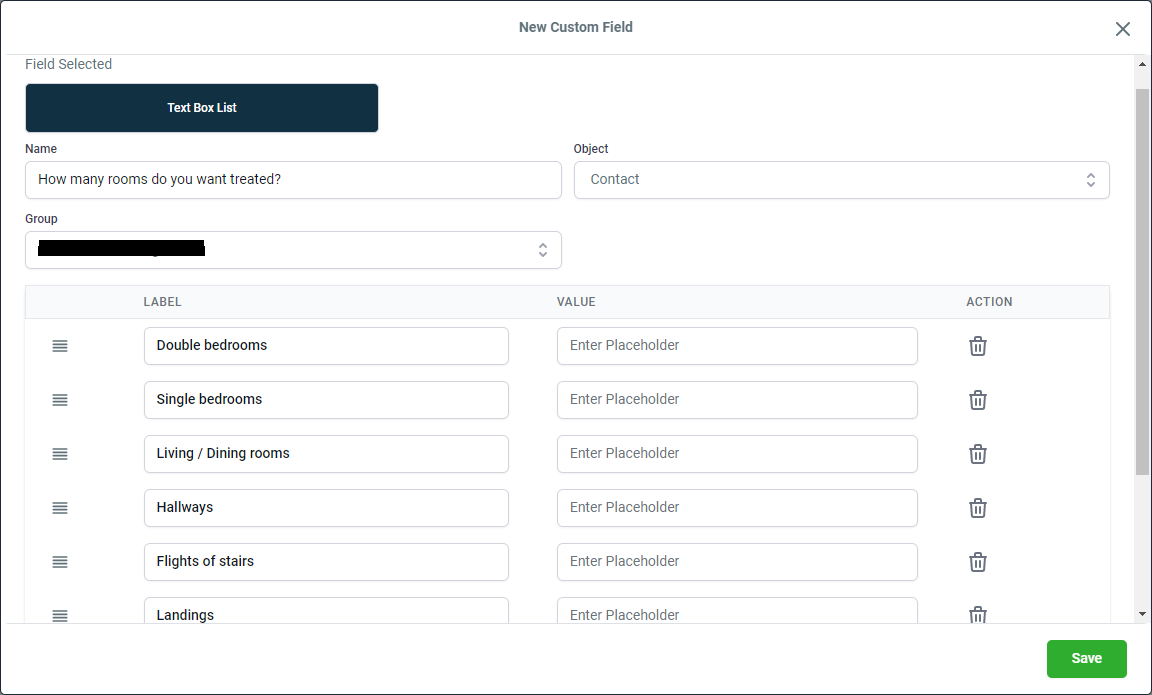
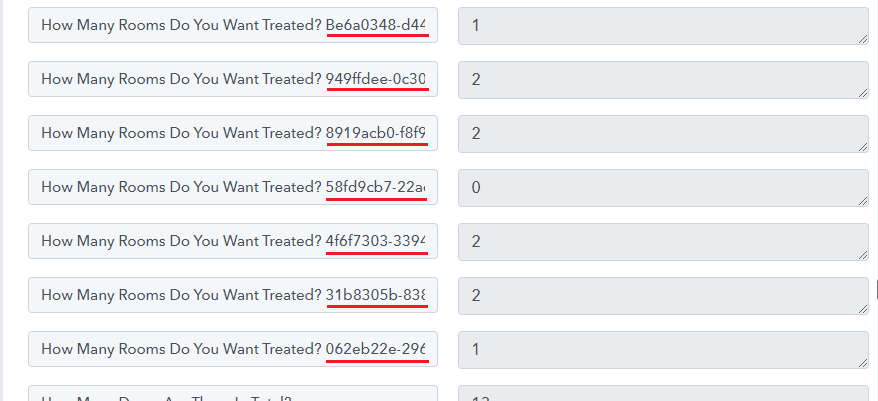
I need to map the prices and the values coming in are not displaying as they should and confusing due to the presence of a GUID and the keys not easily recognisable.
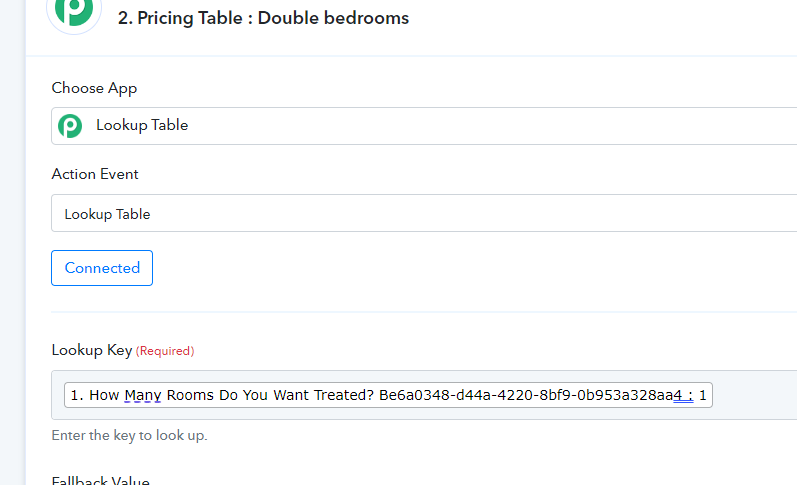
Also the LOOKUP KEY is the same (without the GUID) for all options and cannot be handled in the Lookup Table.
Any solution to this you would recommend?
Finally, I cannot find any feature to set a variable temporarily. What would you do if that's required.
Attachments
Hey @gjpab
Can you please explain your complete use case once on how you want to process the variable/keys along with the workflow name?
Hey @gjpabCan you please explain your complete use case once on how you want to process the variable/keys along with the workflow name?
I'm trying to capture values coming in via webhook and perform lookups for each field for price calculation in Workflow named 'Price Calc'.
Problem 1:
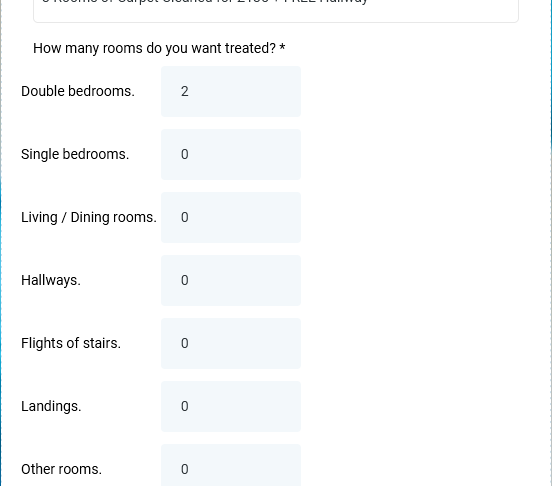
Data in field type 'textbox_list' coming in from HighLevel (LeadConnector) doesn't populate the Textbox Field Names as it only populates the main question and a GUID value instead of the textbox name. See img4.png for details. I need the textbox names as in the screenshot to process my data. How can that be made possible?
Problem2:
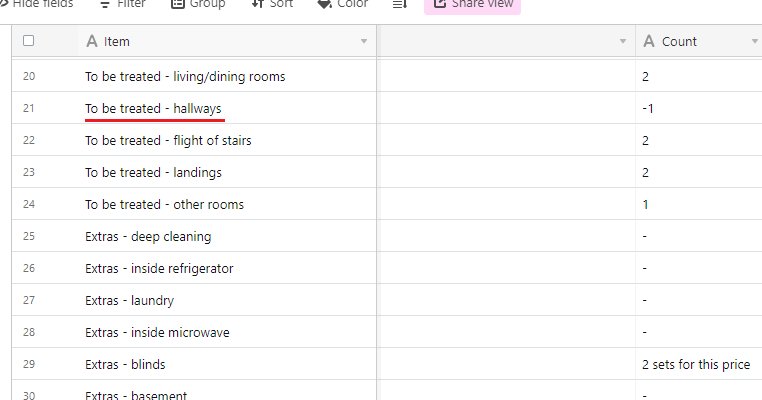
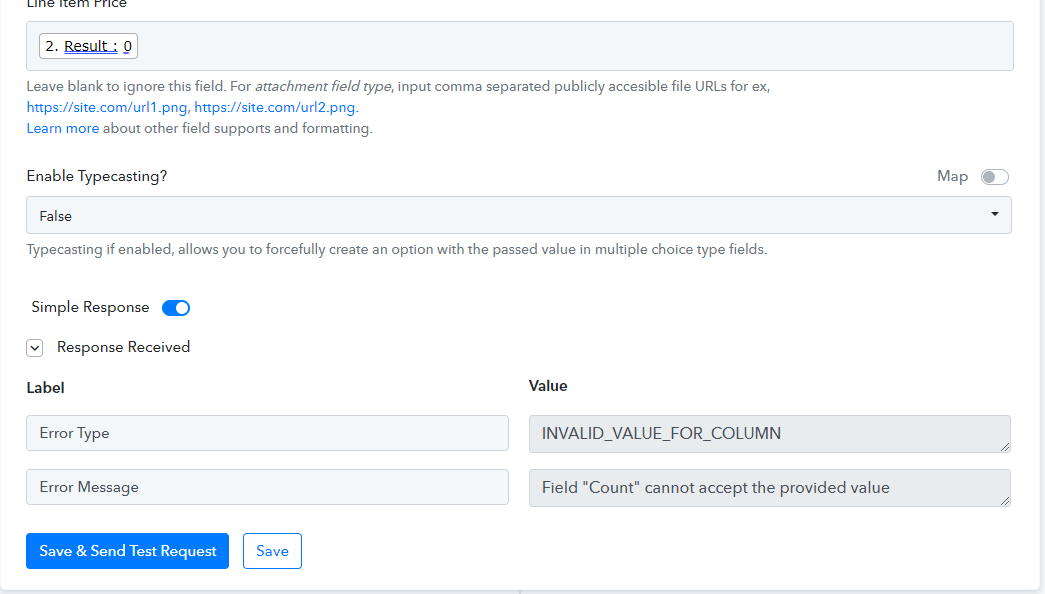
Step - 'Rooms To Be Treated - Hallways' > Action 'Airtable : Create 'Hallways' Row' says the COUNT column contains invalid data and cannot accept the value whereas the destination Airtable column allows input data to be anything - all the previous rows were created successfully and used different values in the column.
See img5.png
Still I get an error as shown in img6.png
Use case for variables:
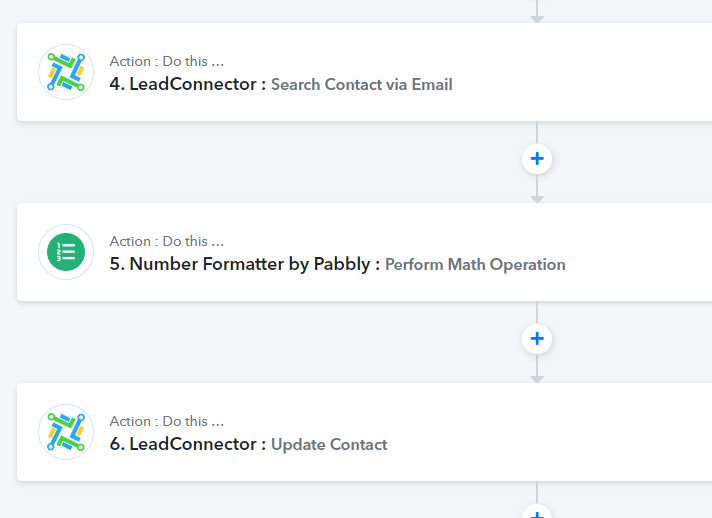
I'm looking to carry forward the price after each step in a Router for arriving at a final numerical value - however, as the steps are isolated (I guess as I can't refer to other step output) there's no possibility to perform math calculations.
What I'm looking for is a variable feature to store data (previous step value), perform math calcs at the next step and iterate to the end.
Attachments
Hey @gjpabCan you please explain your complete use case once on how you want to process the variable/keys along with the workflow name?
Hey @gjpabCan you please explain your complete use case once on how you want to process the variable/keys along with the workflow name?
Adding to my prev update - having a variable feature can help me reduce multiple redundant actions (~80 of them). see img7.png
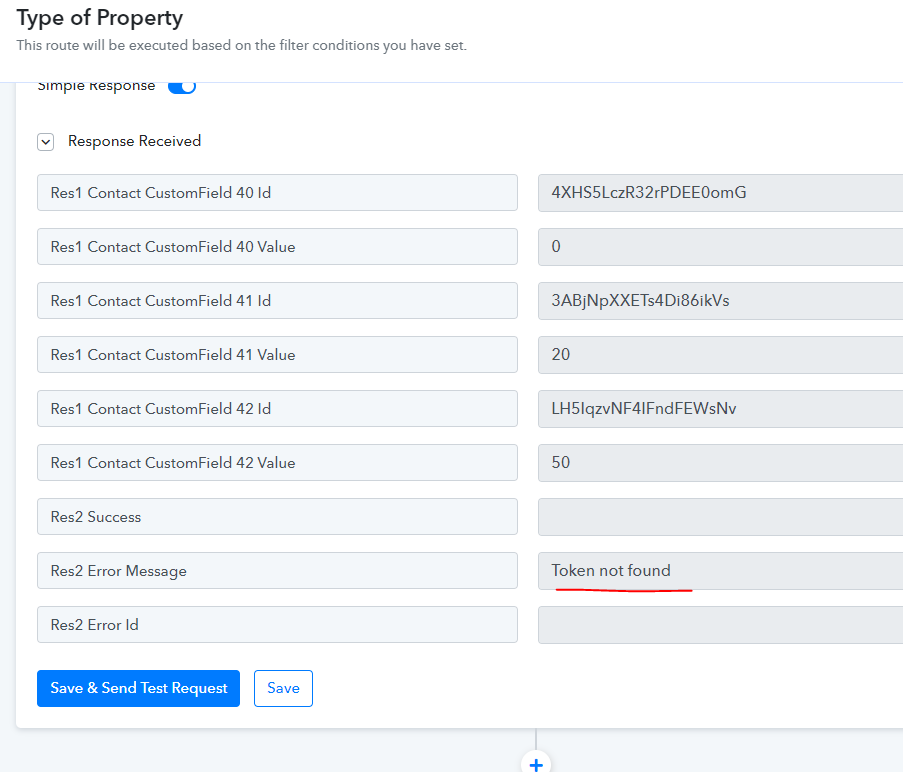
Finally, the update contact action returns an error 'Token not valid' even though the update is successfully made. It's strange - any reasons why?
Attachments
Problem2:
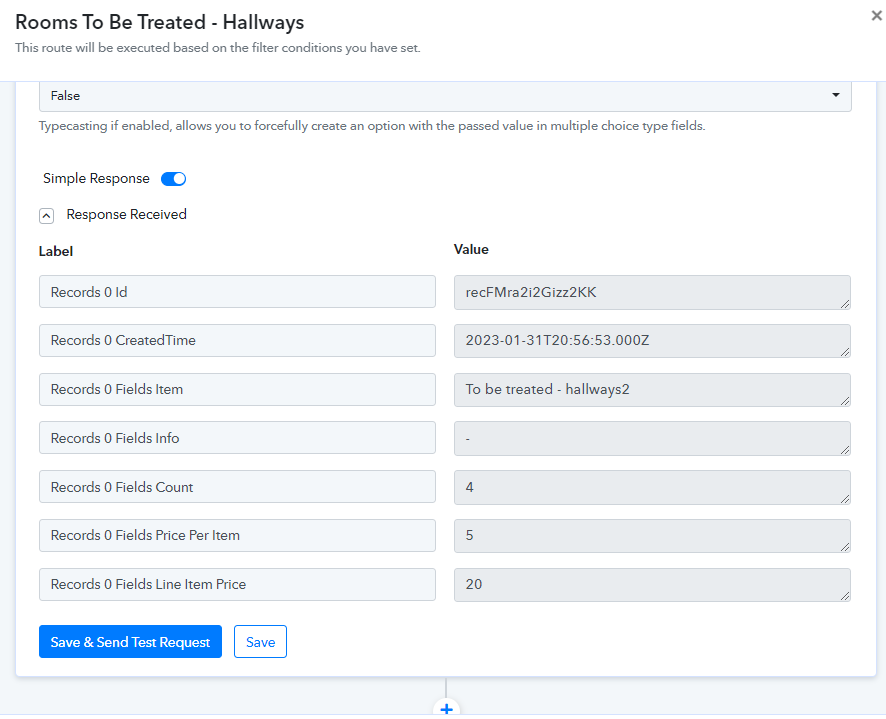
Step - 'Rooms To Be Treated - Hallways' > Action 'Airtable : Create 'Hallways' Row' says the COUNT column contains invalid data and cannot accept the value whereas the destination Airtable column allows input data to be anything - all the previous rows were created successfully and used different values in the column.
See img5.png
Still I get an error as shown in img6.png
As we can see from your workflow you have already configured the Airtable action step correctly and it is running fine.
Finally, the update contact action returns an error 'Token not valid' even though the update is successfully made. It's strange - any reasons why?
The message is coming due to the tags which you didn't pass that you can ignore.
Use case for variables:
I'm looking to carry forward the price after each step in a Router for arriving at a final numerical value - however, as the steps are isolated (I guess as I can't refer to other step output) there's no possibility to perform math calculations.
What I'm looking for is a variable feature to store data (previous step value), perform math calcs at the next step and iterate to the end.
We can recommend you use all the lookup tables outside the routes and pass the consecutive values at the last step of Lead Connector and
Airtable by not using the Router action step.
As we can see from your workflow you have already configured the Airtable action step correctly and it is running fine.
The message is coming due to the tags which you didn't pass that you can ignore.
We can recommend you use all the lookup tables outside the routes and pass the consecutive values at the last step of Lead Connector and
Airtable by not using the Router action step.
Not too sure how suitable the last item will be as I'm performing a math operation as part of every action within the workflow. Are you able to do a quick demo of what you said?
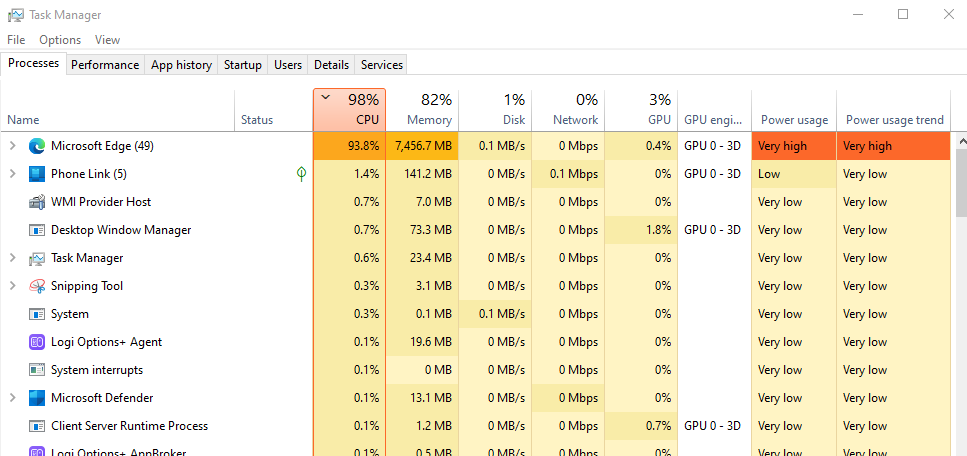
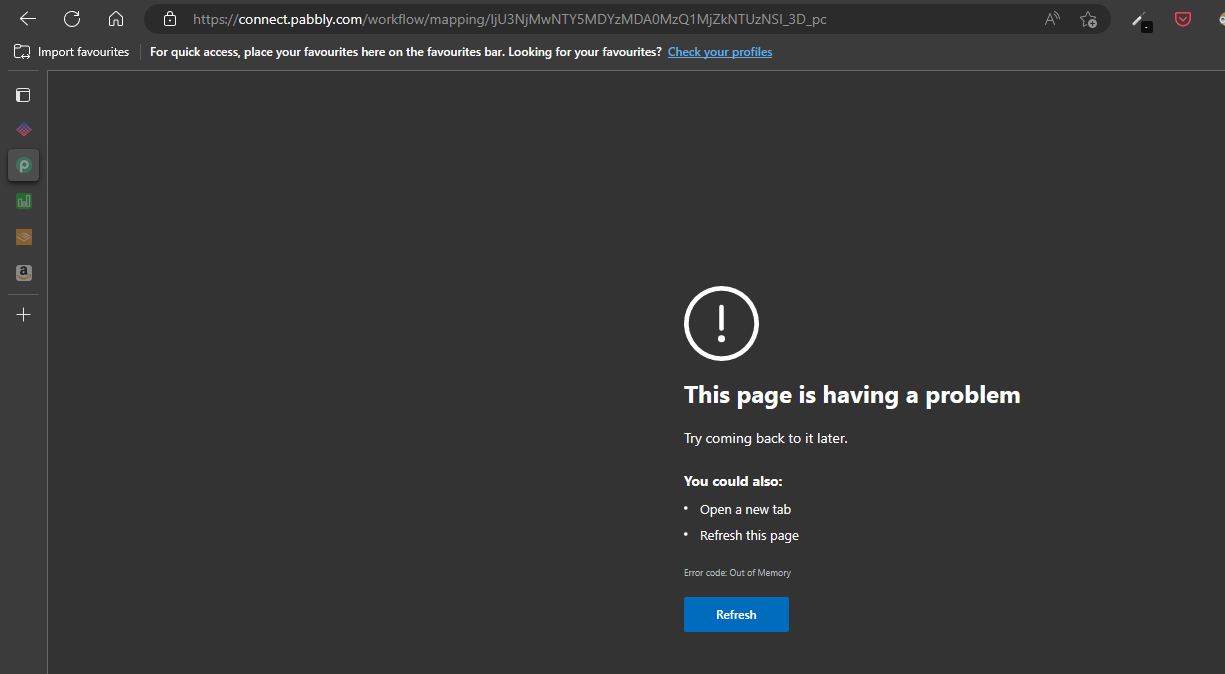
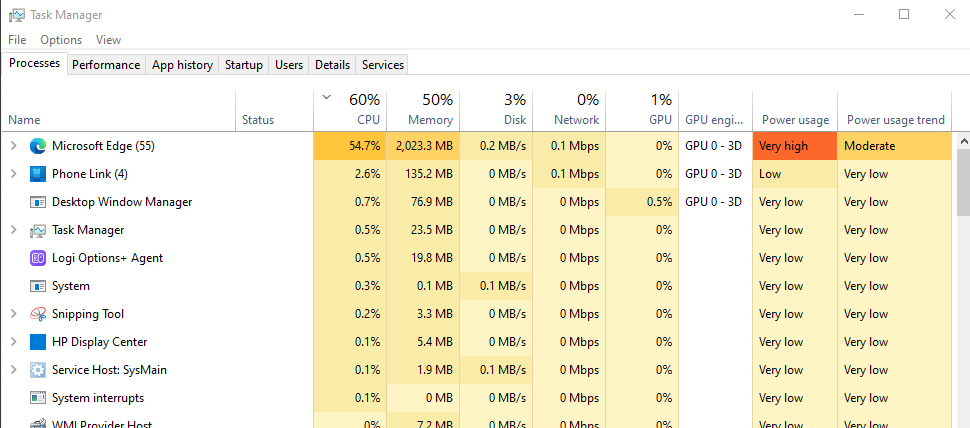
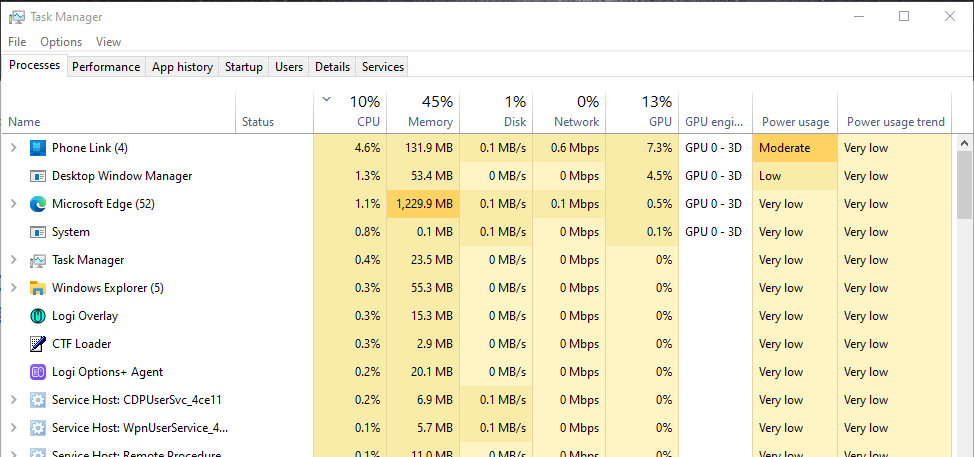
I also have a performance issue working with this workflow on my MS Surface Pro (i7,16GB). The app responds quite slow when it's consuming too much memory and crashed multiple times despite running just Pabbly in a browser and nothing else. It resets the MM usage after the crash and repeats. Here's some screenshots. Have you had the same behaviour?
Attachments
As we can see from your workflow you have already configured the Airtable action step correctly and it is running fine.
The message is coming due to the tags which you didn't pass that you can ignore.
We can recommend you use all the lookup tables outside the routes and pass the consecutive values at the last step of Lead Connector and
Airtable by not using the Router action step.
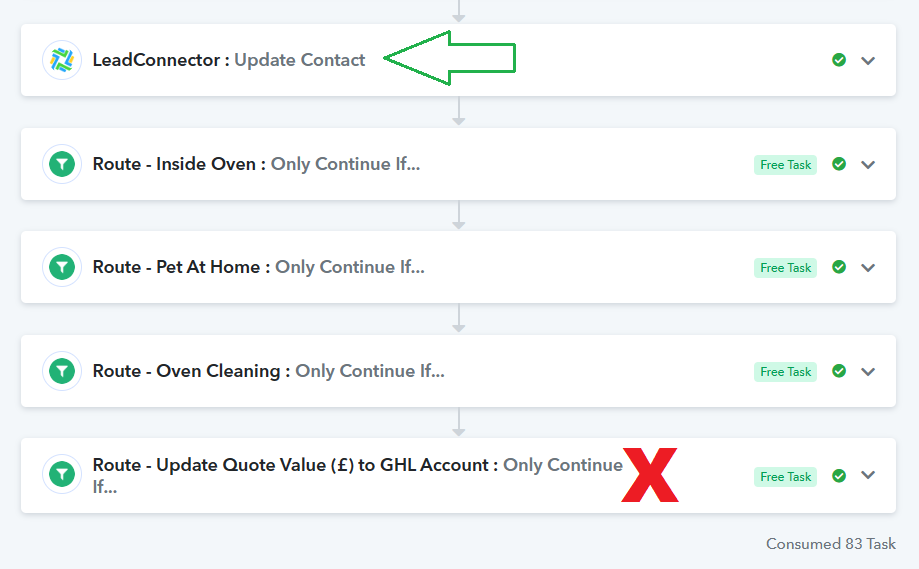
Moreover the final calculation step executed and the value (in screenshot) is there for it to update the GoHighLevel (LeadConnector) contact, and it exited as the condition wasn't satisfied - whereas the value is 425 and it is certainly > 0 and must have been satisfied. Any ideas why?
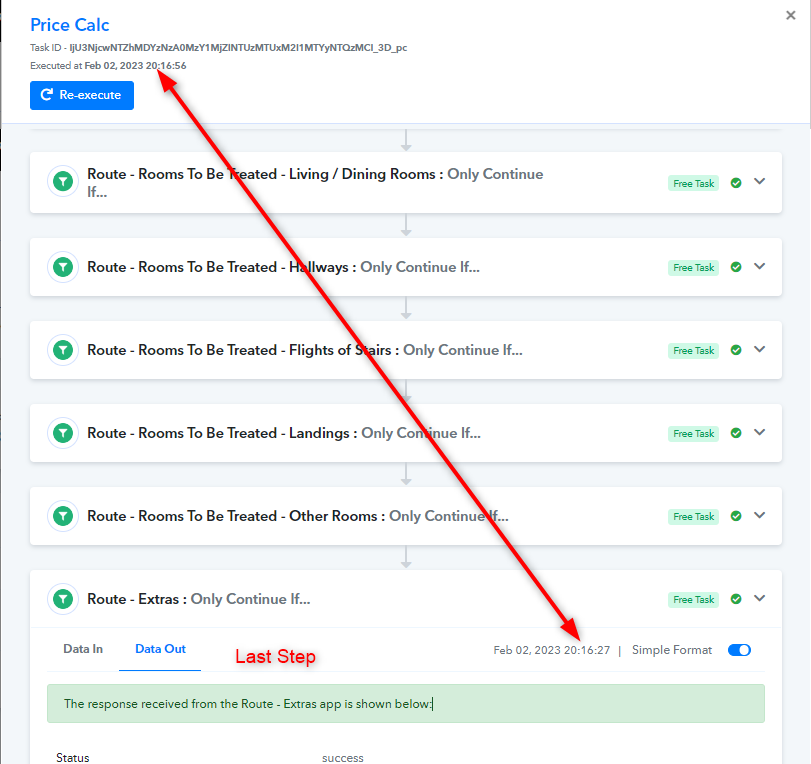
Also, I ran a test submission and it took 1.5 mins to execute the workflow. It is a problem as I cannot keep a customer waiting on the page that long. Is there a possibility to make it more efficient by reducing the execution time?
Attachments
Hey @gjpab
Not too sure how suitable the last item will be as I'm performing a math operation as part of every action within the workflow. Are you able to do a quick demo of what you said?
You can check the Lookup Table's tutorial video on the same.
-
youtube.com/watch?v=0umsoycOlfo
I also have a performance issue working with this workflow on my MS Surface Pro (i7,16GB). The app responds quite slow when it's consuming too much memory and crashed multiple times despite running just Pabbly in a browser and nothing else. It resets the MM usage after the crash and repeats. Here's some screenshots. Have you had the same behaviour?
Please check with your computer technician, we do not configure browsers setting.
Moreover the final calculation step executed and the value (in screenshot) is there for it to update the GoHighLevel (LeadConnector) contact, and it exited as the condition wasn't satisfied - whereas the value is 425 and it is certainly > 0 and must have been satisfied. Any ideas why?
Kindly check the task execution carefully with the data label you have mapped to check if the condition did not get any value in it, so the filter condition wasn't satisfied.
https://www.screenpresso.com/=pKM2c
Also, I ran a test submission and it took 1.5 mins to execute the workflow. It is a problem as I cannot keep a customer waiting on the page that long. Is there a possibility to make it more efficient by reducing the execution time?
The execution has done at the same time when LeadConnector sent the data to the workflow.
Hey @gjpabYou can check the Lookup Table's tutorial video on the same.
-
youtube.com/watch?v=0umsoycOlfo
Please check with your computer technician, we do not configure browsers setting.
Kindly check the task execution carefully with the data label you have mapped to check if the condition did not get any value in it, so the filter condition wasn't satisfied.
https://www.screenpresso.com/=pKM2c
The execution has done at the same time when LeadConnector sent the data to the workflow.
Thanks for your responses.
You need to click on 'Load More Execution Steps' so you can verify the time last step ran.
GHL Webhook Executed & Pabbly Workflow Triggered —> Feb 02, 2023 20:15:30
Completed on —> Feb 02, 2023 20:16:56
Total exec. time - almost 1.5 mins
ou need to click on 'Load More Execution Steps' so you can verify the time last step ran.
GHL Webhook Executed & Pabbly Workflow Triggered —> Feb 02, 2023 20:15:30
Completed on —> Feb 02, 2023 20:16:56
Yes, we verified that every task was executed completely and correctly. Because it took the API you are using so long to process your request.