Mark a field as "empty"
Status: Closed · Asked by Magingo on · 0 views
Hello,
I intend to update a record in my autoresponder (Klick-Tipp).
Unfortunately, I can only select "Add contact" there. But this is ok so far, because the existing contact can be updated with it.
I can then fill the fields with appropriate data as desired, which also works wonderfully. But there are also fields that I just want to empty.
How can I do that?
You can enter {{skip}} in the field which you wish to keep empty.
Short counter question: Doesn't {{skip}} mean skip the field? Or is a previously filled field then emptied?
Yes, it means skipping the field. It won't make the field empty.
{{skip}}
Please test at your end once and share your feedback.
Ok, we seem to have misunderstood each other.
Because I WANT to delete specific fields
Ok, we seem to have misunderstood each other.Because I WANT to delete specific fields
Okay. Got it.
Unfortunately, we don't have the option of deleting the fields for which you're asking for. It will require to create another action event for doing that.
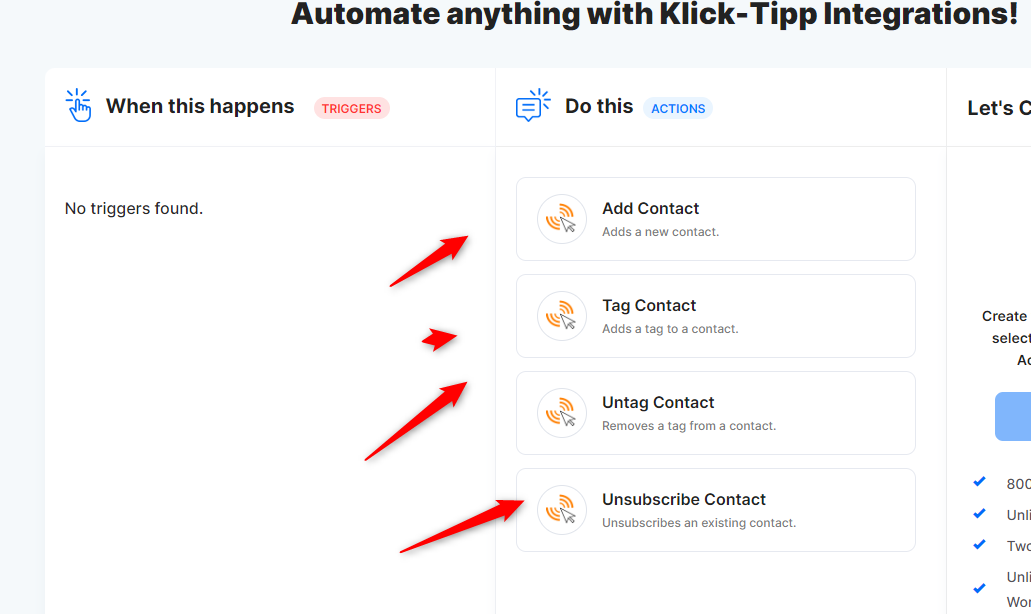
Ok, one idea that maybe could work is:
If I choose here "Add Contact" and I put values in the fields, they will be updated.
if I could send a value that would clear the field, that would be nice. Is this possible in any way?
Hi team,
In google sheets, {{skip}} does not work, because it deletes the field.