Mautic Multiple Email Entries (With Wix Forms)
Status: Closed · Asked by closethedeal on · 0 views
Hi,
I am connecting Wix Forms with Mautic.
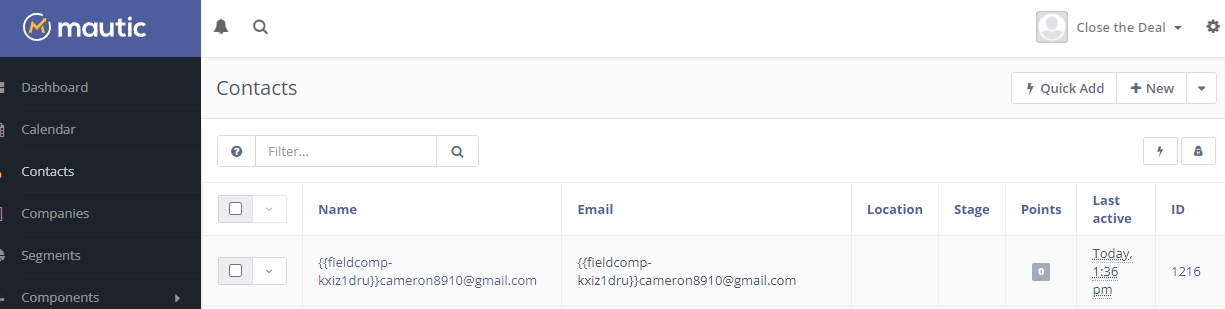
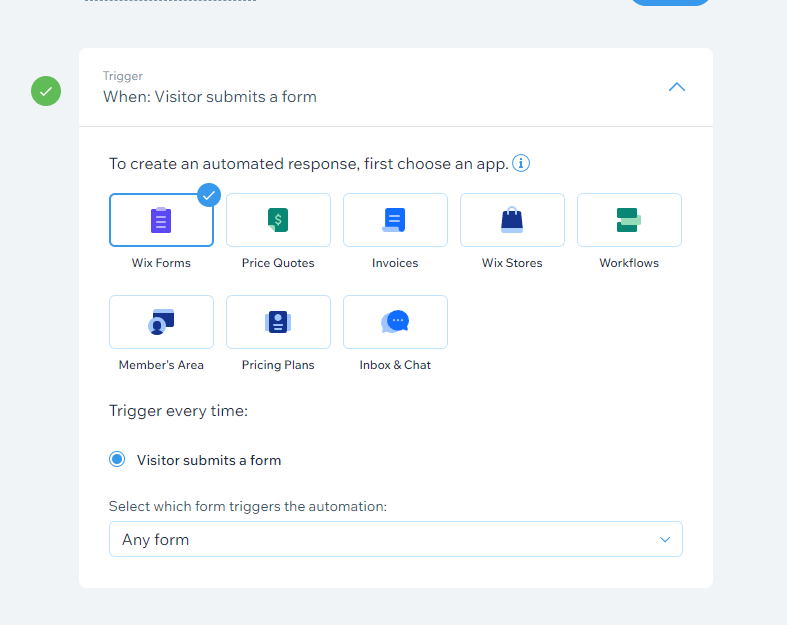
I would like to create/update a new contact whenever a new form is submitted in Wix (image 1). I currently have 2 forms collecting emails in Wix.
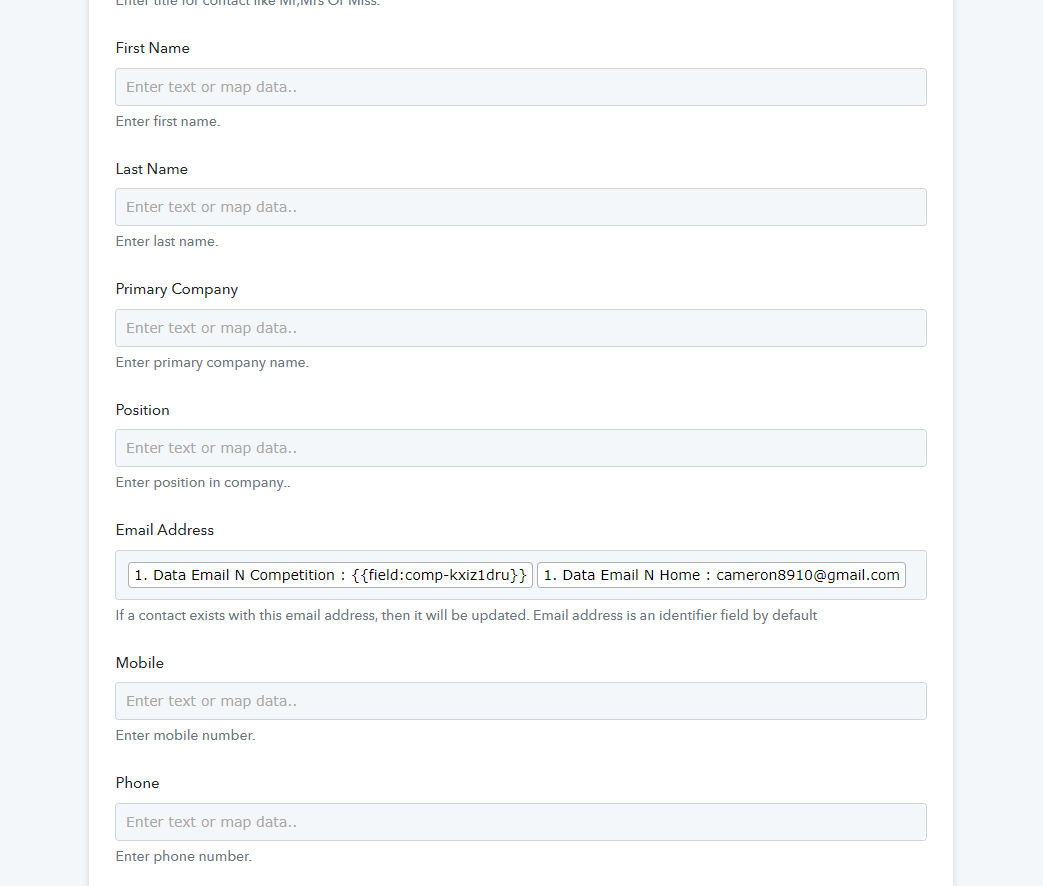
When filling out details for the integration, I included both email fields because if I only included 1, it was only taking data from 1 form and not the other. (image 2).
However, when I do this, Mautic doesn't recognize to leave the unfilled field blank and the email data is unusable in this format. (image 3)
I am aware I could just create another workflow (and have 1 workflow/form). However, Wix has limits on 'automations' and Webhook connections on my current plan and I am at the limit currently.
Is there a way to fix my above solution within the same workflow?
Attachments
Hey @closethedeal
We have made a small adjustment in your desired workflow and seems fine now, kindly review that up and let us know if that works for you.
Hey @closethedealWe have made a small adjustment in your desired workflow and seems fine now, kindly review that up and let us know if that works for you.
Hi @Supreme,
Thank you, I have tried testing the workflow and it still experiences the same issue and also only picks up 1 forms responses (not all forms).
Your continued help is much appreciated.
Hey @closethedeal
Could you please elaborate on your use case once, so that we can assist you accordingly?
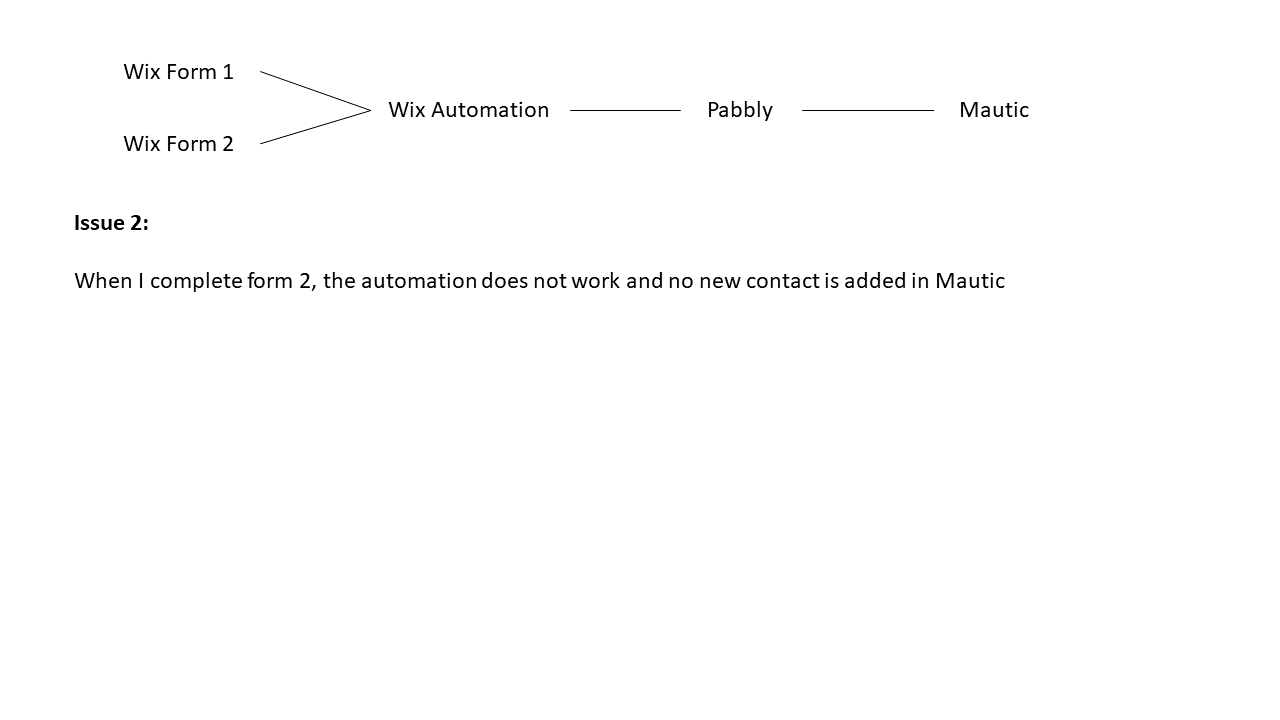
Please see attached, let me know if this clarifies everything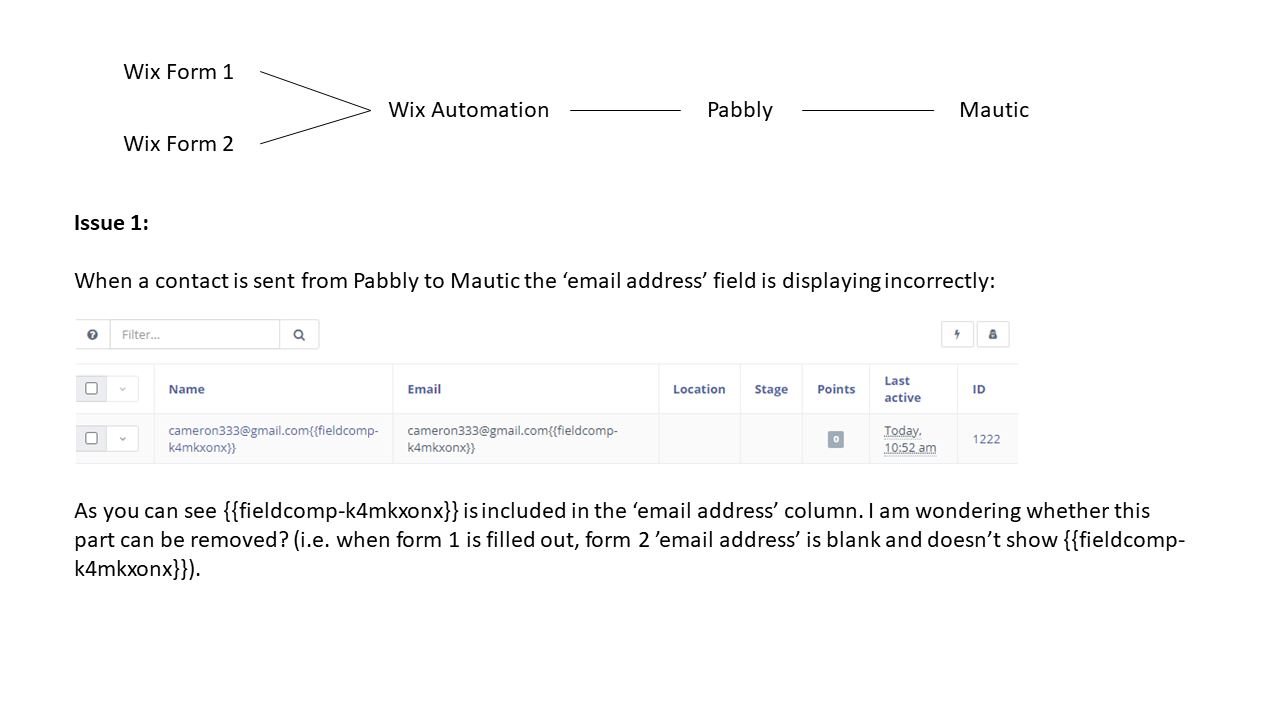
Hey @closethedeal
Could you please try your workflow( Mautic Newsletter M&A Competition ) again and let us know if that works for you.
It did not work, I have just created individual automations for each form
Hey @closethedeal
We looked into your workflow, mapped fields and it seems like the workflow is working accordingly.
Kindly give it a try and let us know if it still troubles you out.