Merge fields stripped from Google Slides
Status: Closed · Asked by jcgreman on · 0 views
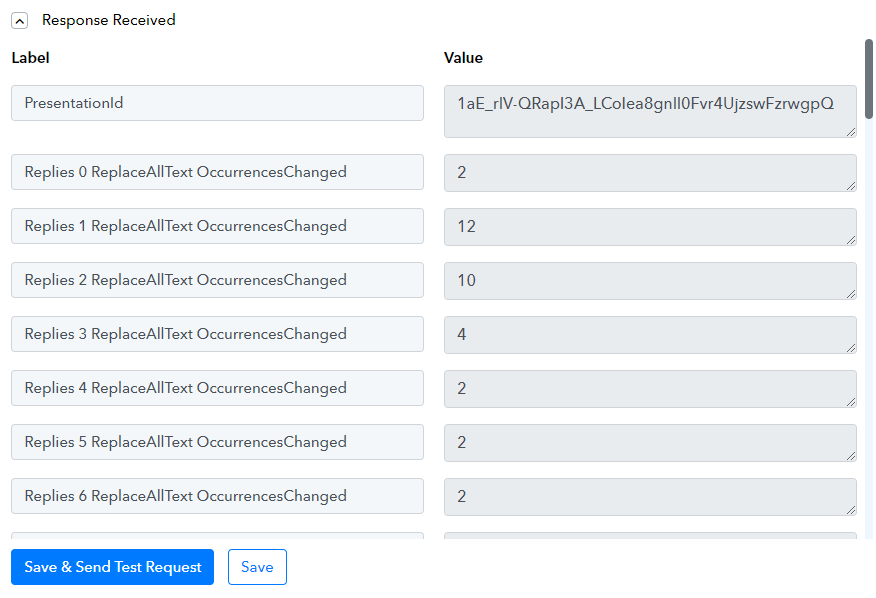
When I run Google Slides : Create Presentation From Template all of the unused {{merge fields}} are being stripped out from the newly created google slides file. The text boxes are still there, just no more curly brackets or what was between them. If I do pass something to a merge field it populates just fine. The module says "Leave blank to ignore this Field" and i have confirmed that appear to be blank. Please help me leave unused merge fields in place as my workflow utilizes them later in another future step.
Attachments


Hi @jcgreman,
Please try using something like square brackets instead of curly brackets and see if that fixes your issue.
Hi @jcgreman,Please try using something like square brackets instead of curly brackets and see if that fixes your issue.
But i need the curly brackets so it can be seen as a merge field. Square brackets don't get recognized by pabbly connect as a field. I have successfully has PC and Zap ignore blank fields in the past but for some reason blank fields are being updated with a null value as show in the results. This is breaking my application.
Could you please share the Workflow URL in which you have this concern?
I went with a work around which was passing back the original {{mergevariable}} in the create from template work flow. Its was more work but seems bullet proof
Thank you for the update. We are glad the issue is fixed now.