Metrics Reporting
Status: Closed · Asked by spinckney on · 0 views
Hello.
I am new to Pabbly so please forgive me if this is a simple question.
If I have a google sheet that contains KPIs/Metrics in a standard 3 column table like the following:
[TABLE]
[TR]
[TD]Metric[/TD]
[TD]Value[/TD]
[TD]Notes[/TD]
[/TR]
[TR]
[TD]Number of Sessions this week[/TD]
[TD]4[/TD]
[TD][/TD]
[/TR]
[TR]
[TD]Number of Meetings this week[/TD]
[TD]10[/TD]
[TD][/TD]
[/TR]
[TR]
[TD]Revenue Earned this week[/TD]
[TD]$500[/TD]
[TD][/TD]
[/TR]
[TR]
[TD][/TD]
[TD][/TD]
[TD][/TD]
[/TR]
[/TABLE]
is it possible for Pabbly to extract these values and send them to me in the body of an email?
Thanks.
Use Get Rows action of Google Sheet in Pabbly Connect workflow and then use Gmail to send the email with this values.
Awesome. Will check it out.
Thanks Fagun.
Hi Fagun, I've gotten GetRows() to work.
The result set i get back is a list of values in the screenshot below.
The next step after this is the SendMail via GMail step.
I've have the HTML for a Table, but what is the best way to capture the GetRows() data in a table?
Should I set a placeholder in each cell and replace each placeholder with a particular value?
Or is the an easier way to structure this dataset as a table?
Thanks.
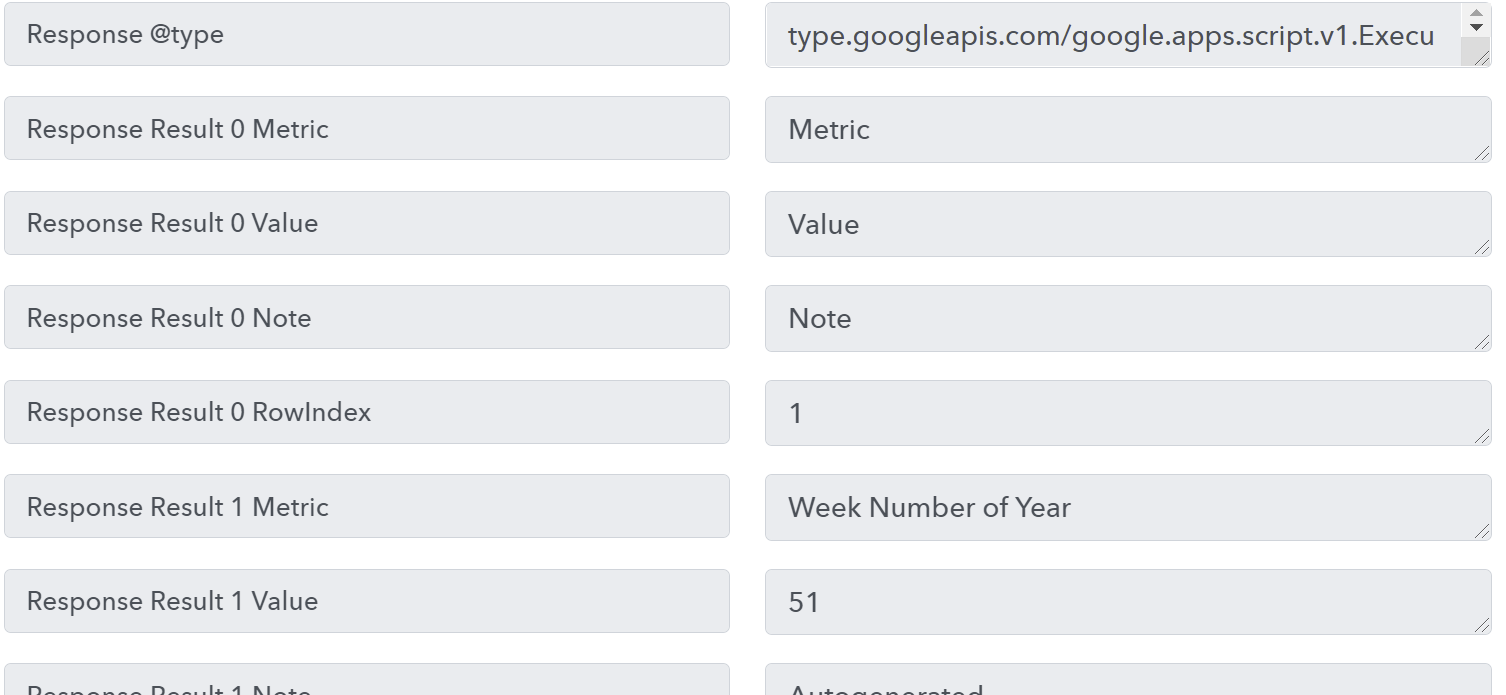
If your number of rows and columns are fixed then you can go ahead and setup HTML table with placeholder with data you got from getrows action.