Microsoft To do integration doesn't work
Status: Closed · Asked by Edi on · 0 views
Hi,
I'm testing an integration between Microsoft To Do and Google calendar.
The workflow is: On a Microsoft To do task update -> create a new Google calendar event.
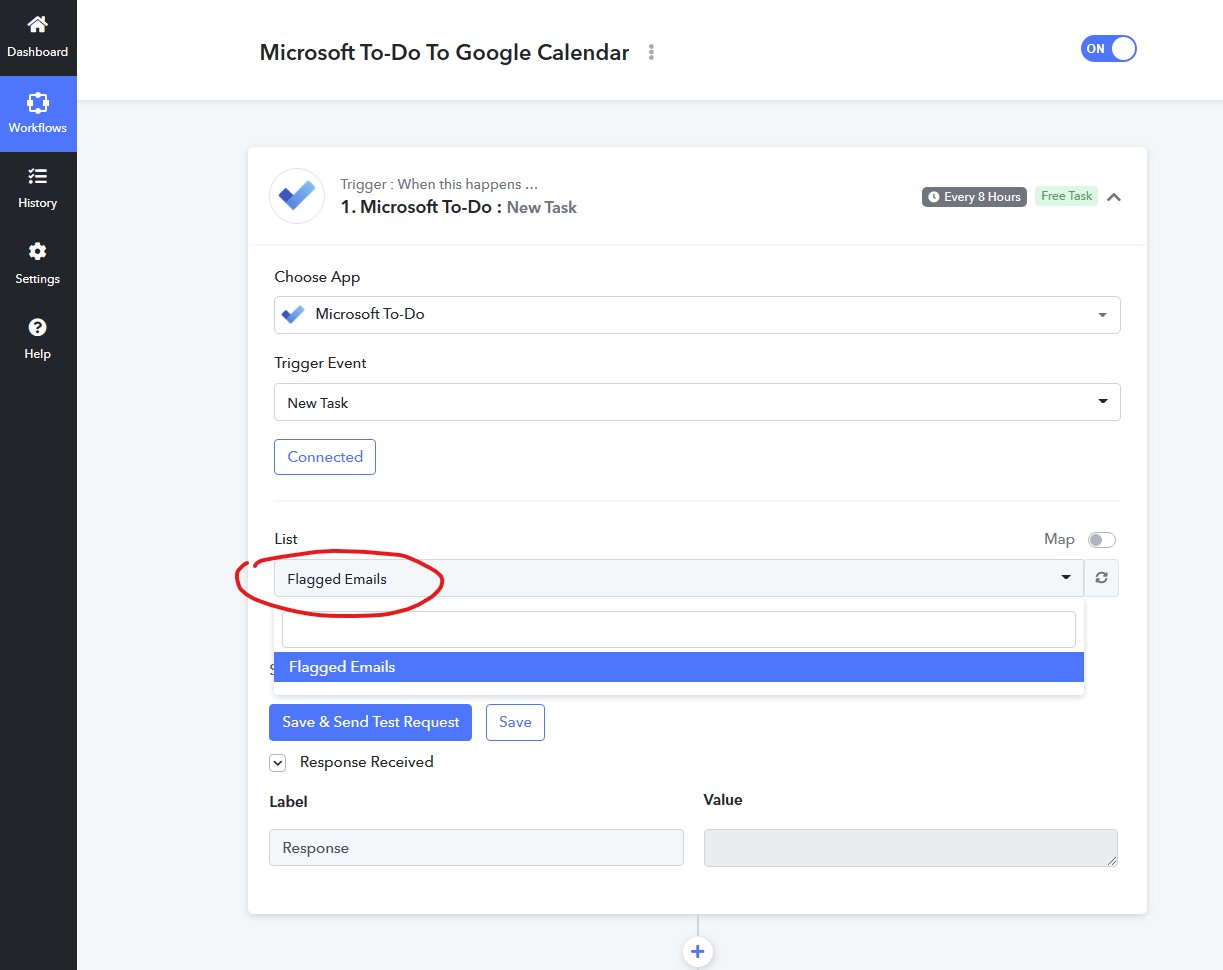
The problem is, that after authorising Pabbly to connect to my Microsoft account, I can't see my To-do lists appearing in the trigger event section. The only list I can see is "Flagged Emails" - see attached image.
In all of the tutorials, I could see that after a successful auth with MS, you get the "Tasks" list to appear in the Lists drop-down. It never happened to me.
I tried to delete and re-authorize it, but it didn't work.
How can I resolve it?
Attachments
Hey @Edi
Could you please show us the number of list items that you think should come up? Also, we have tried the same at our end and it is showing all the items.
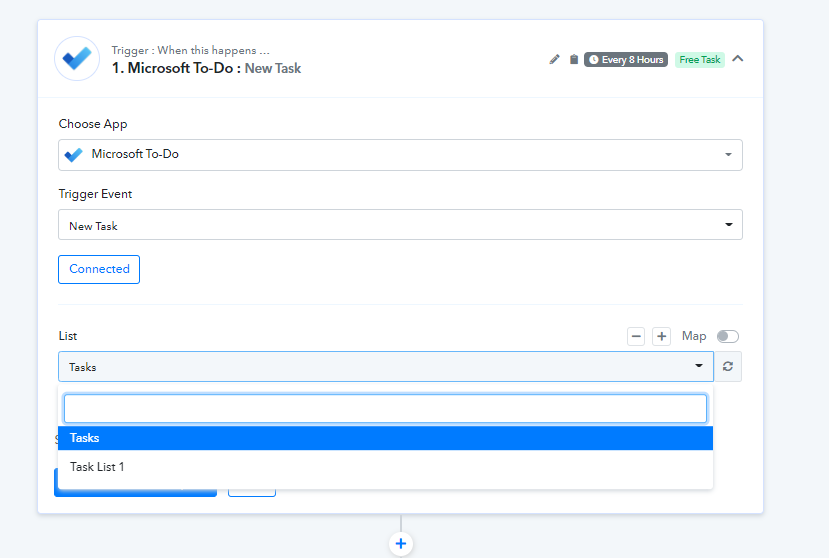
I have only one list called Tasks (this is the one I wanted to import). But nothing shows up except the Flagged Emails list.
Hey @Edi
Perhaps you might be having only one list in the drop-down. Kindly check and then share the screenshot of the same.
Further, please try making a new connection once and then try again.
Please check my image from the first message, I got only the "Flagged Emails" list. I tried authorising again, opening a new workflow, and using a different account, but nothing worked, I'm always getting the same thing.
Please check my image from the first message, I got only the "Flagged Emails" list.
Share the screenshot of the list from your MS account.