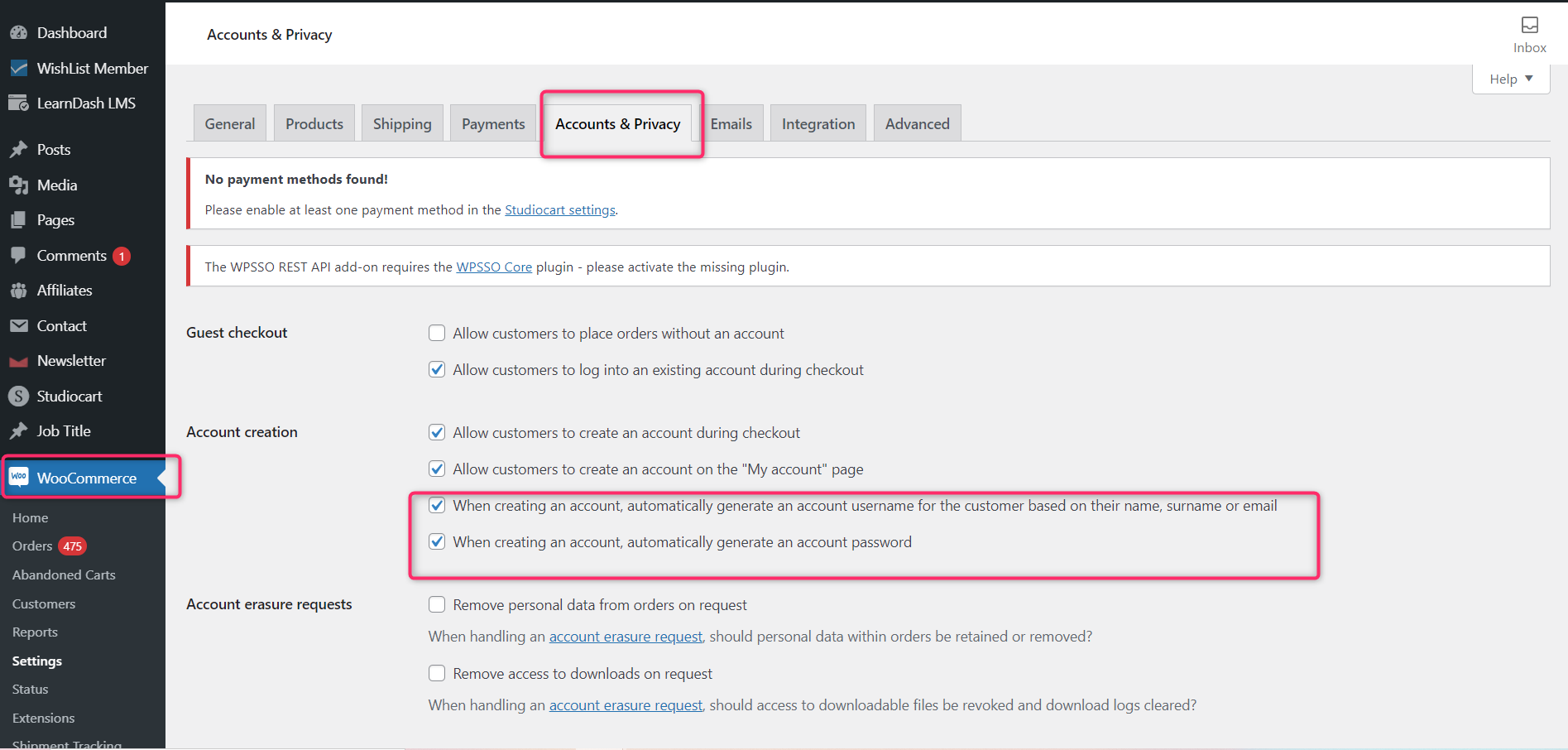
Missing paramaters when trying ThriveCart to WooCommerce
Status: Closed · Asked by onehour303 on · 0 views
Hello: I am new to Pabbly.
When attempting a workflow to have WooCommerce add a new customer when there is a product sold on Thrivecart, the task failed... giving me this information in the "Data Out" area (see image below). All the data mapped correctly (name address, etc.). I don't see the fields below (Code, message, Data status, Data params 0) listed on the mapping. So am unclear of what this means and how to fix it.
Can anyone assist? Thank you!
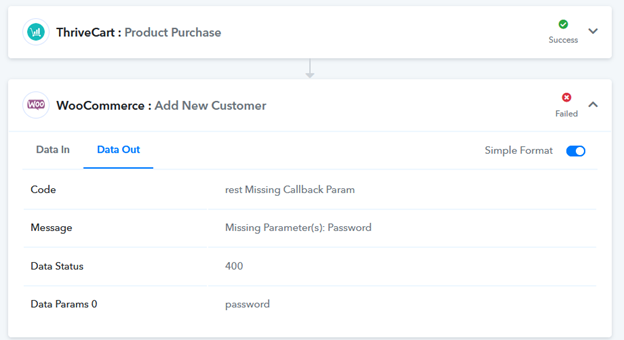
Hey @onehour303
We looked over your concern and it looks like you have set the username and password mandatory from your WooCommerce account. So without filling those 2 fields, you're getting the error message for WooCommerce. Thus you will be needing to provide the username and password while Adding New Customer.
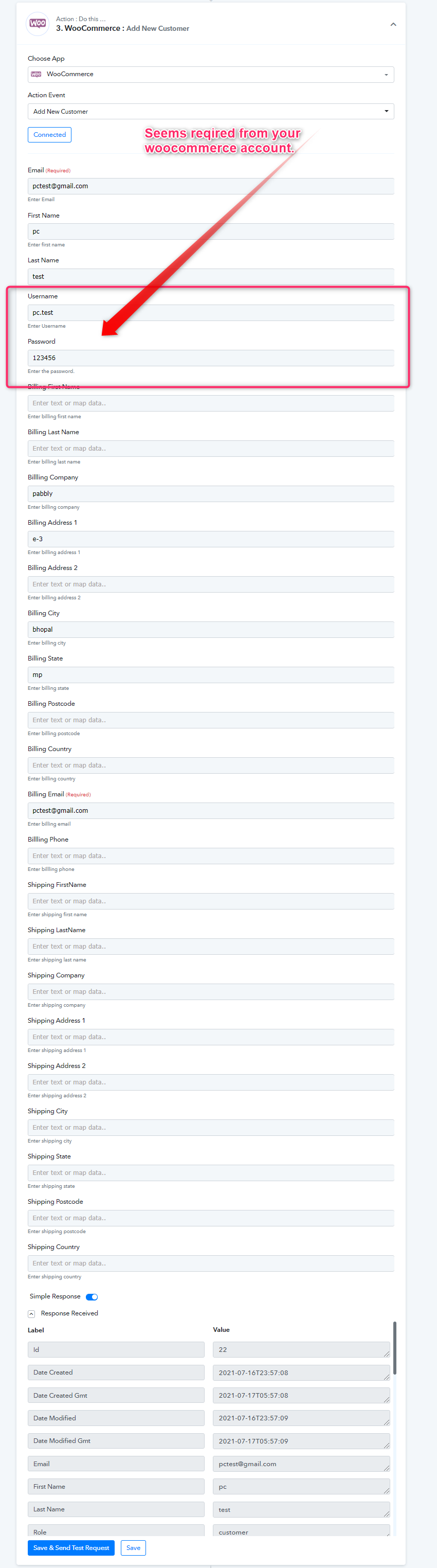
Thanks for your reply. I am new to WooCommerce. Do you know how I disable the requirement in WooCommerce that a username and password be required for a new customer. I don't want that. I have made these settings, but it still is requiring it through Pabbly.
Hey @onehour303
Thanks for your reply. I am new to WooCommerce. Do you know how I disable the requirement in WooCommerce that a username and password be required for a new customer. I don't want that. I have made these settings, but it still is requiring it through Pabbly.[IMG alt="1626526765078.png"]https://forum.pabbly.com/attachments/1626526765078-png.2268/[/IMG]
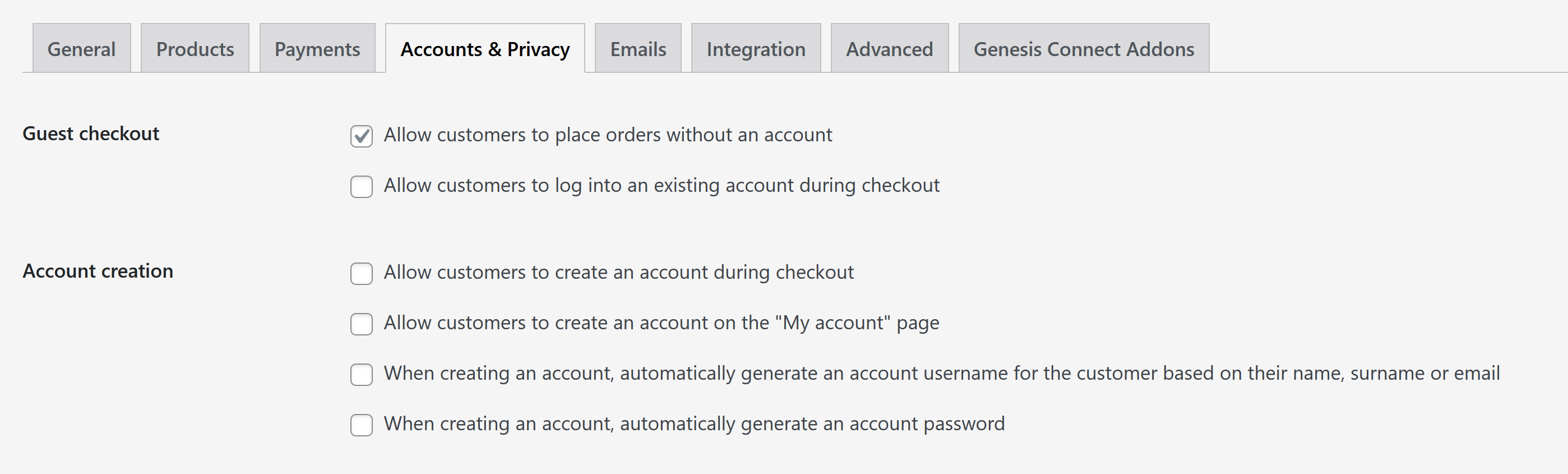
Please enable the last 2 checkboxes of the account creation menu. Please check out the following screenshot-