Monday.com Columns/Lists not populating
Status: Closed · Asked by sebwilliams on · 0 views
Hey folks,
Following up on this original thread: https://forum.pabbly.com/threads/monday-com-issue.21695/
It seems when using "Update Item Column Value" the list of columns can be returned and used perfectly
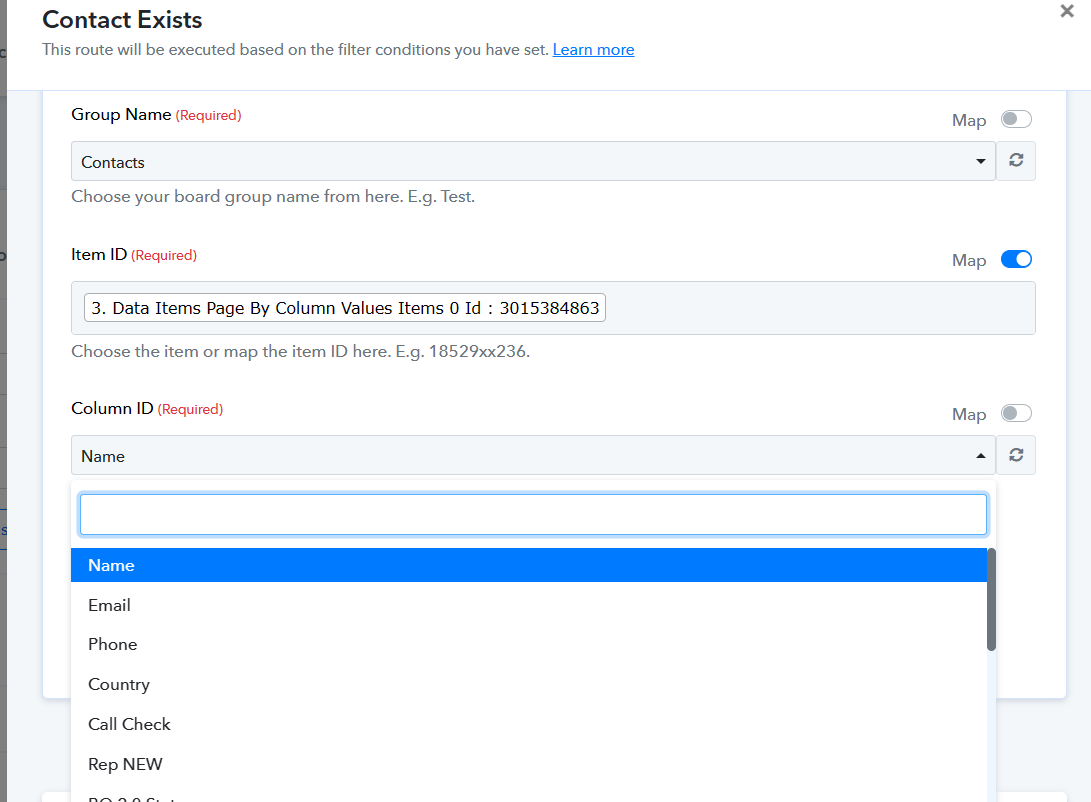
However, we're not trying to update an action on "Get Items Column Value" and the list of columns is coming back blank/empty
So it's working in some places, but not all unfortunately
However, we're not trying to update an action on "Get Items Column Value" and the list of columns is coming back blank/empty
Could you please share the action step for which you checked, along with a screenshot?
Sure thing :)
It was this workflow: https://connect.pabbly.com/workflow/mapping/IjU3NjUwNTY4MDYzZTA0MzY1MjY0NTUzYzUxMzEi_pc
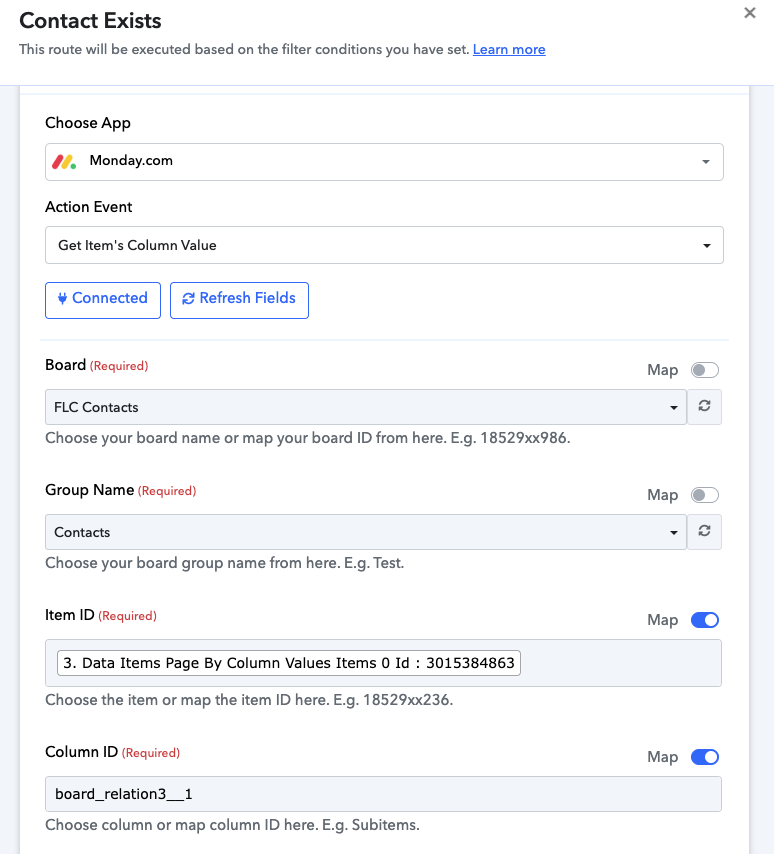
And the action step was "Get Items Column Value" - you can see where we've mapped in the column ID for the time being as a workaround
This seems to be happening on any Get Items Column Value on any workflow
Attachments
Our team is currently looking into it, please allow us some time.
Sure thing :)It was this workflow: https://connect.pabbly.com/workflow/mapping/IjU3NjUwNTY4MDYzZTA0MzY1MjY0NTUzYzUxMzEi_pc
And the action step was "Get Items Column Value" - you can see where we've mapped in the column ID for the time being as a workaround
This seems to be happening on any Get Items Column Value on any workflow
We have made the changes in the 'Get Items Column Value' action step, and the column names are now being reflected. Please take a look.