Monday.com Search feature
Status: Closed · Asked by sebwilliams on · 0 views
Hey folks, hopefully a quick question,
Been using Pabbly Connect for some time now with great success, connecting different apps to Monday.com for our CRM,
When making a new workflow today, I selected the "Search Items by Column Value" option, have used this many times previously with great ease and success,
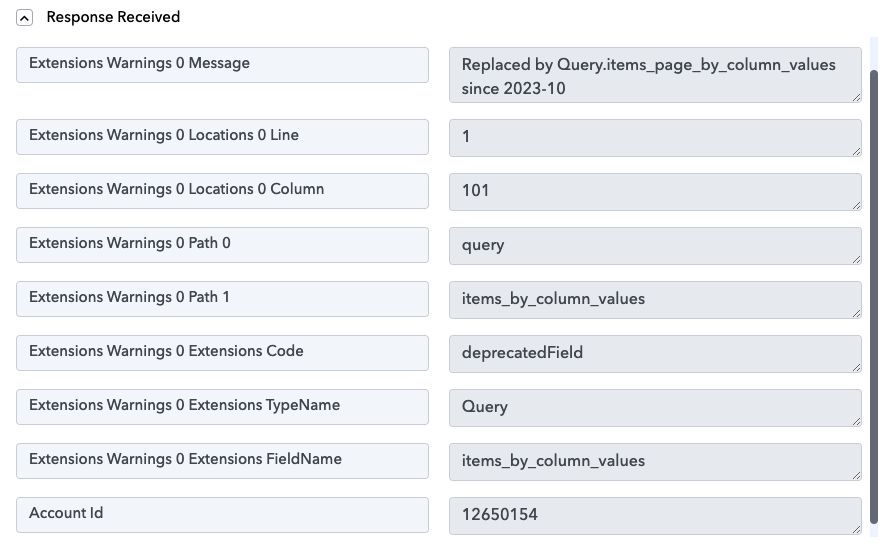
However this time it's giving the following error when pressing Save & Send Test Request (see screenshot attached for additional info).
"Replaced by Query.items_page_by_column_values since 2023-10"
I'm a little confused as to what it's referring to? Especially with the date 2023-10 seems to be October, to me? But we're 2023-08 August currently?
Looking forward to hearing solutions and what I might be over looking in diagnosing this myself, thanks so much :)) Seb.
Attachments
Hey @sebwilliams
We examined your workflow and identified that there is no action step where you encountered the error. It's possible that you have already resolved the query you were previously encountering issues with.
Hey @Supreme , thanks so much for checking and getting back to me
We do still seem to be experiencing the issue.
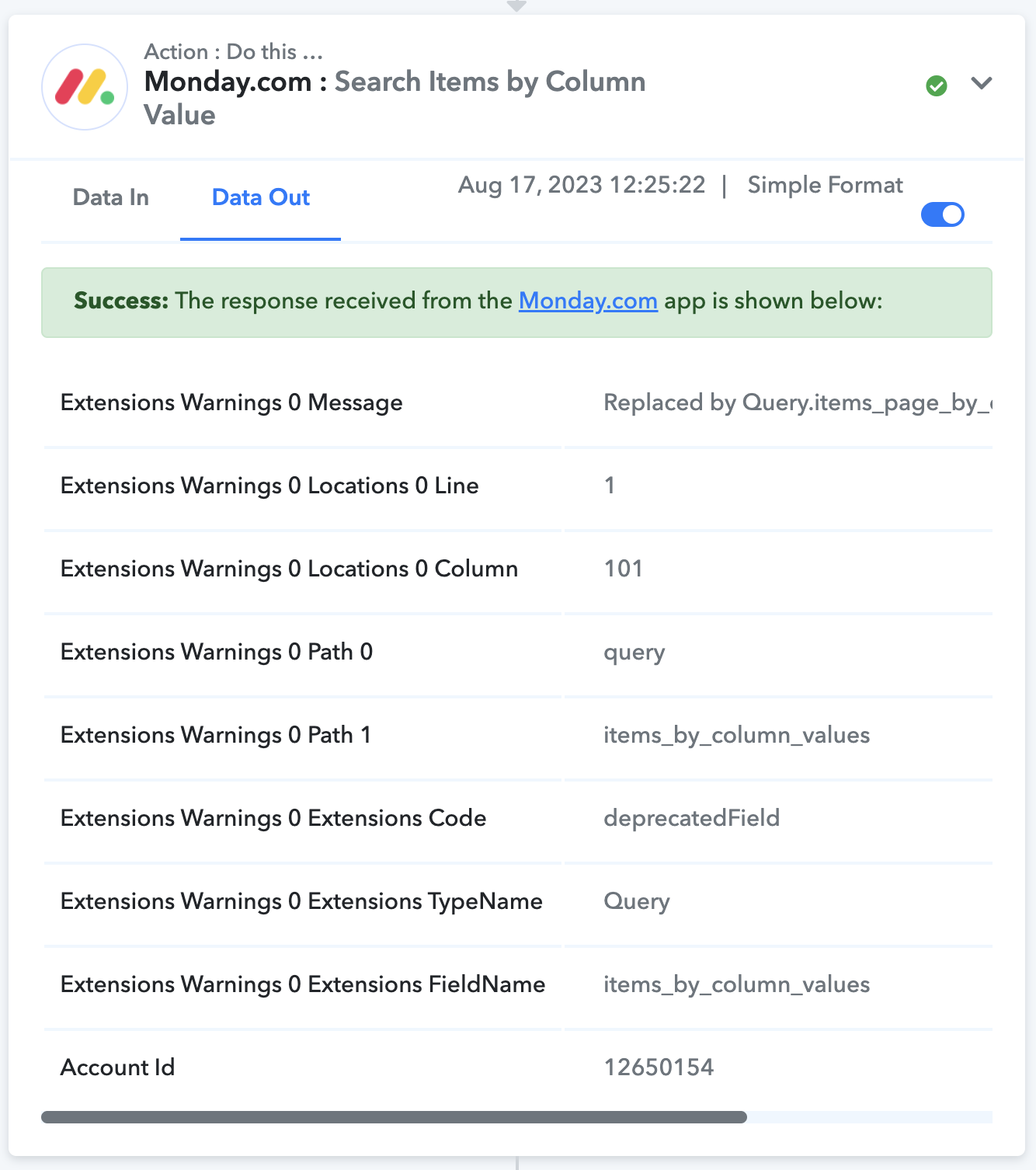
Please see the screenshot attached, all worked perfectly when creating the workflow, however when testing it in real life scenarios the error started to appear again (we found this in the workflow history).
I'm a little stuck and unsure how to remedy it, would appreciate the guidance - thank you.
The workflow in this example is: https://connect.pabbly.com/workflow/mapping/IjU3NjUwNTZjMDYzZTA0MzI1MjY0NTUzZDUxMzEi_pc
And the workflow history is: https://connect.pabbly.com/task/history?filter_status=applied&filter_by_workflow_id=IjU3NjUwNTZjMDYzZTA0MzI1MjY0NTUzZDUxMzEi_pc
Task History ID -
IjU3NjEwNTZmMDYzMDA0MzI1MjZmNTUzZDUxMzA1MTZhNTQzOCI_3D_pc
Executed at
Aug 17, 2023 12:26:20
Attachments
Hey @Supreme , thanks so much for checking and getting back to meWe do still seem to be experiencing the issue.
Please see the screenshot attached, all worked perfectly when creating the workflow, however when testing it in real life scenarios the error started to appear again (we found this in the workflow history).
I'm a little stuck and unsure how to remedy it, would appreciate the guidance - thank you.
The workflow in this example is: https://connect.pabbly.com/workflow/mapping/IjU3NjUwNTZjMDYzZTA0MzI1MjY0NTUzZDUxMzEi_pc
And the workflow history is: https://connect.pabbly.com/task/history?filter_status=applied&filter_by_workflow_id=IjU3NjUwNTZjMDYzZTA0MzI1MjY0NTUzZDUxMzEi_pc
Task History ID -
IjU3NjEwNTZmMDYzMDA0MzI1MjZmNTUzZDUxMzA1MTZhNTQzOCI_3D_pc
Executed at
Aug 17, 2023 12:26:20
Interestingly, leaving it a few minutes and testing it again worked - so perhaps its something intermittent? Not sure!
The problem seems to originate from within Monday.com, and re-executing the same action step along with the query appears to resolve it.