More Options than Fit in One Drop Down - Typeform
Status: Open · Asked by Aaron Watkins on · 0 views
My client has a LOT of forms in typeform. Over 2,000.
We need one of them to be the trigger for a workflow. When we connect the account, and use the new form submitted action - there is a drop down box to select the name of the form.
Because they have so many option - the form we need is not showing up. We have tried clicking the refresh to get more in the list but that did not work. We even tried editing the form and saving it to make it the most recent form edited and that did not work either. Please help!
Hi @CanItBeAutomated,
Could you please share the Workflow URL where you have this concern? Also, let us know the name of the form that isn't showing up.
@ArshilAhmad workflow is here: https://connect.pabbly.com/workflow/mapping/IjU3NjUwNTY1MDYzMjA0M2M1MjY1NTUzNjUxMzEi_pc
Form not showing up is simply called "Concierge - 2024"
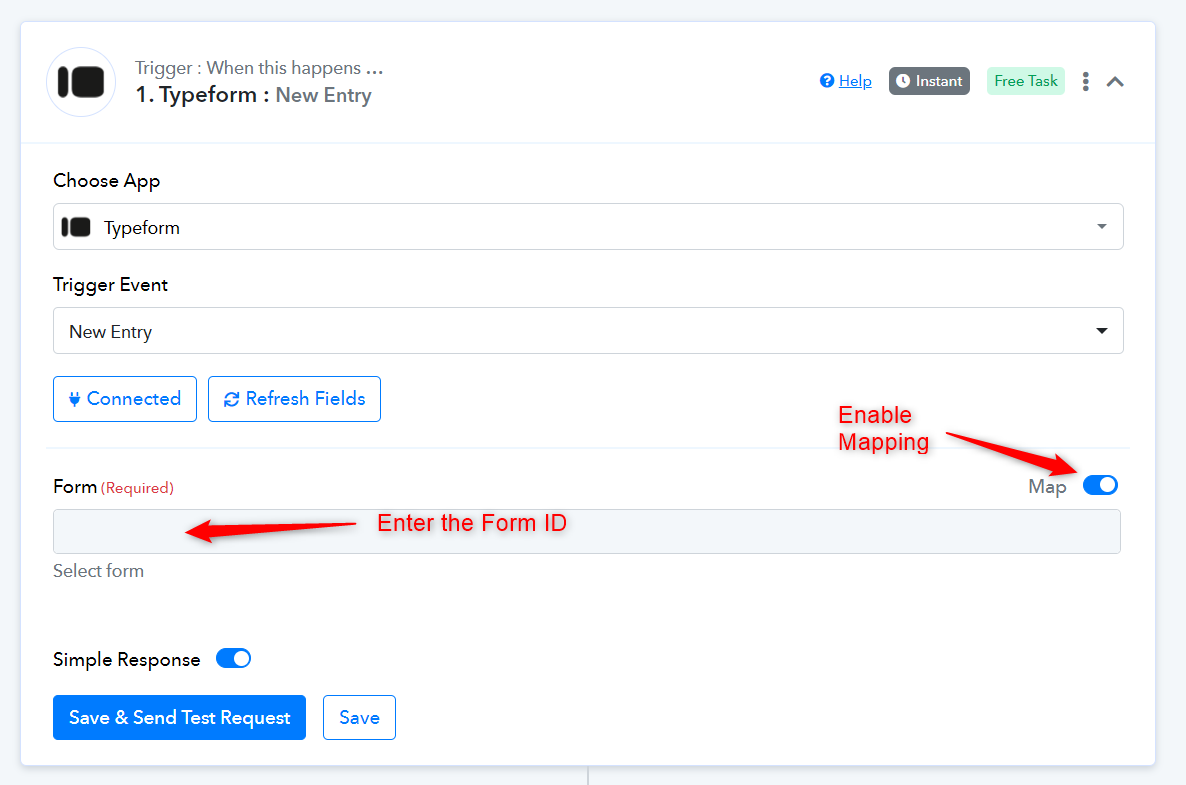
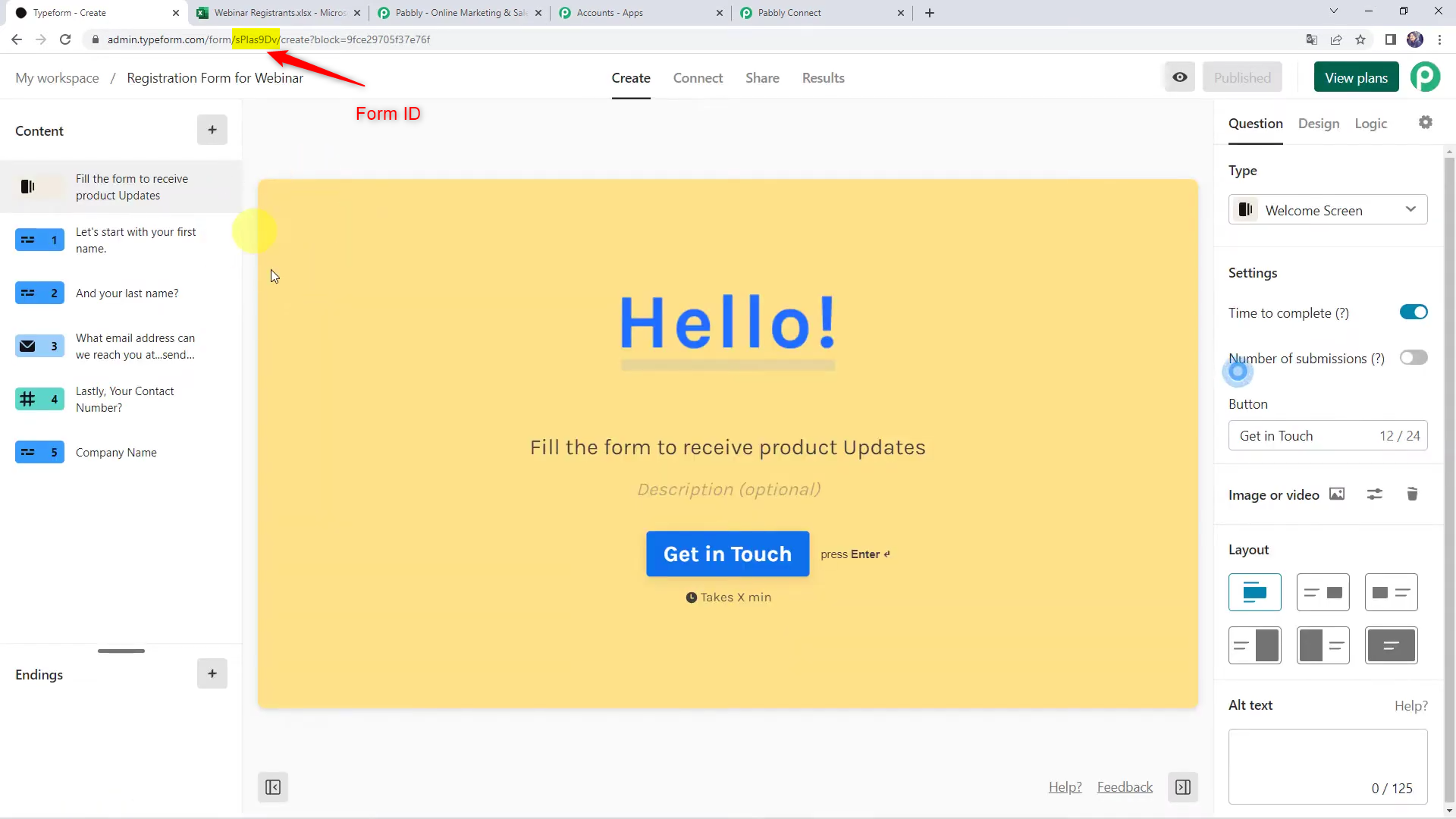
You need to enable mapping and enter the Form ID into its designated field, and then capture a form response. You can find the Form ID in your Typeform account.