Moving existing workflow into a router path
Status: Closed · Asked by Shane Harris on · 0 views
Hey everyone, is there any way that a workflow (or a bulk section of it) can be moved into a router?
Have some decent size workflows that part way through it becomes apparent that i needed to add a router earlier on (or have the steps for a routed path in a whole other workflow) that would take ages to recreate and check - would be so good to be able to be able to insert a router and slot them into a path!
Hey @shane6836
You can make a copy of the workflow using the "Routers" action step. Then, you can edit the action step by copying and pasting what you need into the workflow.
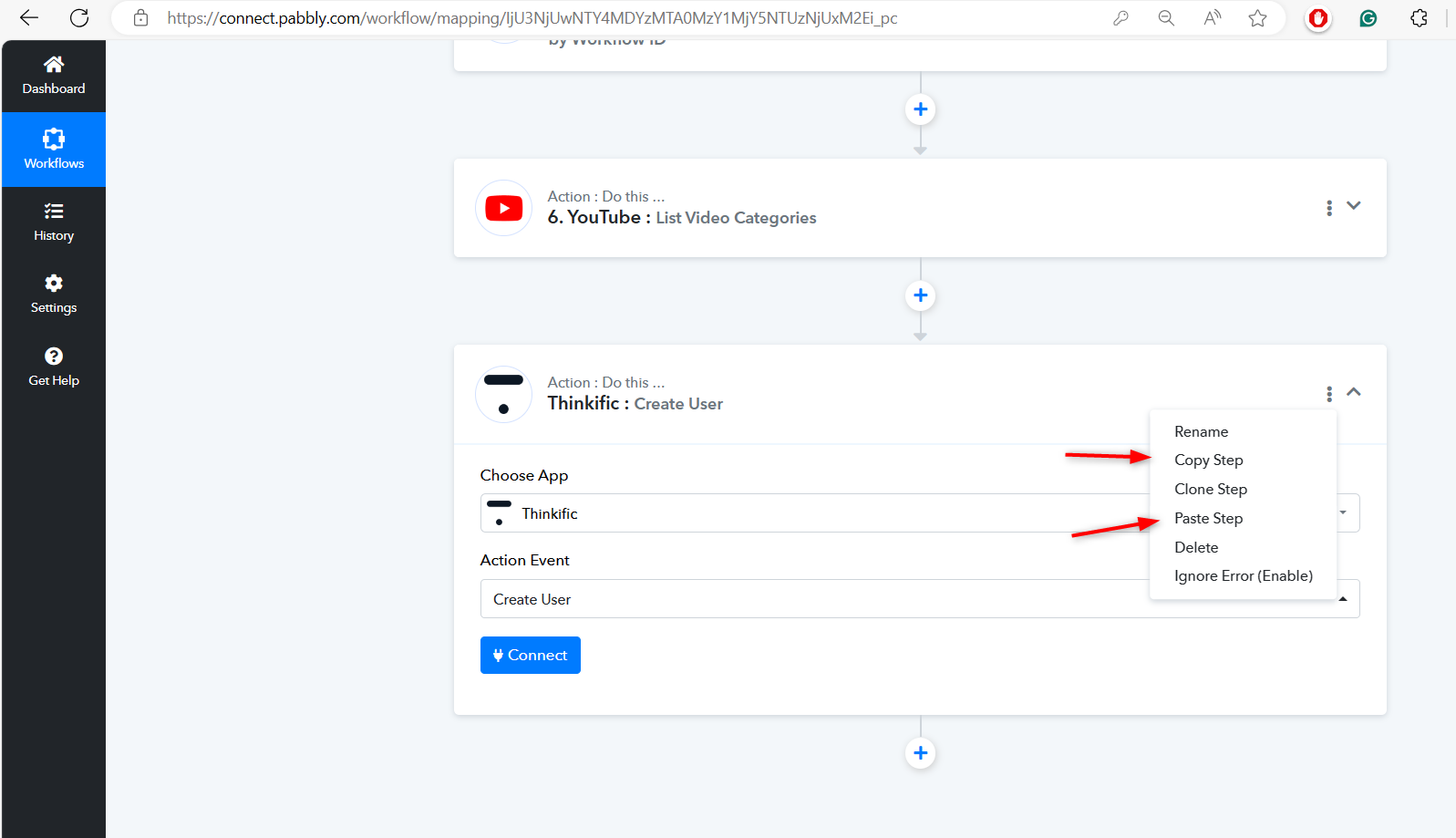
Hey @shane6836You can make a copy of the workflow using the "Routers" action step. Then, you can edit the action step by copying and pasting what you need into the workflow.
Yes, I have done that many times :)
However, I have some workflows that originally had no routers (just a single path), that I now want to add a router near the start and move the rest of the action into the router as the first path (without having to redo or copy each individual action)
Hey @shane6836
Apart from that there is no alternate solution available to copy-paste the routes inside the workflow.