multi line field with \n is showing as one line
Status: Closed · Asked by mhassan on · 0 views
Hello,
I have pabbly form that is capturing a lot of fields. Some of my fields are paragraphs and other are Check Boxes. My issue is if there are multi lines in the "paragraph" they land as continuous one liners (with "\n" showing as separator) inside my google doc (using a template). The same issue with check boxes.
I tried playing with text separator but no luck. It appears that the control charactere/scape code for \n is passed as a regular character to g-doc.
Any tips are appreciated.
Example:
This is line1
This line2
In google doc it shows are:
This is line1\nThis is line2\n
Thank you
+1 for this.
@Pabbly same issue is happening with Elmentor form multiplies as well.
We're looking into this and will update you in a while.
I still cannot figure out problem, but i tracked the trouble spot. The flow for me is:
Pabbly Form -> Pabbly text formatter -> Google doc
In the text formatter I can find \r or \n and replace them with any character and it is reflected that in the Result field. It even shows the line feed as expected. However, when the Result field is passed to google template it somehow doesn't make it to the doc (it loses the escape code for \n or \r)
I know it's not gdoc issue because I can manually enter multi-lines when mapping the fields and works as expected.
I attempted to replace \r\n with several mechanism of escape code representation, but nothing seems to work so far.
@mhassan @Fagun Shah
We have deployed certain changes. Please create a fresh workflow and test at your end.
Let us know how it goes.
@mhassan @Fagun ShahWe have deployed certain changes. Please create a fresh workflow and test at your end.
Let us know how it goes.
It is addign one extra line/enter
This what I get from elementor form -

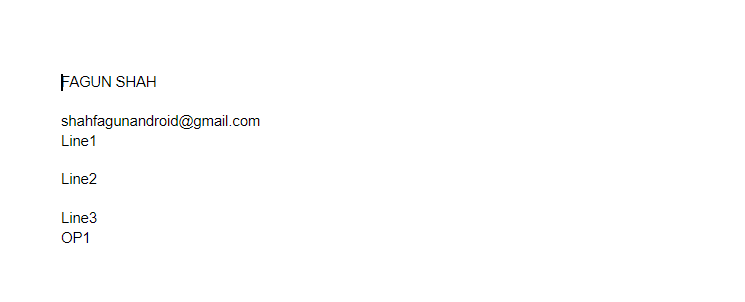
This is I get ingoogle doc -
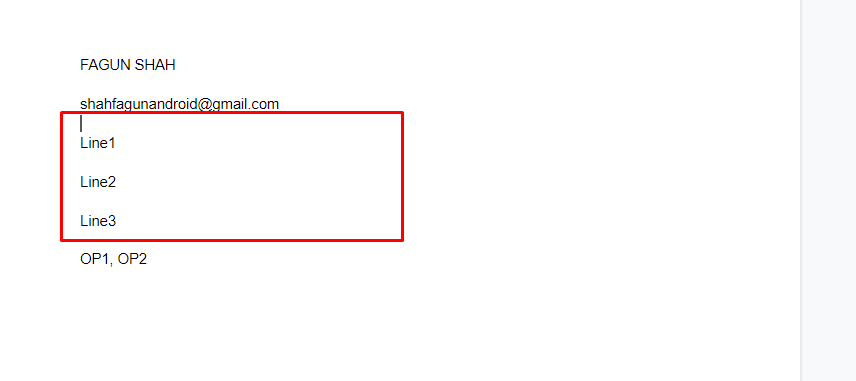
It is addign one extra line/enterThis what I get from elementor form -
This is I get ingoogle doc -
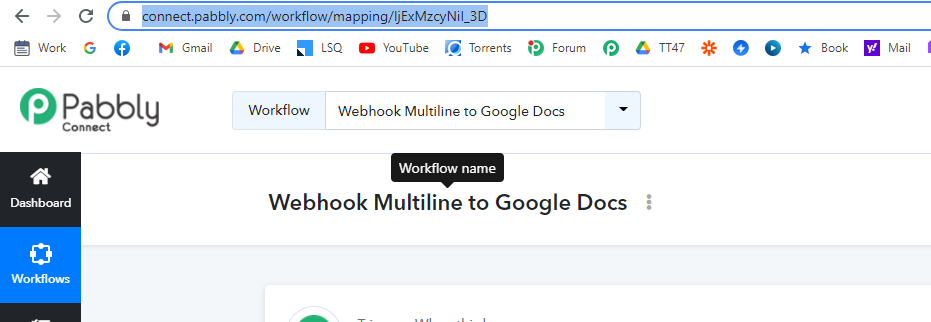
Can you share the workflow name and the screenshot of your Google Doc template?
Screenshot Google Doc Template -
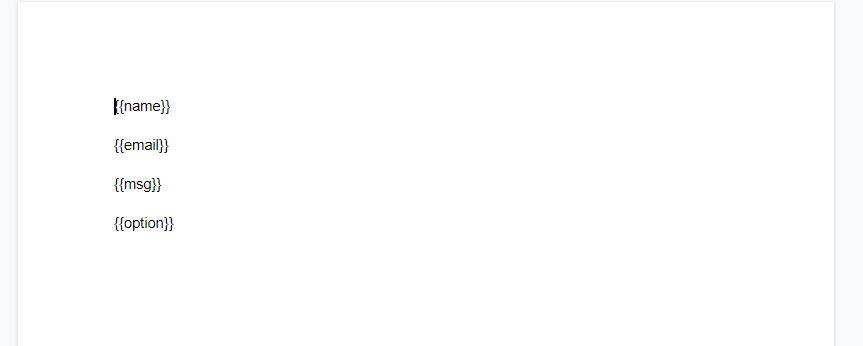
Can you create the template by removing the space as shown below and then try?
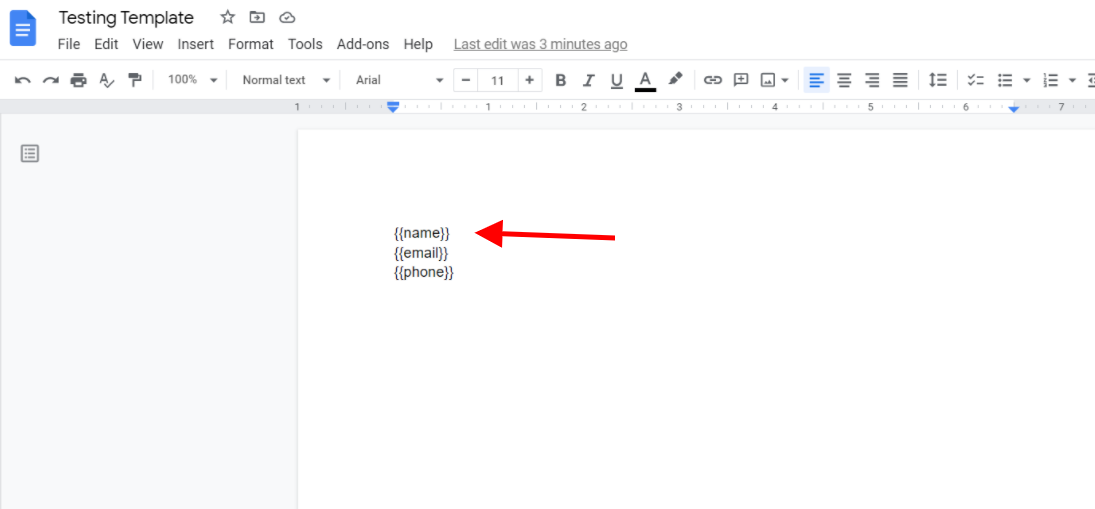
Can you create the template by removing the space as shown below and then try
Still the same issue,
Looks like you're getting /n in the webhooks itself for those data fields as show below -
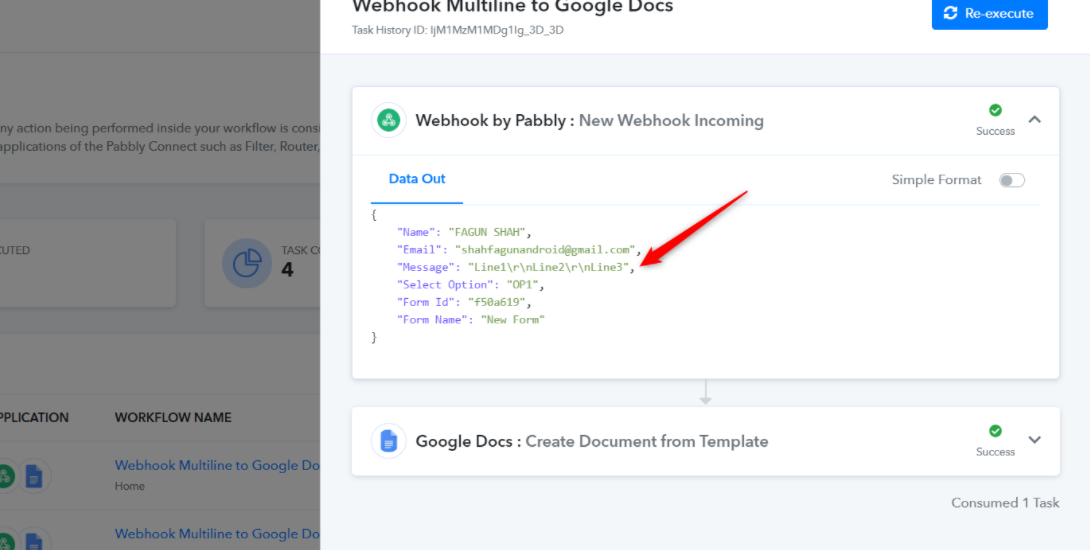
Thus we have used text formatter in order to remove those /n as shown below -
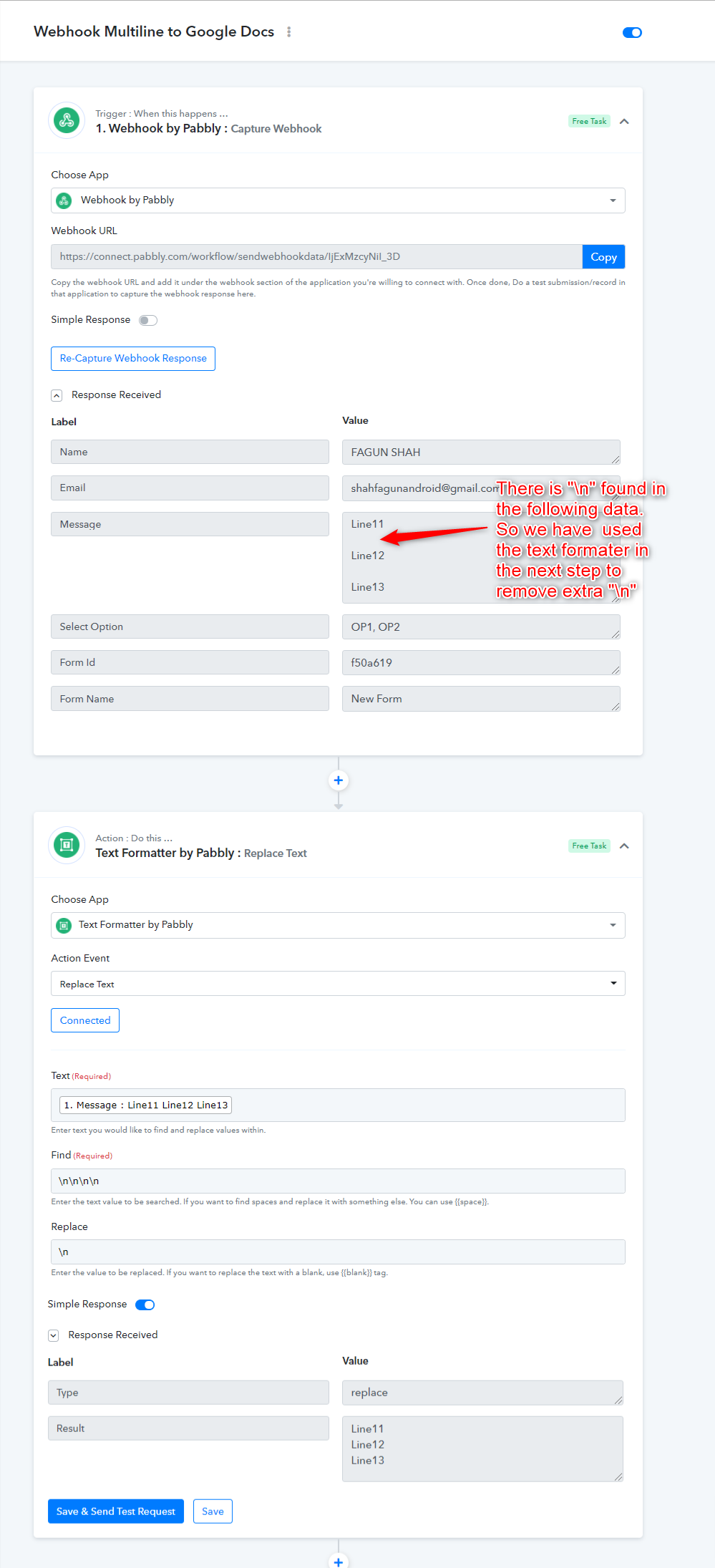
Looks like you're getting /n in the webhooks itself for those data fields as show below -
Thus we have used text formatter in order to remove those /n as shown below -
Okay. My issue is solved for now.
Its fixed! This is awesome. Thank you very much.
What is the possibility of addressing the other minor issue (which probably can be fixed for text formatter, but nice to have it natively supported)?
My check box selection in the doc show as:
["SPLUNK TCP (UF/HF)","SPLUNK HEC","SYSLOG","ELASTIC API [BULK IMPORT]","ELASTIC BEATS AGENT"]
Instead of what google form does, which would be:
SPLUNK TCP (UF/HF)
SPLUNK HEC
SYSLOG
ELASTIC API [BULK IMPORT]
ELASTIC BEATS AGENT
thanks again
@mhassan Add Step 2,3,4,5 from this workflow to your workflow, it will convert checkbox selection data coming from pabbly form to your desired format. And it is free bcoz, all 4 are internal tasks.
