Multiple rows to be mapped - How?
Status: Closed · Asked by bnandi82 on · 0 views
Hi there,
I'm trying to create a listicle type WP post generator where each listicle item would come from multiple rows (in Google sheets). I'm only possible to map the first row in Pabbly and I'm curious if it's possible to instruct Pabbly to repeat this mapping on the 2nd, 3rd ....etc rows until there's an empty row. Is this doable?
Thanks in advance.
Hey @bnandi82
I'm only possible to map the first row in Pabbly and I'm curious if it's possible to instruct Pabbly to repeat this mapping on the 2nd, 3rd ....etc rows until there's an empty row. Is this doable?
You need to map the data in the WordPress action step from your Google Sheets response once with all the possible values. Because if you apply any other workaround to map the data the spacing in the post will not be feasible.
Hey @bnandi82You need to map the data in the WordPress action step from your Google Sheets response once with all the possible values. Because if you apply any other workaround to map the data the spacing in the post will not be feasible.
Hi @Supreme ,
Thanks for your reply. I'm not really following what you are trying to say.
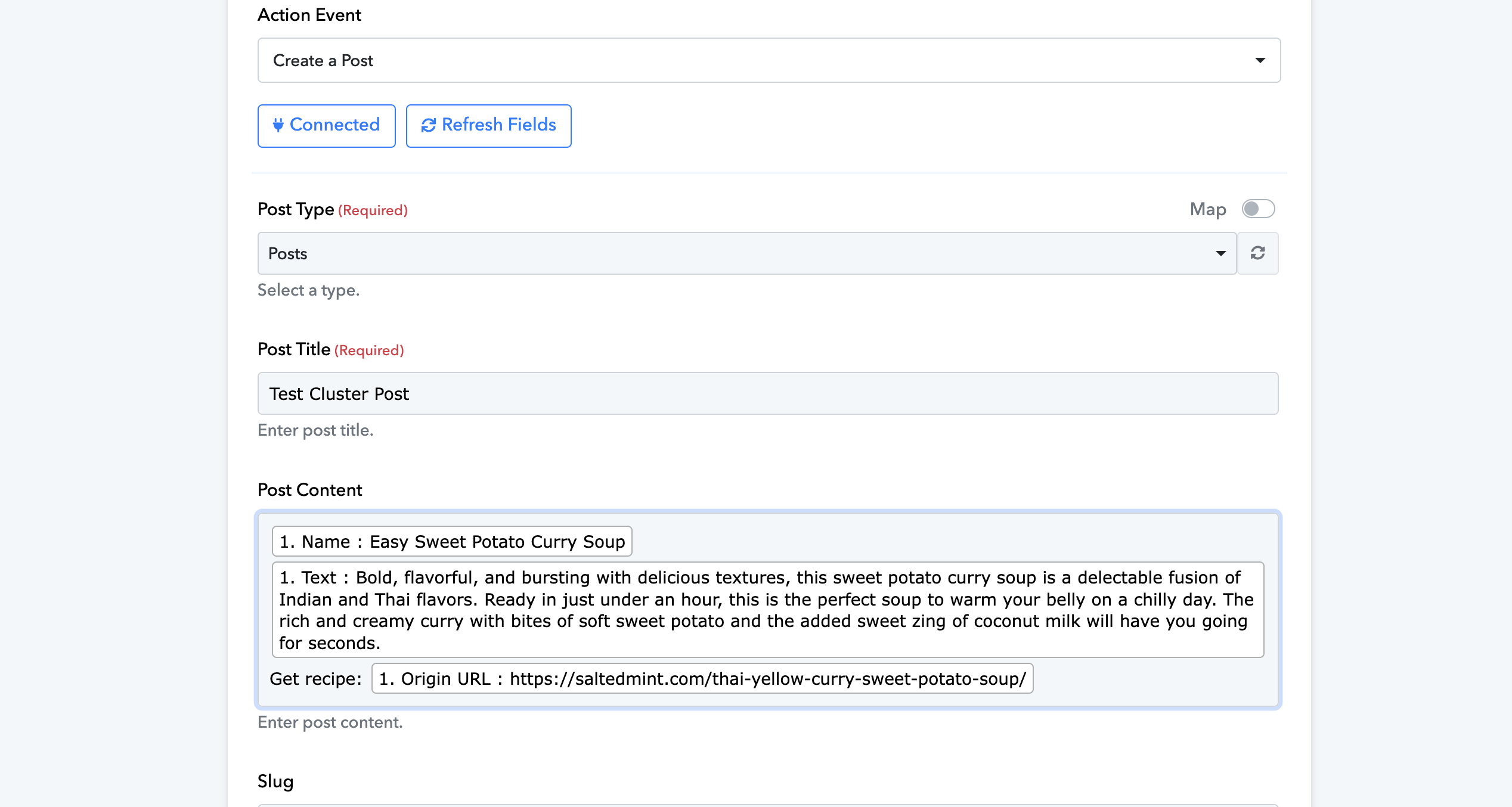
I'm at the Wordpress action step and I've already mapped in the 'Post content' field all the input fields from Google Sheets (I inserted the screenshot from this in my original thread). The problem is that this way it will create a Wordpress post for each Google Sheets row.
And my question was related to this: is it possible somehow to instruct the tool to not include only 1 row in a post but continue to read in all the rows from Google Sheets and continuously add to the Wordpress post. This way I could create listicle type posts with multiple items, not just one.
Please allow us some time, we are looking into it.
I'm at the Wordpress action step and I've already mapped in the 'Post content' field all the input fields from Google Sheets (I inserted the screenshot from this in my original thread). The problem is that this way it will create a Wordpress post for each Google Sheets row.And my question was related to this: is it possible somehow to instruct the tool to not include only 1 row in a post but continue to read in all the rows from Google Sheets and continuously add to the Wordpress post. This way I could create listicle type posts with multiple items, not just one.
Apologies for the delayed response. If you're looking to transfer all the entries from Google Sheets rows into a single WordPress post, you can employ the Line Itemizer action step following the Get Rows action step. This will add the data in a comma-separated format, allowing you to generate a post containing all the row entry data in one go.
youtube.com/watch?v=GqaiQO_ekUQ
Referred workflow logic -
(In place of Iterator you can use the Line Itemizer action step)