My custom fields in PipeDrive are not showing up in the work flow
Status: Closed · Asked by factoryskylight on · 0 views
I have 5 fields in my Elementor Form which Pabbly is finding - however - I want to map them into my Pipedrive - in a New Deal - where I have created custom fields for them. They are not working. There seems to be payload errors. How do I do this? In PD - they are set at text fields. I do not know what they are set as in Pabbly (I saw in another similar question they were hash fields?). Can someone assist?
Hey @factoryskylight
Could you kindly review the custom fields listed in your Pipedrive workflow and provide any custom fields from your Pipedrive accounts that aren't appearing here? This will allow us to investigate and assist you appropriately.
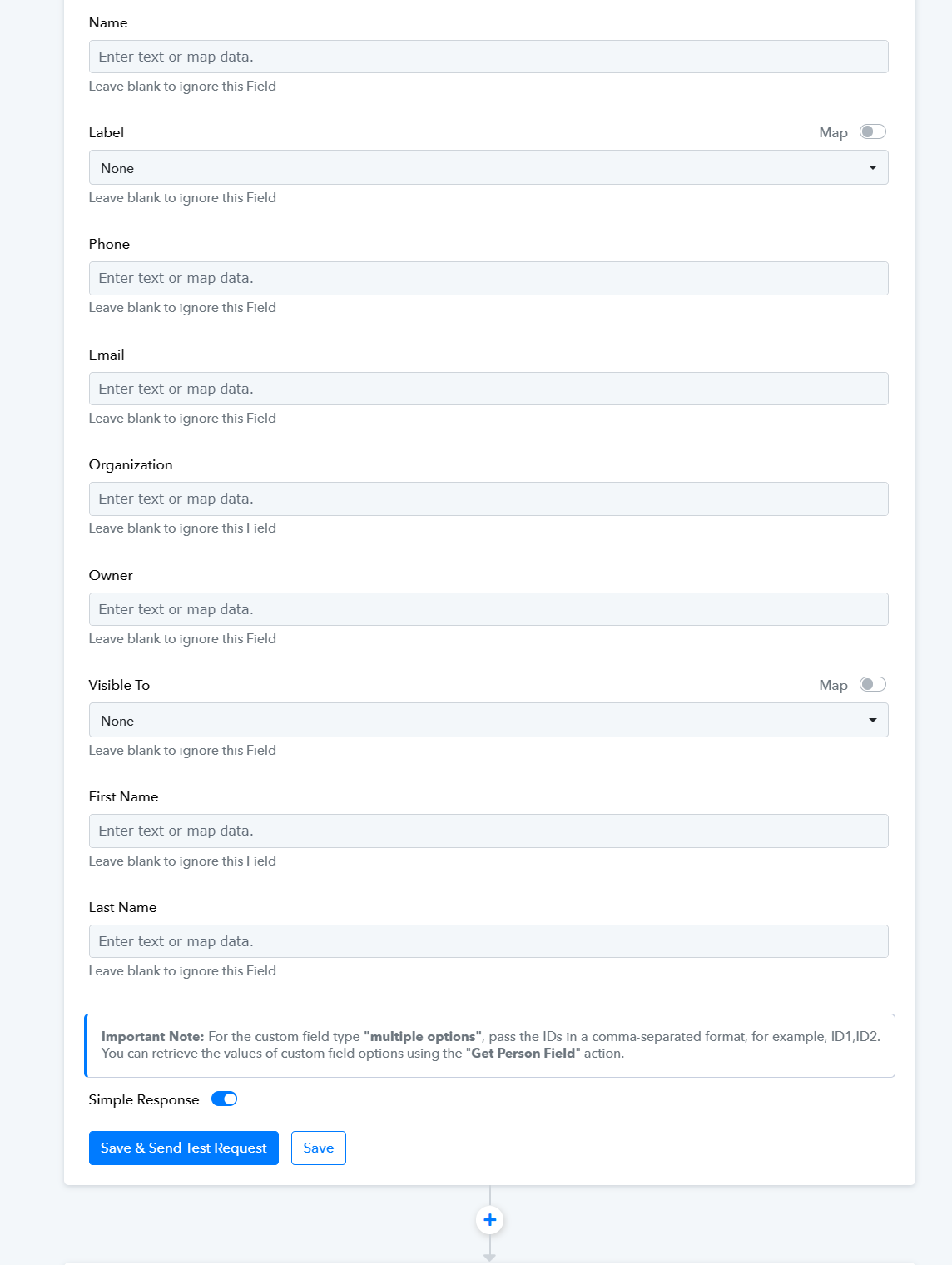
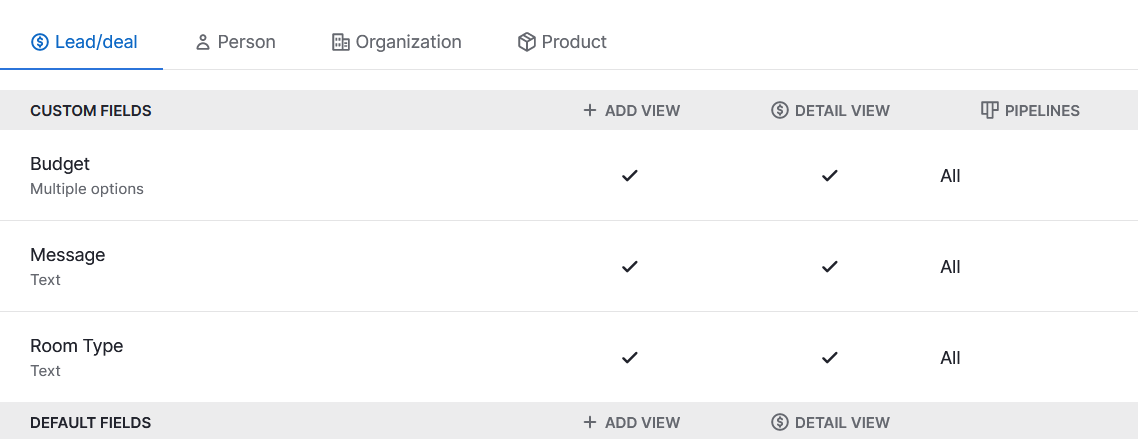
These are three custom fields - they are not showing in Pabbly
Please review the brief recorded video demonstrating how to pass the necessary custom fields. In this video, you'll see that you should place the field's key in the label, and you can straightforwardly include the data in the value. - https://www.screenpresso.com/=BGBcb
The link isn't working anymore.
Please review the brief recorded video demonstrating how to pass the necessary custom fields. In this video, you'll see that you should place the field's key in the label, and you can straightforwardly include the data in the value. - https://www.screenpresso.com/=BGBcb
Here you go - https://drive.google.com/file/d/1j9dUUj2r5Biex0PXnfQlTSCbMbZyoaDU/view?usp=drivesdk
Thank you so much!
I'll go through it