My website form leads data for Date and Time is not properly. But Other data are working properly.
Status: Closed · Asked by abish on · 0 views
Hi,
The Date and time that have been generated from the website using website custom forms are not working properly, all the dates and times are coming at the same time and date for all the leads submitted. For example, I am sharing an image for your better understanding.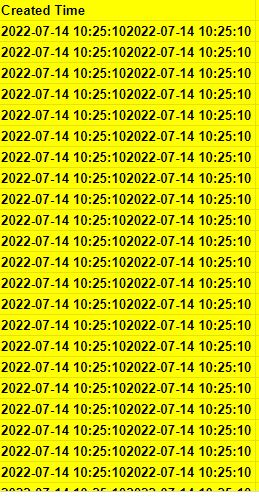

This is the google sheet I use to get the submitted leads into it from website form submissions. You can clearly see the under-created time, the same time and date are getting repeated for all the new submissions. Kindly help me to solve this issue immediately.
Hey @abish
Do you want to pass the time of at which the lead has been passed?
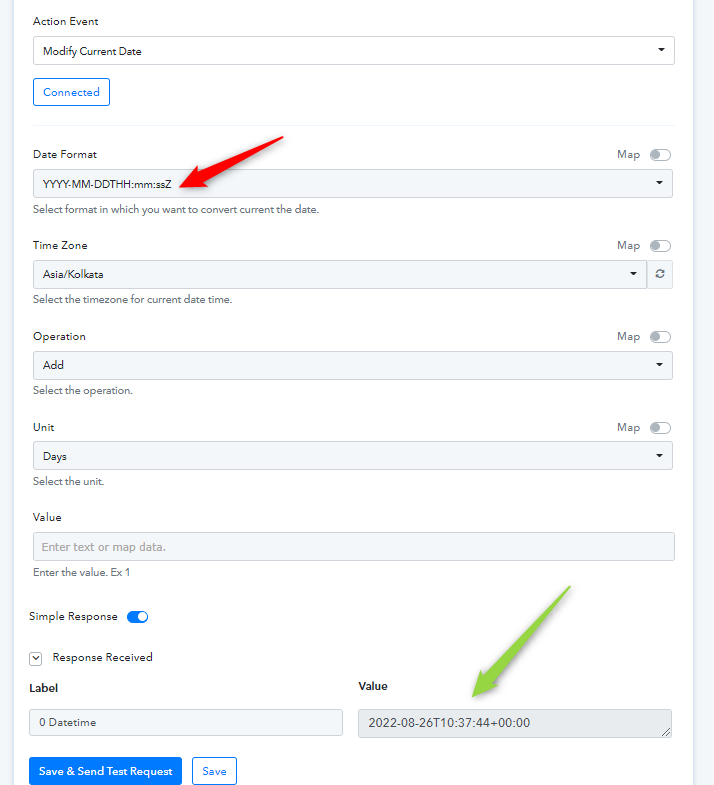
If yes, then you can use the "Date Time Formatter: Modify Current Date" which you can pass it directly.
Yes, How to do that?
Hey @abish
You can use the "Date Time Formatter: Modify Current Date" which you can pass it directly.[IMG width="536px" alt="1661490552135.png"]https://forum.pabbly.com/attachments/1661490552135-png.14783/[/IMG]
how to get it into the google sheet?
Hey @abish
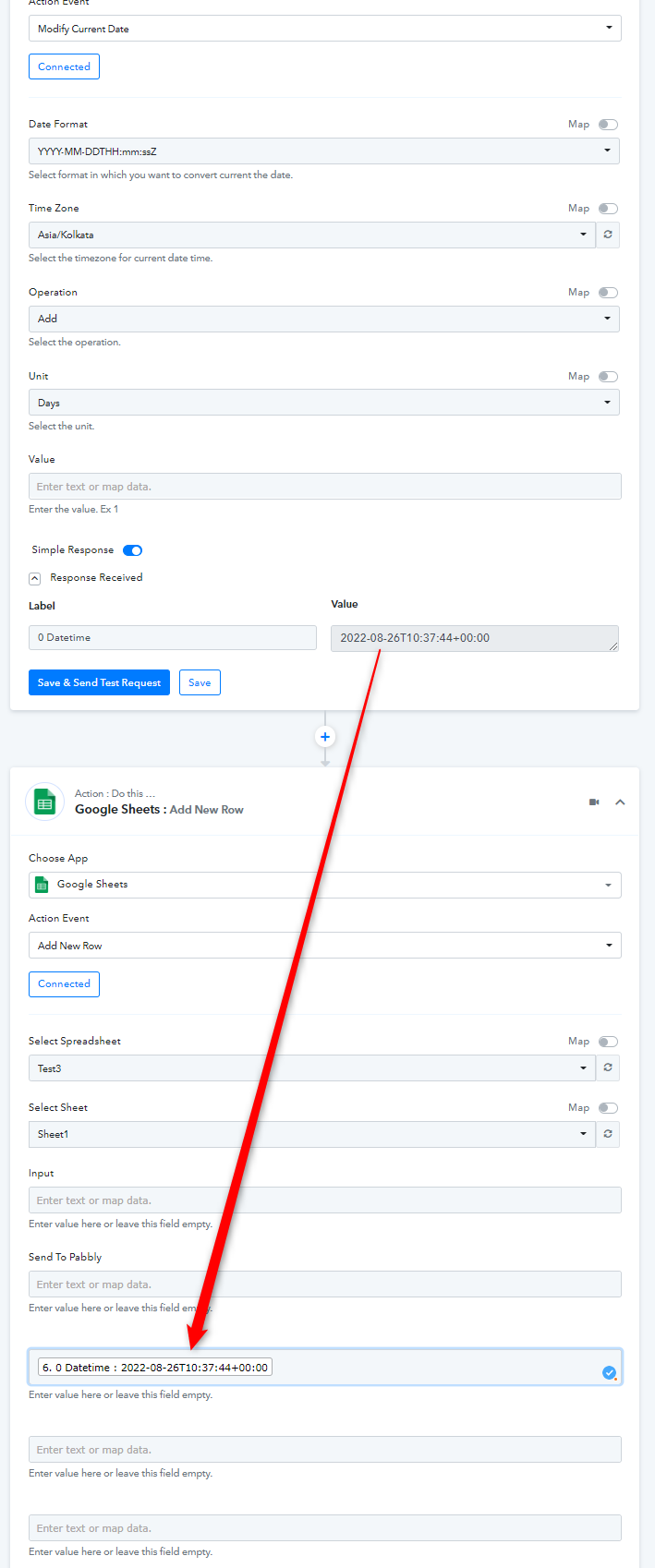
You can use the DateTimeFormatter action step and map/pass its date time response in the time field of your Google Sheets.
Problem solved!