My Workflow Enquiry from Indiamart is not working properly
Status: Closed · Asked by Parth Nayak on · 0 views
My Workflow Enquiry from Indiamart is not working properly.
This issue raised more than month back still not resolved
Hey @Parth
You need to elaborate your query specifically on which action step you are not able to process your automation further.
Workflow name "Enquiry from indiamart" First step of email parser is not capturing mails everytime mail arrives, so remaining steps dont do needful
Hey @Parth
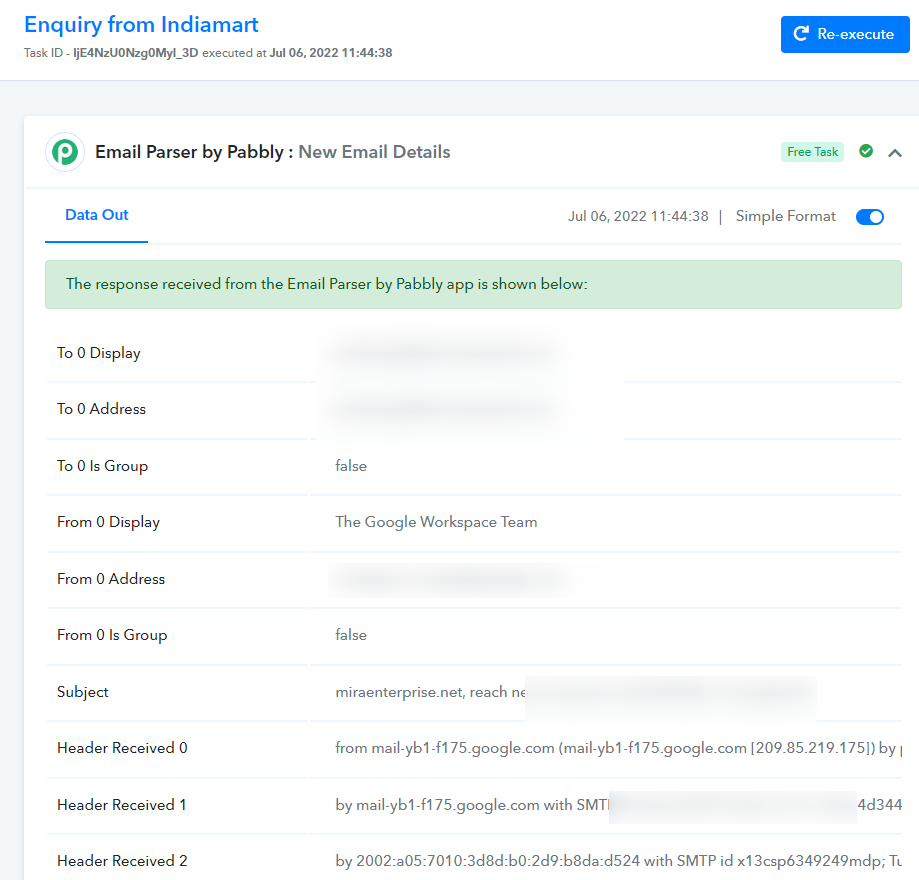
As we can see from your workflows' task history Id your Email Parser trigger event is capturing the emails accordingly.
Please configure your complete workflow correctly and map the data accordingly to process your automation correctly.
Though we highly recommend hiring an automation expert who can build your workflow from scratch and manage everything for you - https://forum.pabbly.com/threads/pabbly-connect-experts-and-consultants.22/
Our scope of support is limited to help resolving the error and bugs for all our customers. We cannot help in setting up workflows from scratch for our customers.
My Workflow "Enquiry from Indiamart" still not working. Yesterday i received LEAD and auto email not sent to customer
Same problem here any luck...is it working for you. mine is trial acccount.
Hey @Nilesh Jain
Could you please share the details regarding your issue? Kindly share the workflow name, and email id associated with Pabbly Connect, a screenshot of the issue for checking.
Hey @Nilesh JainCould you please share the details regarding your issue? Kindly share the workflow name, and email id associated with Pabbly Connect, a screenshot of the issue for checking.
Dear Kunal ji
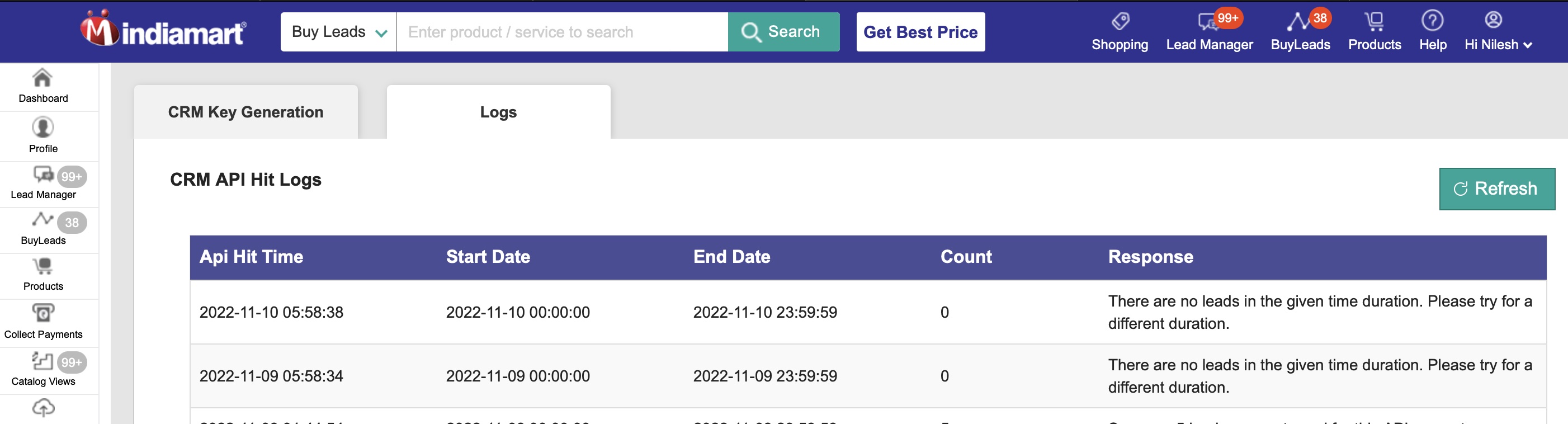
please see the attached screenshot, you will notice the trigger timing is early morning and date is same date. where as enquiries are generated in the day time. Since the date range is not previous day's date its not picking enquiries from previous day as well
can we specify date and time, if yes then I think it should work
Attachments
Hey @Nilesh Jain
We have updated the trigger event as per the last 24 hours, you can now fetch the data and it will show correctly. Kindly fetch the data again and let us know if you have any questions or comments.
it worked. can you give us control to specify date and time and trigger timing
Hey @Nilesh Jain
We are sorry, we can't give you access to control to specify date and time and trigger timing as it was encoded in the code.
The default trigger time is 24 hours for new lead fetch with IndiaMART. Is it default or can we change it? Kindly update so we can decide on our next step. Thanks
Hey @rajarora
We can reduce the polling time to a minimum of 1 hour, however, that will be for paid customers only. We have seen that you are still not a paid customer so we can't reduce the polling time.
@Kunal Valuskar Thanks for the quick reply. I may consider upgrading to a paid plan.
However, I need to know the following:
Can we make a new record instantly in Hubspot CRM as soon as a new lead comes to IndiaMart?
I have successfully made the workflow and I got what I needed. The only confirmation I need about the record creation in Hubspot CRM.
Thanks.
Hey @rajarora
Yes, you can achieve this scenario. All the leads coming to Hubspot CRM are instant and it will create a new record in it once it receives the data instantly.
Thanks
Kunal