My Workflow stuck at User Rate Limit Exceeded
Status: Closed · Asked by bach.huynh on · 0 views
Hi all,
Here is my error
User Rate Limit Exceeded. Rate of requests for user exceed configured project quota.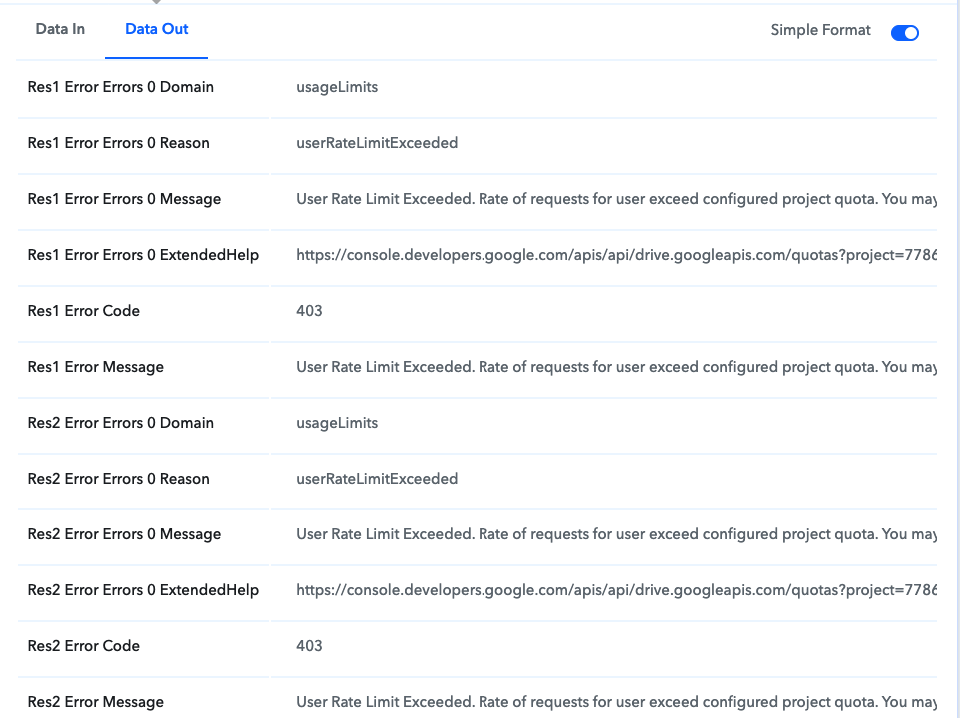
How could I resolve this error?
I try to access the url
[TABLE]
[TR]
[TD]https://console.developers.google.com/apis/api/drive.googleapis.com/quotas?project=778698650280[/TD]
[/TR]
[TR]
[TD][/TD]
[/TR]
[/TABLE]
But it seems not my project?
I am appreciate what you help!
Thank you!
Please let us know which action step you're using and workflow name so that we can assist you better.
Please let us know which action step you're using and workflow name so that we can assist you better.
Here is all my step
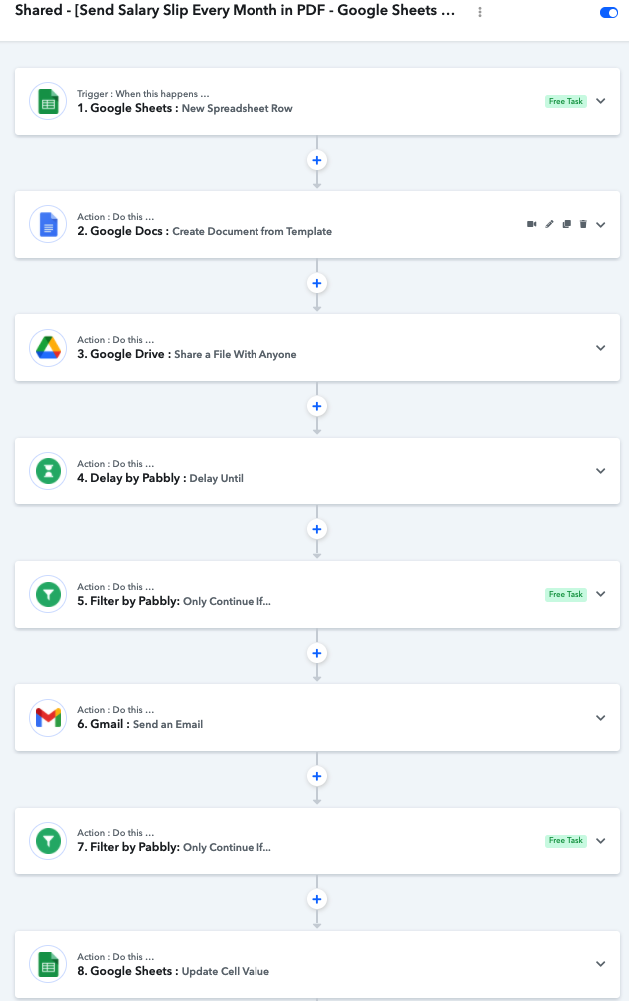
And the step error is: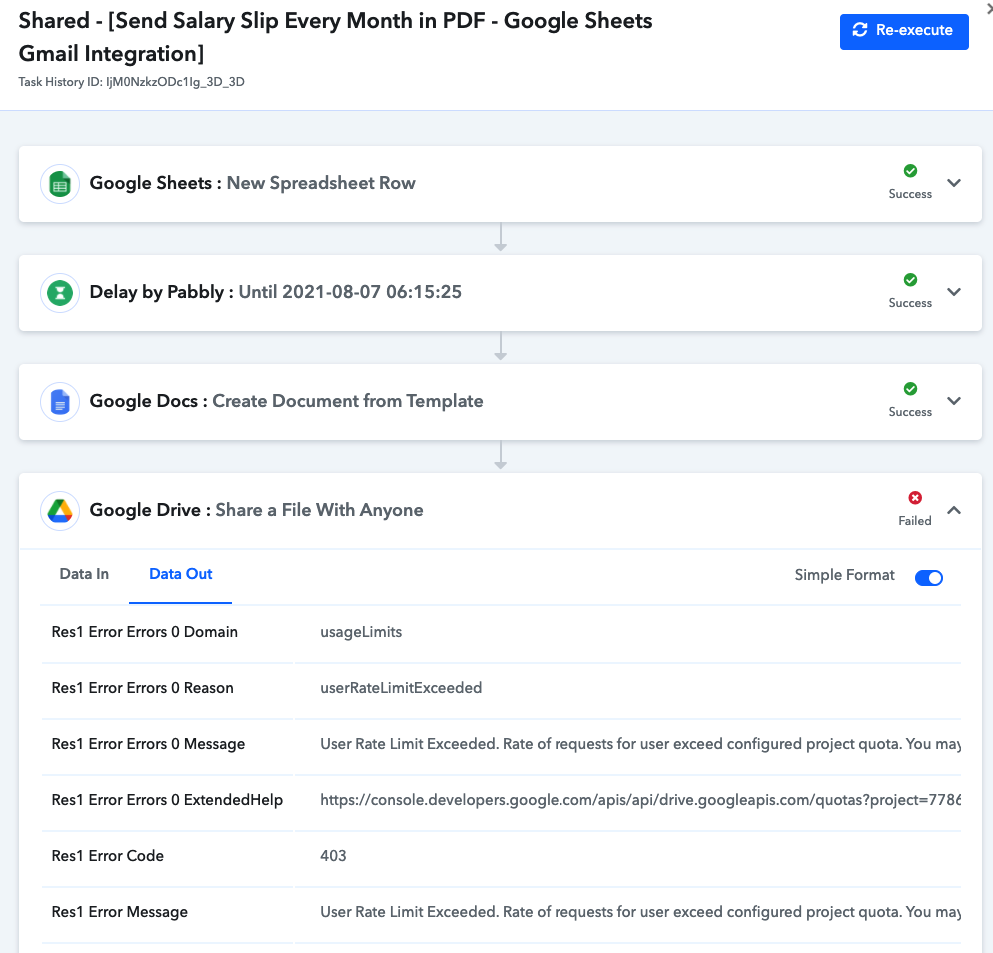
Here is all my step
And the step error is:
Are you trying to bulk generate the documents/pdfs
If it is more than 10 at a time I suggest you to add incremental delay of 1 minute and that should solve isue.
Are you trying to bulk generate the documents/pdfs?
If it is more than 10 at a time I suggest you to add incremental delay of 1 minute and that should solve isue.
Hi there,
Yeap! I send payslip for all employee with many column to be merged.
1 Minute is too long, sothat I used Schedule to make it work. Every workflow must be wait 10 seconds.
But, If will be better if I could increase my quota.
Hi there,
Yeap! I send payslip for all employee with many column to be merged.
1 Minute is too long, sothat I used Schedule to make it work. Every workflow must be wait 10 seconds.But, If will be better if I could increase my quota.
By schedule do you mean Dealy Until
By schedule do you mean Dealy Until?
Yes, it is

Yes, it is
it does accept delay in seconds,but itdoes not use that seconds values while actually executing workflow. If workflow is working fine then no need to change anything, but just a thing to keep in mind.