My Workflow Trigger step is not fatching latest change info from google sheet
Status: Closed · Asked by Parth Nayak on · 0 views
My Workflow "Financial Planning Report to Customer" Trigger step is not fatching latest change info from google sheet
Hey @Parth
Could you please share any video recordings of the issue that you are getting?
We have checked that you are getting the records correctly in through the Google sheet. Kindly share the recording for checking.
Hey @Parth
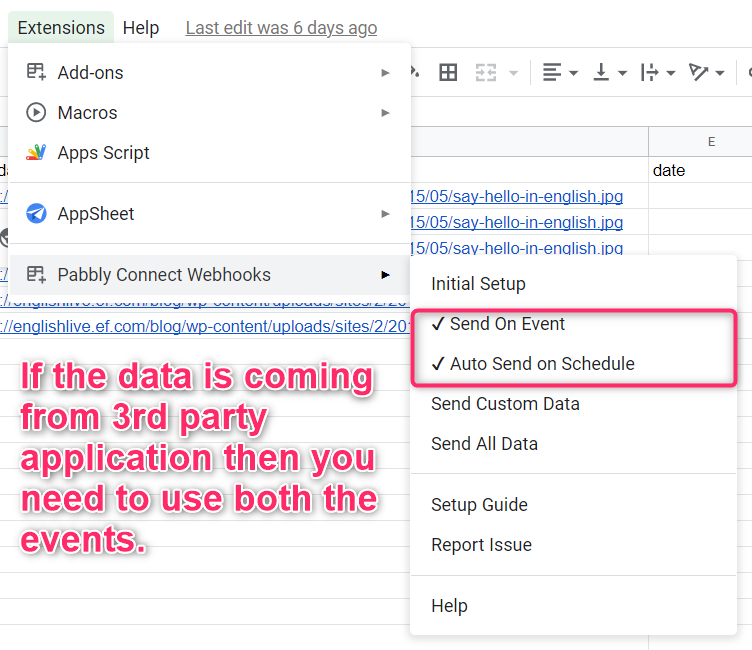
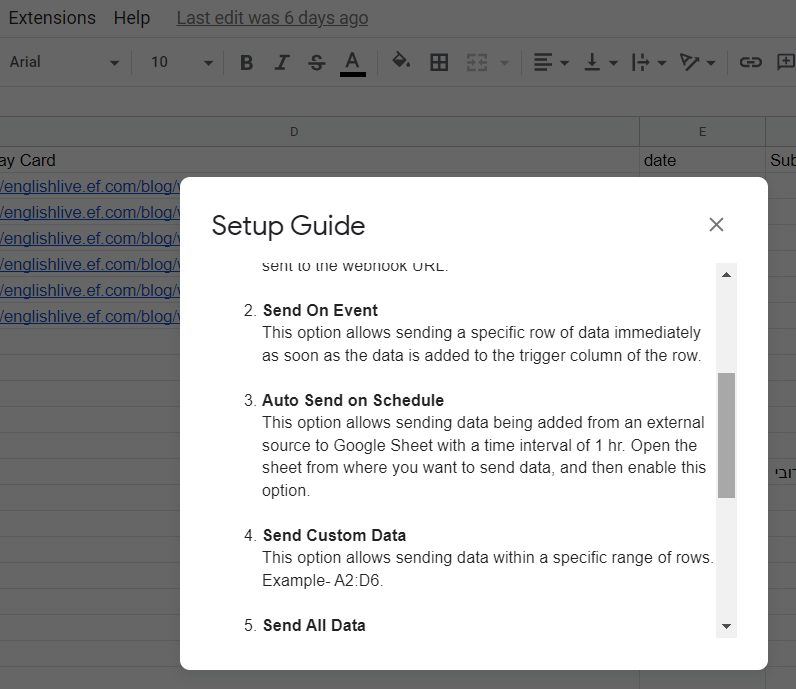
If you are getting the data in your Google Sheets from 3rd party application, so in that case, you need to check both the options of "Send On Event" and "Auto Send on Schedule" and by enabling both options then the data can be forwarded in 1hr. Else, you can simply use "Send On Event" to send the row data when you are adding the data manually to the sheet.
Actual problem is Sheet 3 data is coming from Sheet 1 by vlookup. so when some one submitting Google Form, Sheet 1 captures details. based on which latest Row added to Sheet 3 with auto calculation + Vlookup. so might be data is not getting fatch to Pabbly. so give me Solution to this. i have to create Google doc merge to Pdf to Gmail based on latest entry only. @Supreme @Kunal Valuskar
@Supreme @Kunal Valuskar please confirm
Hey @Parth
My Workflow "Financial Planning Report to Customer" Trigger step is not fatching latest change info from google sheet
Actual problem is Sheet 3 data is coming from Sheet 1 by vlookup. so when some one submitting Google Form, Sheet 1 captures details. based on which latest Row added to Sheet 3 with auto calculation + Vlookup.
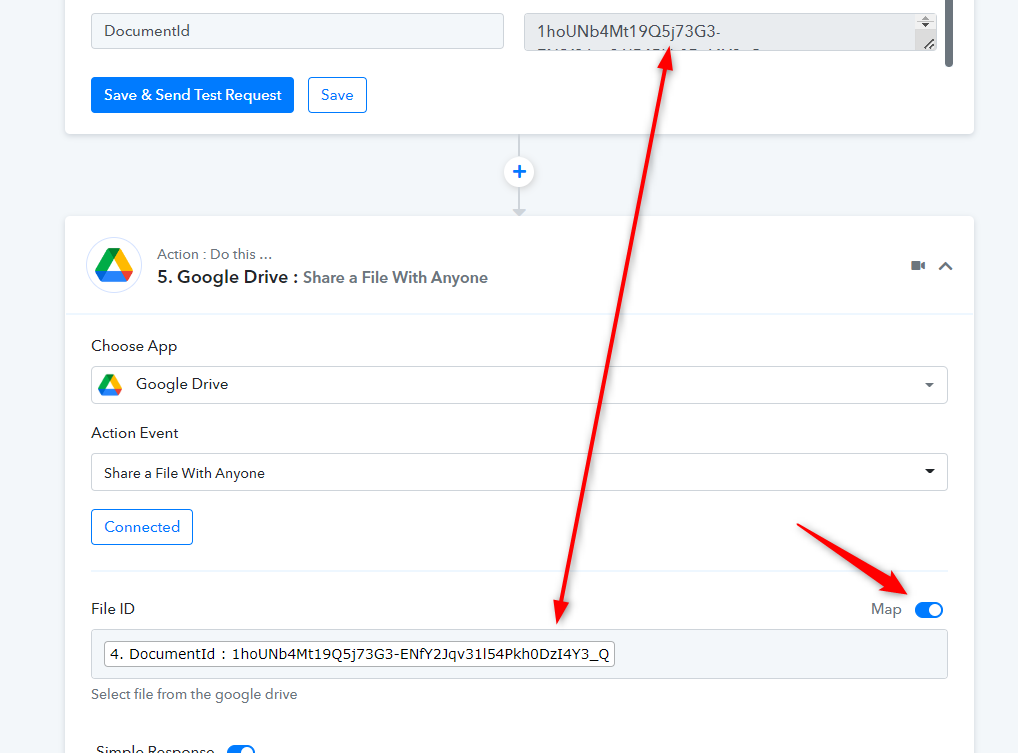
In the Google Drive action step, you were supposed to map the document id in the File Id field to make the file shared dynamically.
i think this may not resolve issue, let me check & confirm
Its Working but some numbers are not getting captures from Google Sheet to Google Doc merge. Like "Good Morning" "Age" etc..
in google doc Last page table also came blank, so it is not capturing all numbers properly
Hey @Parth
If you are referring to this, we are limited to make up for it because the process configuration depending on the trigger data that is coming for your workflow is the problem. Given that the Pabbly Connect product has a learning curve, we already have an automation expert directory where clients may hire automation professionals who can develop and manage workflow for you.
https://forum.pabbly.com/threads/pabbly-connect-experts-and-consultants.22/