Need help in figuring this automation with Spayee & Pabbly
Status: Closed · Asked by advaitdanke on · 0 views
Hello!
Pabbly & Spayee are officially integrated.
So I have this automation setup for one of my freebie product 1 on my Spayee platform. When a user enrolls in the course, the webhook data goes to pabbly and adds the user details in the respective product 1 email list.
But now the issue is,
When I have a product 2 and I want a product 2 automation similar as above, I cannot set up the automation for it. (or maybe I don't know the process)
If I create a new workflow inside pabbly connect using the new enrollment option, it creates a NEW webhook url which I have to replace it inside Spayee.
And I think,
If I replace that then my product 1 automation becomes invalid.
Is there any other process or any advanced workflow which I have to implement?
Attachments
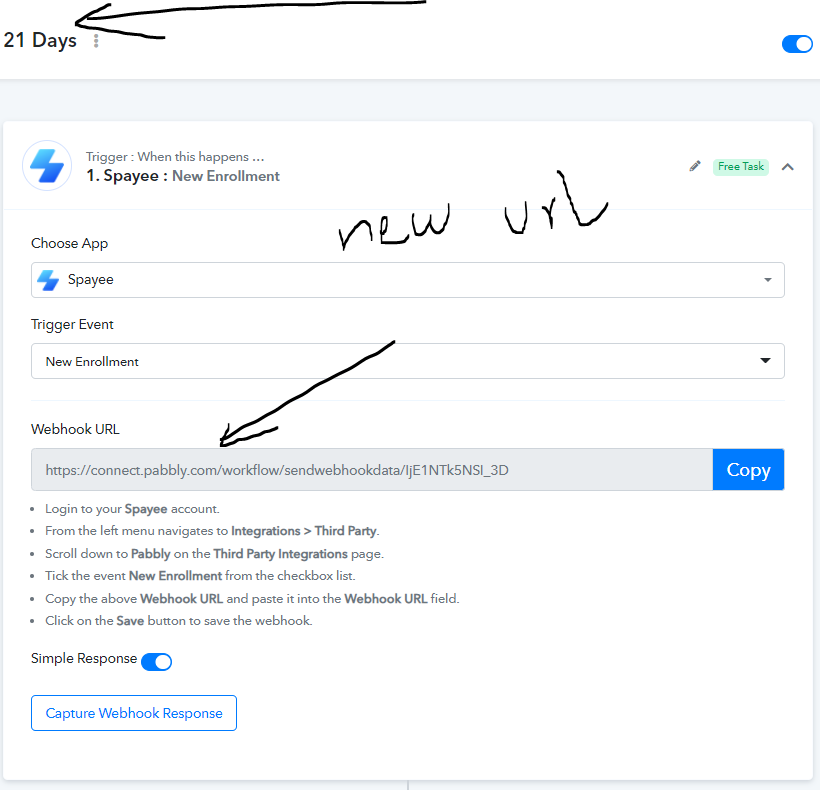

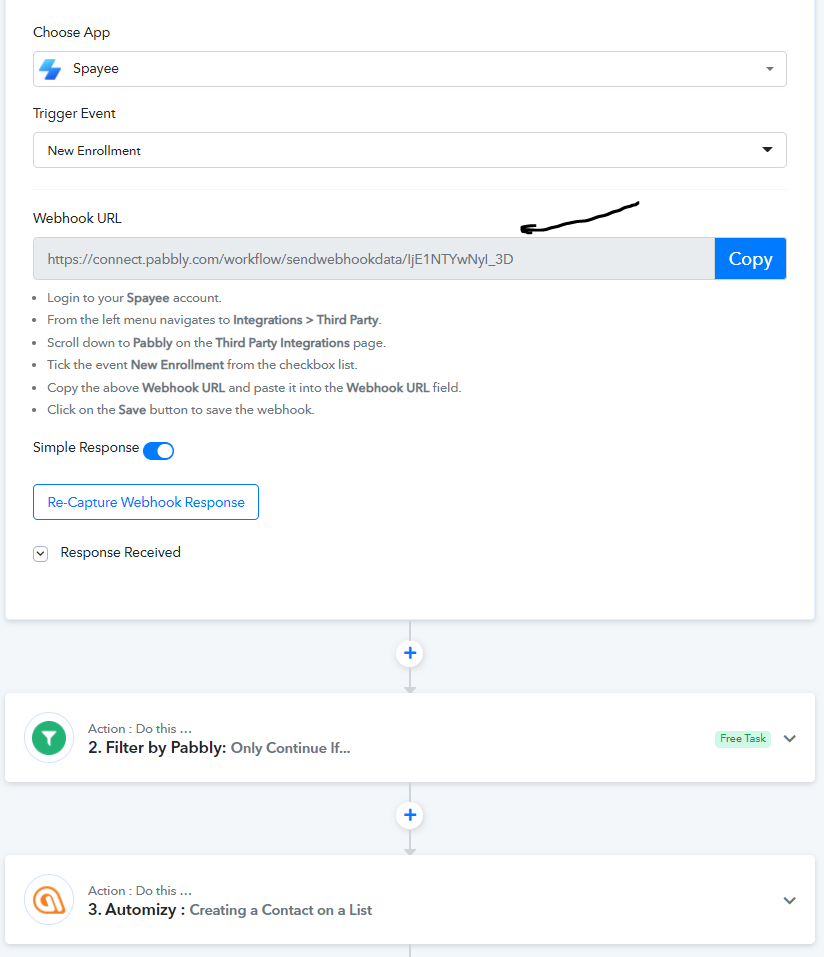
You can simply make use of webhooks section available inside Spayee account. Just add the webhook URL and select the event as per your requirment -
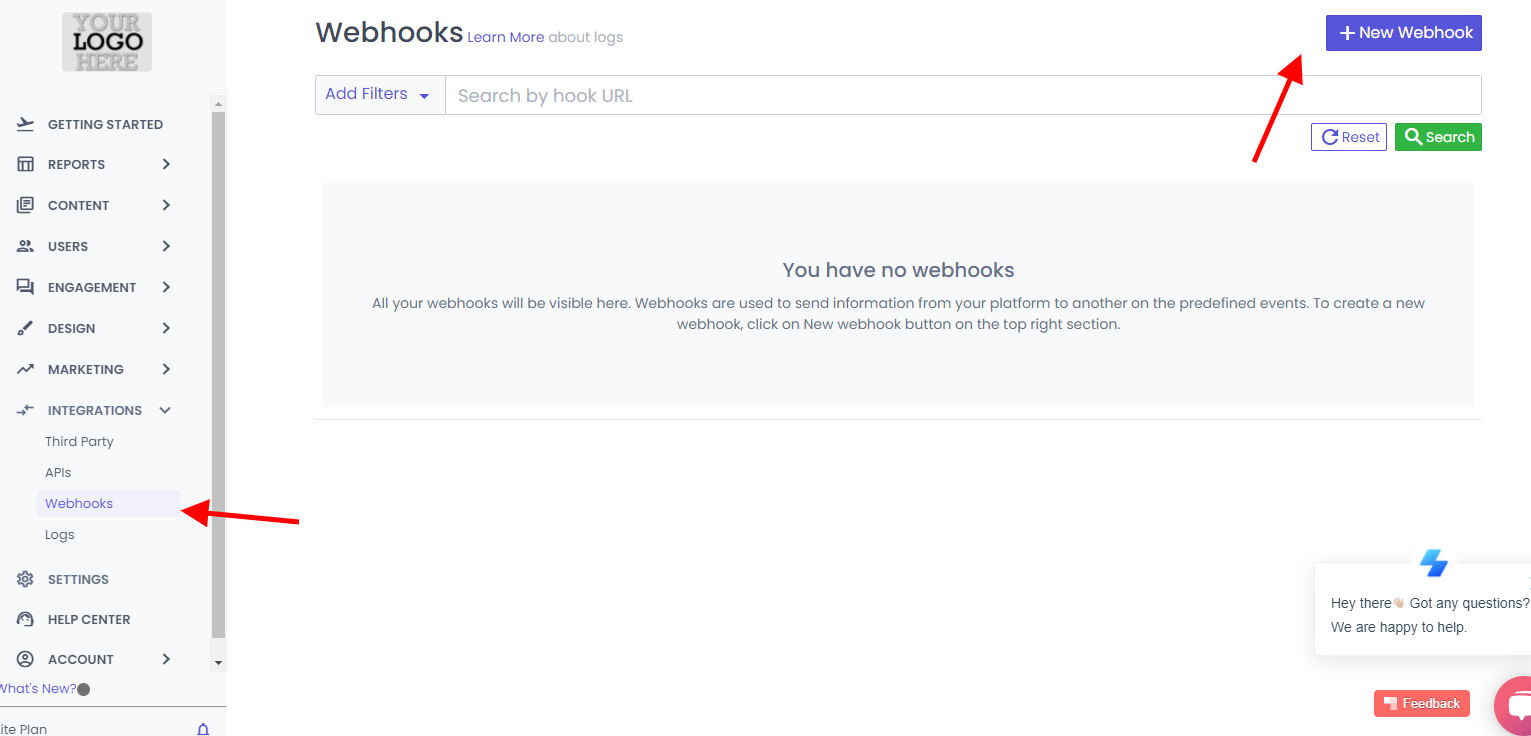
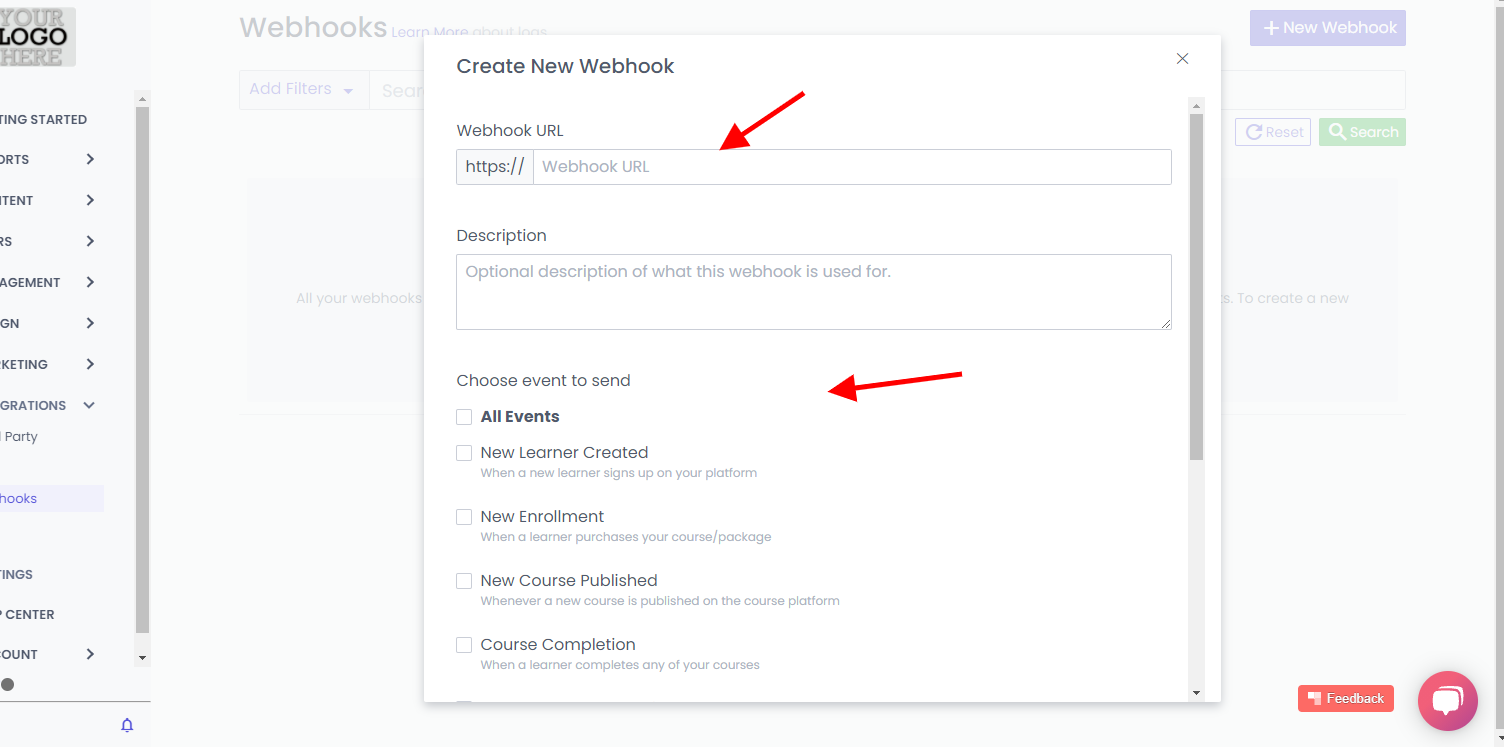
Please try at your end and let me know if you stuck at any step.
You can simply make use of webhooks section available inside Spayee account. Just add the webhook URL and select the event as per your requirment -
Please try at your end and let me know if you stuck at any step.
Thank you soo much for the reply!
But I don't have this webhook feature. I have the tier 2 plan.
No problem. You can make use of a data forwarder to pass the same webhook response to another webhook response. I have updated your workflow. Please have a look over it -
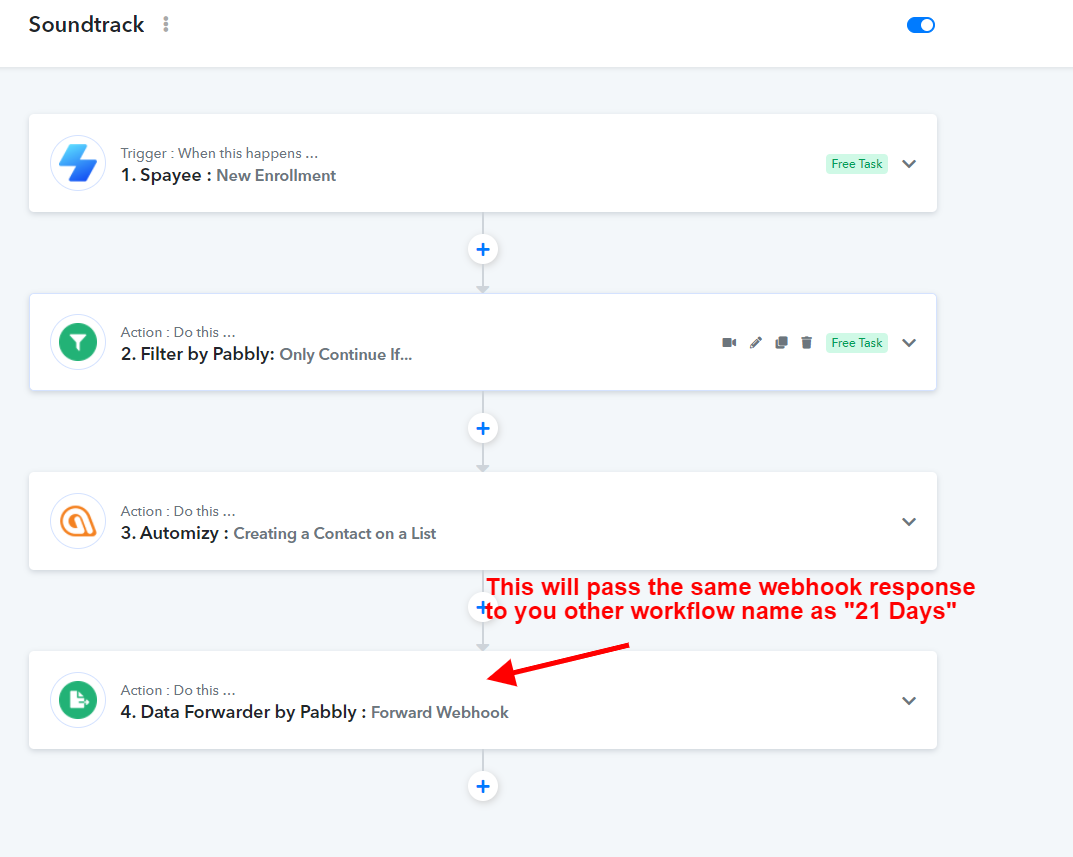
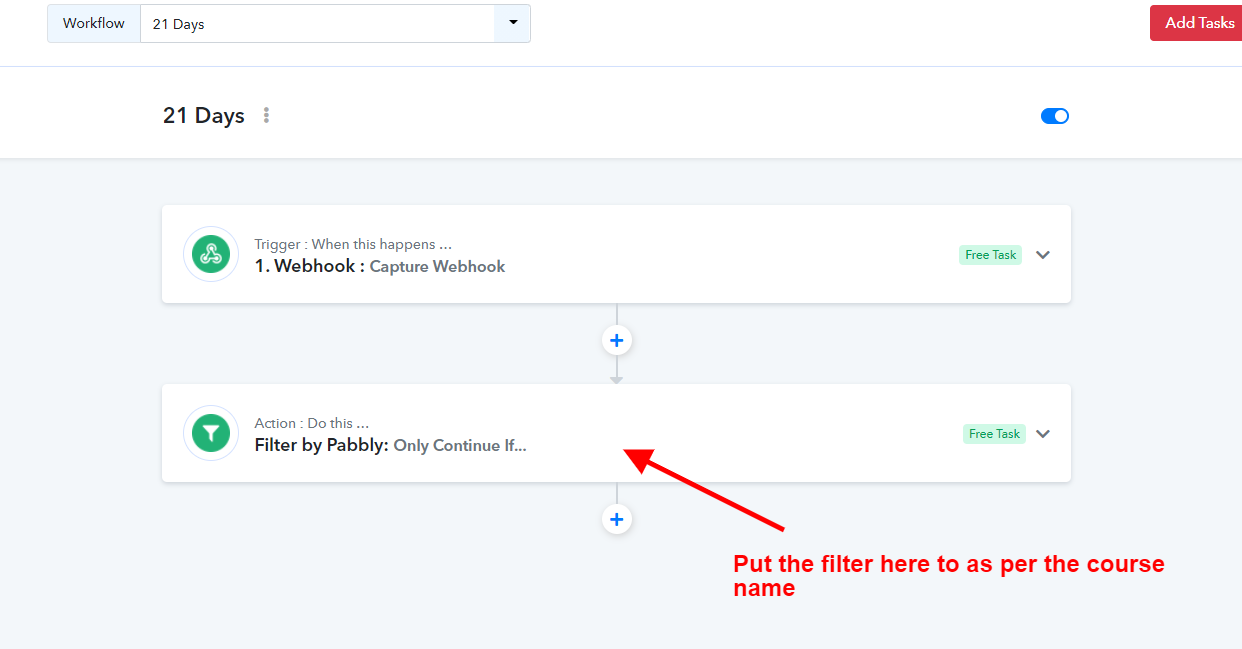
Further just put the filter for course name in your other workflow as shown below -
No problem. You can make use of a data forwarder to pass the same webhook response to another webhook response. I have updated your workflow. Please have a look over it -
Further just put the filter for course name in your other workflow as shown below -
Wow amazing! Thank you soo much for the fast response!
I will test the workflow and reply back with the working!
No problem. You can make use of a data forwarder to pass the same webhook response to another webhook response. I have updated your workflow. Please have a look over it -
Further just put the filter for course name in your other workflow as shown below -
So I tested this,
Even when a test user enrolled for the product 1 workflow, he went into the product 1 email list as well as product 2 email list.
Have I done something wrong in the filter process?
Regards!
So I tested this,Even when a test user enrolled for the product 1 workflow, he went into the product 1 email list as well as product 2 email list.
Have I done something wrong in the filter process?
Regards!
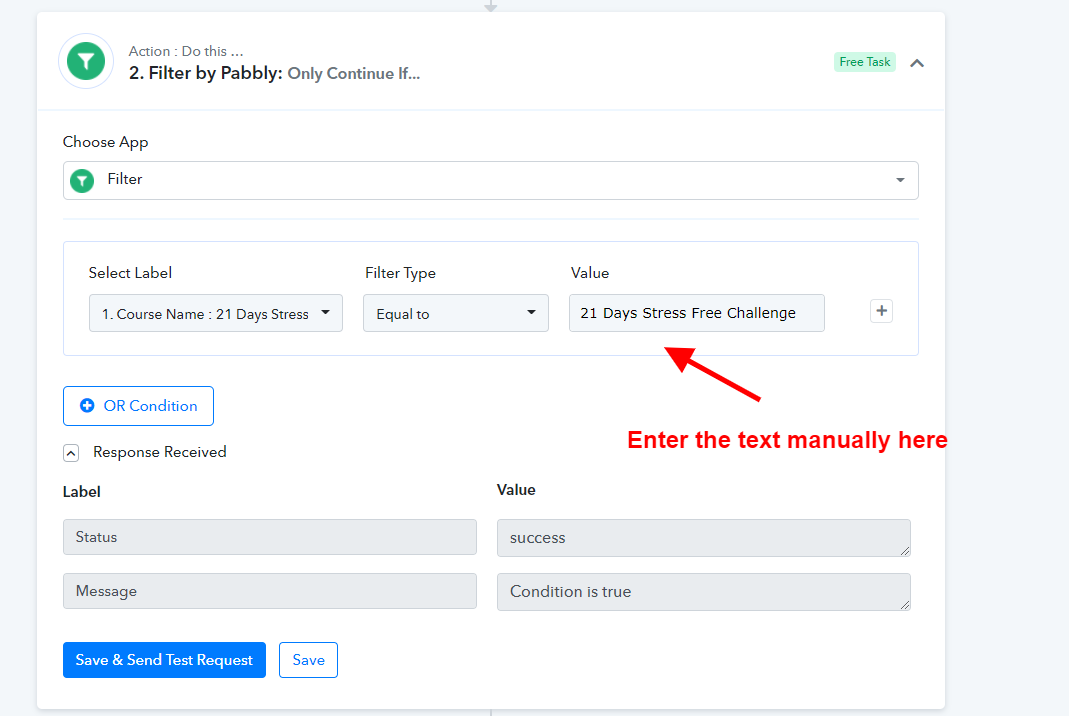
Yes, filter setup is wrong. You need to enter the course name manually and make the filter fix like as shown below -
Please send us the course name for both workflows.
Course 1 -
Workflow - soundtrack
Name -
Harmonic Resonance Sound Meditation
URL -
https://resonate.advaitdanke.com/s/store/courses/description/Harmonic-Resonance-Sound-Meditation
Course 2 -
Workflow - 21 Days
Name -
21 Days Stress Free Challenge
URL -
https://resonate.advaitdanke.com/s/store/courses/description/21-Days-Stress-Free-Challenge
Thank you!
Thanks. We have updated the workflow. Please check once how we have made the filter setup based on the course name you have provided.
Thanks. We have updated the workflow. Please check once how we have made the filter setup based on the course name you have provided.
Now both of the workflows are not working o_O:ROFLMAO::ROFLMAO::ROFLMAO:
Now both of the workflows are not working o_O:ROFLMAO::ROFLMAO::ROFLMAO:
Please test the workflow now.