Need help to add a number in a spreadsheet
Status: Closed · Asked by Carlos Melo on · 0 views
Hello,
I have a question that I can't find a solution to.
I need to add a number in column A of a spreadsheet, every time this spreadsheet receives new data in the next empty row. This is data that arrives via the JotForm form.
The column A will be the only one that will not receive data from the form, precisely so that I can insert a number in it.
This number must always correspond to the line number where that new data enters.
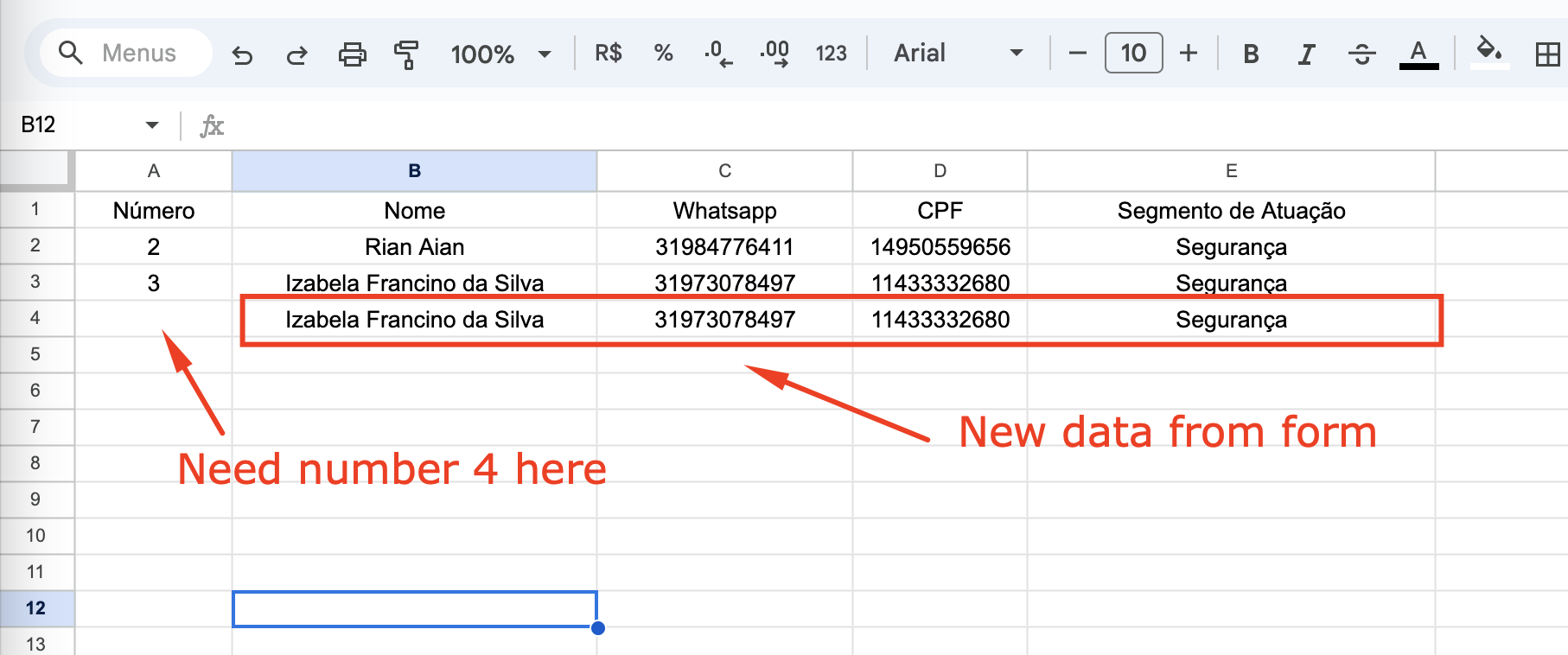
I've already tried using the Code app, searching for the code on Open Ai, but I don't know how to ask the chatbot, and so it always sends me something that doesn't work.
On the other hand, if you can configure the spreadsheet to add this number automatically, through a simple formula in the column (e.g.: value of the number in line 2 + 1 = insert the number 3 in line 3) perhaps is the simplest way, but I don't know how to do that either.
Thanks for any help.
Hi @Carlos Melo,
You can use 'Text Formatter' and 'Update Cell Value' action steps to achieve this use case.
https://connect.pabbly.com/workflow/share/DERTYVQDVTYDSVA6D1wBJg0ZAARXDVZuBh8EFgMMUysHXQBVAEEIYgtHBSdWDQNiB05VPwdYAWVYTAQAAVcAc1JIAxFUVwF7AE0DeAVQXG8MUlN7VDU#
Hi @Carlos Melo,You can use 'Text Formatter' and 'Update Cell Value' action steps to achieve this use case.
https://connect.pabbly.com/workflow/share/DERTYVQDVTYDSVA6D1wBJg0ZAARXDVZuBh8EFgMMUysHXQBVAEEIYgtHBSdWDQNiB05VPwdYAWVYTAQAAVcAc1JIAxFUVwF7AE0DeAVQXG8MUlN7VDU#
Ok, but in my case should I use the step 3 of your sample (Extract Pattern) too ?
Ok, but in my case should I use the step 3 of your sample (Extract Pattern) too ?
Yes, that will be required to pass in the Range and in the Value field to update the cell value. Please review the shared workflow again for your better understanding.
Great !
That solved my issue completely.
Thank you so much!
Thank you for the update. We are glad the issue is fixed now.