need help with mapping value i tried to change with no success
Status: Closed · Asked by Alaa Bebar on · 0 views
need help with mapping value i tried to change it with no success.
i correctly working on automation I need to map a numeric value.
here's a screenshot of the price written manually which gives a successful response when I send and save the request: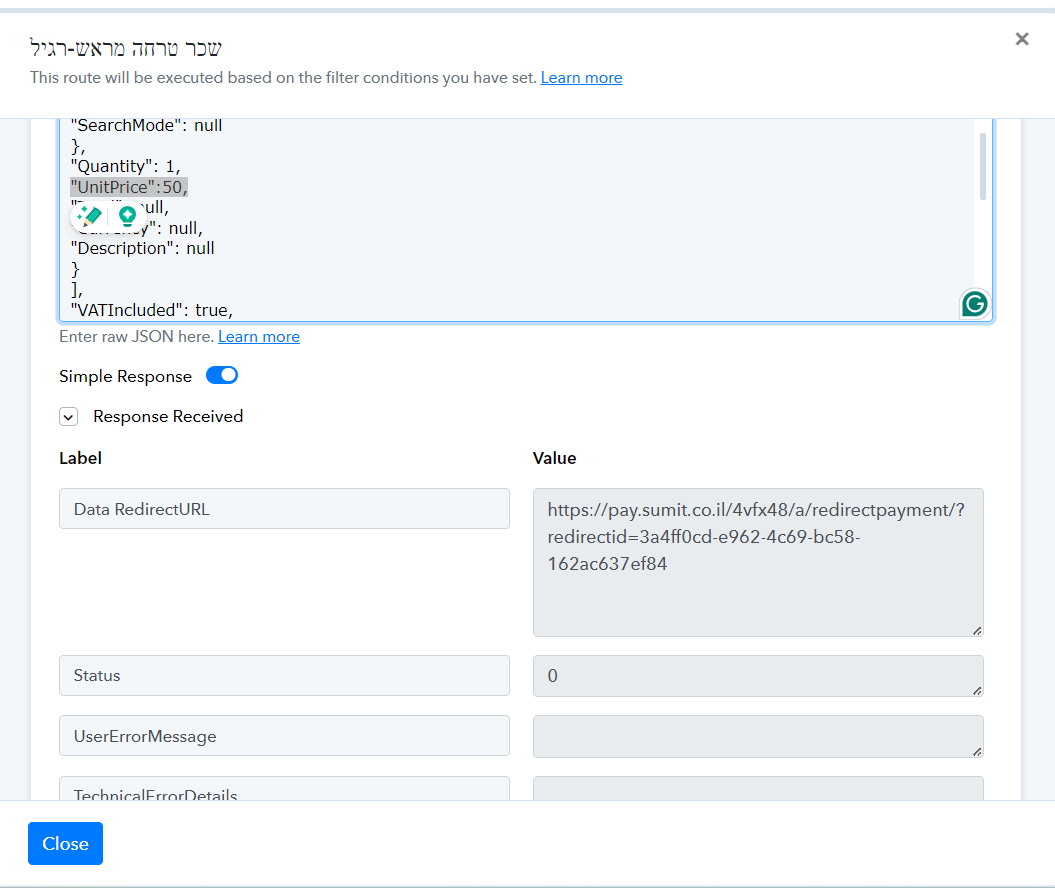
here is the mapping of the numeric value that is not working: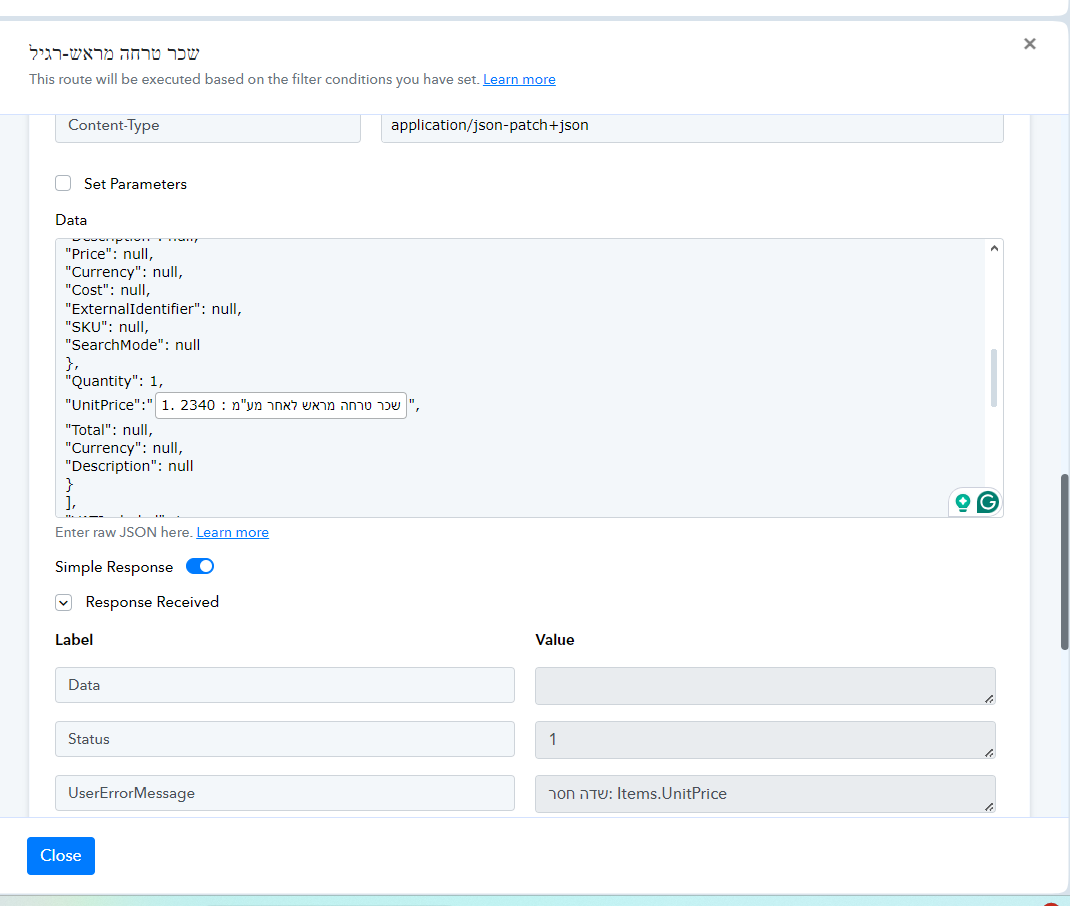
after I get a message missing a value, I close and reopen the route named "שכר טרחה מראש-רגיל" For the 9th router i have red bacon on the mapping value i tried varoius alterations to use, and change the column formatting and placement
Here is a screenshot after I reopened the router: 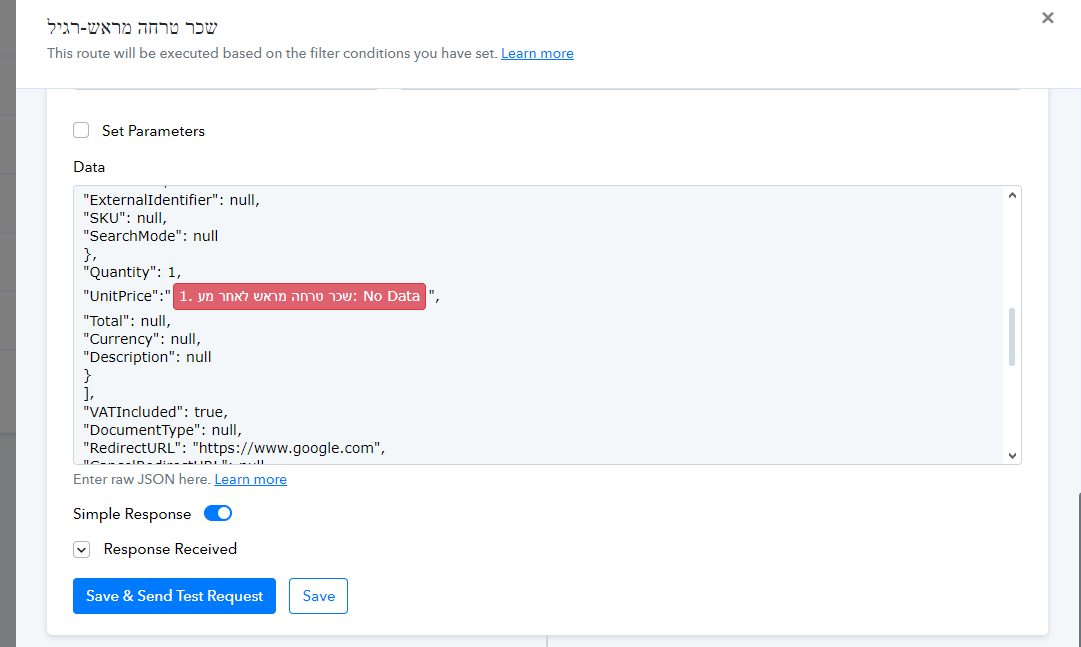
please help im trying to fix this damn mapping bug for a whole week
heres the workflow: https://connect.pabbly.com/workflow/mapping/IjU3NjUwNTZlMDYzZjA0MzY1MjY4NTUzNTUxMzUi_pc
Hi @alaa bebar,
Our team is currently investigating the mapping issue you encountered. Please allow us some time, and we will get back to you with an update soon.
thanks arshil, you have access to my google sheet with the numeric value I, trying to map is the T column
We will get back to you with an update soon.
@alaa bebar, Click on 'Re-Capture Webhook Response' and capture a response from your Google Sheets spreadsheet.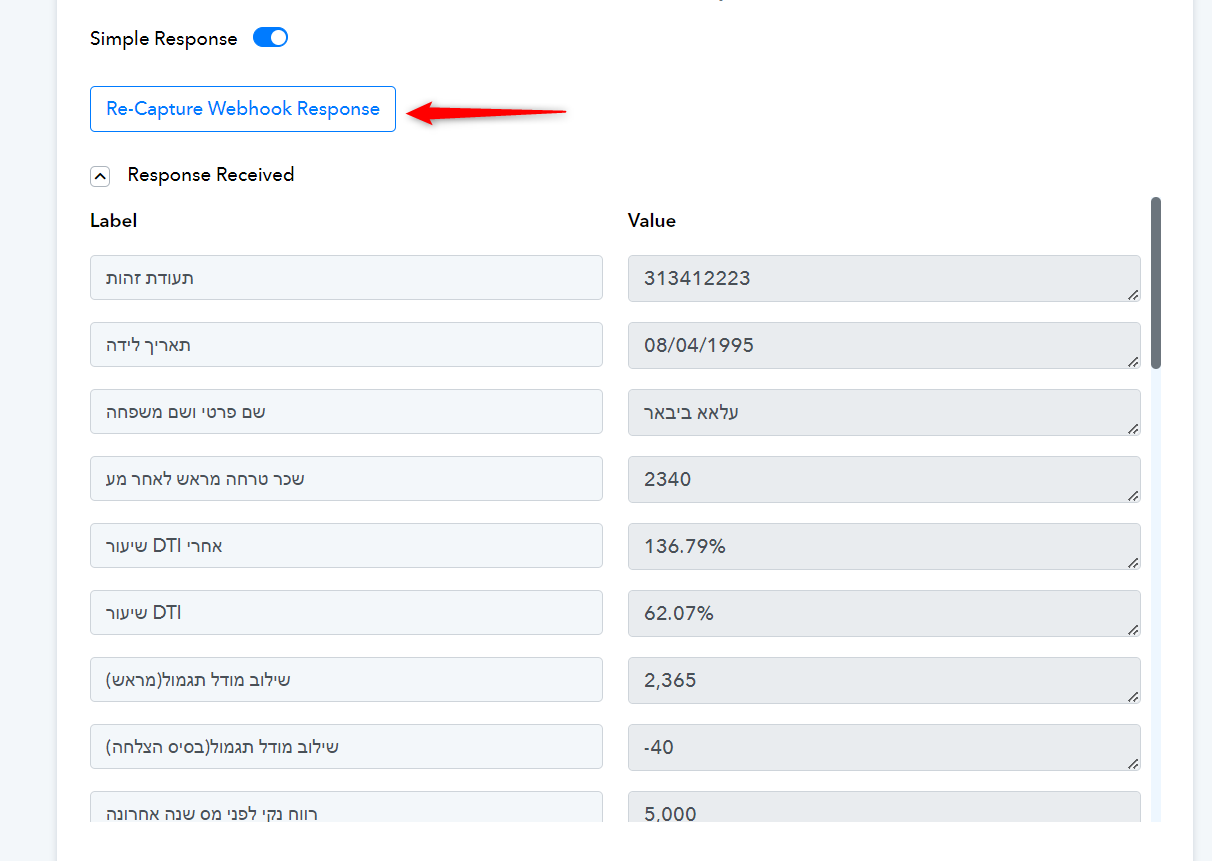
I tried that in the past, I'll record my attempt if I fail to execute the mapping part I'll share it with you.
did the team change something in the automation procedure or in the inn code of the mapping so I can learn if I did something incorrect?
@ArshilAhmad
You haven't done anything incorrect from your end. We just need you to capture a new response from Google Sheets in your workflow setup for testing purposes.
@ArshilAhmad i still have a error message on mapping the value, I shared the recording with you
im also sharing it here so if someone faced this problem ,can can share it with us
https://drive.google.com/file/d/1EcJ4nTeT18s58ZB-sKOLY6b298YFn0Vr/view?usp=sharing
what is the possible cause of that might be?
Our technical team is looking into the cause of this issue. I will get back to you as soon as I have any update.
Please grant access to support@pabbly.com for your Google Sheets spreadsheet, if you haven't already done so.
Done.
Here is a screen shot where the column T I'm having a bug with is located: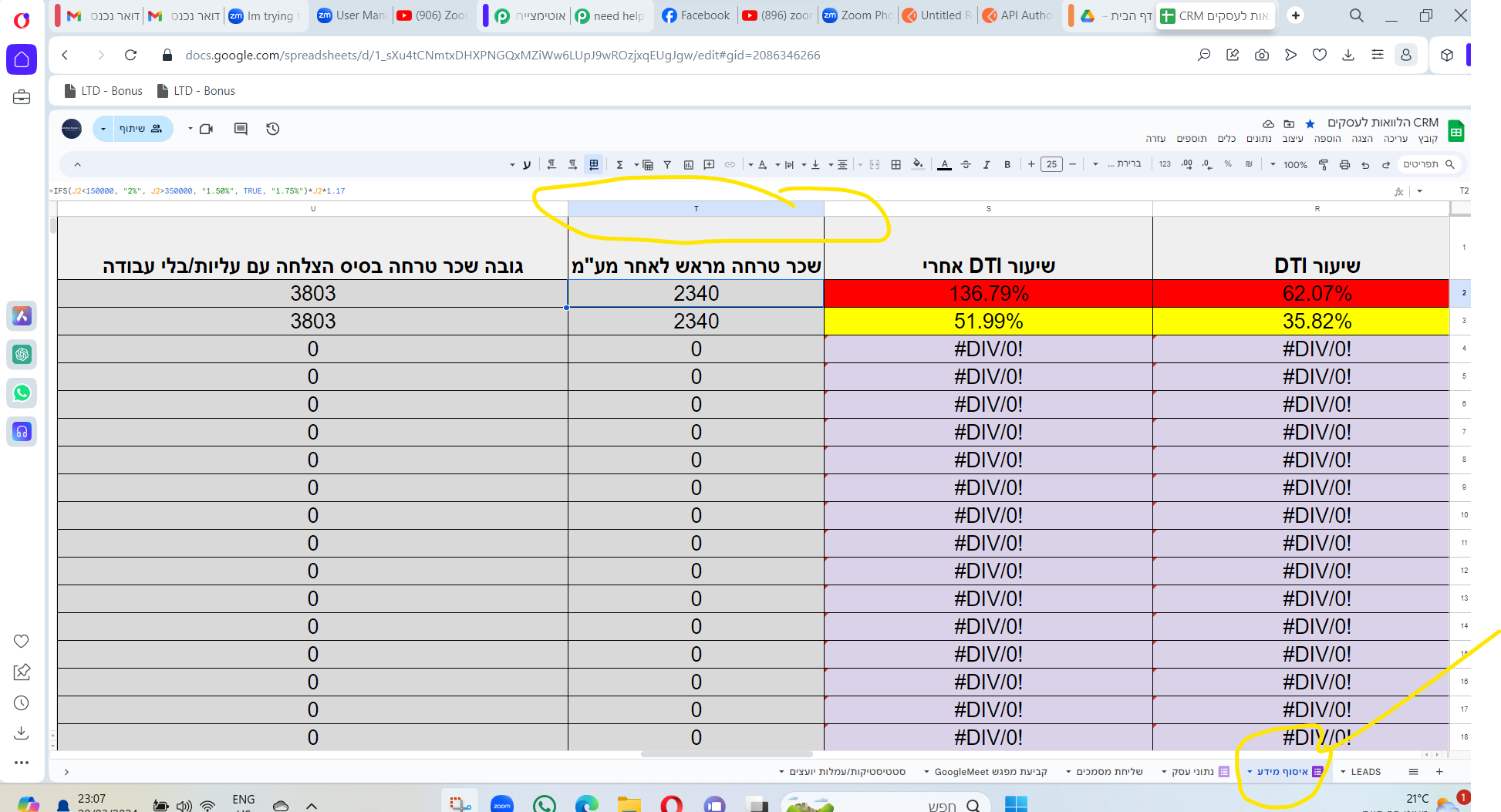
Got it! Thanks for your input. We will get back to you as soon as we have any updates.
Hello Arshil, any updates on the mapping bug, I got a message from the technical support team that my ticket has been resolved.
yet I still see the bug in the workflow
Regarding your concern can you please replace the double quotes with single ones' from your Google Sheets respective column and recapture your webhook response again from your workflow then refresh the workflow?
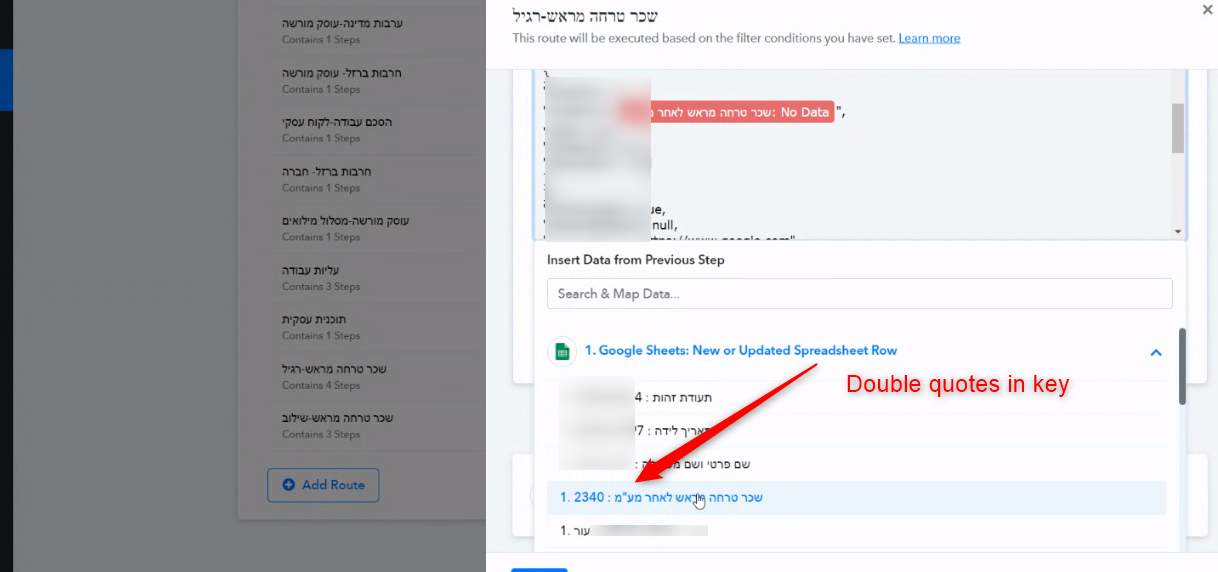
it worked thanks @Supreme ,you're the best after @ArshilAhmad of course ;)