New Contact In Active Campaign, Not pulling Tag to send through to Leadconnector V2
Status: Closed · Asked by VishB on · 0 views
Hi there,
I am sending contacts that are created in AC to GHL.
When a new contact is created information is pulled from AC but no tag information comes over, and this does not then pass into GHL, which I need to help generate Lead Source information, as all forms in AC apply an individual TAG that I use for lead source information.
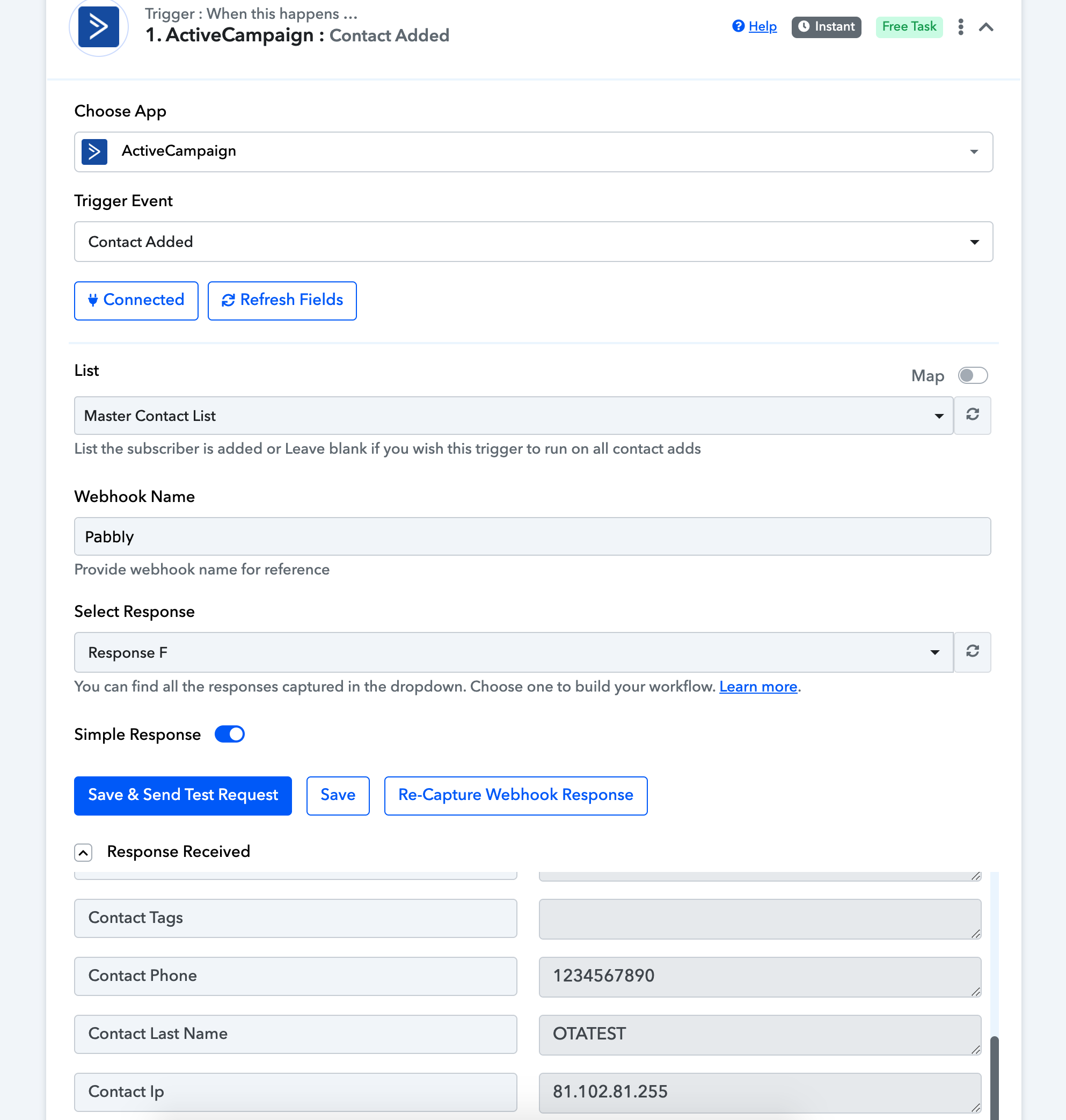
The TAG appears in AC immediately, but still does not show up in Pabbly.
Attached is the image showing the first step, not showing the TAG. Can anyone help please?
Attachments
Hey @VishB !
Kindly create a new contact in your "ActiveCampaign" account(not in list directly) and then add tags and add list to this new contact and click on "Apply".
Once done, check on your workflow history if its showing tags or not.
We did the same way on our end and it showed tags for us-
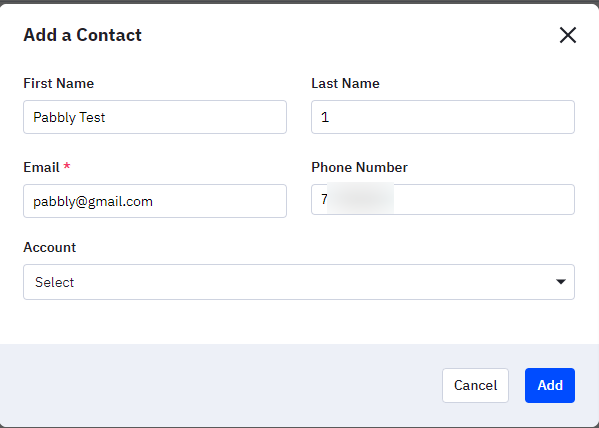
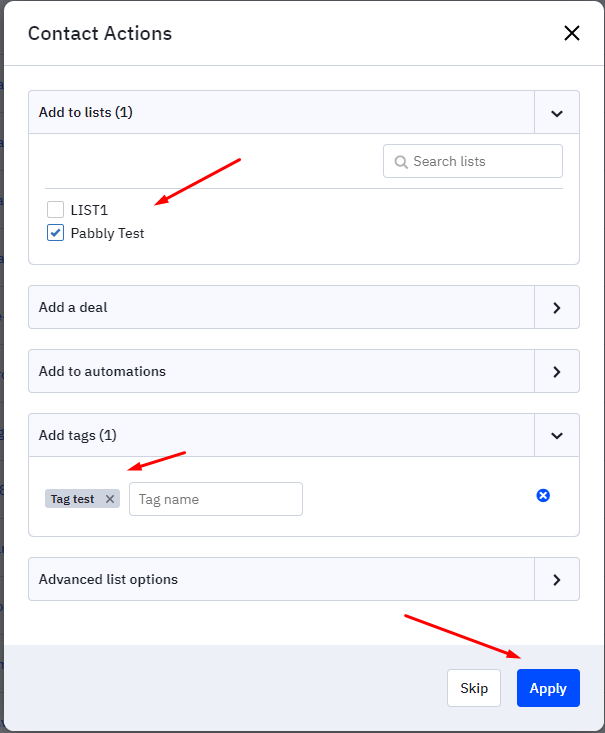
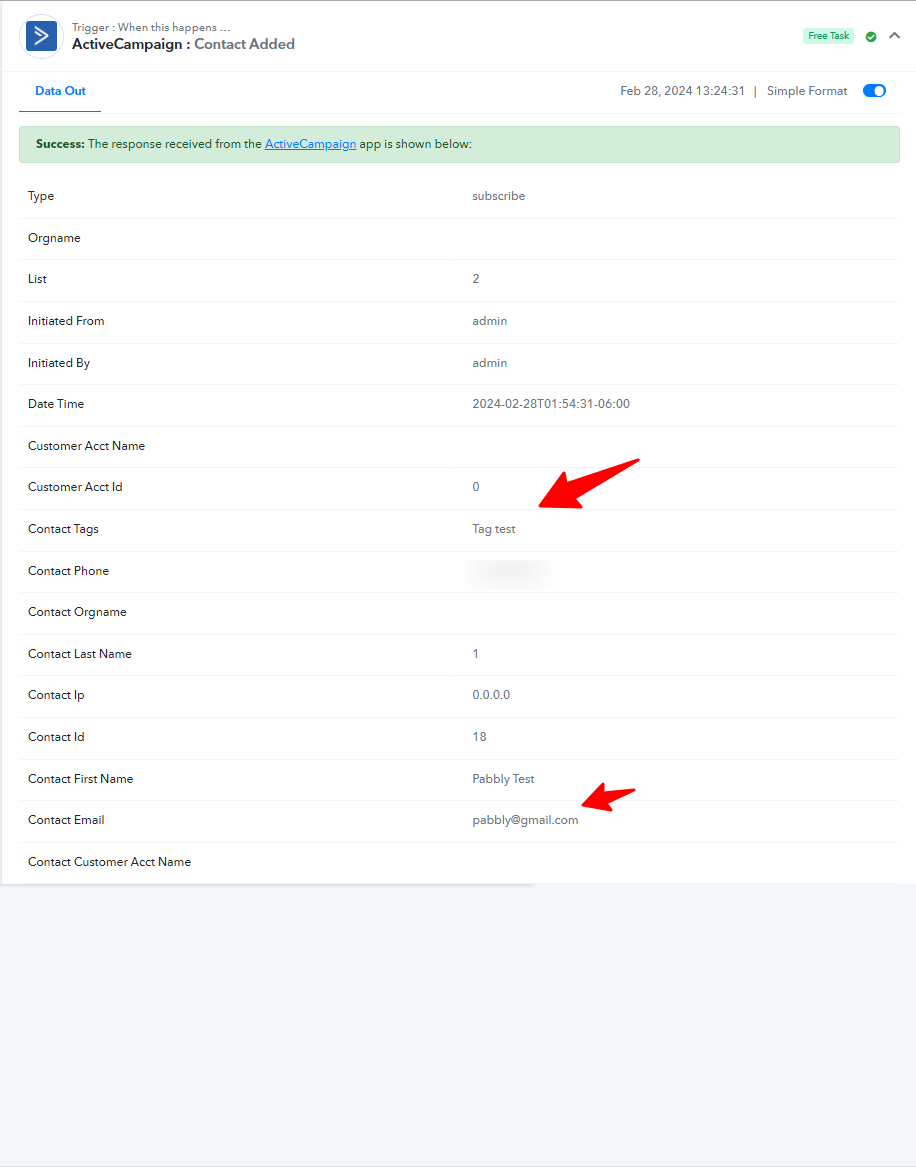
Do check with this and let us know if this works for you now or not.
Your test conditions may work, but that is not the process that AC will follow when it creates the contact using a contact form.
Firstly, the contact is created, then added to the list and then the tag is added.
So techically, this will not work as an AUTOMATION when we are using a contact from to pull in. The contact form needs to tag as that tag is being used for lead source, and changing everything around means re-writing automations in active campaign which will change too much.
Can you look at this again please @Subin .
@Subin - I can check the contact form again as well, as that should pull the information from active campaign, and ideally that is what I would like to test as that is the current use case that we have to deal with .
@Subin - it is still doing the same thing and not pulling a contact tag over.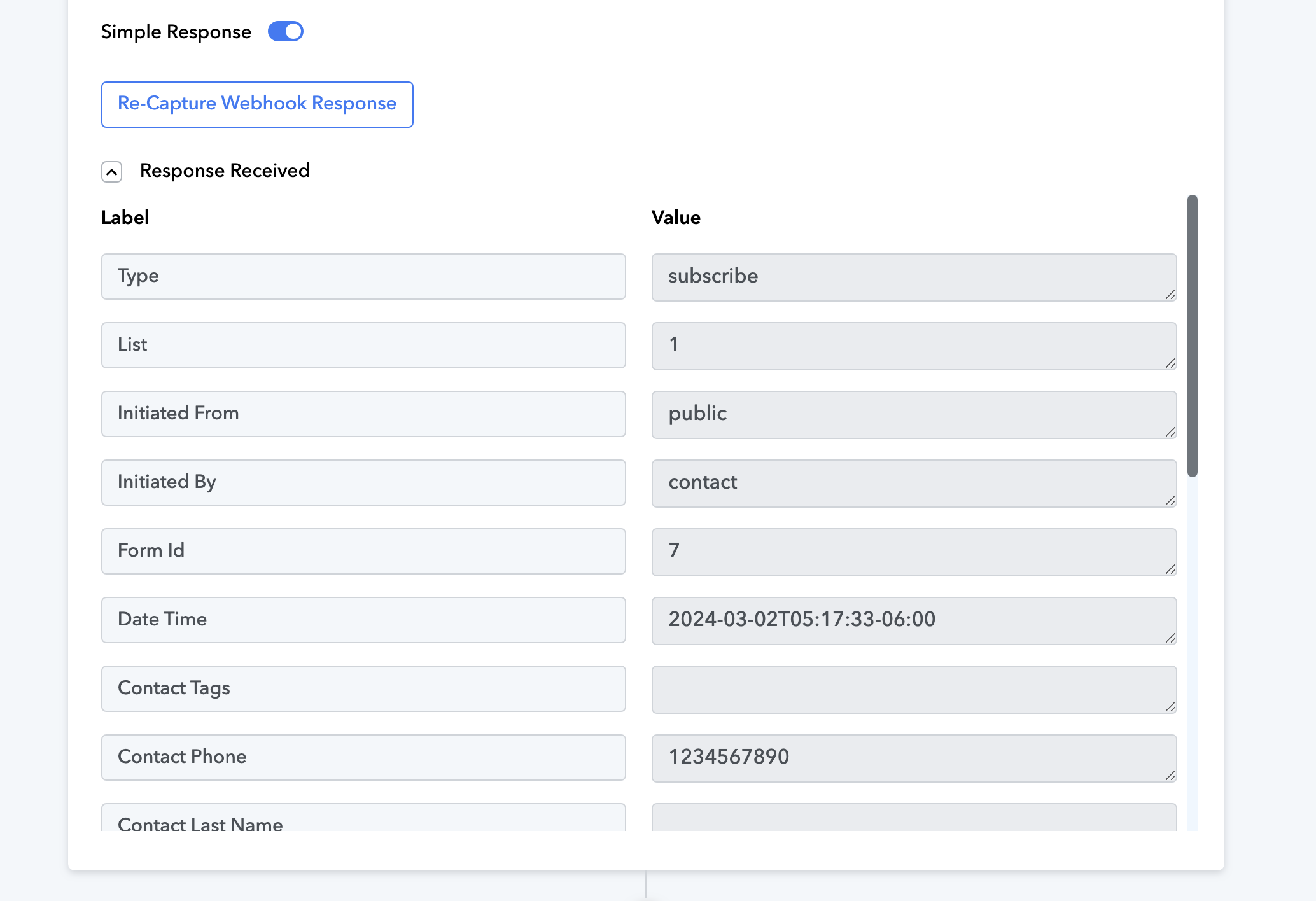
@Subin - I've managed to find a work around for this.
I've modified the automation from our end so that it gets added into a separate list after the contact form captures the email and creates a contact.
The pabbly automation then grabs this and pulls over the contact information fully.
Putting it here just in case someone needs this in the future.
Thank you for the update. We are glad you were able to find a solution.