New File from Google Drive - Upload to DropBox
Status: Open · Asked by Anil Agrawal on · 0 views
Hi everyone,
I have a simple workflow with a trigger of new file in a Google Drive folder and then action of upload to dropbox folder. I added a new file into the Google Drive folder. The Workflow triggered and completed with no errors, but the file did not get uploaded to the Dropbox folder.
I used "SelfLink" as the File URL in the Dropbox action step. Obviously, that "SelfLink" was for the file that I had added to the Google Drive folder when creating the Workflow. Not sure if the issue is related to what needs to be chosen as File URL.
Appreciate any guidance.
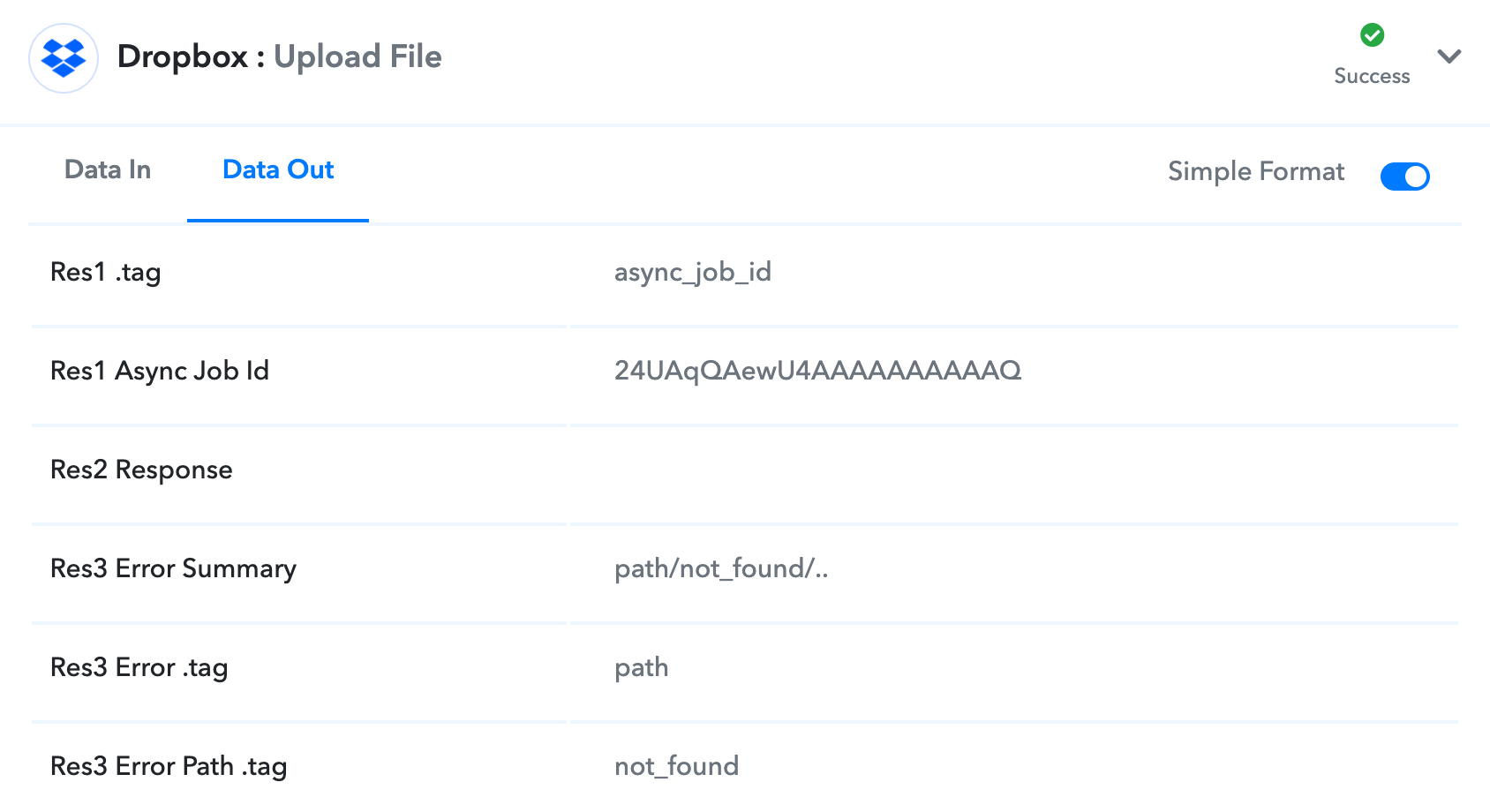
Edited/Updated: Actually I see some info under "Data Out" tab of Dropbox step that seems to be some error info related to path not found, but not sure why the path is not found. Screenshot attached.
Thank you,
Anil
Attachments
Hi everyone,I have a simple workflow with a trigger of new file in a Google Drive folder and then action of upload to dropbox folder. I added a new file into the Google Drive folder. The Workflow triggered and completed with no errors, but the file did not get uploaded to the Dropbox folder.
I used "SelfLink" as the File URL in the Dropbox action step. Obviously, that "SelfLink" was for the file that I had added to the Google Drive folder when creating the Workflow. Not sure if the issue is related to what needs to be chosen as File URL.
Appreciate any guidance.
Edited/Updated: Actually I see some info under "Data Out" tab of Dropbox step that seems to be some error info related to path not found, but not sure why the path is not found. Screenshot attached.
Thank you,
Anil
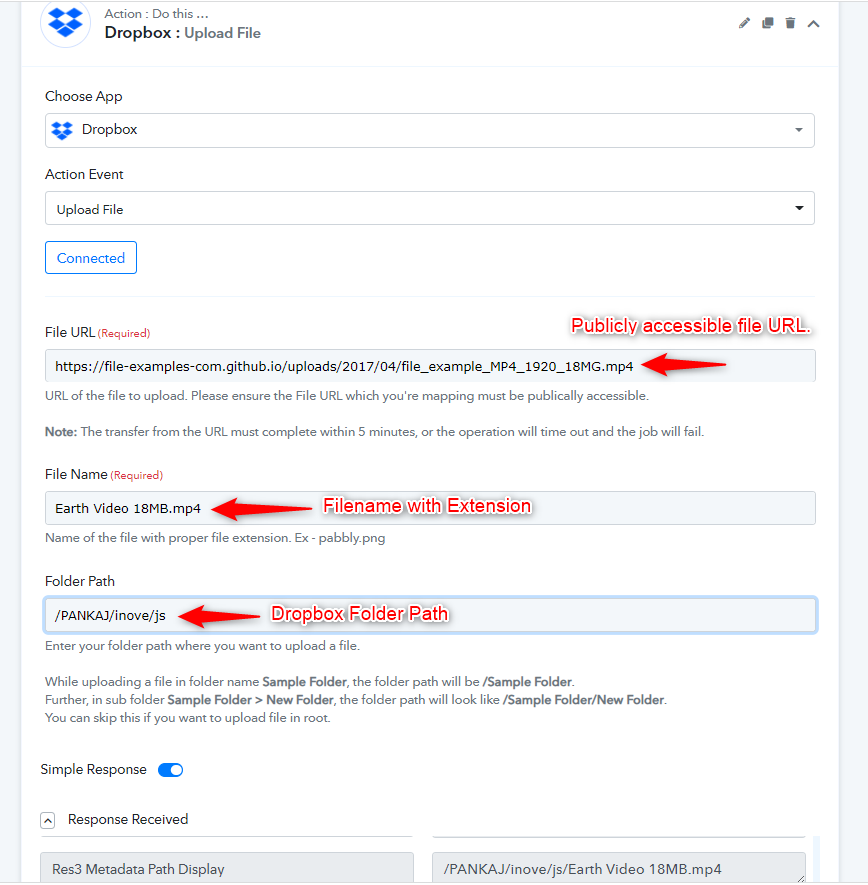
Your files should be publicly accessible otherwise the files won't be uploaded and Dropbox will return the same error.
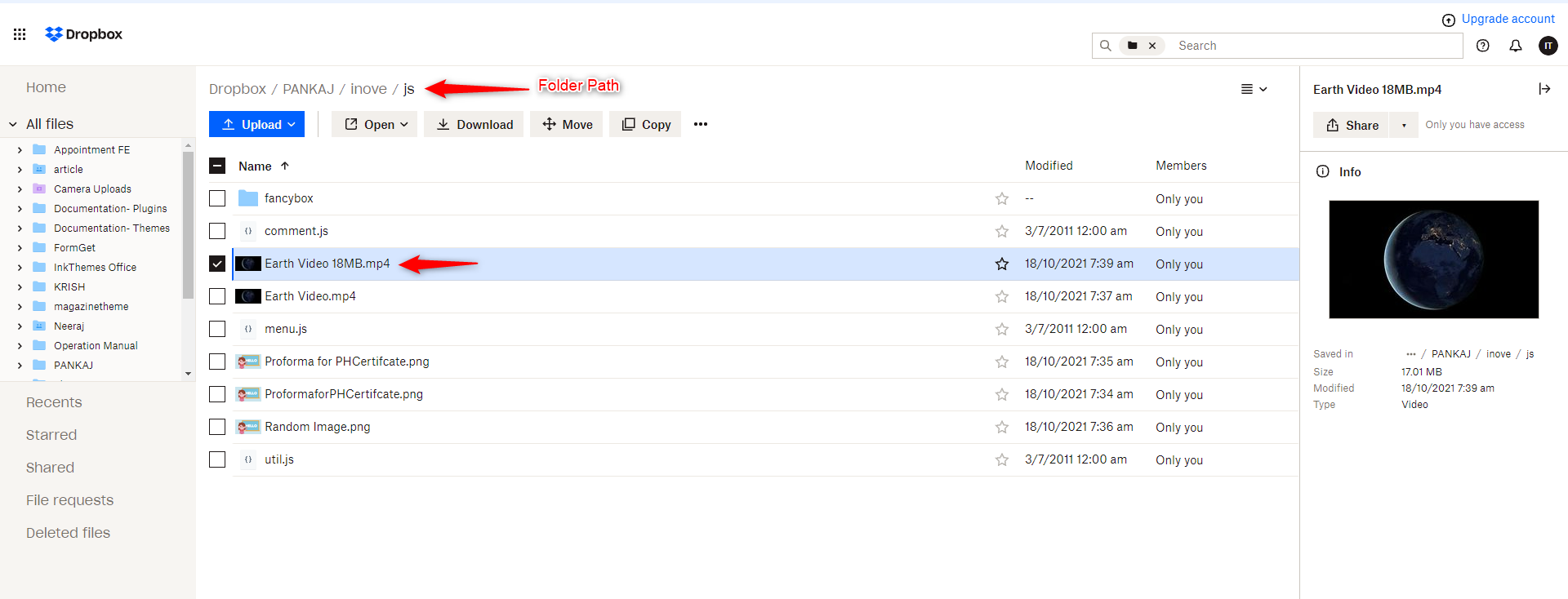
Also, make sure your folder path is correct in the Dropbox Pabbly Connect Action. I am adding few images for reference.
This is the structure of my Dropbox Folder:
If you want you can try out this public file URL once and see if the files are uploaded fine on your Dropbox.
https://file-examples-com.github.io/uploads/2017/04/file_example_MP4_1920_18MG.mp4