New Notion Connection Not Asking for Token
Status: Open · Asked by simcalister on · 0 views
Hello,
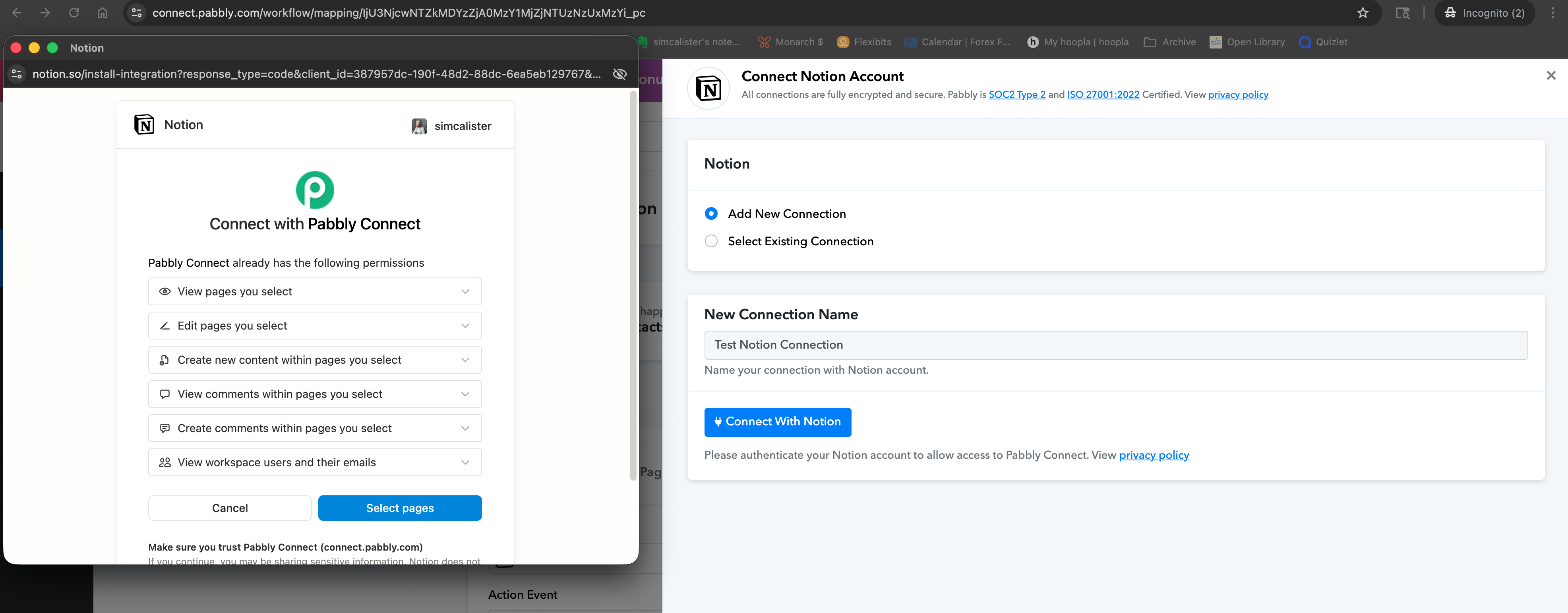
I want to set a new Notion connection, but do not get prompted to enter the Token. Has something changed on how connections are made?
I seem to have a tangled mess of Notion connections and keep getting 401 errors on workflows. I attempted to create new connections (one for each database), but they all end up connecting together anyway.
The workflow URL below should only be connected to the Deep Work database. Whenever I update the connection on any other workflow, that database connection carries over.
Attachments
Hello @simcalister,
Thank you for sharing the details.
To better understand the issue, could you please confirm whether you are setting up all these Notion connections using the same Notion account, but selecting different databases in each workflow
This information will help us clarify why the connections appear to be overlapping and why the same database connection is being reflected across multiple workflows.
We look forward to your confirmation so we can assist you further.
Confirmed. Same Notion account, different databases in each workflow.
Thank you!
Are you not being prompted to select the pages while making the connection, as shown in the video? Also, please share a short screen recording showing the process of creating a new connection with your Notion account so our team can look into your concern.
youtube.com/watch?v=tZsERNkpE5Q:237
Thanks & Regards,
Arshil Ahmad
Customer Support Associate
Pabbly.com
?Rate your support
I tried to make the video short. I show how an existing connection is set. I create a new connection (I forgot to say in the video that it is not giving me the option to make a brand new connection with a new token, it takes me to my existing databases), connect it to an existing database. Go back to the first workflow and it has taken on the new connection. Hopefully that is clear. Thank you!
Hello @simcalister,
We have escalated this issue to our technical team for further review. Please allow us some time, and we will get back to you as soon as we have an update.
Thank you for your patience.
Hi, any news on this? I cannot keep anything going stably. I am consistently getting 401 Unauthorized errors, even after reconnecting. Nothing is working as it used to or as it should.
Hello @simcalister,
Thank you for your patience. We have followed up with our team for an update, and we will get back to you as soon as we receive any further information.
Hello @simcalister,
As per the latest update from our team, Notion has made some changes in their API documentation stating that they support only one connection per workspace. Due to this, when a new connection is created, the previous connection gets expired/invalidated.
You can refer to the official Notion changelog here:
https://developers.notion.com/docs/historical-changelog utm_source=chatgpt.com#september-21-2021
Thank you, I understand that. I am still having trouble getting workflows to work correctly. The 404 errors have stopped, but one workflow does not pull any new data from Notion at all. I deleted the workflow entirely and started again, it will not pull data from the Notion connection: https://connect.pabbly.com/workflow/share/XBRZawdQAmEASlI4UTRRdl9LBwMFXAJhV05WRAMMAnoGSFIHURAOZA9DVHZSEVc2BE0HbQ9TDDAAFAAECF5UJ1NKBTlQU1AqBElTKANaX2xcAllxB2Y#
Video: https://www.loom.com/share/9117cc7fd01843d4b4e0b500558ec820
Hello @simcalister,
It appears to be a UI-level issue. The responses are being captured correctly in the new UI. Please try using the new UI and let us know if you are able to capture the responses correctly there.
If the issue persists, feel free to reach out.
This is frustrating. Two things.
1. I created a workflow in the new UI. It pulls no response : https://www.loom.com/share/9c28c83a6ebe4592bc0fd9e1a48fde6f
2. I looked at the test connection you made. It is connecting. I changed it to the database I am trying to pull from. It pulls from the wrong database : https://www.loom.com/share/8c1ad3c9d11a4f59ba434f0006a71319.
Hello @simcalister,
To assist you more effectively with this issue, we recommend connecting over a quick Google Meet call.
Please schedule a meeting using any of the following booking links, based on your preferred time slot:
https://calendly.com/arshil-ahmad/new-meeting-1
https://calendly.com/d/cxhg-w98-cjj/support-from-pabbly-preeti
Once the meeting is scheduled, we’ll be happy to review the issue with you in detail.
Thank you for joining the meeting. I hope we were able to address your concern regarding data not being fetched in the Notion trigger step.
https://connect.pabbly.com/workflow/mapping/IjU3NjcwNTZjMDYzMjA0MzA1MjY4NTUzZDUxMzAi_pc
We’d really appreciate it if you could share some quick feedback on the support you received:
https://forms.gle/GAjS4wdPYKuhnEYV9
Thank you for your time.
Thanks & Regards,
Arshil Ahmad
Customer Support Associate
Pabbly.com
?Rate your support