New Registrant Trigger from Demio is not captured
Status: Closed · Asked by Deepak Deopure on · 0 views
Dear Team,
Our workflow gets triggered when a new registration happens in Demio (Webinar system).
However, for some reason, the trigger is just not working. This is happening to another colleague of mine. For him it is unreliable.
Is there an issue with triggers from Demio?
Please help us as our campaign is running and causing us trouble.
Regards,
Deepak
Attachments
Hey @Deepak Deopure
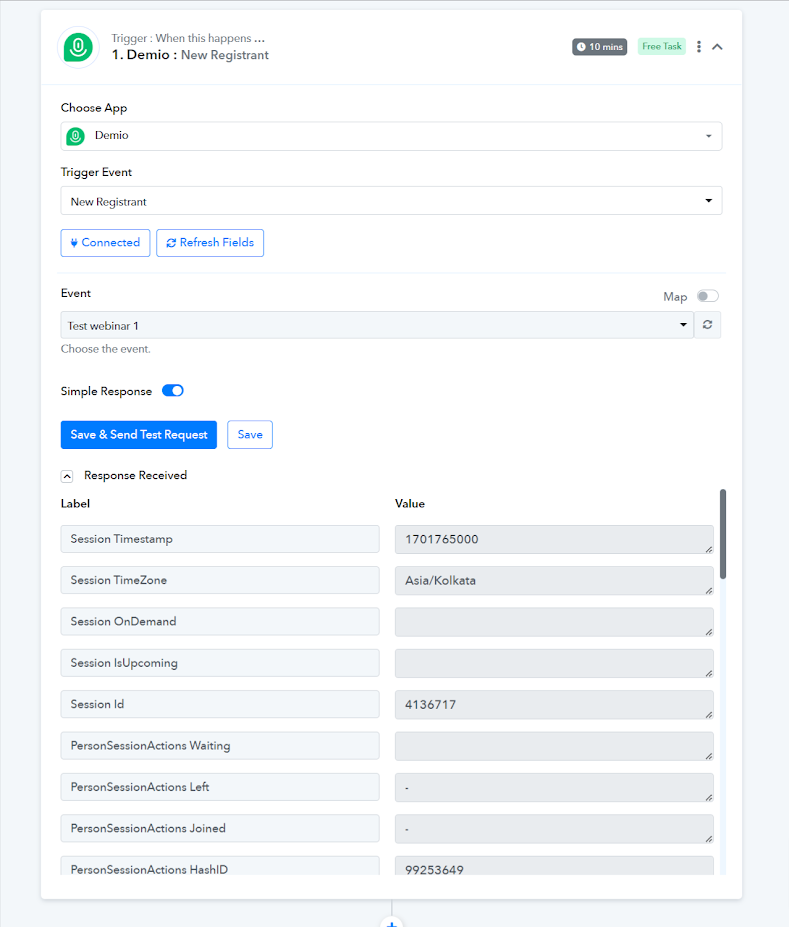
It appears that in your respective Demio event, you don't have any registrant and because of that it is not capturing the response.
As we can see from your other event the trigger event is working fine.
Hello,
Thanks for responding.
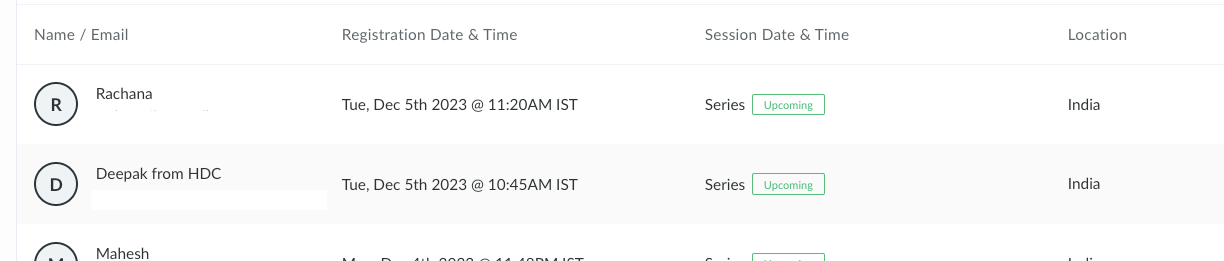
However, that is not the case. I have many registrants. I have also attached a screenshot of the Demio registrant page which has the date of today.
To test this. I am also adding the registrants in real-time. But, I still get 0 responses.
Regards
Hi,
To add to the above information. If we have an old registration it does show the data when we click "Send and Test Response".
I also tried on another Demio event in which there was already existing 1 registrant. When I tested it with "Send and Test Response" I was getting the information of that one registrant.
But, when I deleted that registrant and registered a new one I got 0 response for any new registrations.
Regards
Can you please record a short video once by adding a new registrant in your Demio and then check the trigger response in your workflow?
I got the video recorded but due to size limit restrictions, I am unable to post it here. Can you share an email id where I can send it?
Please upload the video on Google Drive and then share the link with us.
Please share the link accessible to check the video.
I am still waiting fro some updates !!
Please share the link accessible to check the video.
Please try this link
It seems like the connection you previously used for your trigger event might not be functioning properly. However, after switching to the latest connection for your Demio trigger event and selecting the specific Event, the new registrant is now being captured successfully.
To provide a clearer understanding, we have created a brief video demonstration of this process. Please take a moment to watch the video for further clarification.