New username in WordPress
Status: Closed · Asked by Nelson Emilio on · 0 views
Hello,
I have a workflow that creates a WordPress user after a purchase. First, the workflow checks if the user exists in the WordPress user list by searching for their email address.
If the email does not exist, then the workflow creates a new user using information from WooCommerce.
However, I want to add an additional step. After checking the email, I want to check if the username being created (first name + last name combined) exists in WordPress. If it does not exist, then create a new user with this username.
My problem is when the username already exists. In this case, I want to create a unique username using the first name and last name fields from WooCommerce, maybe with a digit at the end or, eventually part of the first name and last name fields.
My questions are:
- How can I generate a unique username?
- Can I use “Text Transform” in Pabbly? If so, how do I do this?
- How can I ensure that the same username will not be repeated in the future?
Note: Email addresses should not be used as usernames.
Thank you,
Nelson
Hi @NelsonE,
- How can I generate a unique username?
- Can I use “Text Transform” in Pabbly? If so, how do I do this?
You can use Text Formatter: Replace Text.
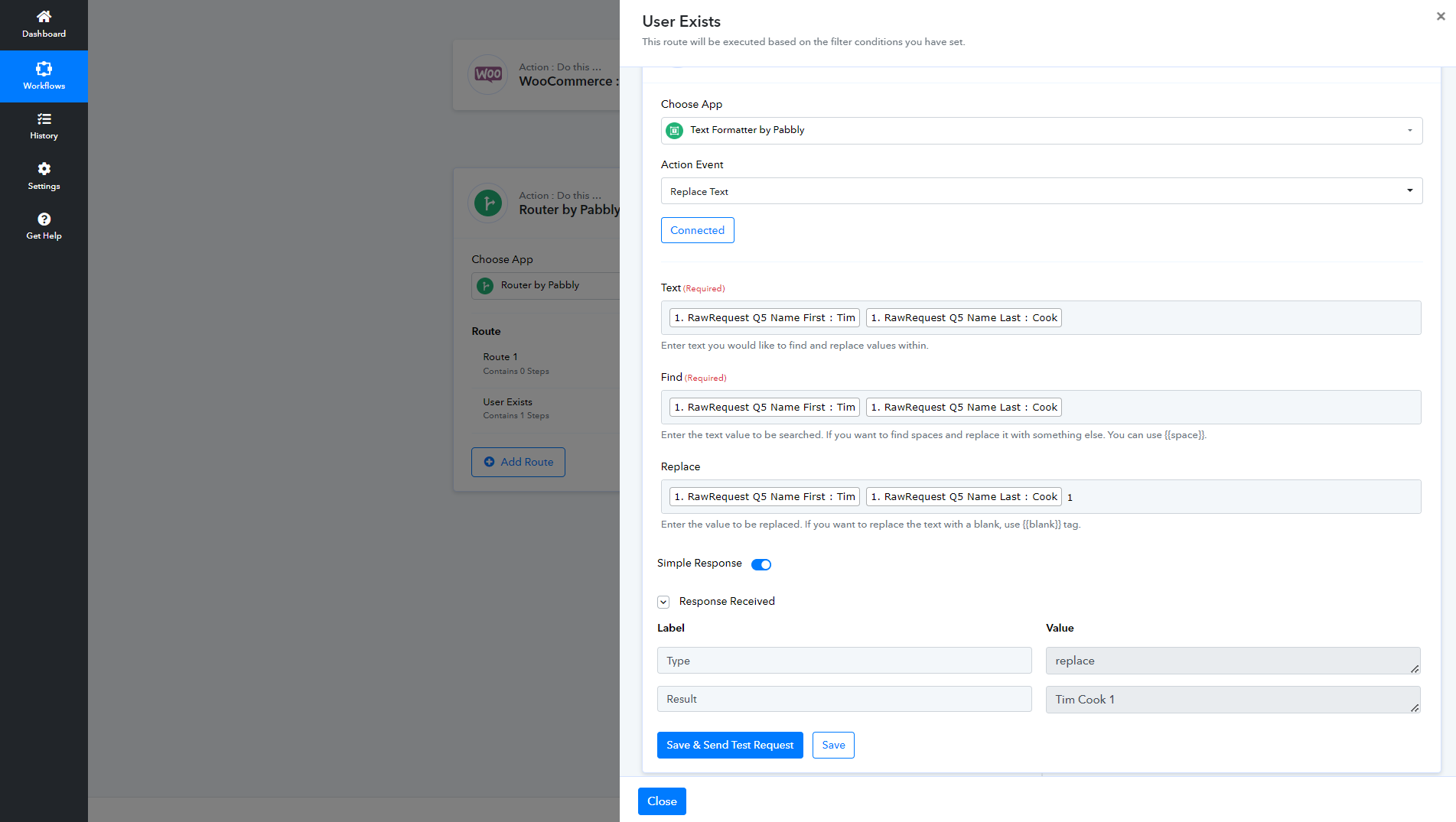
- How can I ensure that the same username will not be repeated in the future?
If you could map the digit added at the end of the Username from some place in your workflow that generates unique data, the username will never be repeated.
Thank you @ArshilAhmad. It worked perfectly