New Workflow - Goolge Form Response to PDF
Status: Open · Asked by Ryan.McMahon on · 0 views
youtube.com/watch?v=8r_aXjacchs
Im attempting to follow the steps in the above tutorial. I cannot seem to get the Google Sheet to connect to the Webhook. I enter the information and then nothing happens. Not sure what I'm doing wrong. Can someone assist me?
Ryan
Hi @Ryan.McMahon,
When entering the data into your Google Sheets, make sure to add the data to your trigger column as well in order to trigger the workflow.
[IMG alt="1691344967162.png"]https://forum.pabbly.com/attachments/1691344967162-png.29754/[/IMG]
To make automation work, you need to enable 'Send On Event' if you're manually entering data into your Google Sheets. If the data added to your Google Sheets comes from another API, you also need to enable 'Auto Send on Schedule'.
[IMG alt="1691345126828.png"]https://forum.pabbly.com/attachments/1691345126828-png.29755/[/IMG]
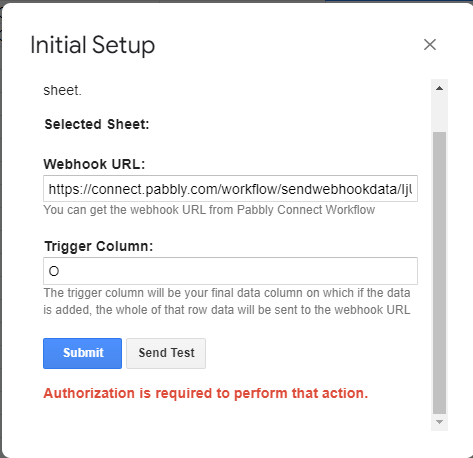
I get this message "Authorization is required to perform that action"
How do I resolve?
Please try setting up the workflow in Incognito mode and make sure you're logged in to only single Google Sheet account while setting up this.
Check this documentation link for more information - https://www.pabbly.com/common-problems-with-google-sheets-integration-in-pabbly-connect/