Nifty required Due Date not necessary
Status: Closed · Asked by Juan Ramón Montero on · 0 views
Hello team,
Currently, when trying to create a task for Nifty, the Due Date parameter is marked as REQUIRED.
However, this parameter is marked as NOT required in the official documentation
https://developers.niftypm.com/operation/operation-taskapicontroller_createtask
Do you mind updating this? Thanks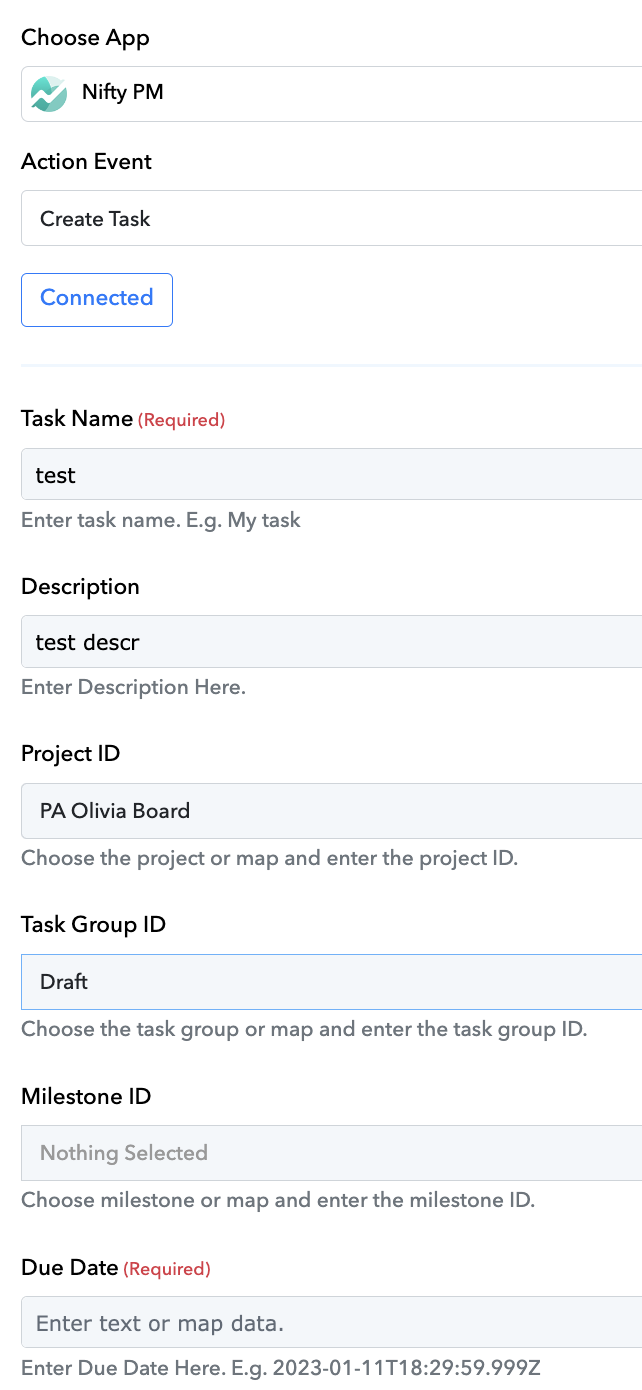
Hey @juanmontero
We have removed the required from the "Due Date" field from the action step, but we think that if you skip that field the error might come up from their server that you need to pass the Due Date.
Thanks, I could successfully create a task without a due date.
However, there was a date automatically added to the response.
The date is one day older (I guess it uses the UTC).
Another big issue I found was during production. This workflow repeats itself 3 times; therefore, 3 tasks are created in Nifty when I suppose to get only 1.
Here is a quick video for your reference:
https://www.berrycast.com/conversations/a50ea3f3-d43a-5c92-9f31-cf5529009df0
I hope you help me to check these 2 issues. Thanks
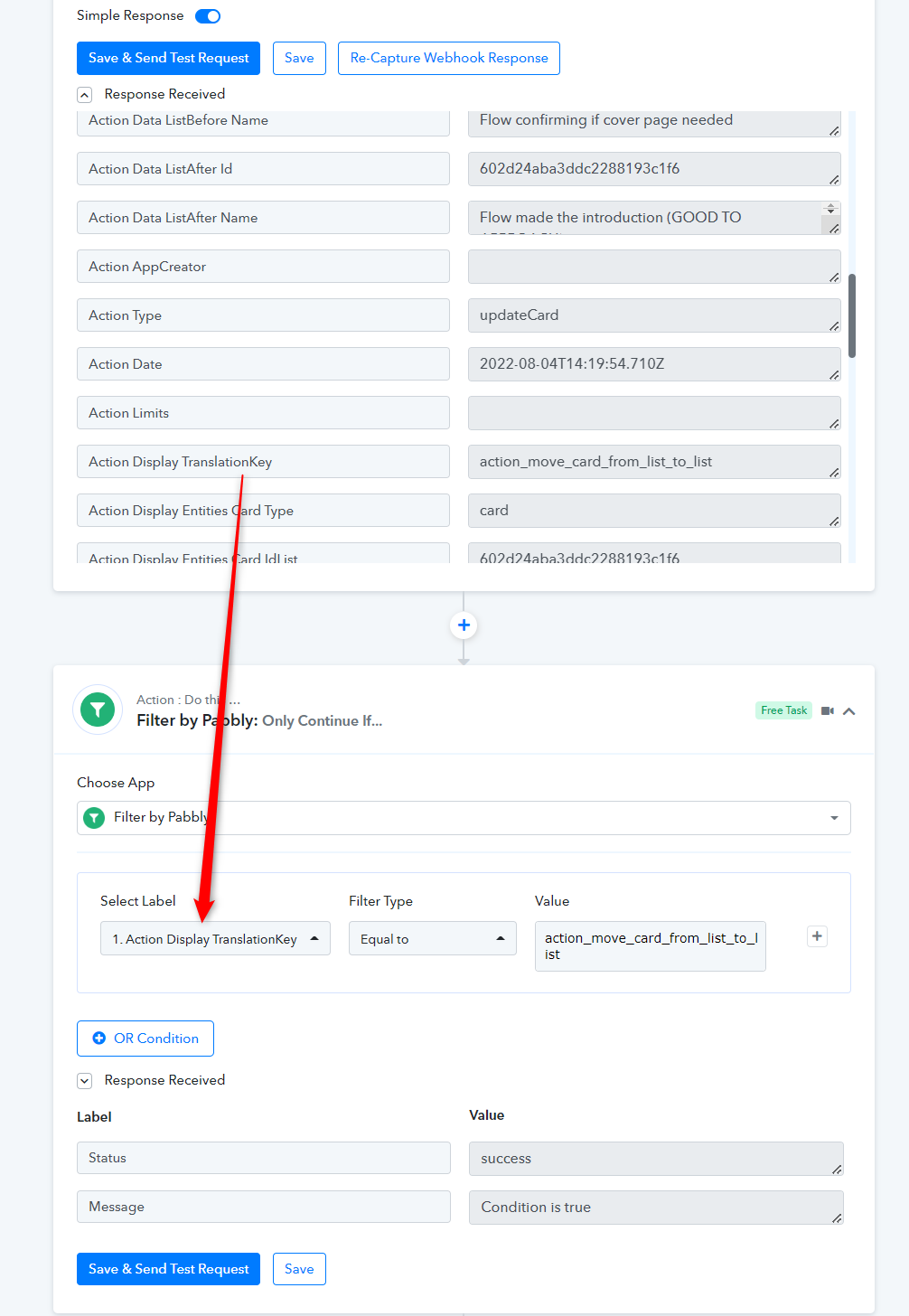
Because the Trello API sends the same card event type for different events, a response is triggered. As a workaround, we recommend using the Filter action step with the label "Action Display TranslationKey."
If you use the filter action step in any of your workflows, you must use it for the same trigger event.
Further, the date in the task was added from Nifty PM itself by default and because of that initially, we have made it required.
You may try the same by creating a task from the dashboard, if the issue still persists then kindly check with the Nifty PM team once.