None of Aweber API Workflows are working.
Status: Closed · Asked by Veerabrahmaiahan Penugondla on · 0 views
Hello, I created few Aweber workflows in my pabbly connect account so that an email can be copied to my different Aweber accounts through API, but none of them are working. Earlier they were working fine, but since yesterday night they are not working. I tried without pabbly connect in my clickfunnels funnel, then it is working fine. I thought problem with Aweber API and tried to test without Pabbly in my clickfunnels and then it is working fine, so there is no issue with Aweber API. Please help me. It's urgent.
Regards
Hey @veerabrahmaiahan
Upon looking into your issue it appears that your workflows are failing due to 403 forbidden error.
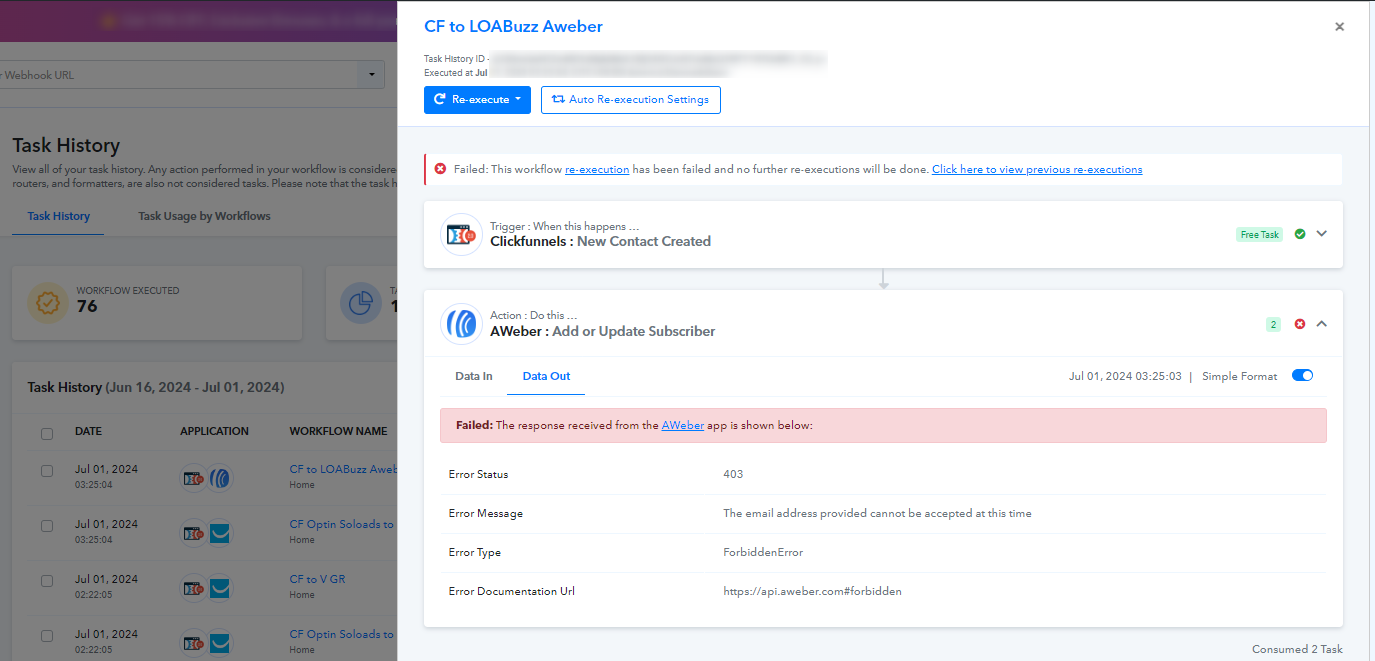
The 403 forbidden error can be due to various reasons. Please refer to this link where this error is described as per the Aweber API - https://api.aweber.com/#forbidden
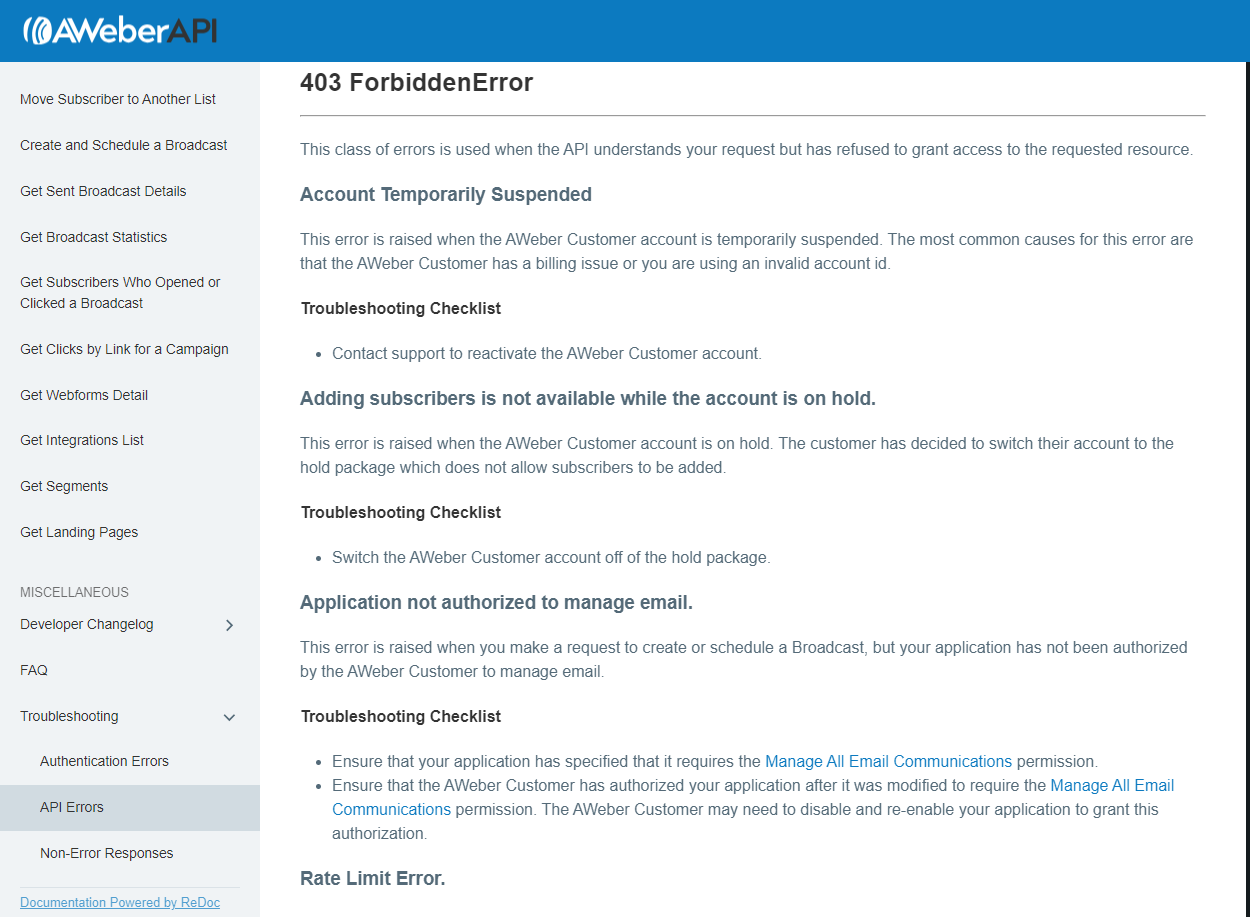
Kindly refer to the instructions and take the troubleshooting measures.
Please let us know if you get stuck at any step.
Thanks for the reply. I know it is 403 error. One of my back up Aweber accounts has billing issue. Will this error happen because of that issue? Because my main Aweber account is fine. Can you also help how to troubleshoot?
Regards
Hey @veerabrahmaiahan
The issue is regarding your Aweber account and you can rectify it by contacting to them. We can surely assist you if there appears to be an issue or error on Pabbly's end.
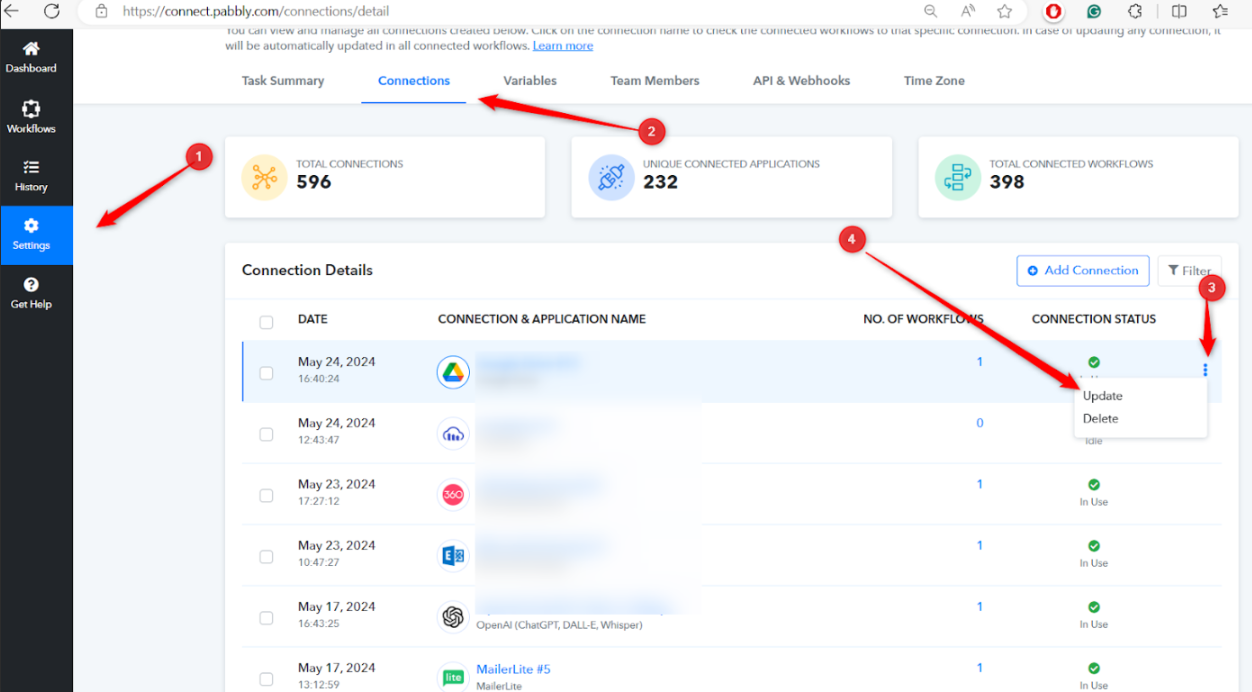
Also, after you make the changes, kindly update your Aweber connection inside Pabbly Connect. Refer to the image below for more instructions.
You mentioned 'after making changes' I don't understand what changes do I need to make? And one more doubt is is that illegal to have many Aweber workflows in the backend? All workflows are connected to same Funnel, so that a lead once enter into the main optin page will be copied different aweber accounts and other workflows. Having many workflows on the same funnel will trigger API issues in Aweber?
Regards
Hey @veerabrahmaiahan
By "after making changes" we meant that if any changes are suggested from Aweber and you apply them in your account.
As you are using the same funnel for all the workflow, they will trigger at the same time. We would advise you to add a delay of 2-3 minutes before Weber step in your workflows so that they execute at different timings.
Kindly refer to this video for instructions related to Delay -
Hi, Actually it is problem with Pabbly. I contacted Aweber support and they didn't find any issue. I tried removing the pabbly webhook in my funnel and tested with emails and they remain subscribed, but when I connect the pabbly webhook to my funnel and tried to test, emails are getting unsubscribed automatically. Please take a note about this issue and take a look once about integrating with Aweber.
Regards
Hey @veerabrahmaiahan
We reviewed the API documentation of the application and this is the operational procedure. We suggest conducting several test executions to verify if the subscriber has been successfully added to Aweber.
Additionally, confirm whether previously entered subscribers are being created or updated within the application.