Not Able to Connect to Google Calendar
Status: Open · Asked by caizizuofang on · 0 views
Dear Support Team,
I am writing to seek assistance with authorizing Google Calendar on Pabbly.
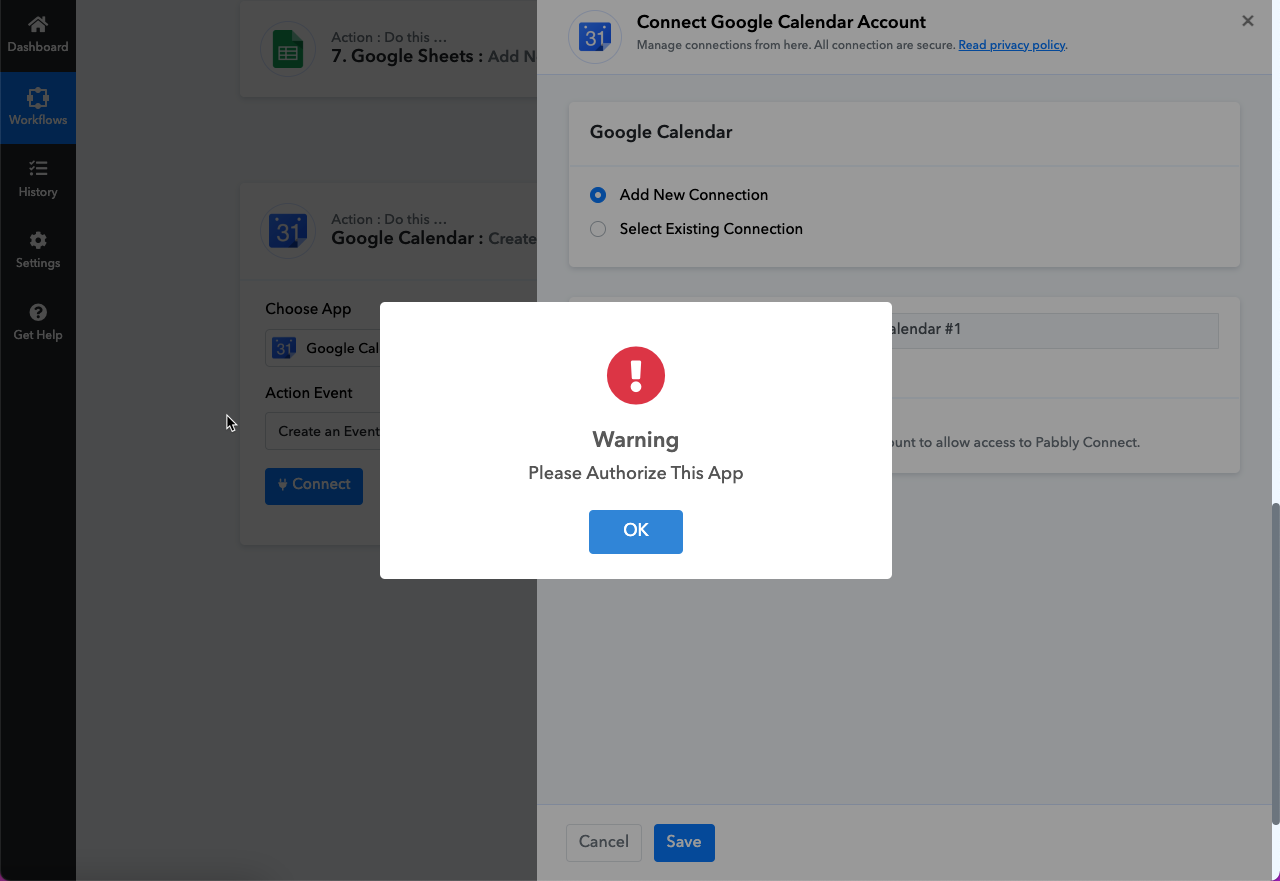
I have been trying to connect my Google Calendar account to Pabbly, but I encountered an issue. After attempting to connect, I received a warning message stating "Please Authorize This App." However, I did not receive any further steps or options to authorize Google Calendar.
I have attached a screenshot of the warning message for your reference.
Could you please provide me with the necessary steps or guidance on how to authorize Google Calendar on Pabbly? I would greatly appreciate any assistance you can provide to resolve this issue.
Thank you for your attention to this matter. I look forward to your prompt response.
Attachments
Hi @caizizuofang,
Please log in to your Google Calendar and Pabbly Connect accounts in an Incognito Tab. Establish a new connection with your Google Calendar account by following the steps provided in the first half of the video shared below.
Dear Support Team,I am writing to seek assistance with authorizing Google Calendar on Pabbly.
I have been trying to connect my Google Calendar account to Pabbly, but I encountered an issue. After attempting to connect, I received a warning message stating "Please Authorize This App." However, I did not receive any further steps or options to authorize Google Calendar.
I have attached a screenshot of the warning message for your reference.
Could you please provide me with the necessary steps or guidance on how to authorize Google Calendar on Pabbly? I would greatly appreciate any assistance you can provide to resolve this issue.
Thank you for your attention to this matter. I look forward to your prompt response.
Hiya,
Please check your popup blocker and disable it for the Pabbly domain. Once this is done, you will receive a popup to authorise the app.