Not able to see failed Pabbly Connect processes
Status: Closed · Asked by spillai on · 0 views
I see only successful processes in history. So I am not able to identify the failures, missing a lot of leads that are supposed to be processed.
Please help.
Hey @spillai
Can you filter in the history section of your workflow where you can choose the leads on the basis of the task which got failed?
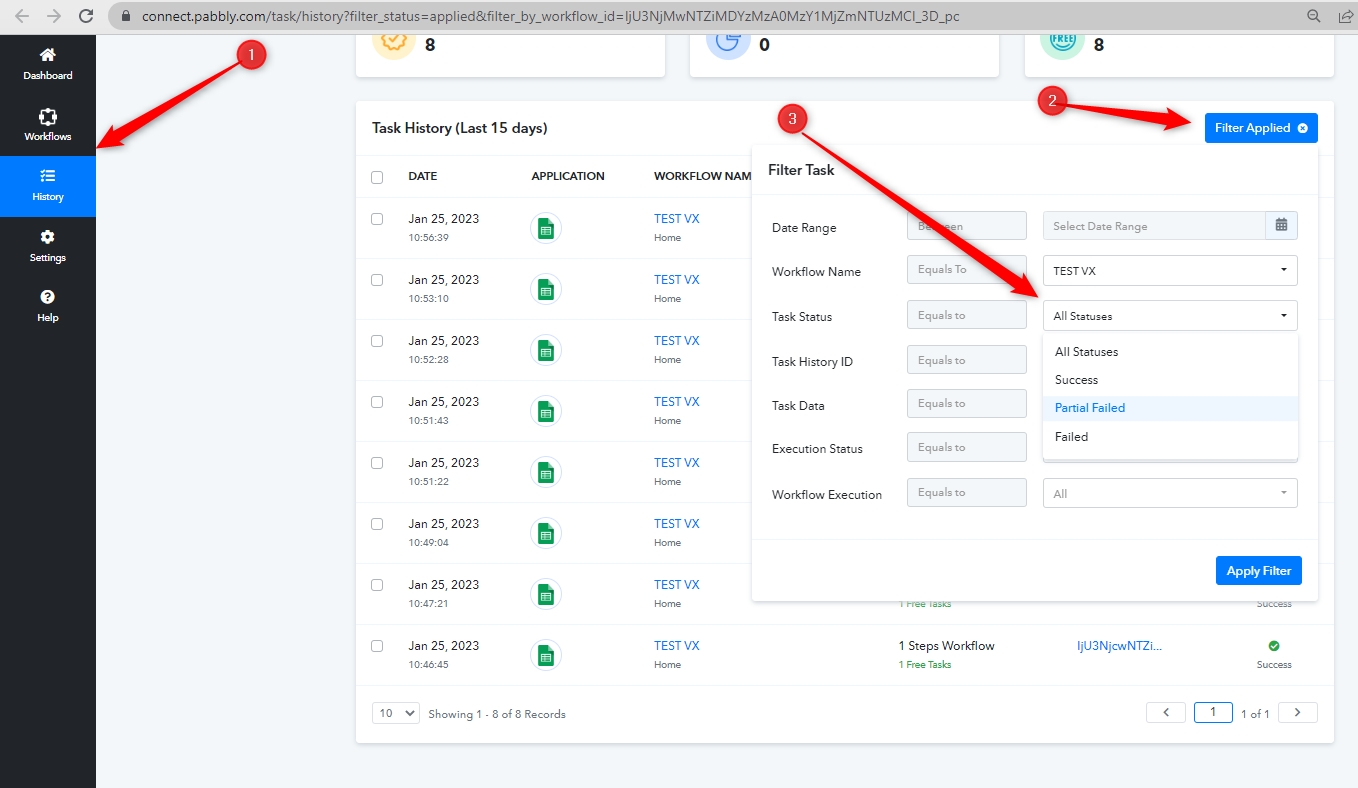
I do have that filter on. It still does not show the failed records; rather, it is skipped, so I cannot fix the record and run it. In my cases, failers are happening due to a formatting issue with Phone numbers. Like it is supposed to come as 1999999999 (10 digits), but sometimes it comes as +1-(999)-999-9999 entered by the prospect. Please guide me.
Hey @spillai
Can you please share the workflow name in which you have noticed the same?
Hi @@Supreme
Walter Google Sheet to Zoho CRM is the name of the workflow.
Thanks.
Hey @spillai
I do have that filter on. It still does not show the failed records; rather, it is skipped, so I cannot fix the record and run it. In my cases, failers are happening due to a formatting issue with Phone numbers. Like it is supposed to come as 1999999999 (10 digits), but sometimes it comes as +1-(999)-999-9999 entered by the prospect. Please guide me.
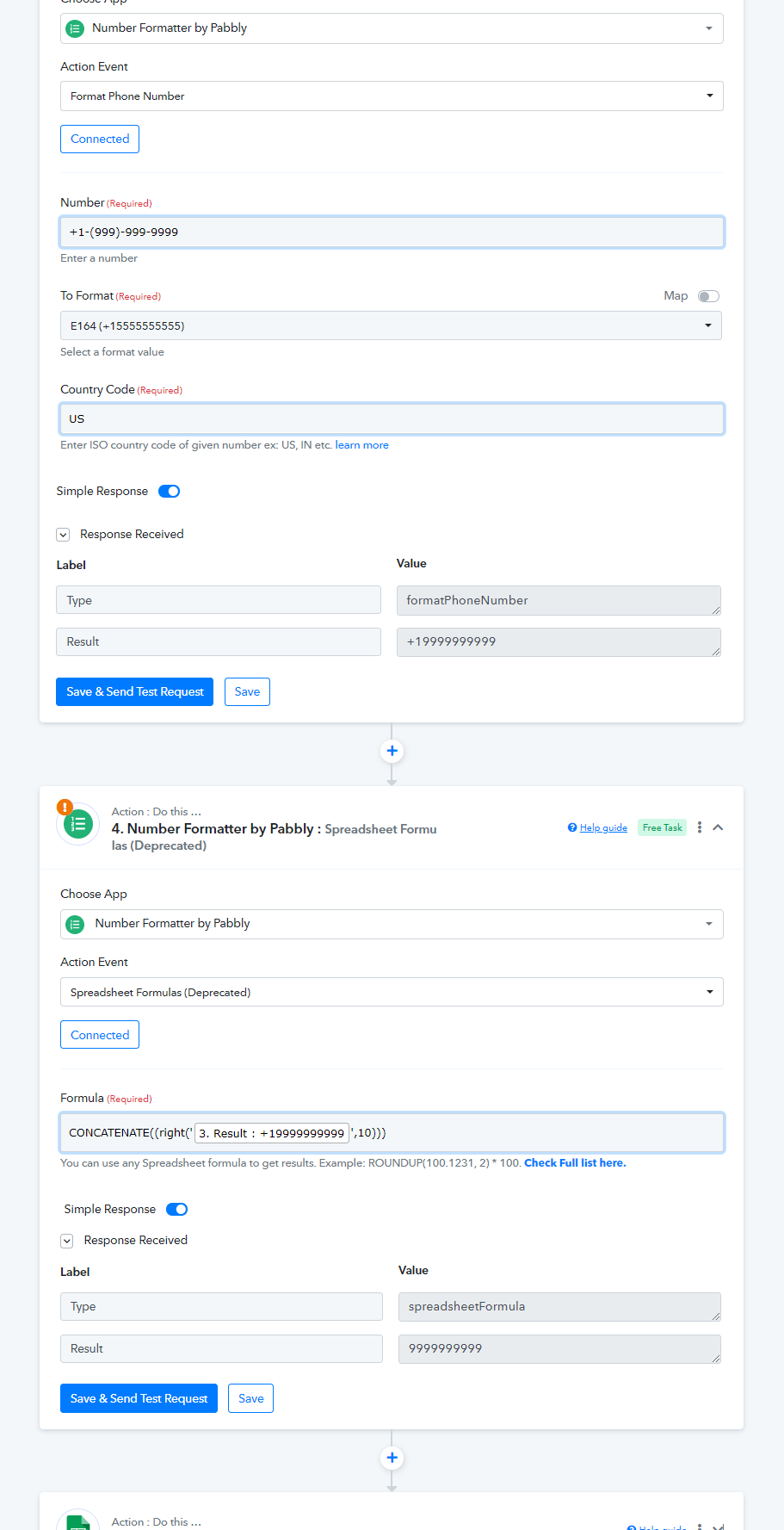
In that case, you can now use the following step to convert the number to your desired number format.