Not updating Google Sheets properly
Status: Closed · Asked by thms on · 0 views
Hi,
I'm triggering a workflow through a webhook, passing a large string through a single input parameter.
Using this initial string, I parse the information into 17 different fields. For each field, using Text Formatter, I remove commas, then pass that value through a regex pattern to ensure that only numbers are captured for entry into the Google Sheet. So far, so good. The "Save & Send Text Request" also works correctly.
However, when I finally get to the last step, the right values are not passed to the Google Sheets Add Row module. I've double-checked that the right step results are being passed.
Here's one example for my "Step 14"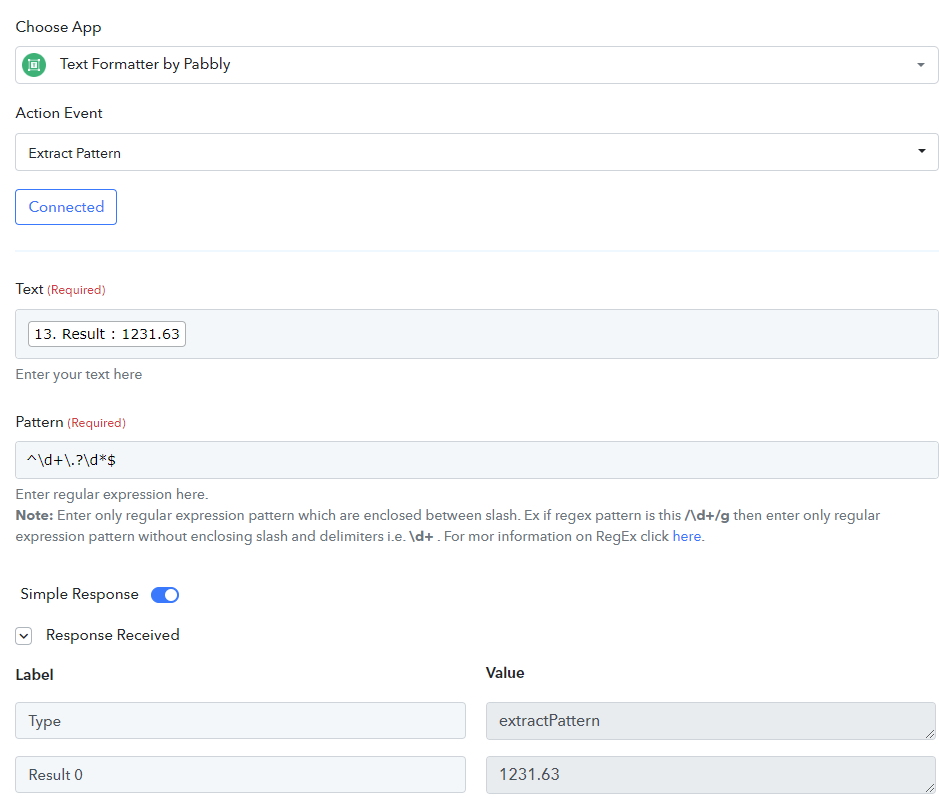
And then in the final step, it's blank: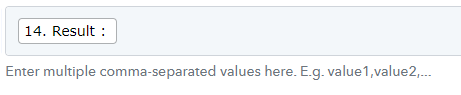
For other fields, they could be blank or a previous value could be carried in.
Any help would be appreciated!
Hey @thms
As we can see the value in"14. Result" in your last action step is passing perfectly fine. Could you please check it again from your end and confirm that you are still facing the same issue?
If yes, Please help me with the name of the workflow so that I can check.
Hi @Supreme
I solved it - the final result is, apparently, an array of 1 element. So the mapped result should be "14. Result 0"
However, unless I did the "Save and Test Request" on every step at the end, it wouldn't be presented as an option for the final map. If the result is empty (as it is for many of the input records), I also don't see "Result 0", I only see "Result" - is there a way to force map each field to "Result 0"?
Hey @thms
Can you please record a short video on your concern so that we can look into it and help you accordingly?