Notion Check every 8 hours
Status: Closed · Asked by gentle_md on · 0 views
Hi There, I have connected my notion account to pabbly in order to setup a workflow using the trigger "update database item". In the upper area I now find the entry that the trigger will check every 8 hours. Is there any opportunity to get this trigger checked in a much shorter time?
Hey @gentle_md
Could you please share the workflow name, and email id associated with the Pabbly Connect and how much time you want to fetch the data in the notion? We can max reduce it to 10 mins.
i want to reduce to 10 mins too, my email is [email hidden], and the flow name is notion ideas, thx for helping
i want to reduce to 10 mins too, my email is [EMAIL][email hidden][/EMAIL], and the flow name is notion ideas, thx for helping
Kindly check your workflow now, we have changed the time interval for the Notion trigger event.
I hope this might help you out.
HEY , IM FACING A LOT OF TROUBLE WITH THIS CAN YOU PLEASE REDUCE MINE ALSO [email hidden] AND MY WORKFLOW NAME IS IS
TASKS NOTION
Hey @Pratham Arora
We've shortened the time for your Notion trigger event to 10 minutes. Take a look and see how it works for you!
hey @Supreme
thanks a lot actually I'm running these as revision automations for our clients , so i would be needing this again and again , can we please do this for every future notion update automation ?
So that i don't disturb you again and again .
Thank you
@Supreme this is hampering our work , kindly resolve this
Can you please share the workflow URL for the same?
@Supreme I will make 40-50 workflows like this , so it will be very difficult for me to ask you everytime , can't we do this permanently?
Hey @Pratham Arora
We have reduced the trigger time to 10 min from your workflow, please check that out.
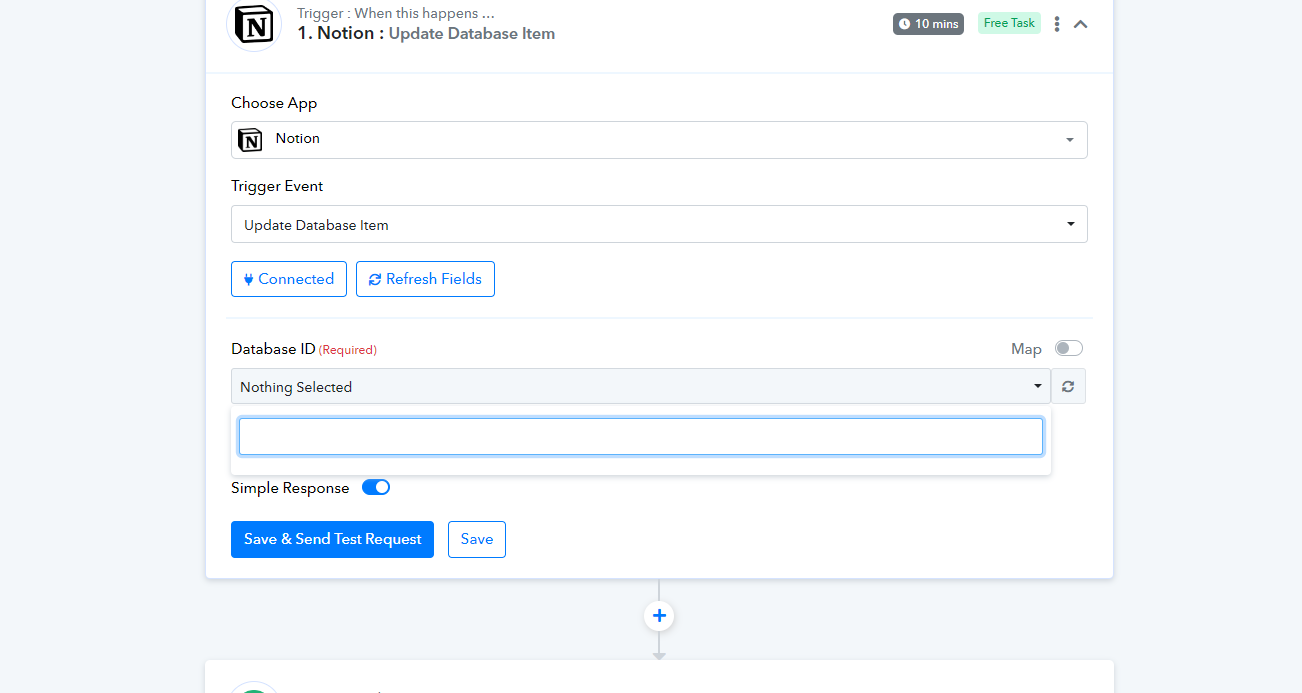
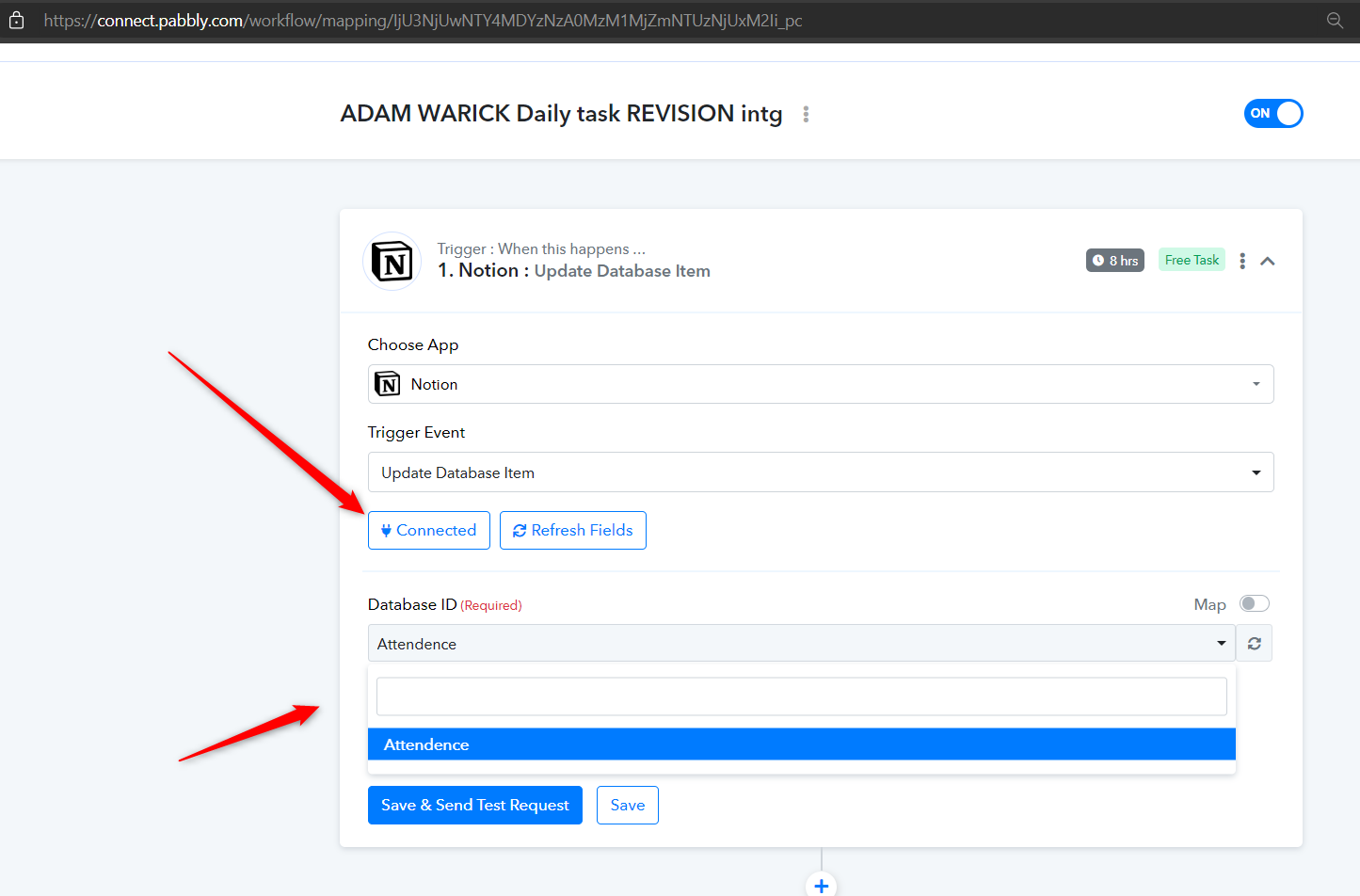
Now i'm not able to find any databases here @Supreme
Hey @Pratham Arora
Could you please double-check on your end to ensure that when connecting to your Notion account, you've reviewed all the pages within your Notion account?
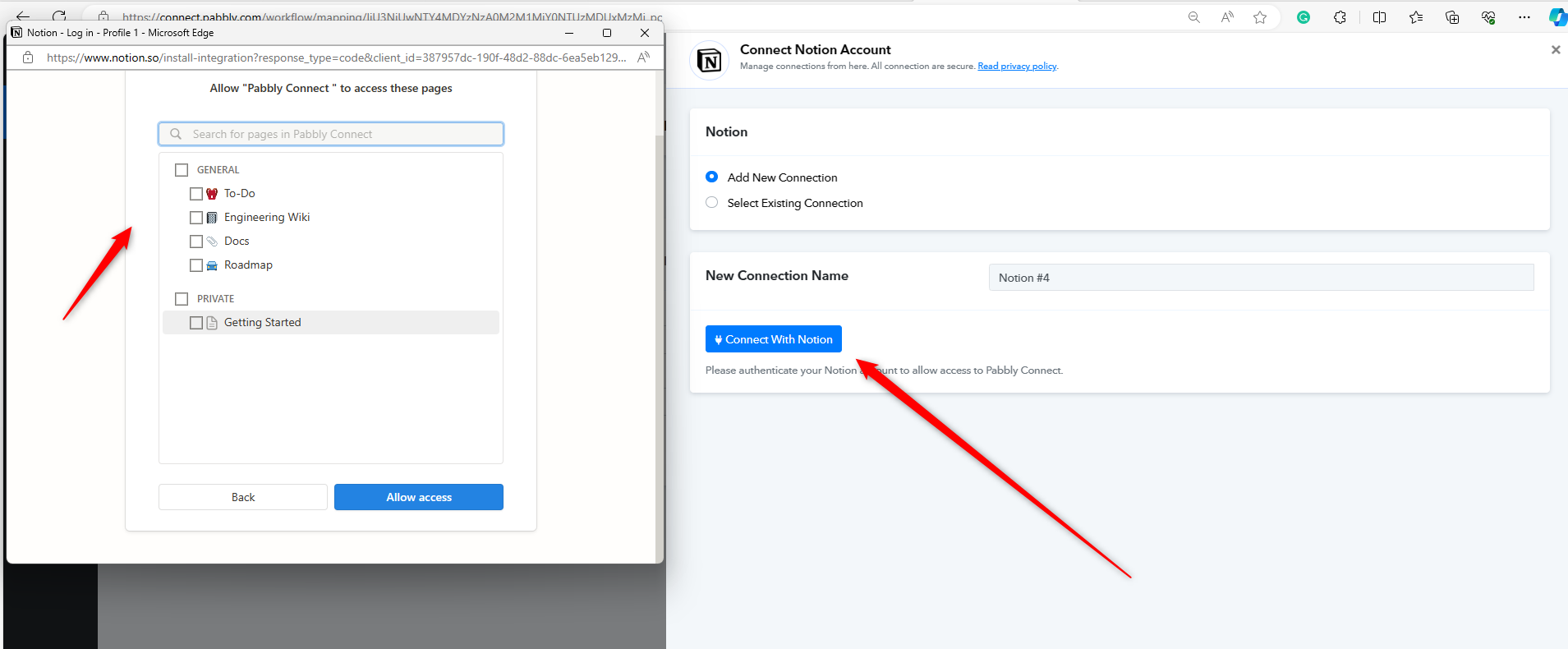
Hi @Supreme,
I am facing the same problem as Pratham Arora. I followed the youtube tutorial "How to Auto-publish Social Media Posts From Notion Database - Social media Automtion" but was stopped on the second page after installing the Pabbly-Notion connection.
I reviewed all pages on my Notion (all pages are ticked even the ones I won't use for this workflow). I also did not have the chance to select a database ID. I mapped manually, made changes in my Notion database by changing status and date, and requested a report that came back with a (0). see attachment.
I am very new to Pabbly and just wondering if the 8hrs. Trigger is a problem here?
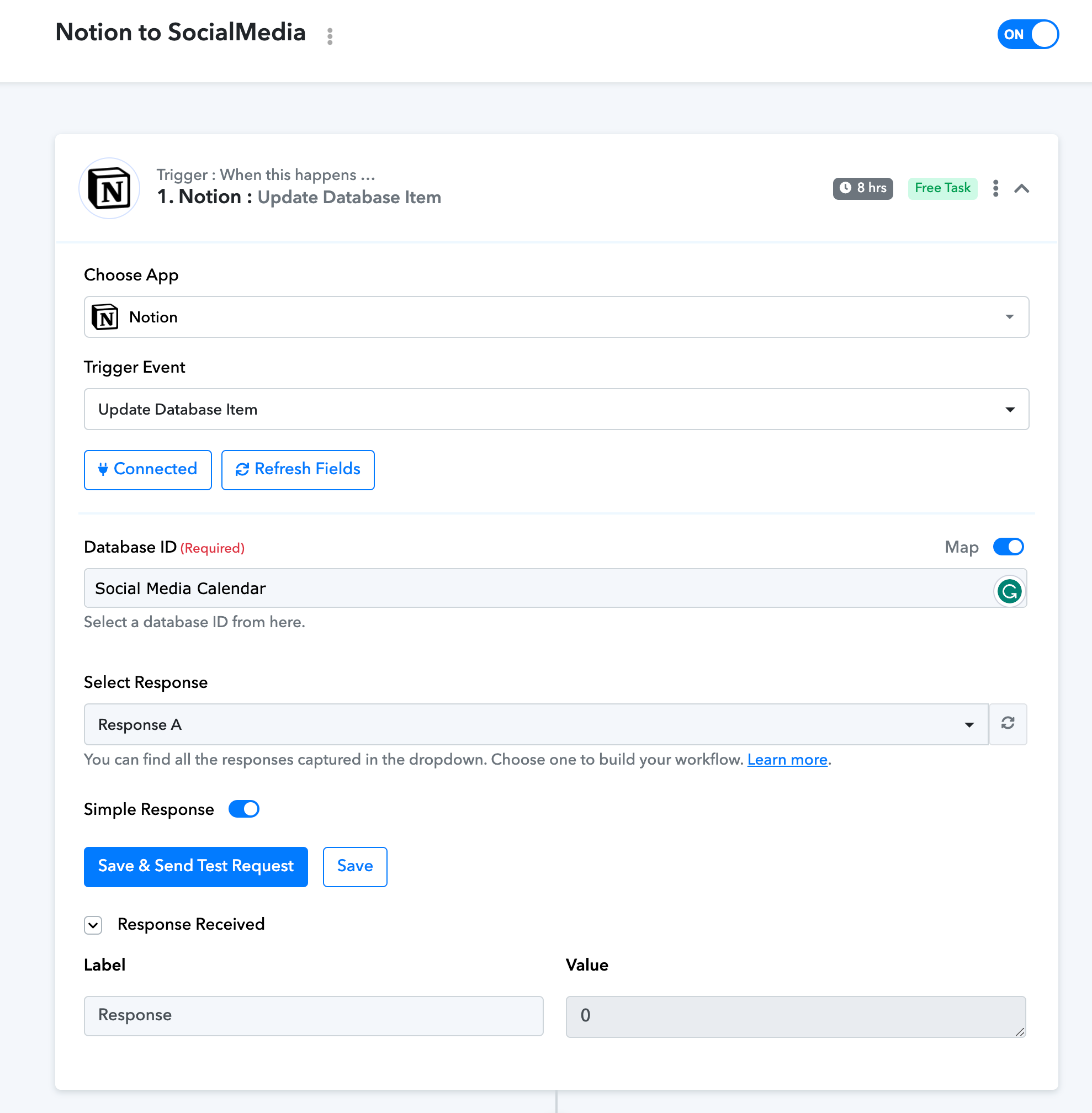
Currently, I am on Free-plan.
Or is it just a hiccup of today as I am the second one with this problem?
Thanks a lot for having a look into this.
Cannot wait to move forward :)
Hey @Rea
Can you please record a short video on how you are making the connection from your Notion account?
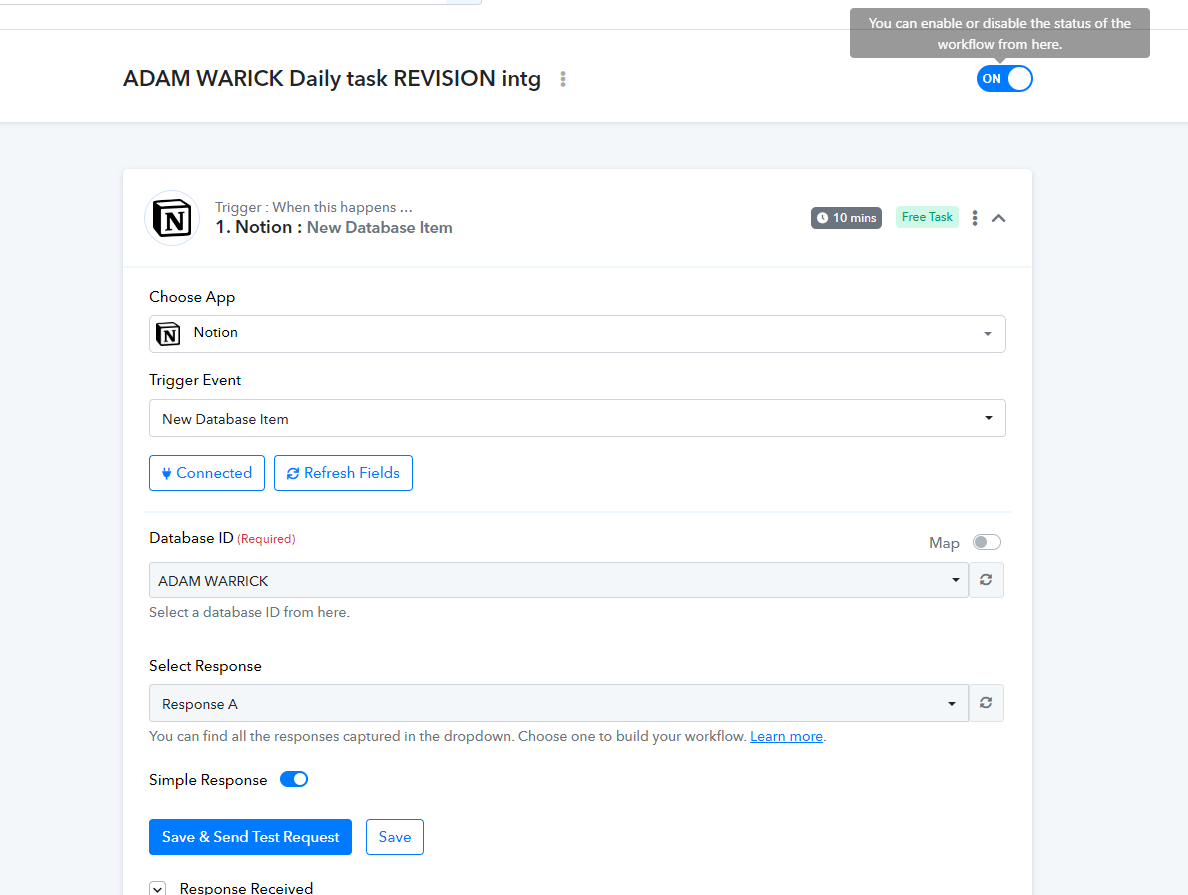
@Supreme it's in10 mins but trigger event is now changed to new database item not update item
Hey @Pratham Arora
If you reconnect the trigger event you will see the database accordingly.
Hey @ReaCan you please record a short video on how you are making the connection from your Notion account?
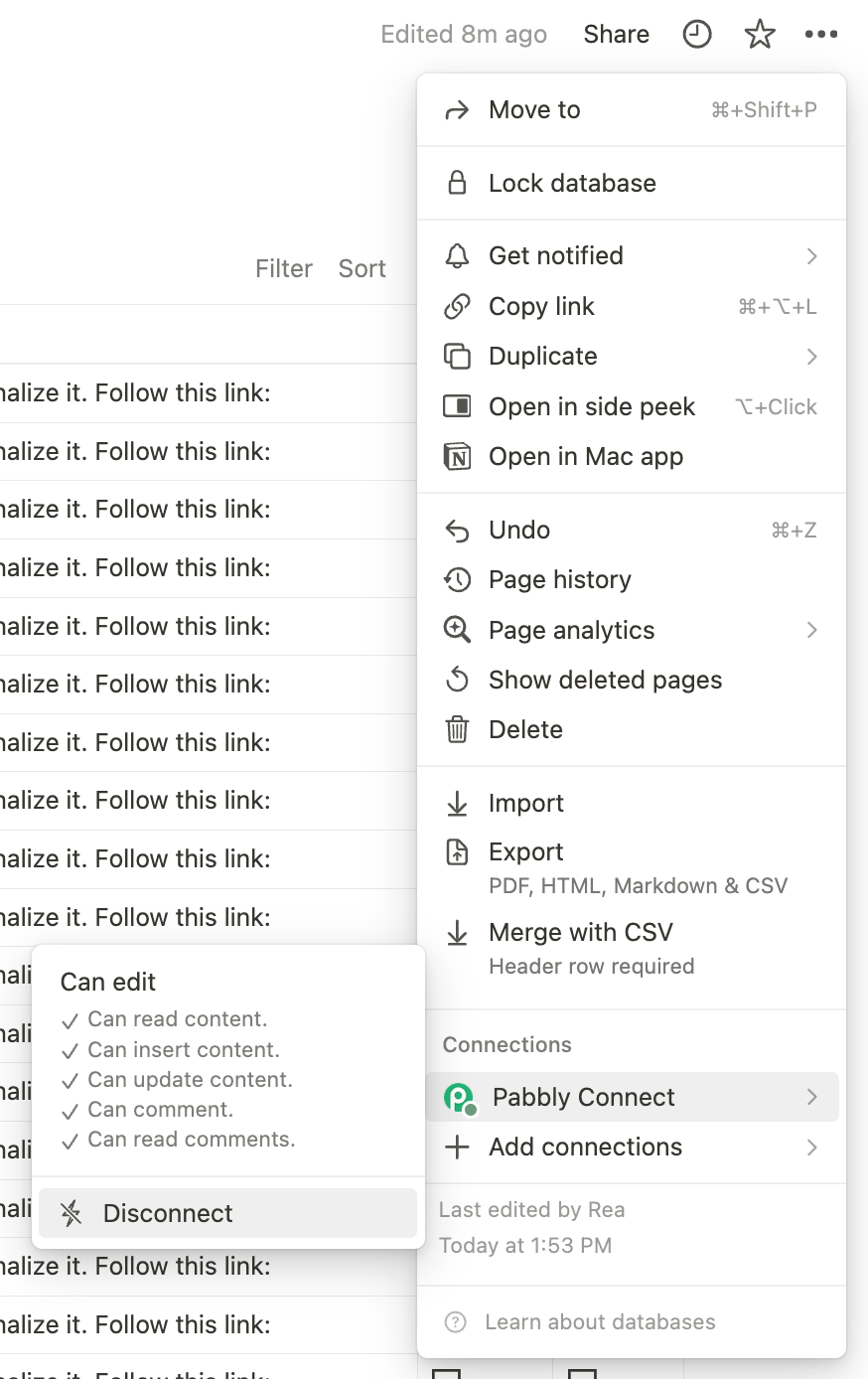
Thank you for coming back. I deleted everything, but the connection to Notion on Pabbly backend said it is in use, but clicking on it it say it is inactive. Had a look at the to-be-linked database in Notion's right sidebar and it said under Connections: do you want to link? I clicked on it and now on Pabbly when I created a new workflow, the selected Database showed up in the Database ID field. Maybe Notion changed something or my Notion settings were not triggered. Anyhow I will proceed and see what happens.
Would you mind setting my trigger for this one workflow to 10 or 15 minutes? email is helloheavenandmore at gmail.com and the workflow name is: Notion to SocialMedias.
thank you so much :)
I am facing the same problem as Pratham Arora. I followed the youtube tutorial "How to Auto-publish Social Media Posts From Notion Database - Social media Automtion" but was stopped on the second page after installing the Pabbly-Notion connection.
I reviewed all pages on my Notion (all pages are ticked even the ones I won't use for this workflow). I also did not have the chance to select a database ID. I mapped manually, made changes in my Notion database by changing status and date, and requested a report that came back with a (0). see attachment.
I am very new to Pabbly and just wondering if the 8hrs. Trigger is a problem here?[IMG width="320px" alt="Screenshot 2024-01-31 at 16.39.52.png"]https://forum.pabbly.com/attachments/screenshot-2024-01-31-at-16-39-52-png.37485/[/IMG]
Currently, I am on Free-plan.
Or is it just a hiccup of today as I am the second one with this problem?
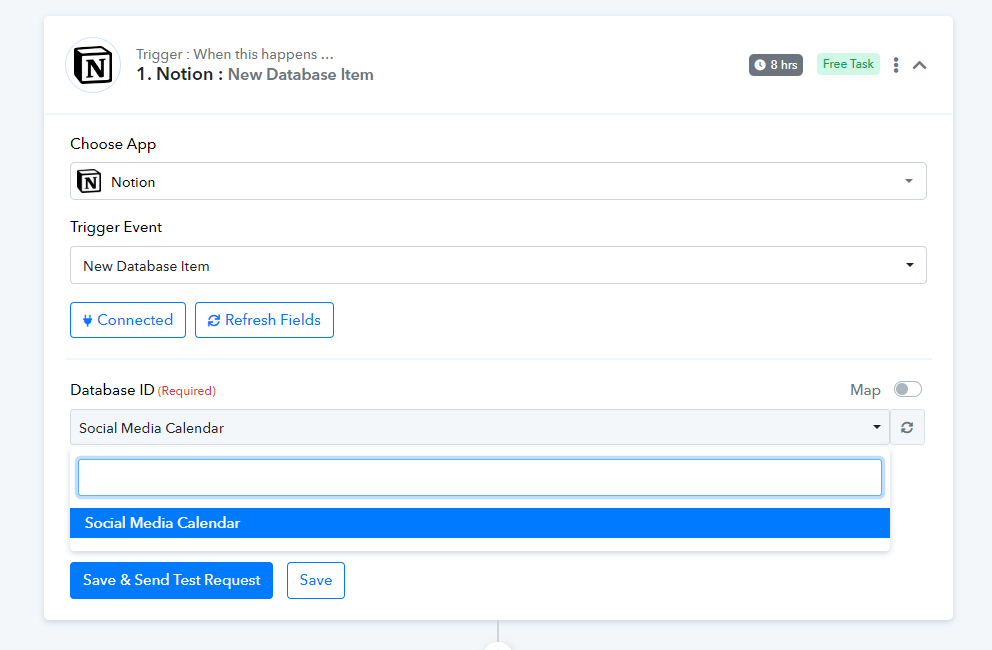
As we can see from your workflow your database is currently being listed in the trigger event of Notion accordingly.
Would you mind setting my trigger for this one workflow to 10 or 15 minutes? email is helloheavenandmore at gmail.com and the workflow name is: Notion to SocialMedias.
Currently, we can only reduce the trigger time from trigger events for our paid users to 10 minutes.
As we can see from your workflow your database is currently being listed in the trigger event of Notion accordingly.
Currently, we can only reduce the trigger time from trigger events for our paid users to 10 minutes.
Yes, after i deleted everything and started fresh and after checking the connection on Notion side. Please see my previous posting in this thread:
Thank you for the information on paid users, - I will go and have a look. :)
Hey @Rea
Thanks for the update!
Hey @Supreme I'm not able to see my CR ID property if it's empty in
Creation and revision
workflow can you please fix that , and can we please reduce time to 10 min for this one also ?
Hey @Pratham Arora
We have reduced the trigger time to 10 minutes now as per your request, also please elaborate on your concern in brief.