Notion Vs Appcontx search issue
Status: Closed · Asked by Benuser on · 0 views
Hi, I created a connection that's working perfectly fine but I tried changing my Search prompt for Notion from Username to Phone number but it's not working and it seems the whole workflow is now affected. Please help as this is very urgent and can distrupt business.
Hey @Benuser
It appears from your action step that you've inputted the phone number directly instead of the database or page titles.
So, please pass the title of the object correctly and then try again.
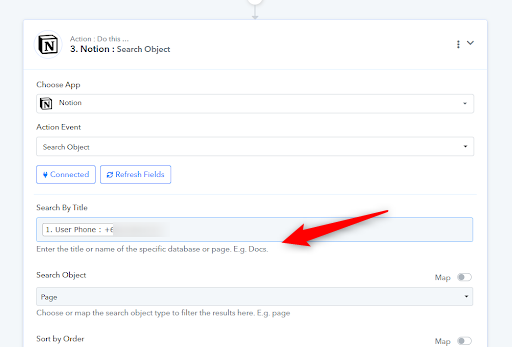
Hi Supreme, I don't get. Where will I get the title from?
The Search by title was username before and was working fine but I want to change it to Phone number
You can use
You can also refer to the screenshot below to verify the presence of the email address in your database.
You can phone number as property and pass the phone number in place of the email address in the following query.
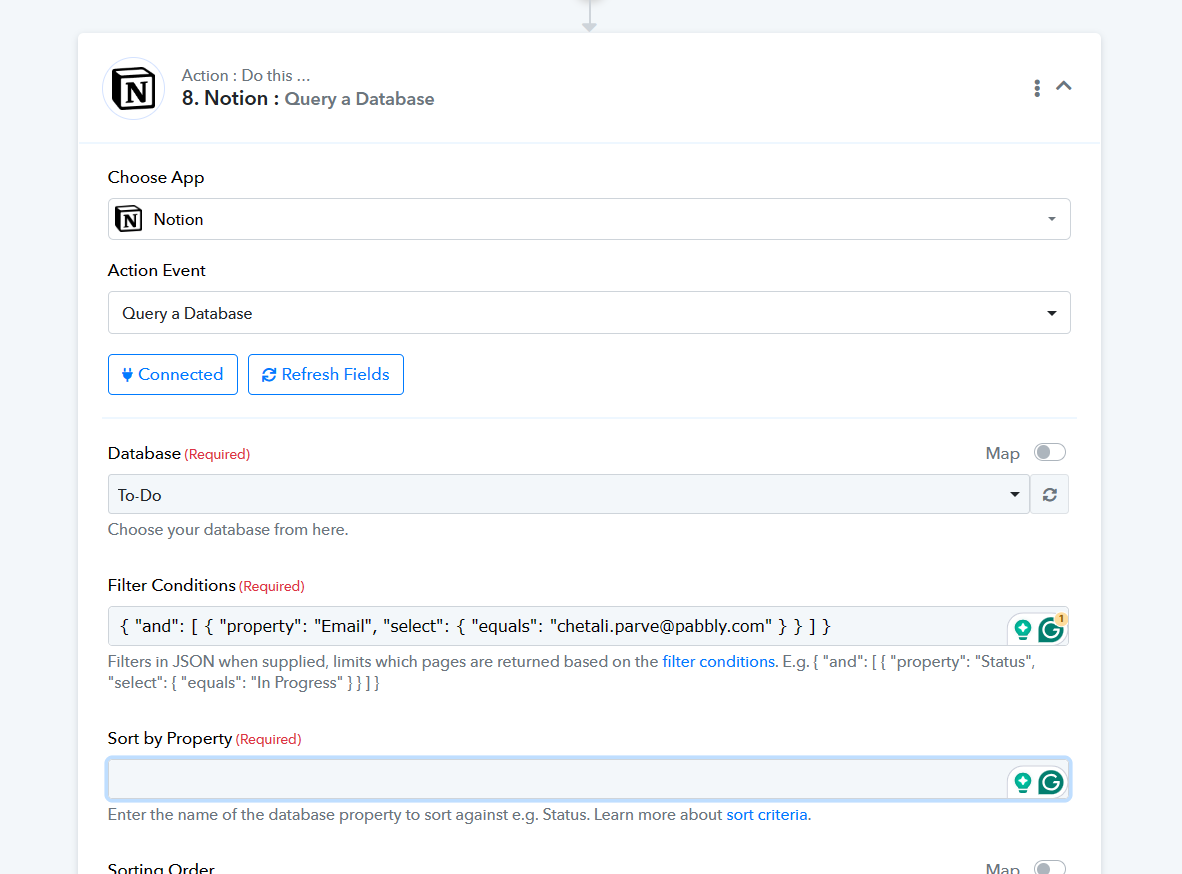
Can you kindly help with it because I seem lost at this juncture, you've changed the trigger from Search to query, may I know why please?
So what will be at the Sort By Property, I don't have any coding knowledge please.
Supreme, can you please help me with this? I really need to get this sorted out as soon as possible.
Supreme, can you please help me with this? I really need to get this sorted out as soon as possible.
Use the phone number property name from your Notion account, as indicated in your account settings. Then, enter that property name in the "sort by" field and attempt the action again.