Number Formatter Issue
Status: Closed · Asked by TCCO on · 0 views
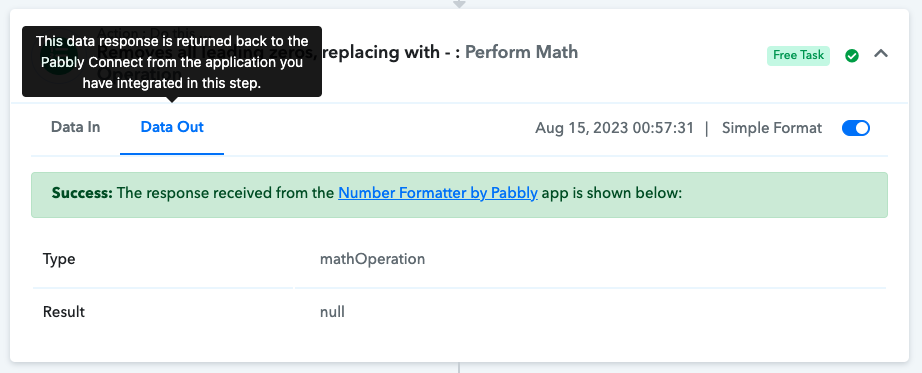
Number formatter is returning a null result when using the 'make negative' function.
this is for action step
'Removes all leading zeros, replacing with - : Perform Math'
on workflow:
Jotform Contact Info > New Contact in SimPRO (+Phone number match in AC)
Hey @TCCO
As we can see from your workflow to get the desired number you are actually using 3 steps which you could be done with the Number Formatter action step.
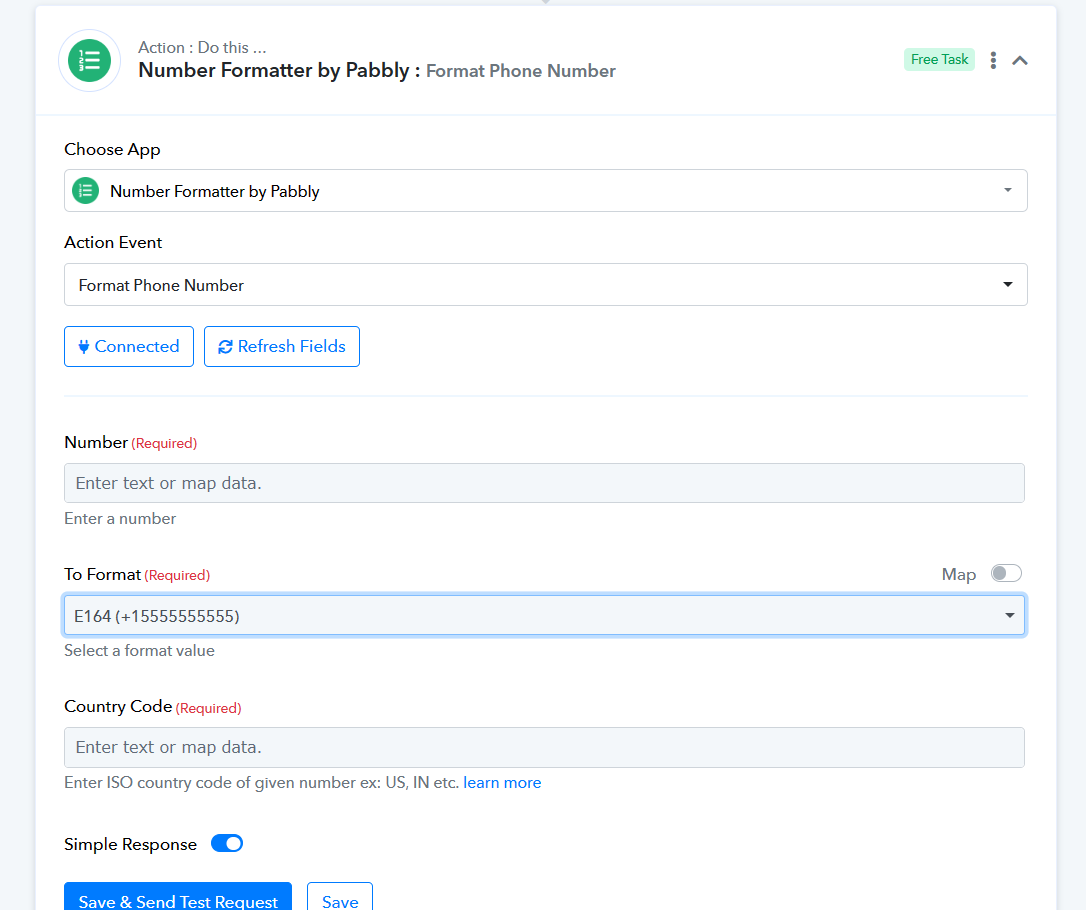
Hey Supreme, thanks for following up - I've tried the 'Format Phone Number' step,
Unfortunately we get a lot of mis-typed and incorrectly formatted number entries - so it doesn't work how we need it to (hence the need for 3 steps)
The workflow works really well, its just this step:
'Removes all leading zeros, replacing with - : Perform Math'
Sometimes returns a null result
All input data to this step looks fine, not sure why it's returning a null result
Can you tell us what phone number values are you getting, so that we can look for a workaround to convert that into a simple phone number format with country code?
The number we want is +6421123456
We get all of these variations of input:
+6 421 123 456
+64 21 123 456
+6421123456
021 123 456
021123456
+64021 123 456
+64 021 123 456
+64021123456
Hey @TCCO
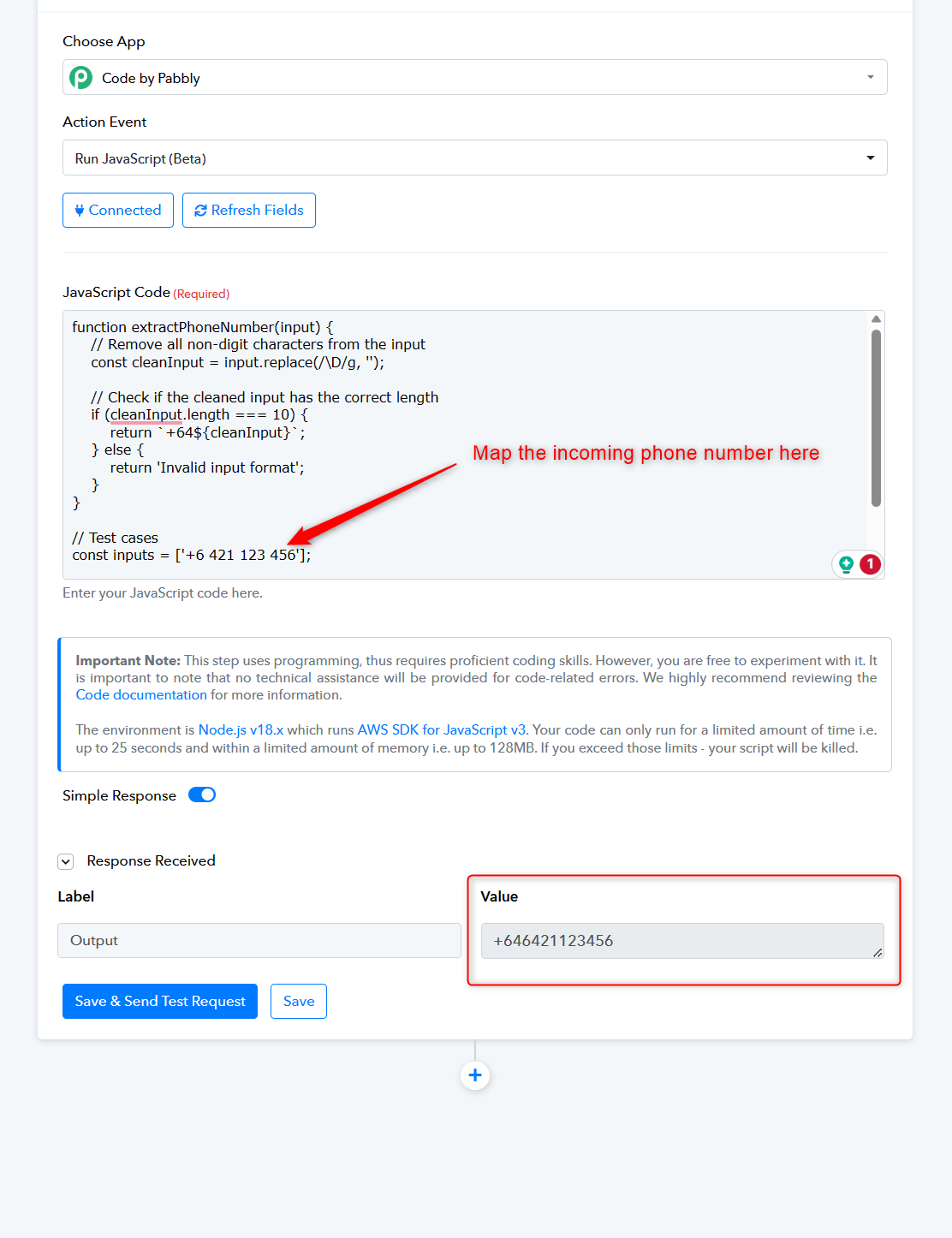
You can make use of the Code by Pabbly action step and with the help of JS code you can get the phone number in the desired format.
function extractPhoneNumber(input) {
    // Remove all non-digit characters from the input
    const cleanInput = input.replace(/\D/g, '');
    // Check if the cleaned input has the correct length
    if (cleanInput.length === 10) {
        return `The number we want is +64${cleanInput}`;
    } else {
        return 'Invalid input format';
    }
}
// Test cases
const inputs = ['+6 421 123 456'];
for (const input of inputs) {
    const result = extractPhoneNumber(input);
   return(result);
}
Hey Supreme,
Appreciate you taking the time to respond
You've given me 2 work arounds,
- the phone number formatter doesn't work for us
- I don't know how to code javascript
I'm really just looking for an answer for this specific question:
Why does this step:
'Removes all leading zeros, replacing with - : Perform Math'
Sometimes return a null result
And can this be fixed?
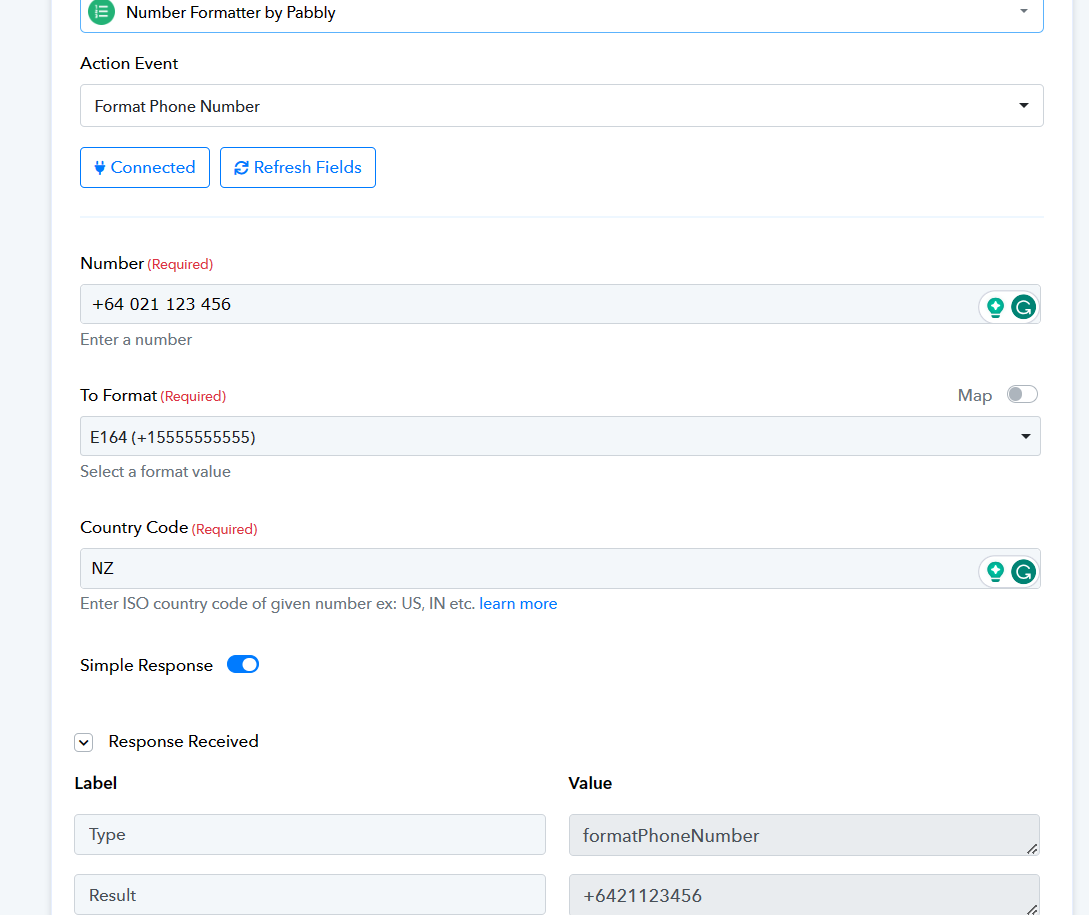
You may use the Number Formatter action step which will accept all the incorrect formatted numbers which have been given.
Why does this step:
'Removes all leading zeros, replacing with - : Perform Math'
Sometimes return a null result
And can this be fixed?
We get all of these variations of input:+6 421 123 456
+64 21 123 456
+6421123456
021 123 456
021123456
+64021 123 456
+64 021 123 456
+64021123456
We have checked all the numbers and it is not showing a null response in the Number Formatter action step.
We have checked all the numbers and it is not showing a null response in the Number Formatter action step.
Hi Supreme - just circling back to this
The number formatter step does not work.
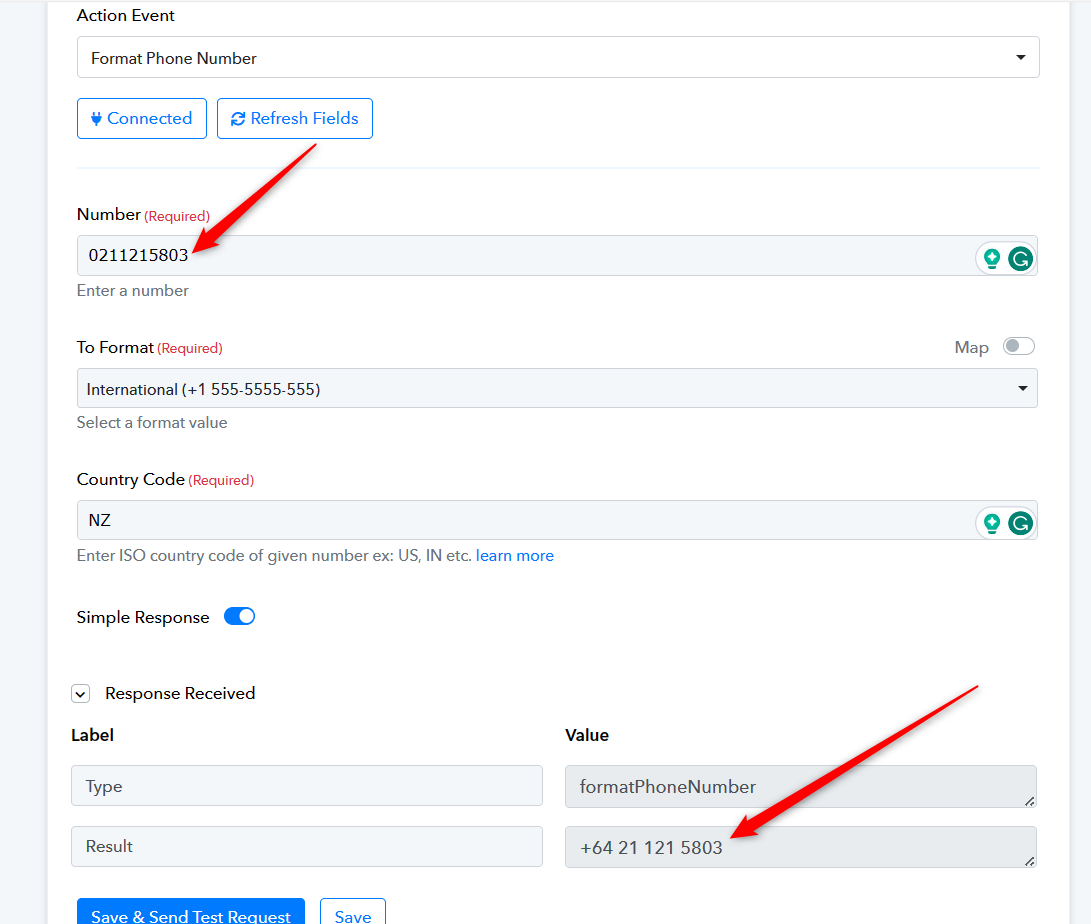
If you enter in a number starting with zero (eg 0211215803)
it returns the same number (with a zero) but with spaces
We need every number to start with +64 and contain no spaces.
I'm really just looking for an answer for this specific question:
Why does this step:
'Removes all leading zeros, replacing with - : Perform Math'
Sometimes return a null result
And can this be fixed?
The number formatter step does not work.
If you enter in a number starting with zero (eg 0211215803)
it returns the same number (with a zero) but with spaces
Can you check the following screenshot and confirm the issue?