Number Formatter - Spreadsheet Formulas
Status: Closed · Asked by refine.digital on · 0 views
Does anyone have a tip on how to make Logical and String Functions to work in Spreadsheets formulas?
I've tested the following but even the basic doesn't even work from the documentation: https://www.pabbly.com/spreadsheet-formulas/
Ex.
AND(true, false, true) => Result is {empty}
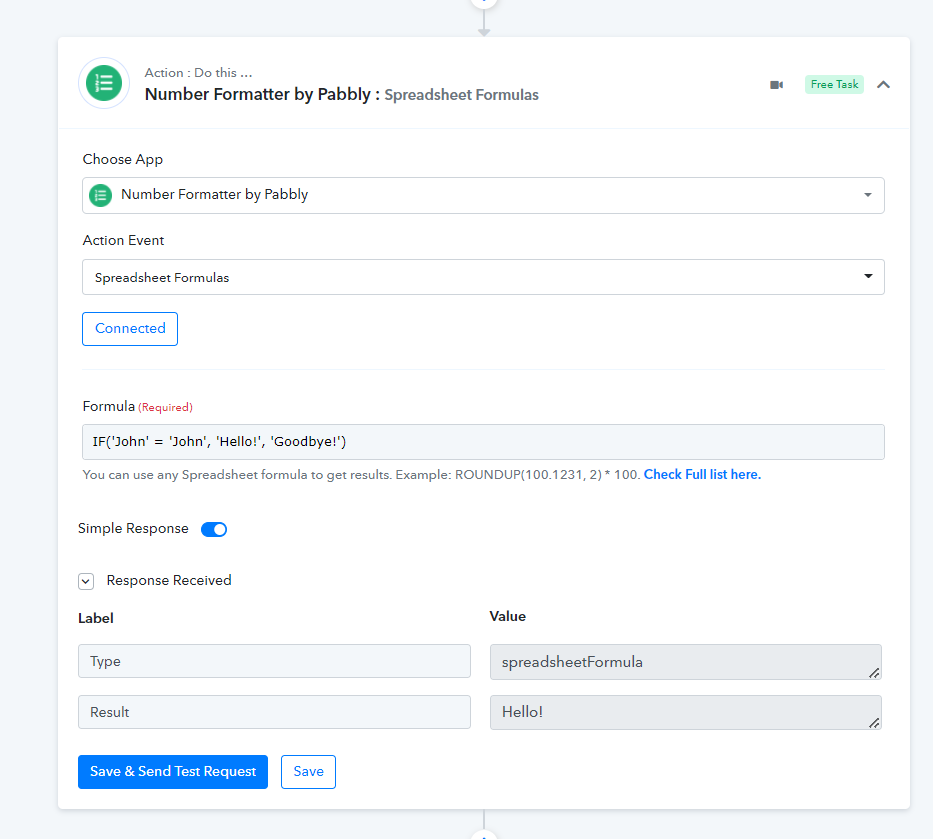
IF('John' = 'John', 'Hello!', 'Goodbye!') => Result is {empty}
LEFT('Sale Price', 4) => Result is {empty}
etc.
Now the IF and LEFT functions are working when I deleted the step and recreated it. However it seems to be an issue with ANY logical functions and using true, false values.
Hey @refine.digital
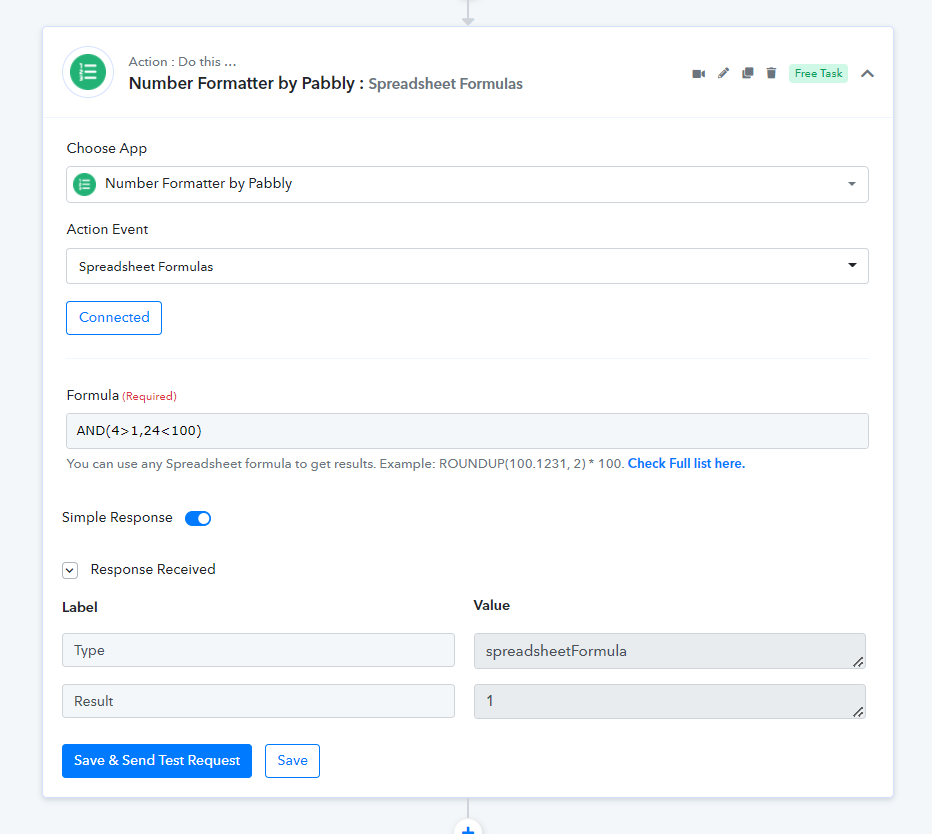
The logical formula which you have mentioned is also working in the "Number Formatter by Pabbly: Spreadsheet Formulas".
Please check out the following screenshot -
It appears logical values of false is the issue which returns {empty} value. This cause any IF functions to fail and return odd results.
Example:
Formula: LEN('1. Linkedin Profile : https://www.linkedin.com/in/peo-linder-00000000')>0
Result: 1
Formula: LEN('1. Linkedin Profile : https://www.linkedin.com/in/peo-linder-00000000')=0
Result: {empty}
Formula: NOT(0)
Result: 1
Formula: NOT(1)
Result: {empty}
Formula: IF( LEN('1. Linkedin Profile : https://www.linkedin.com/in/peo-linder-00000000')>0, 'True', 'False')
Result: 1
Hey @refine.digitalThe logical formula which you have mentioned is also working in the "Number Formatter by Pabbly: Spreadsheet Formulas".
Please check out the following screenshot -
As I already reported. It worked again AFTER recreating the step. Can you post your result for this Formula:
AND(true, false, true)
Expected Result: false
Actual Result: {empty}
It appears logical values of false is the issue which returns {empty} value. This cause any IF functions to fail and return odd results.Example:
Formula: LEN('1. Linkedin Profile : https://www.linkedin.com/in/peo-linder-00000000')>0
Result: 1Formula: LEN('1. Linkedin Profile : https://www.linkedin.com/in/peo-linder-00000000')=0
Result: {empty}Formula: NOT(0)
Result: 1Formula: NOT(1)
Result: {empty}Formula: IF( LEN('1. Linkedin Profile : https://www.linkedin.com/in/peo-linder-00000000')>0, 'True', 'False')
Result: 1As I already reported. It worked again AFTER recreating the step. Can you post your result for this Formula:
AND(true, false, true)
Expected Result: false
Actual Result: {empty}
Any Formula which evaluates as False is returned as {empty} which is not the same as False in a Google Sheets evaluation.
Hey @refine.digital
Yes when the false response comes, the response would be empty. But we are currently looking into it for the desired response.