On Flowlu CRM Opportunities change Stage
Status: Closed · Asked by WebImap on · 0 views
Hi!
Is it possible that when we change an Opportunity to a specific stage, it is activated (with the webhook)?
Instead of it being activated on any change?
Or some alternative, such as being able to have the previous stage and the current one, and if the current one is X, do what has to be done
Thanks!
Hey @WebImap
Is it possible that when we change an Opportunity to a specific stage, it is activated (with the webhook)?
Instead of it being activated on any change?Or some alternative, such as being able to have the previous stage and the current one, and if the current one is X, do what has to be done
You can use "Flowlu: Configure Webhook" to capture the response data from your Flowlu.
Kindly follow the help text mentioned in the trigger event and assign the webhook event to your Flowlu account.
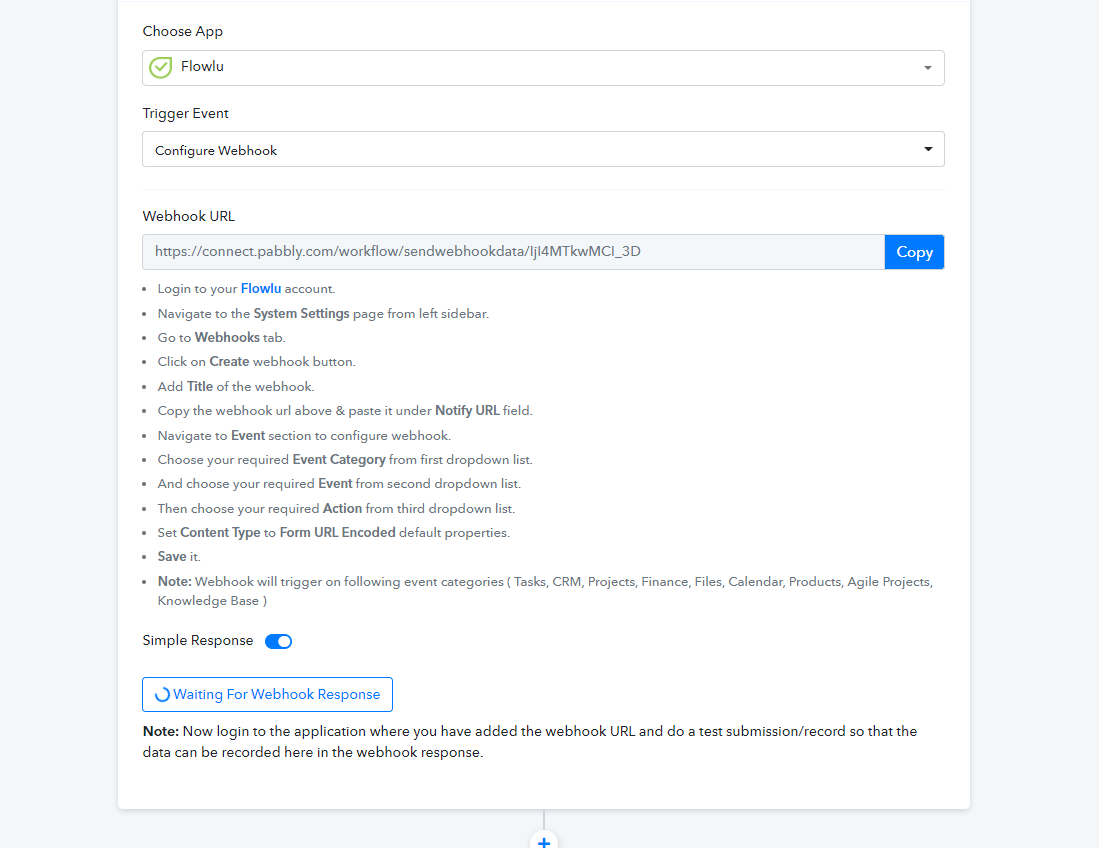
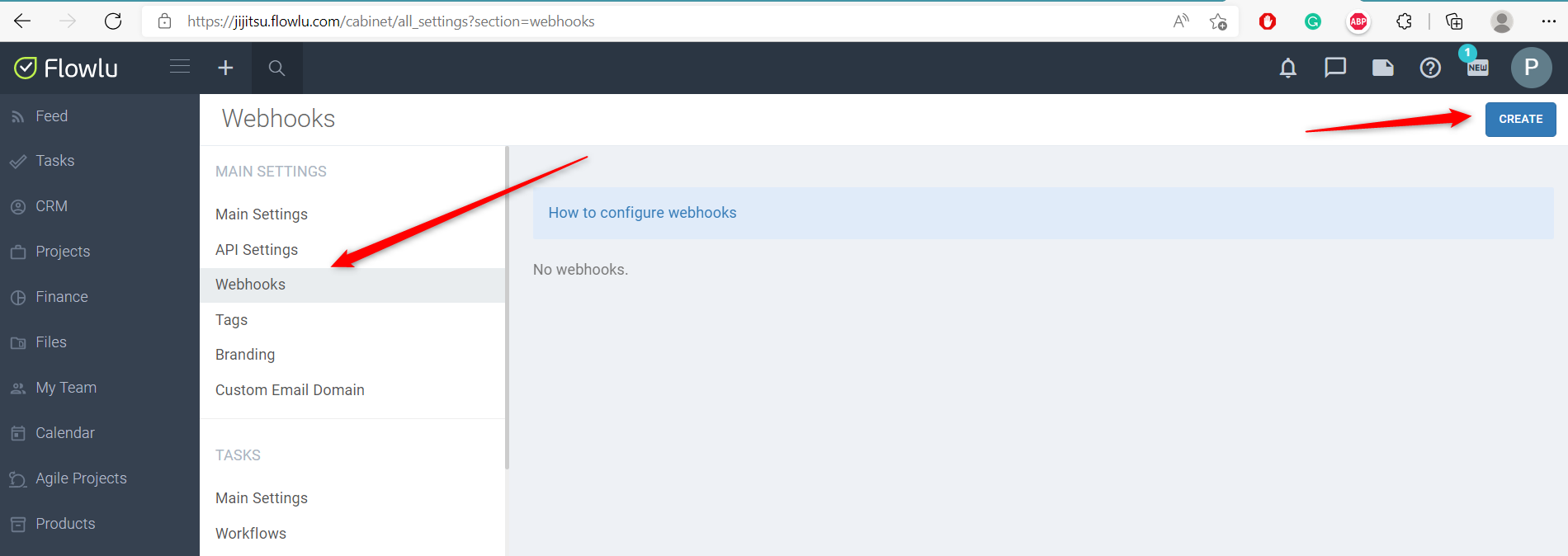
Hey @WebImapYou can use "Flowlu: Configure Webhook" to capture the response data from your Flowlu.
Kindly follow the help text mentioned in the trigger event and assign the webhook event to your Flowlu account.
Hi @Supreme
In FLOWLU, when creating the webhook, we selected CRM -> Opportunities, and when moving a stage opportunity we received a response, but it does not tell us which stage it has moved to or which one it was before.
If in the FLOWLU webhook, we select CRM -> Stage Opportunities, and when moving a stage opportunity, no response is received.
Is there something we are doing wrong?
Hey @WebImap !
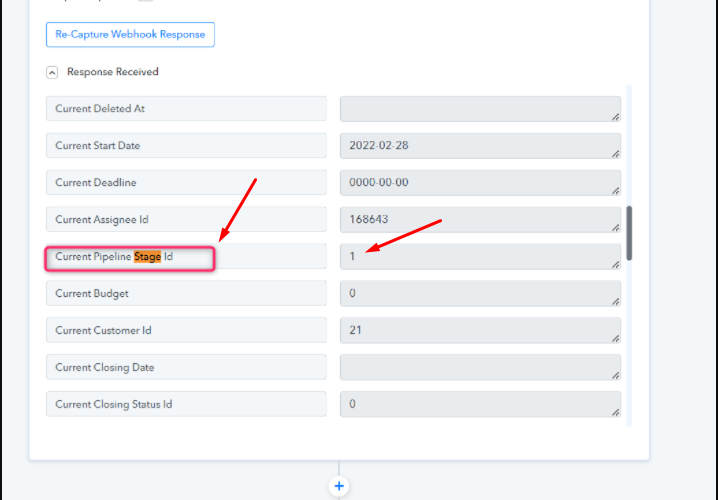
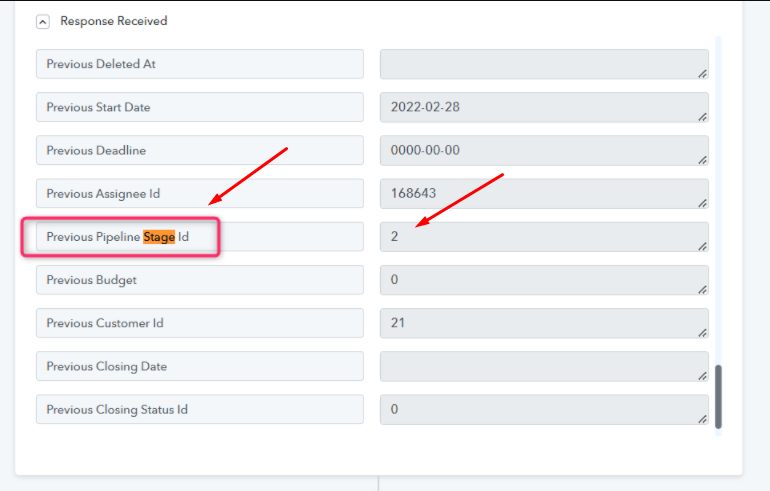
When the response gets captured, you can see in the response, it shows the previous and current position of the opportunities, which you can further utilize for mapping in other steps.
Current Opportunities-
Previous Opportunities-
You can utilize this further by using the "Filter" step in order to make a condition on it for further use as mentioned below-
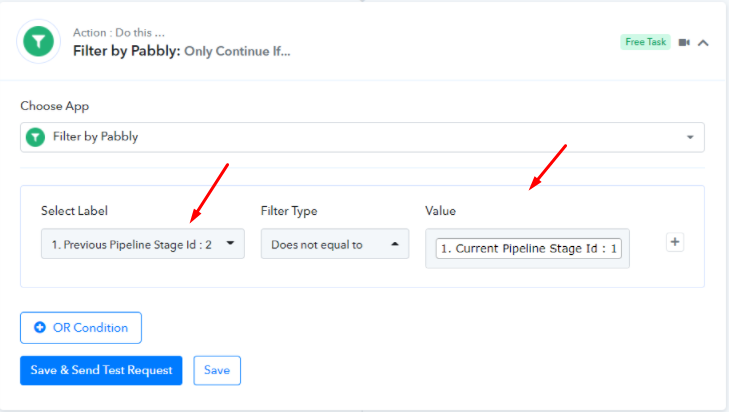
Hope, this works for you.
Hey @WebImap !When the response gets captured, you can see in the response, it shows the previous and current position of the opportunities, which you can further utilize for mapping in other steps.
Current Opportunities-
Previous Opportunities-
You can utilize this further by using the "Filter" step in order to make a condition on it for further use as mentioned below-
Hope, this works for you.
I don't know how you managed to get any response.
As much as we move from stage to FLOWLU, we do not receive any response.
We have been waiting for 50 min to receive a response, moving the stage opportunities, with different accounts, creating and moving and nothing.
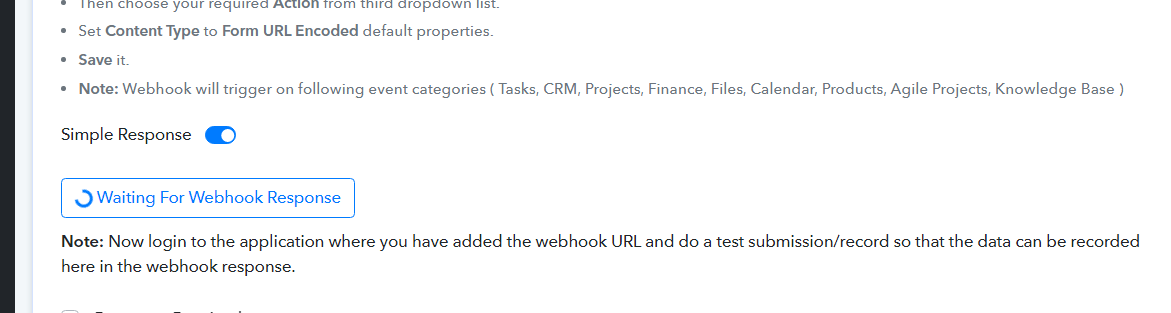
Here is a video showing it: https://www.loom.com/share/1a82666ca6ed4f45a1d1b81fbf8e6f13
Hey @WebImap
Please check out the following short video for your better understanding.
Hey @WebImapPlease check out the following short video for your better understanding.
Hi @Supreme
At first I tried CRM - Opportunities - Update, but seeing that the Stage didn't come out, I tried the other one called: CRM - Opportunities Stage - Update.
This last one I have not been able to receive any answer, I am going to try again with the first one and I will tell you something
Hi @SupremeAt first I tried CRM - Opportunities - Update, but seeing that the Stage didn't come out, I tried the other one called: CRM - Opportunities Stage - Update.
This last one I have not been able to receive any answer, I am going to try again with the first one and I will tell you something
Hi, it's me again,
I did a test but it didn't return the current stage. I've tried it a second time and it works fine now. i will try this for now
Thanks!