Onedrive to Onenote
Status: Closed · Asked by Riana on · 0 views
good day, i am new here, i want to add a workflow which allows new pictures (sycn'ed from my phone a specific folder in my onedrive) to be added to as a onenote as a image note in a specific notebook.
i managed to get the trigger right - i.e. when a new file lands in onedrive in the specific folder: 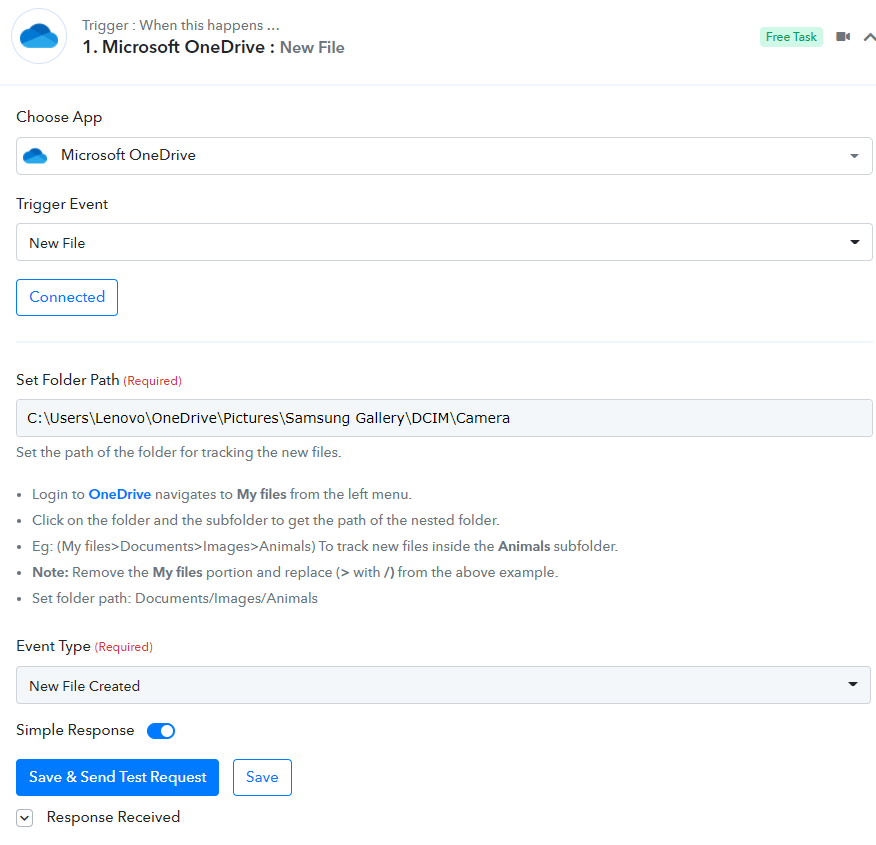
but i struggle with the next part for the action to create the picture note in onenote, specific notebook
i got th app connected, but the next part is where i get stuck. i see the part re the publicly accessible URL.
so even if i cannot use picture note in onenote - i want to append n a onenote @action notebook under section @tagging the list of new pictures and their dates so that i can review which pictures i still need to tag in onedrive
basically i do not understand the response component of the next steps - is there a video somewhere?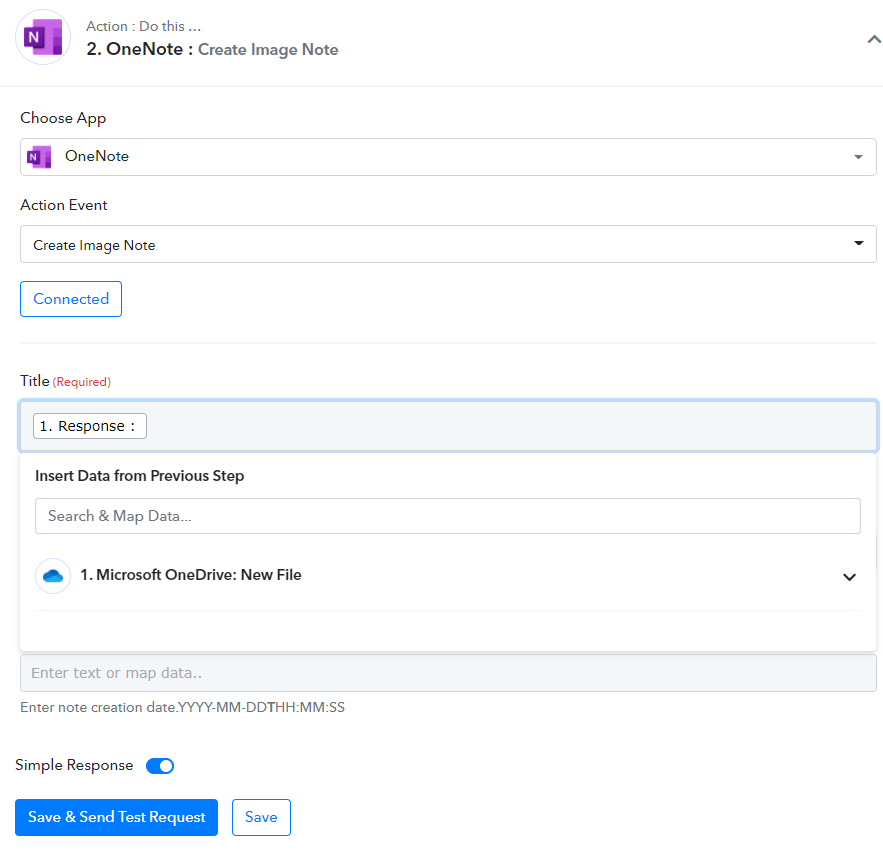
Hey @Riana
It seems like you have passed the computers' C drive path on the "Microsoft OneDrive: New File" trigger. Instead of that, you need to pass the Onedrives' path on it.
For your better understanding, you can refer to our tutorial video. Kindly try this at your end and let us know if you still get stuck at any step -
Regards!
(Watch the first part of the video to capture the webhook response correctly)
youtube.com/watch?v=a7XndcsRUAw
(Watch the second part of the video to map the fields in the Note )
thank you. i am watching videos but my onenote does not show section, only Page/Note - how do i get the section?
Hey @Riana
We have made some changes in your workflow, kindly check that out and try again.