OneDrive/Google Sheet/MS Sheet Workflow Not working - Response Value "0"
Status: Open · Asked by Sachin Kumar on · 0 views
Again, I'm having some trouble with Pabbly Connect. Now I'm trying to connect "OneDrive to Google" Sheets just like it is mentioned in the video. For your awareness, I'm using a personal OneDrive account, not a Business one, since I've learned that the system doesn't work with business accounts.
youtube.com/watch?v=5GCNDqWt3FE
Here's what's going wrong:
- The main problem is that the workflow only functions properly during the Test Run". When I authenticate my OneDrive with Pabbly and test the data, everything seems to be working perfectly as it fetches information from new files. However, automation is NOT working after 10 minutes or so, the system fails to perform correctly even after multiple attempts. Only one test is successful and if a file is added within 2-3 minutes, After that the workflow does not pick it up.
Furthermore, when I attempt to re-run the test, it returns zero responses as per in the attached screenshot. Upon making several attempts, I've discovered that to successfully perform a "Test run", I must re-add my OneDrive account as a New connection (refer to the screenshot, where I've had to add the same account five times to complete the test run).
I suspect the issue lies within the interaction between the OneDrive account and Pabbly's authentication session. It is working till the authentication session is True and works If a new file is added within a 2-3 minute window, everything works seamlessly, but beyond that, no success is achieved regardless of my efforts. I need to re-authenticate my same OneDrive account as New Connection to make Test Run successfully.
- Also, there's another problem - the workflow doesn't work when I add more than one file to the folder. How can we make sure only one file is added to the folder in 10 minutes as the task says?
- How to find Files OneDrive - by name there is no option available like Zaiper.
- I spent lots of my time and tried with different browsers, incognito mode, root folder, subfolders, authentication, reauthentication, etc. But getting the same results. I tried the same flow with MS Excel sheets but same results.
Hoping for a quick response.
Attachments
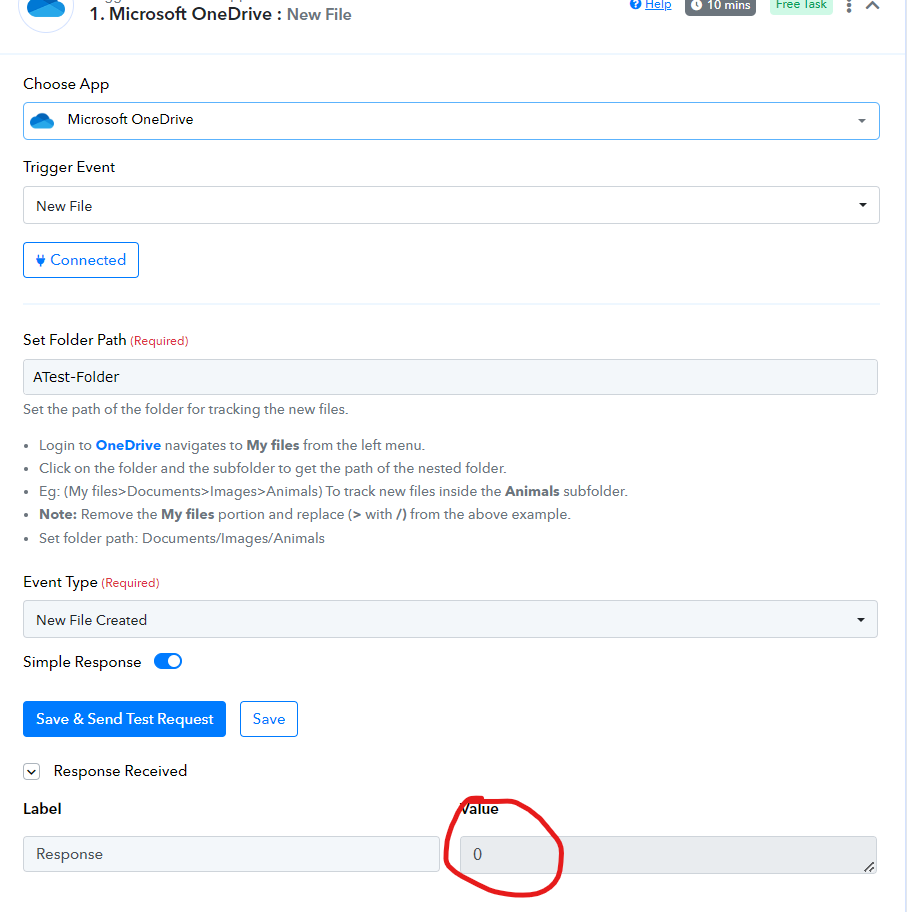
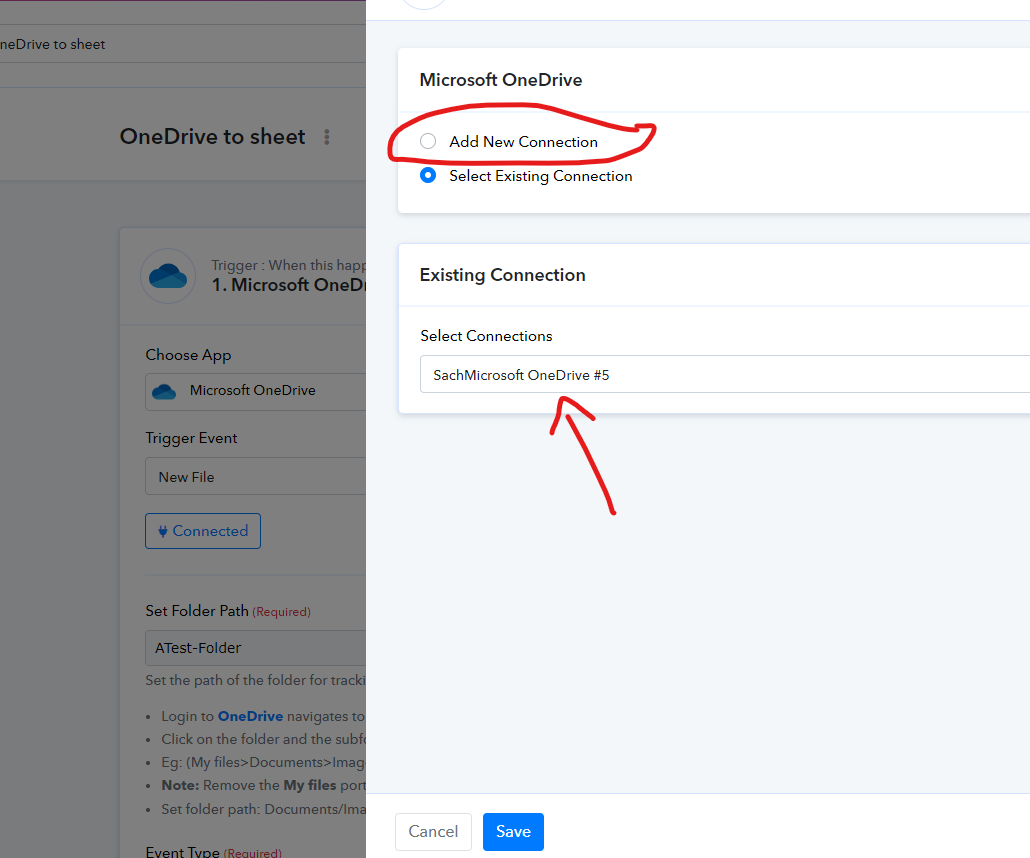
The main problem is that the workflow only functions properly during the Test Run". When I authenticate my OneDrive with Pabbly and test the data, everything seems to be working perfectly as it fetches information from new files. However, automation is NOT working after 10 minutes or so, the system fails to perform correctly even after multiple attempts. Only one test is successful and if a file is added within 2-3 minutes, After that the workflow does not pick it up.Furthermore, when I attempt to re-run the test, it returns zero responses as per in the attached screenshot. Upon making several attempts, I've discovered that to successfully perform a "Test run", I must re-add my OneDrive account as a New connection (refer to the screenshot, where I've had to add the same account five times to complete the test run).
I suspect the issue lies within the interaction between the OneDrive account and Pabbly's authentication session. It is working till the authentication session is True and works If a new file is added within a 2-3 minute window, everything works seamlessly, but beyond that, no success is achieved regardless of my efforts. I need to re-authenticate my same OneDrive account as New Connection to make Test Run successfully.
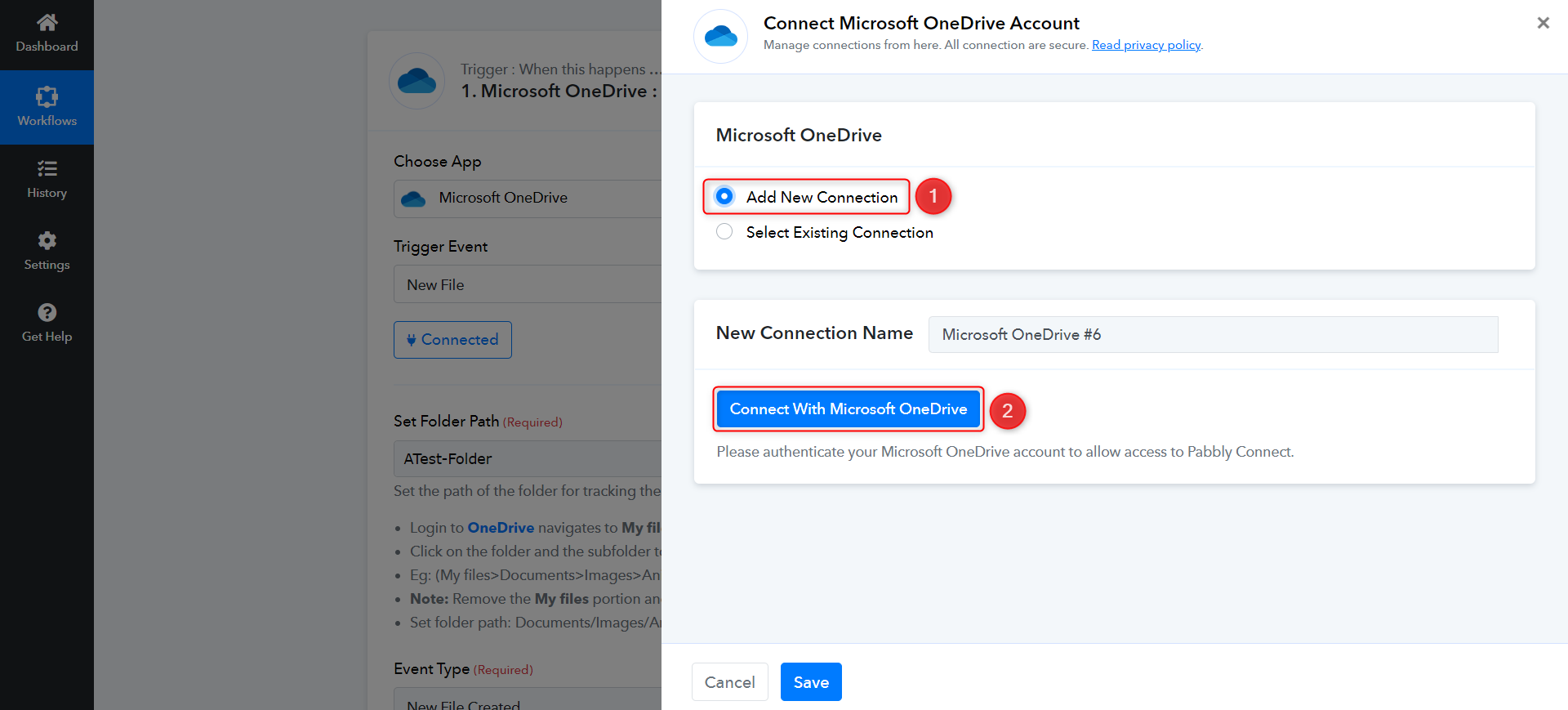
Could you please establish a new connection with your OneDrive account and set up your workflow by mapping the details again? We just need to check something. Once all the details are captured and mapped in the next steps of your workflow, and the setup is complete, do let me know.
Also, there's another problem - the workflow doesn't work when I add more than one file to the folder. How can we make sure only one file is added to the folder in 10 minutes as the task says?
Polling time has got nothing to do with how many files you can upload at a time. It just indicates the frequency at which Pabbly Connect checks for new data in your OneDrive account.
How to find Files OneDrive - by name there is no option available like Zaiper.
Currently, this endpoint is not available. If you want to see the Find a File by Name endpoint added to the OneDrive application, you can place a request on our dedicated platform, and our developers will look into it.
https://pabbly.hellonext.co/
Could you please establish a new connection with your OneDrive account and set up your workflow by mapping the details again? We just need to check something. Once all the details are captured and mapped in the next steps of your workflow, and the setup is complete, do let me know.
Done
Polling time has got nothing to do with how many files you can upload at a time. It just indicates the frequency at which Pabbly Connect checks for new data in your OneDrive account.
This will be checked again after the above issue resolved
Currently, this endpoint is not available. If you want to see the Find a File by Name endpoint added to the OneDrive application, you can place a request on our dedicated platform, and our developers will look into it.
https://pabbly.hellonext.co/
OK. I will do that.
Not only this workflow - OneDrive connections are not working with any of the workflows. I need to add my OneDrive account As a new connection to run the text run.
Please allow us some time to look into this. We will get back to you shortly.
Hey @sachinktango
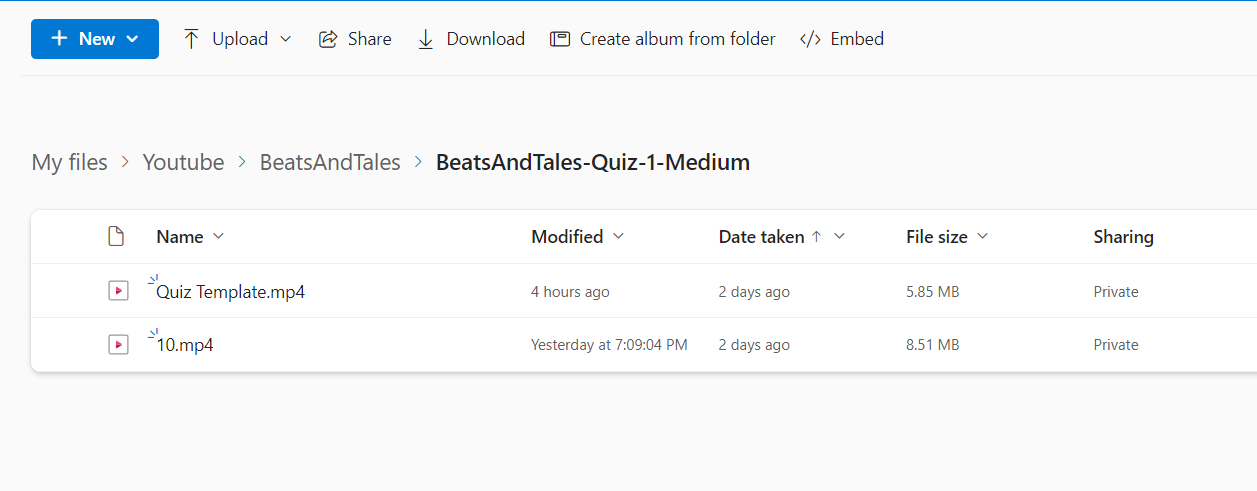
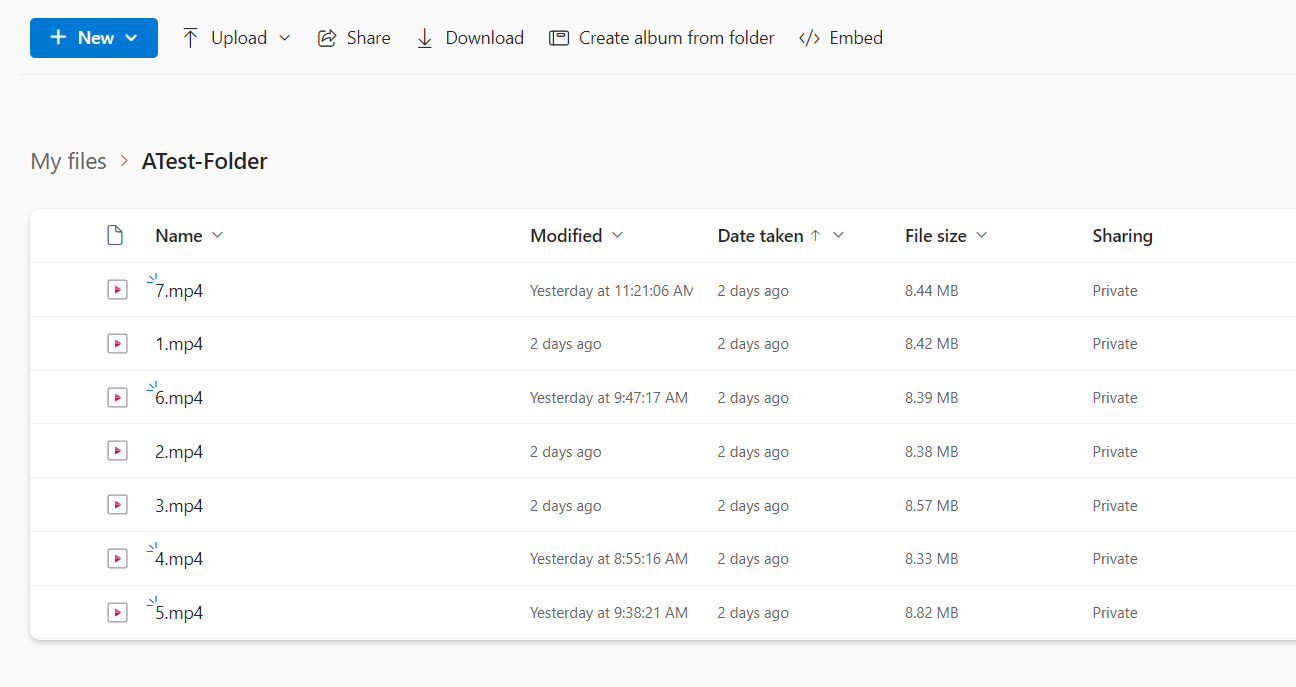
Can you please cross-check your Folder Path which you have provided from your One Drive?
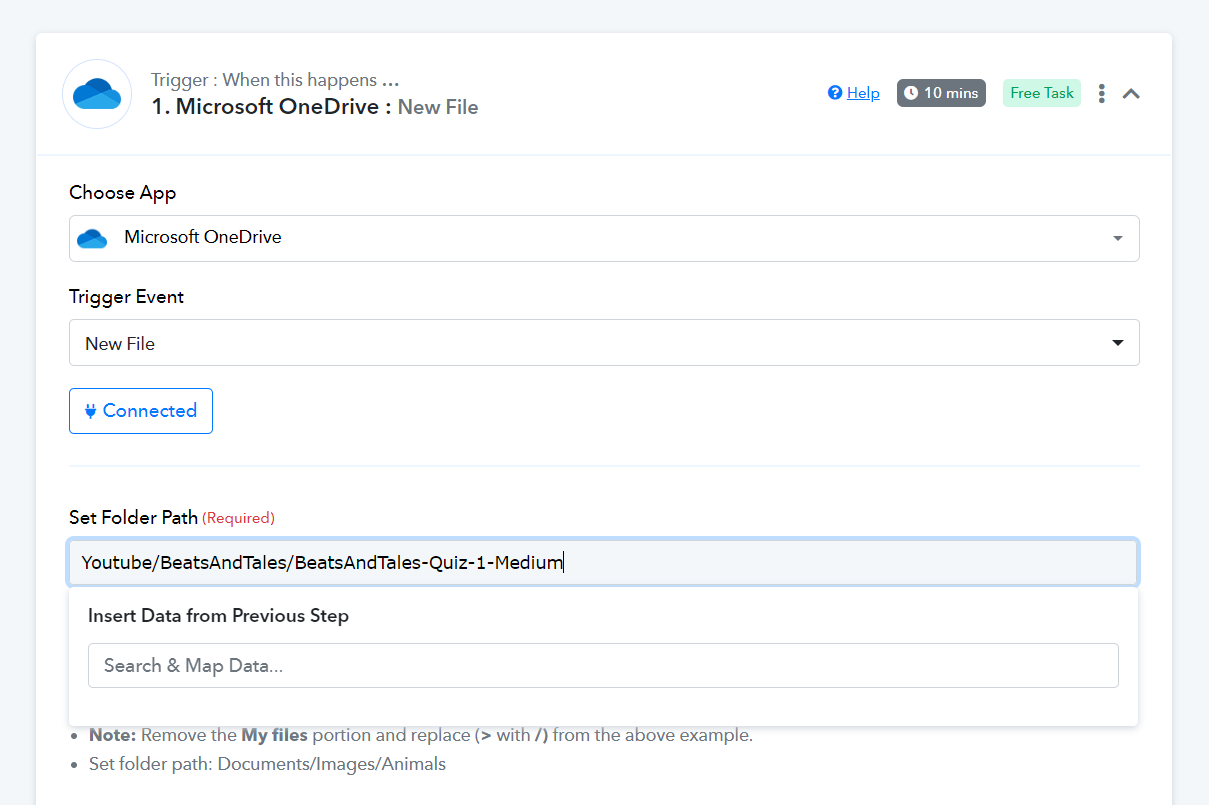
Yes. It is there with files.
Can you share the screenshot where the file exists along with its path?
attached the sceenshot
Attachments
Any update here?
Our team is currently looking into it and shall notify you with an update soon.
Our team is currently looking into it and shall notify you with an update soon.
Any update here? It's been a week now without any solution.
We shall notify you with an update soon.
Hey @sachinktango,
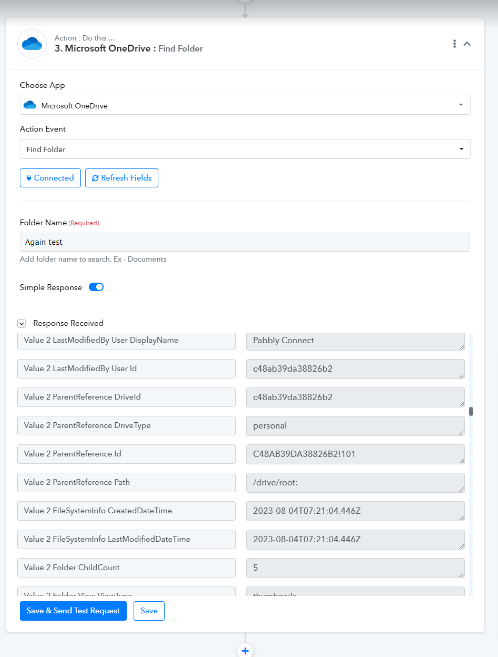
We have successfully completed the integration update from our side, accompanied by a corresponding screenshot for your reference. Kindly proceed to re-establish the workflow connection and conduct thorough testing from your end.
Should you encounter any challenges during this process, please don't hesitate to inform us, and we will be more than willing to assist you promptly.
Best Regards,
Pabbly.com
Attachments
Great thanks. I check and confirm.