Pabbly and Chat api integration
Status: Closed · Asked by Prakash on · 0 views
While integrating Pabbly and Chat API integration. Whether we need to pay a subscription to Chat API. Please help me with how to integrate Pabbly and Chat API integration.
Hey @Prakash
To use Chat API integration you need to pay their subscription individually. You can refer to the following video tutorial on how you can use Chat API in your workflow.
youtube.com/watch?v=uvkcUEp21cc
(Watch the second part of the video)
I have purchased chat api but in pabbly while integrating with chat api to send whatsapp message it is saying me that it is invalid token then i have contacted with chat api they said there is no problem from chat api contact pabbly support can anyone help me out
Attachments
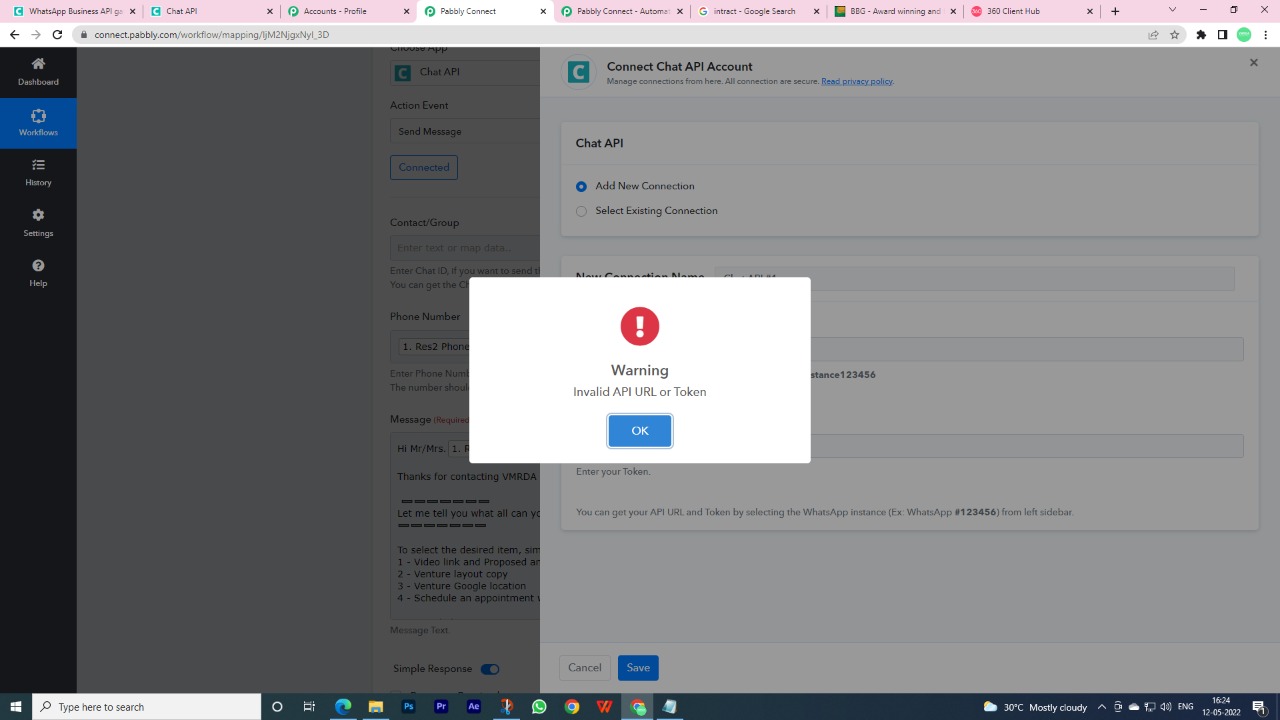
Thank you very much for the information.
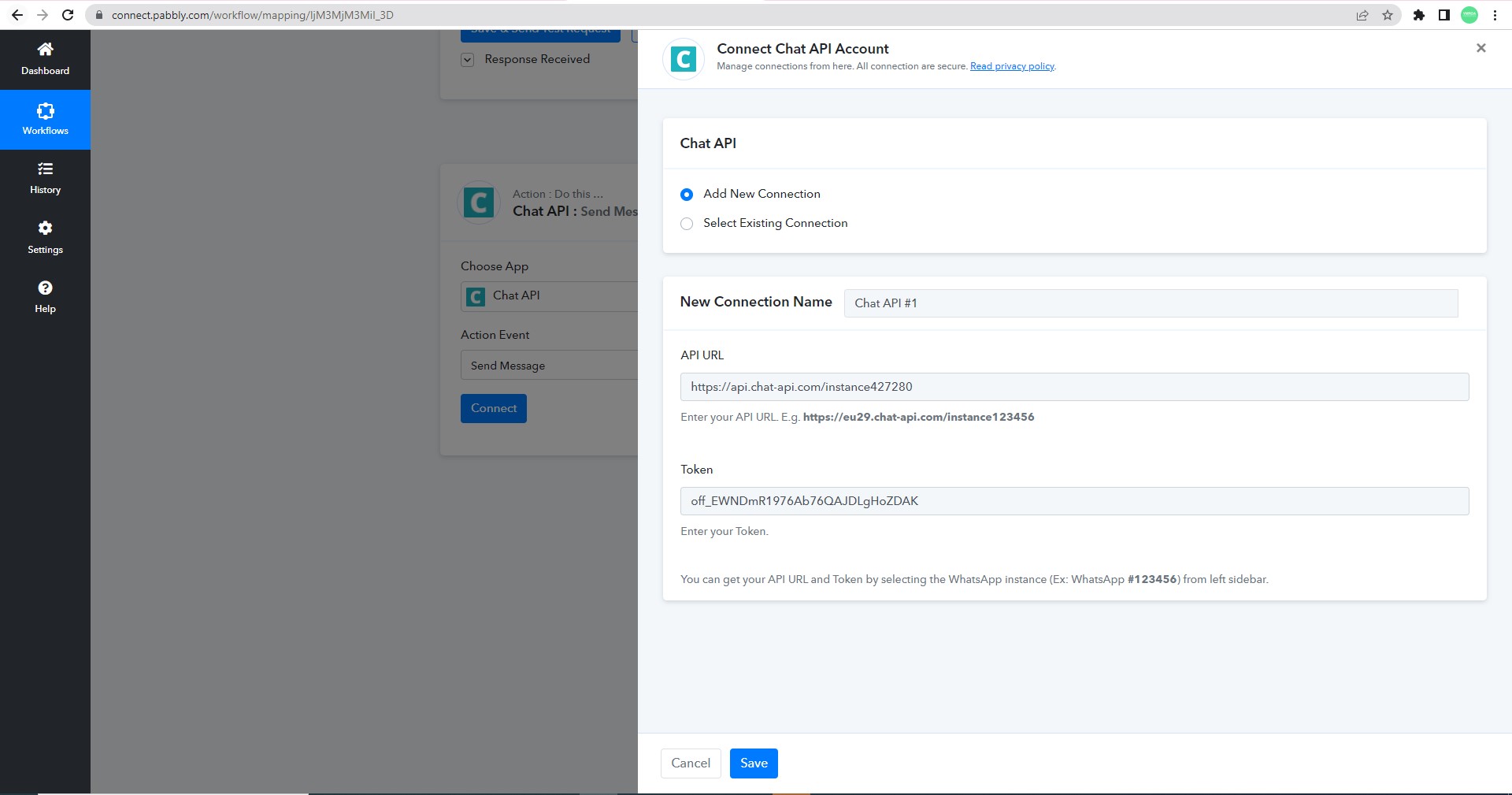
Are you sure you have used these values as the API URL and the token?
I'm using chat-api integration with pabbly without any problems.
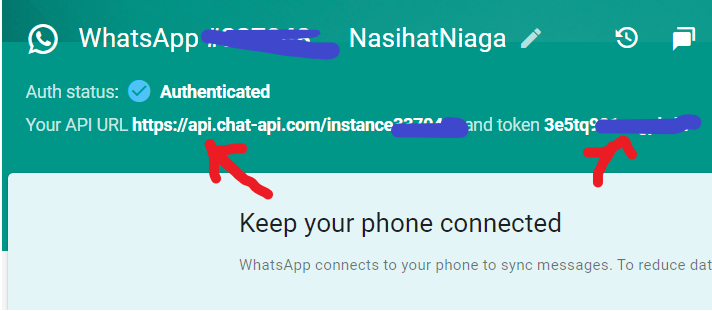
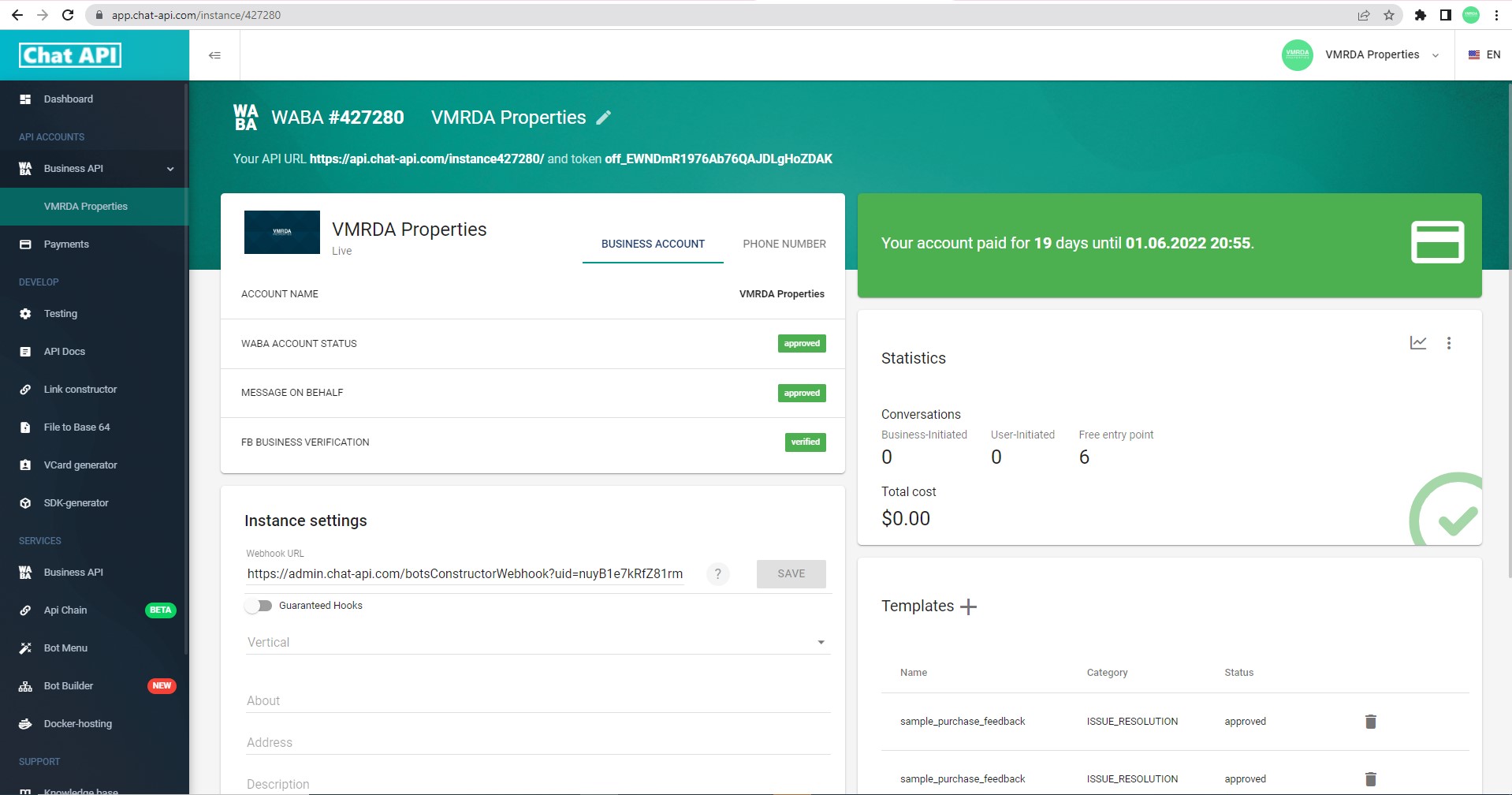
yes, we have used the same as mentioned in your screenshot.
Please find the attachments for your information.
Kindly do the needful.
Attachments
Hey @VMRDA
You can refer to the following video tutorial to configure your Chat API. Kindly try it once and let us know if that works for you.
you have given a old version of the chat api now chat api has been changed to new version and already i have spoken to chat api support they are saying there is no problem with them
Hey @VMRDA
Could you please tell us if that is your WABA/Business account or the normal WhatsApp API account with Chat API that you are trying to connect?
If yes then the business account wouldn't work on the platform, use the normal WhatsApp API account with Chat API.
Yes it is a WABA/Business account
is it possible with webhooks if yes Can you help in API INTEGRATION in pabbly
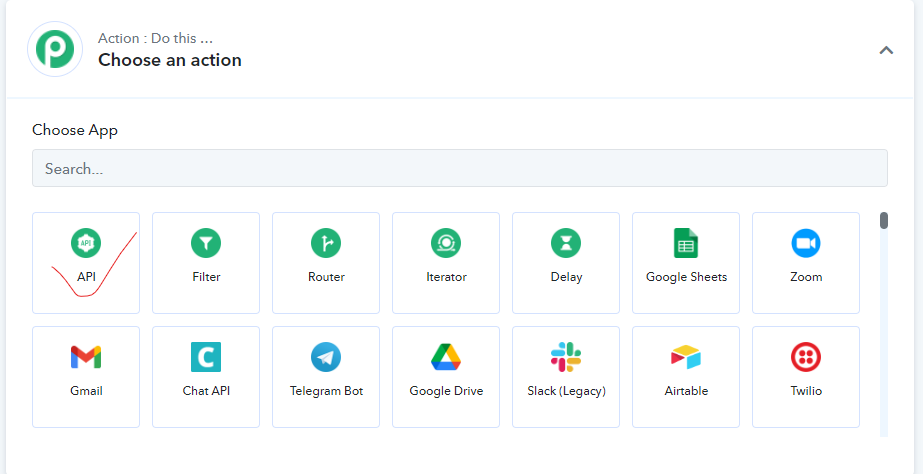
Hey @VMRDA
You can try "API by Pabbly" in your workflow once and let us know if that works for you.
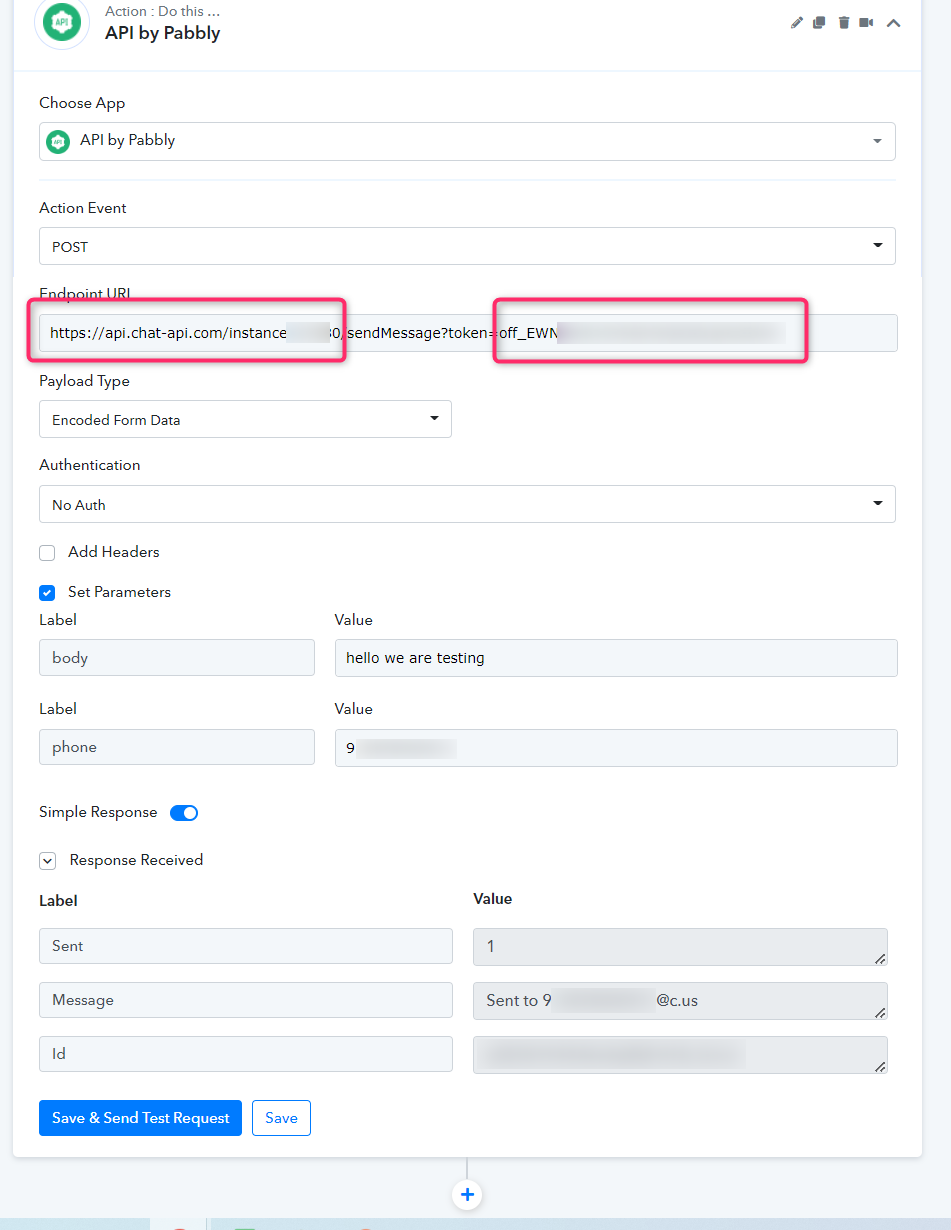
Further, you can take the reference from our video tutorial on how you can configure the API action step.
Hey @VMRDAYou can try "API by Pabbly" in your workflow once and let us know if that works for you.
Further, you can take the reference from our video tutorial on how you can configure the API action step.
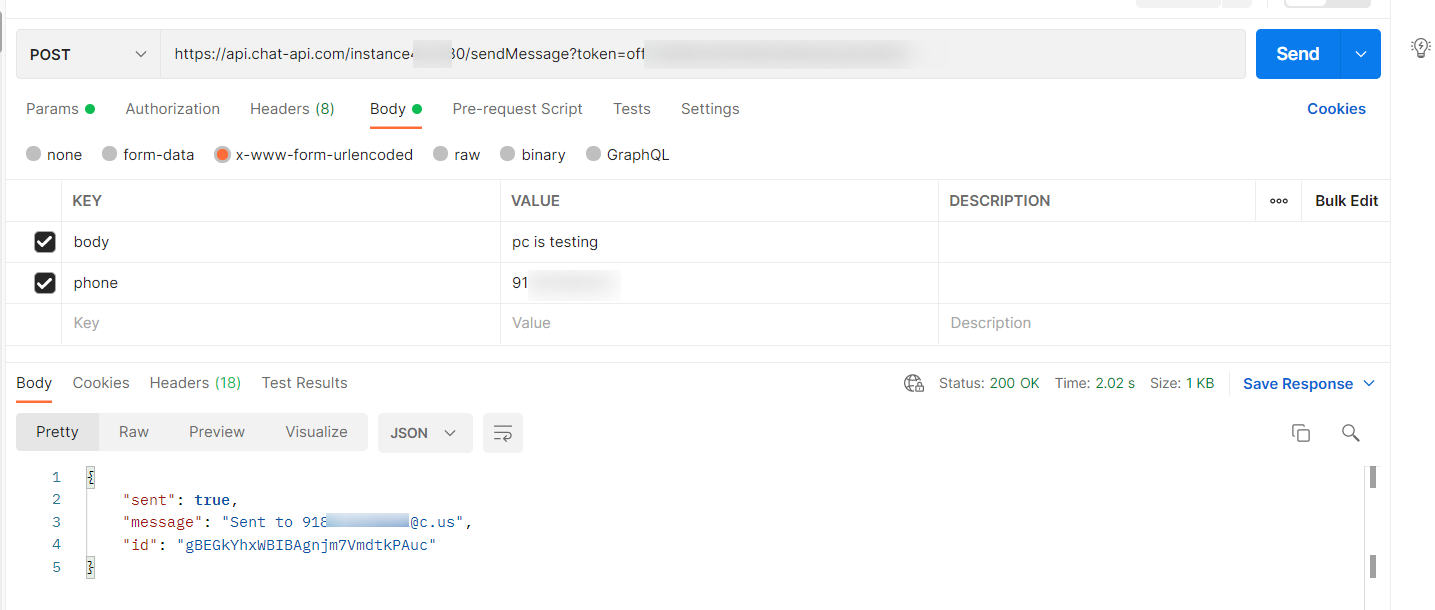
i have integrated and tested message by pressing Save and Send test request and i have received message in my whatsapp but for other not got any messages but in your workflow history it is showing success
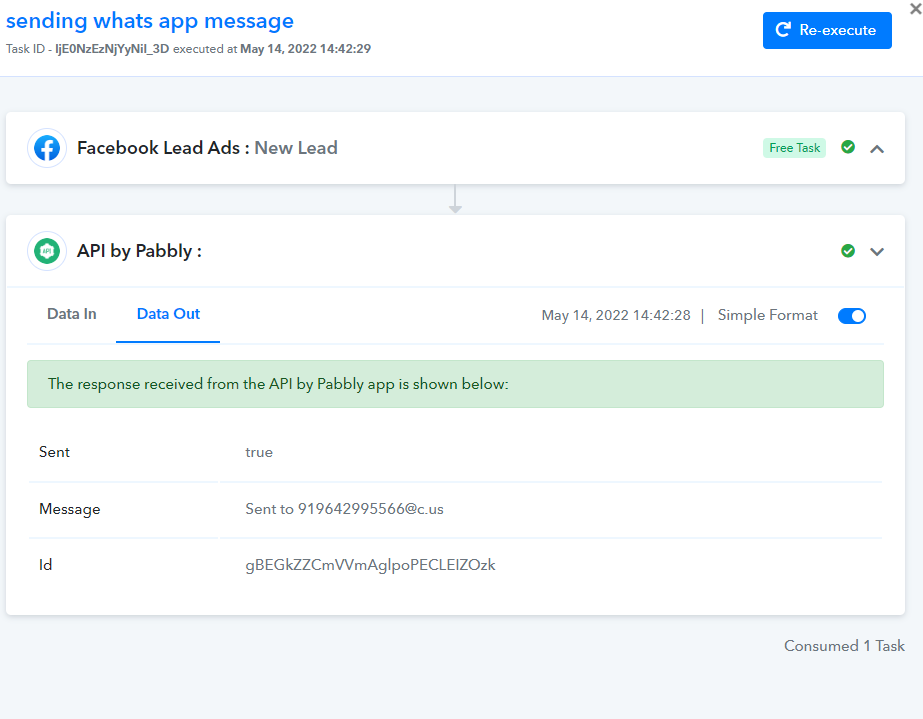
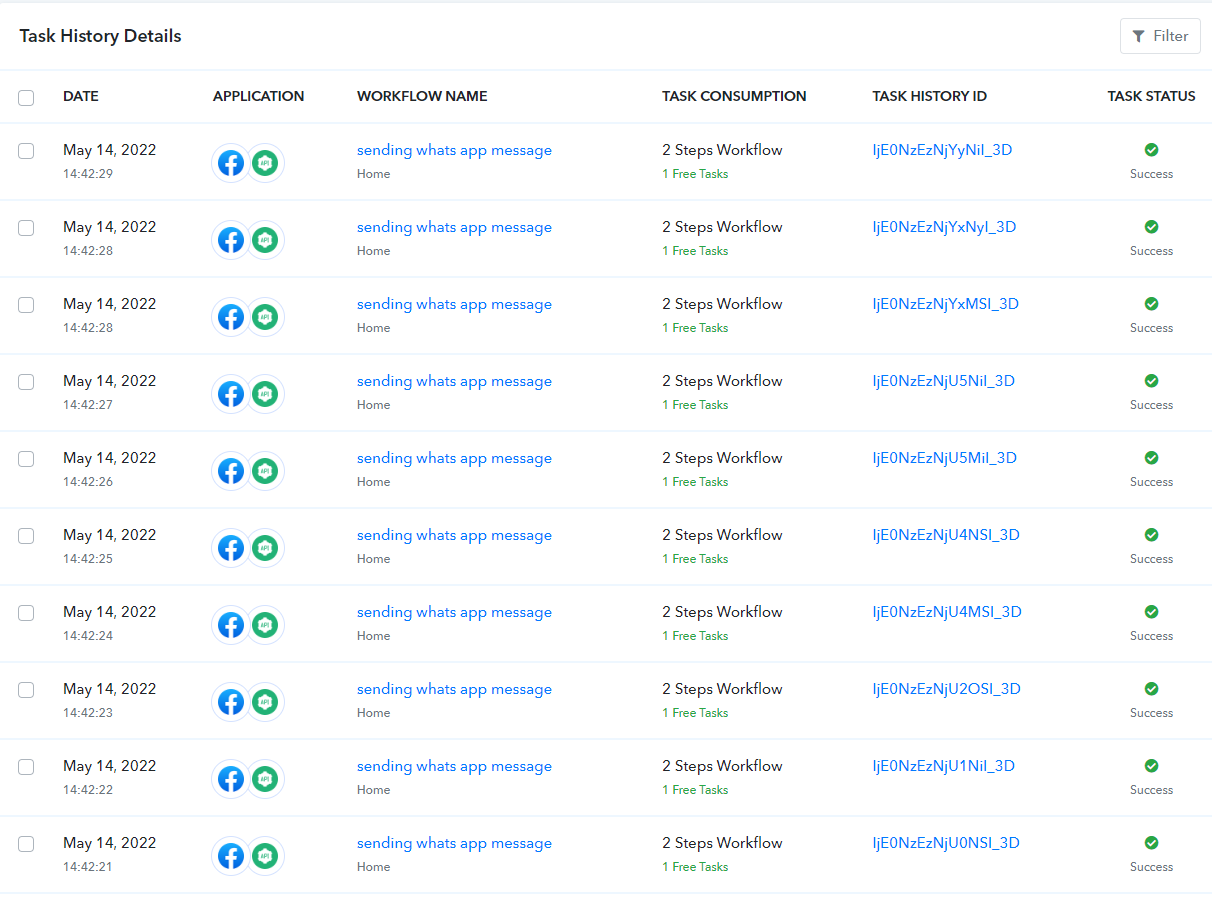
Pls tell me whether useful or not and suggest to buy your pabbly connect or not
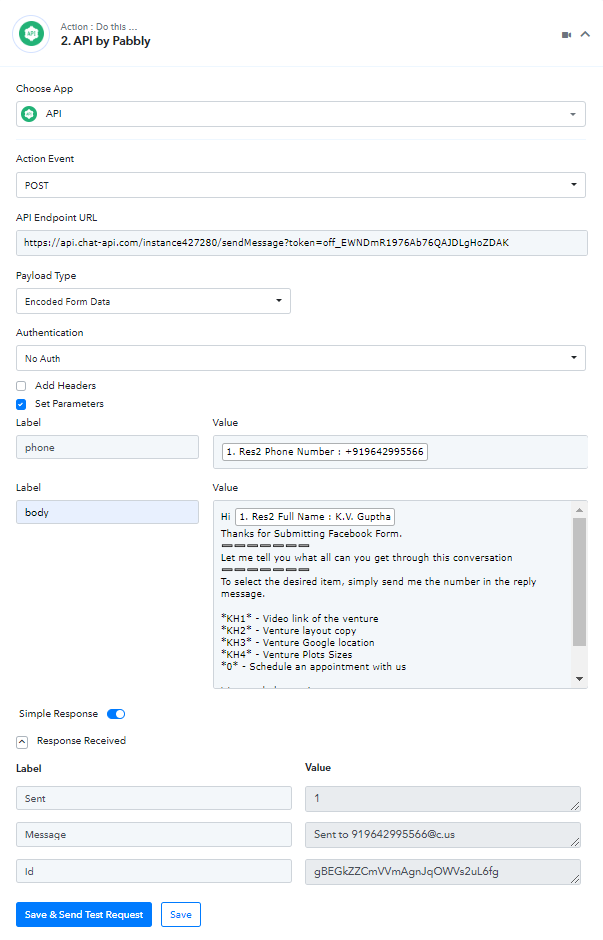
This is the way i have configured any changes pls suggest
Hey @VMRDA
Yes, you have to use the API by Pabbly in that way only, you can also try the same with other applications i.e - Postman
Though if the API still doesn't work then please contact the Chat API support team for the same.
Since we do not support WABA/Business WhatsApp account in Chat API integration.