Pabbly Connect adds random lines in automated emails sent using Google Sheets
Status: Open · Asked by Speaking Mocks Texas Review on · 0 views
Task History ID -
IjU3NjUwNTZlMDYzNzA0Mzc1MjZlNTUzNzUxM2E1MTZiNTQzOTBmMzEi_pc
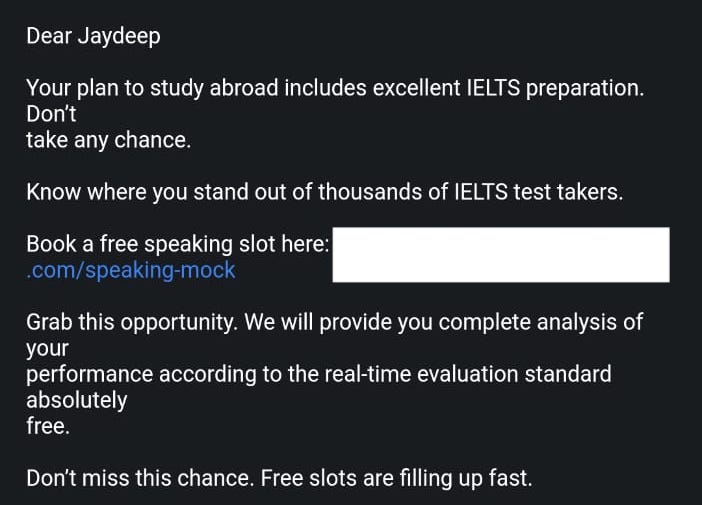
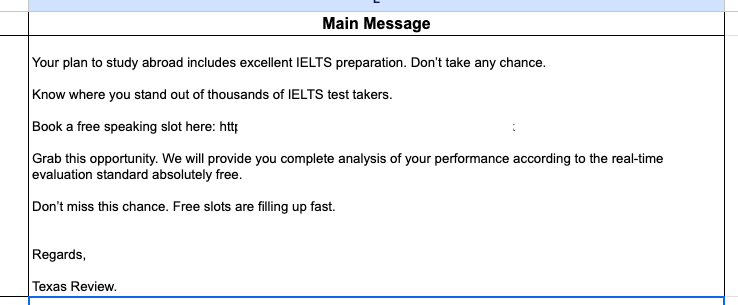
When a message is added in the trigger column of google sheets, the email is sent properly via Pabbly Connect. However, there are random line breaks added in the email received. No such thing is seen in the response window of Pabbly Connect workflow.
The text formatter is of no use here. The paragraph adds new line randomly. I have tried everything including HTML. It still shows the same issue.
Attachments
Hello @Speaker,
Upon checking, we noticed that the line breaks originate from the Google Sheets trigger response, which is why they are also appearing in the email body.
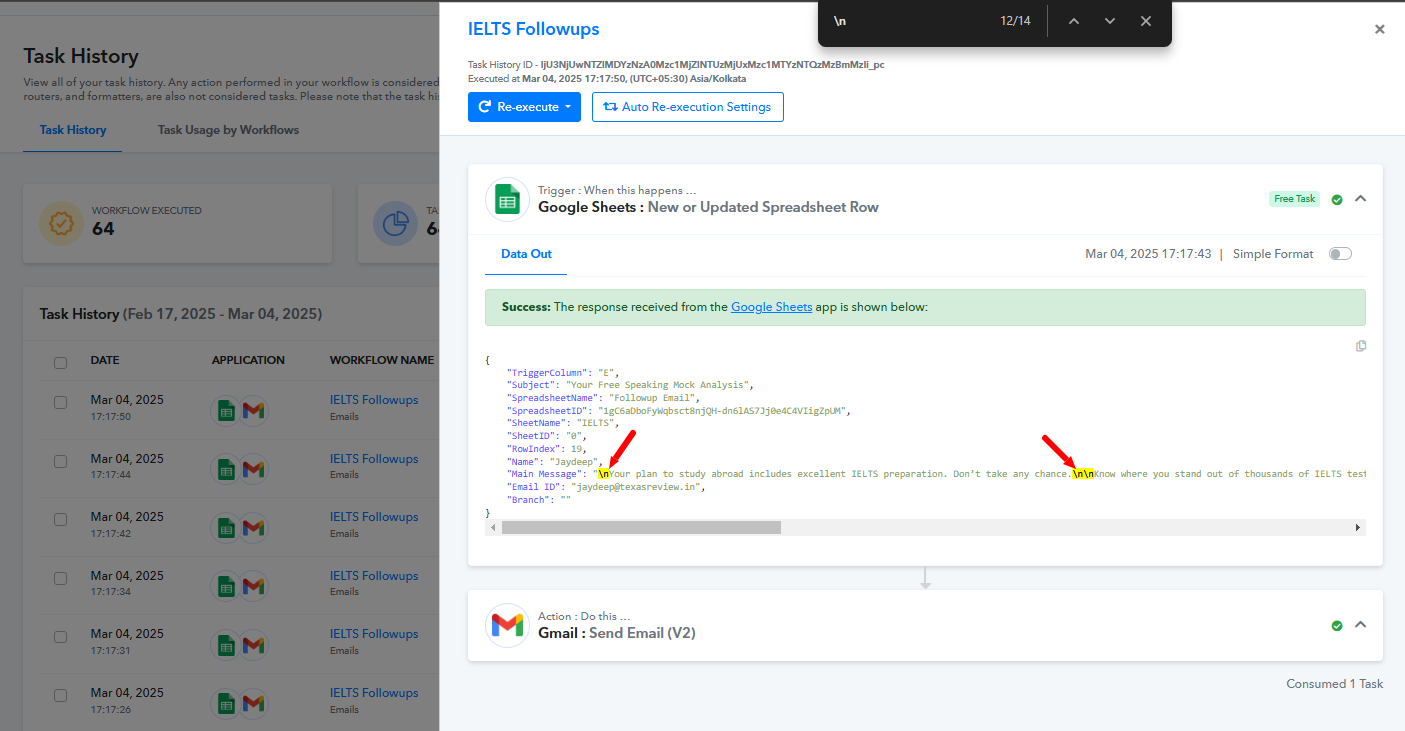
I am not talking about the intentional lines. I am talking about the others. Check the screenshots.
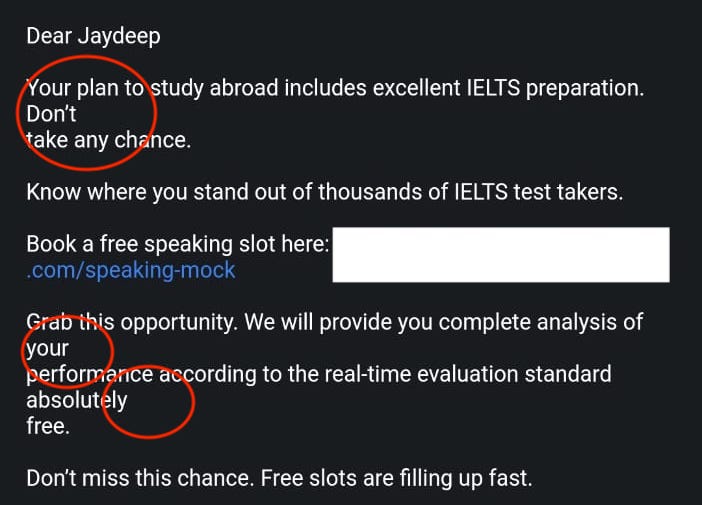
The text 'Don't take any chance' is a single line in the excel sheet. However, the email generated through Pabbly connect shows two lines. Also, look at the last paragraph. 'analysis of your performance' and 'absolutely free'. I have highlighted it in the screenshot in red color.
Attachments
Hello @Speaker,
Please try sending the email with the content type set to HTML, then map the response from the trigger. If the issue persists, kindly provide the task history where you have selected HTML as the content type for further analysis.
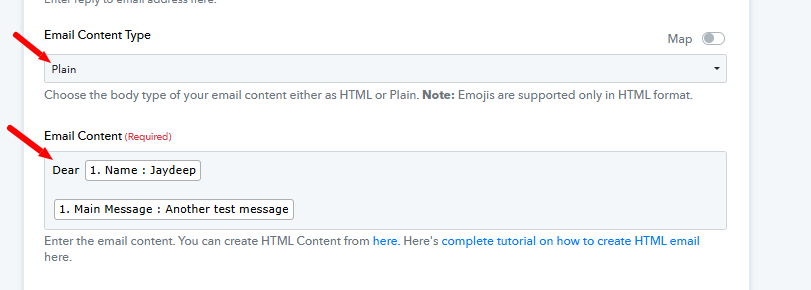
It did not work.
[TABLE]
[TR]
[TD]Task History ID -
IjU3NjUwNTZlMDYzNzA0MzA1MjZhNTUzNTUxMzA1MTYyNTQzNDBmMzgi_pc
[/TD]
[/TR]
[/TABLE]
Hello @Speaker,
To resolve this issue, you can use a text formatter to replace \n with
. Then, in the Gmail step, set the content type to HTML and map the response from the text formatter step into the body field.
Please try this approach and let us know if it works for you.
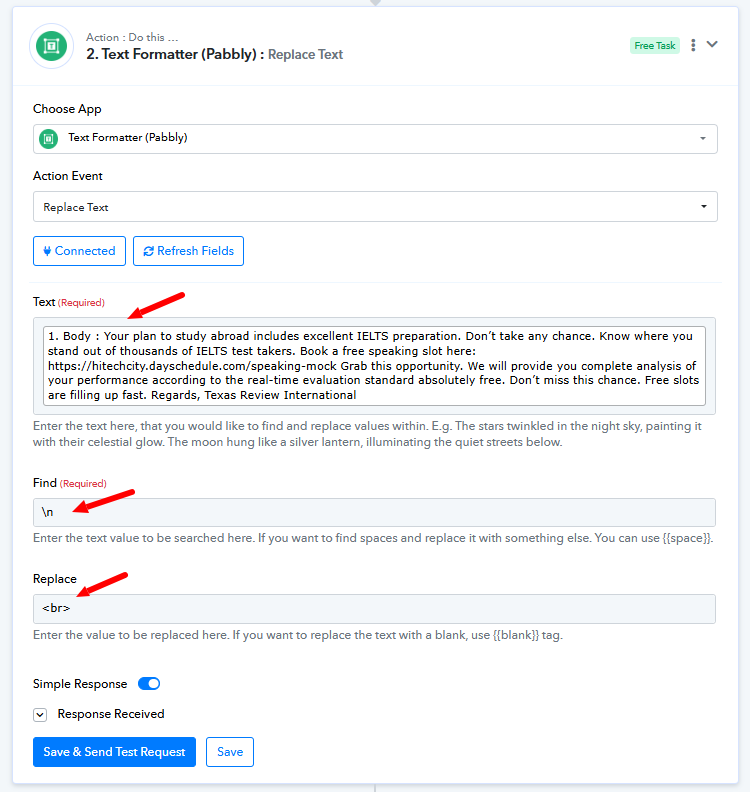
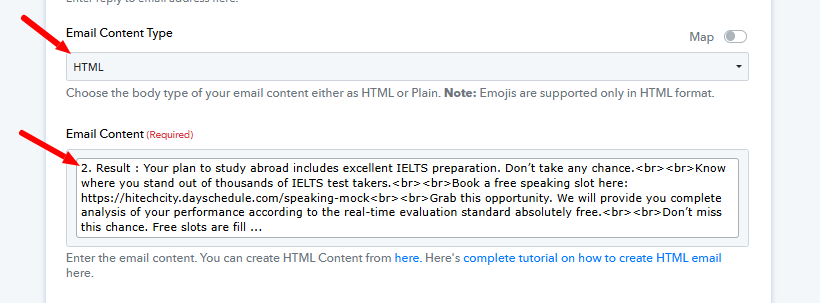
I already tried that by following a similar thread here. It did not help.
Hello @Speaker,
It looks like you have successfully resolved the issue on your own. If you encounter any issues in the future, please feel free to reach out to us.