Pabbly Connect + Email Delivery (Selfhosted Email Software)
Status: Closed · Asked by infiniteAI on · 0 views
Step 1.
Connect Pabbly to your email marketing platform using our private white-label integration:
Click Here to Connect
Did this and it worked
Step 2. PabblyConnect > Workflows > LibertySend
A. Trigger > Choose App > Email Marketing Platform (Private)
Trigger Event > Contact Opened a Message (Private)
Step 3. Click Connect button Enter your API and Endpoint URL & click Save and Send Test Request.
Test Request resulted in 404 so I chose webhook option and went into Email Delivery webhook area and created
Name: PabblyOpenWebHook
Target URL: https://connect.pabbly.com/workflow/sendwebhookdata/IjU3NjUwNTZiMDYzMDA0M2M1MjZhNTUzYzUxM2Ei_pc
Event Type: Open
Then clicked Test Webhook and Save
(THis is the test payload sent:
{
"type": "open",
"source": {
"broadcast": "abcdefghijklmnopqrstuv",
"funnelmsg": "vutsrqponmlkjihgfedcba",
"tag": "exampletag"
},
"email": "[EMAIL][email hidden][/EMAIL]",
"timestamp": "2024-04-11T15:23:39.826Z",
"agent": "Mozilla/5.0 (Windows NT 6.1; WOW64; rv:64.0) Gecko/20100101 Firefox/64.0",
"ip": "10.10.10.10",
"device": "PC",
"os": "Windows",
"browser": "Firefox",
"country": "United States",
"country_code": "US",
"region": "Maine",
"zip": "04004"
}
)
Response:
Response received:
HTTP 200 OK
{"status":"success","message":"Response Accepted"}
Confirmed the test payload did make it into Pabblyconnect
Step 4. Action: Do This ... 2. Create or update contact (Private)
Choose App: Email Marketing Platform (Private)
Action Event: Create or Update Contact (private)
Connect button to and select same API As I created in step 1.
The only two required fields are:
Contact List ID
and
Email
This is where I am stuck and not understanding what I am suppose to do to get this to work correctly.
The contact List ID is the actual ID of the list i want the openers to be subscribed to when they open emails.
KDmbBp9iC8xjzeUVF9f9Yc
Email: I have tried mapping using the test payload Email and it doesnt work. I am unclear of the syntax I am suppose to use in this Email field. Inside the Email Delivery platform Email personalization is {{Email}} ive tried that as well doesnt work.
Hoping someone can shed some light on what I need to do to get this to work.
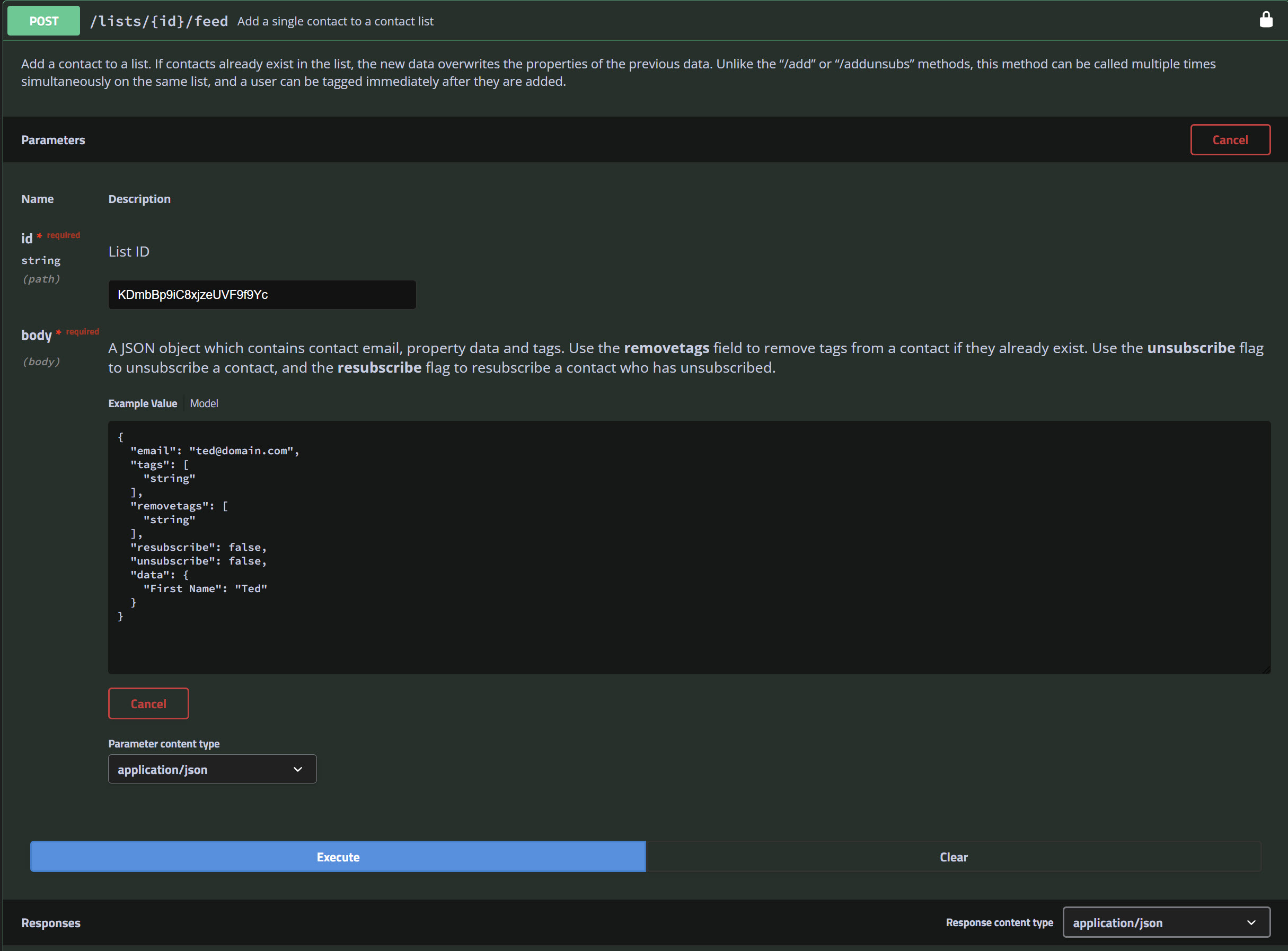
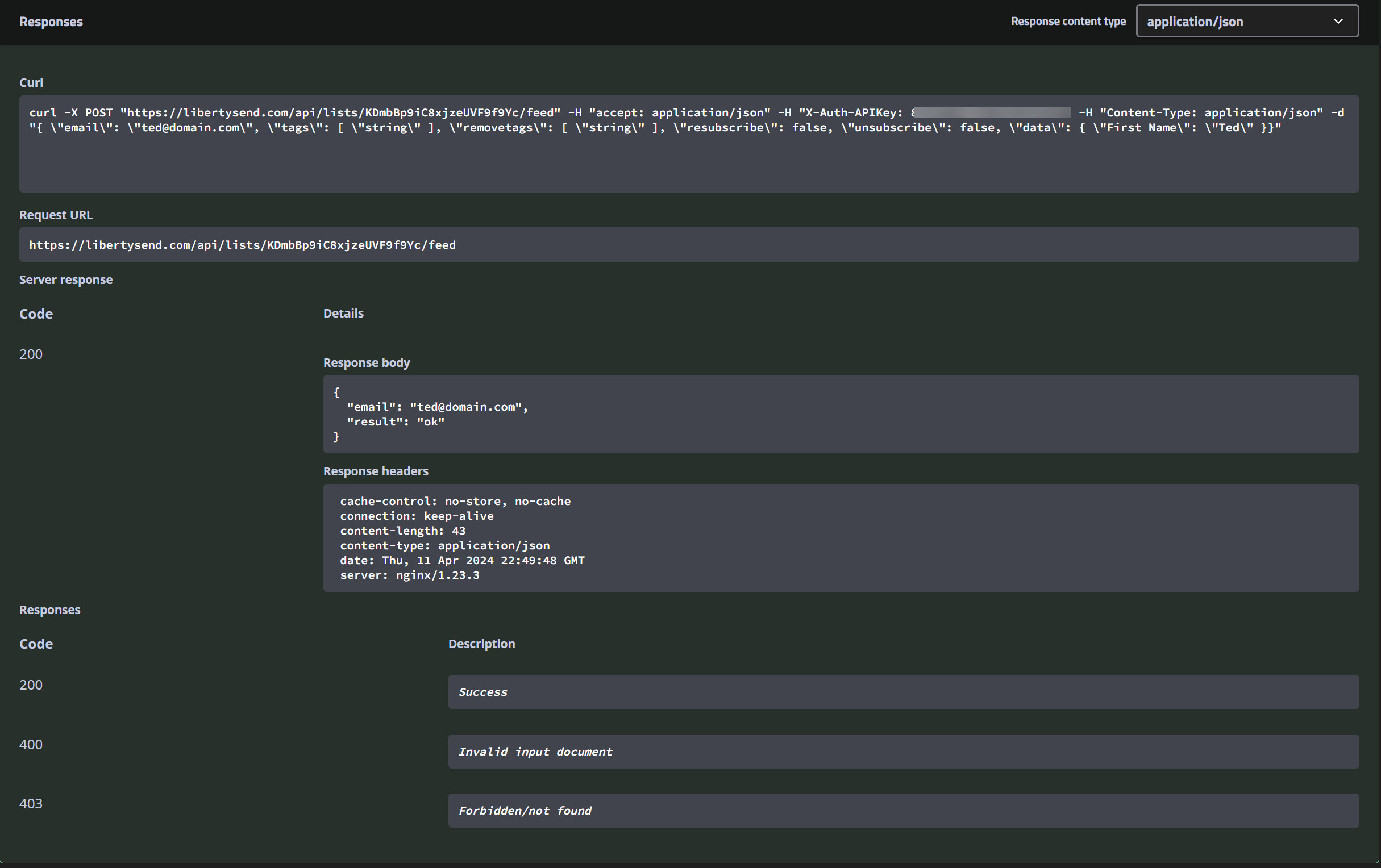
Also here are the screen shots of my test I did in the API help section for Email Delivery:
https://libertysend.com/api/doc#/lists/post_lists__id__feed
(see attached screen shots)
This test did work and the lead did go into the list as intended.
Attachments
Hey @infiniteAI
Please reach out to the support team of the application you're using, as it's developed and managed by its creators. Also, consider checking with the email delivery team for further assistance.
Hey @infiniteAIPlease reach out to the support team of the application you're using, as it's developed and managed by its creators. Also, consider checking with the email delivery team for further assistance.
The software itself is called "Email Delivery" its ok its likely that their custom integration isn't working as intended I may just do a different workaround not involving Pabblyconnect.
The software itself is called "Email Delivery" its ok its likely that their custom integration isn't working as intended I may just do a different workaround not involving Pabblyconnect.
Thank you for letting me know!