Pabbly Connect Error: I am trying to add contact on systeme.io
Status: Closed · Asked by pawan rajput on · 0 views
Pabbly Connect Error: I am trying to add contact on systeme.io, it is showing error. Screenshot attached.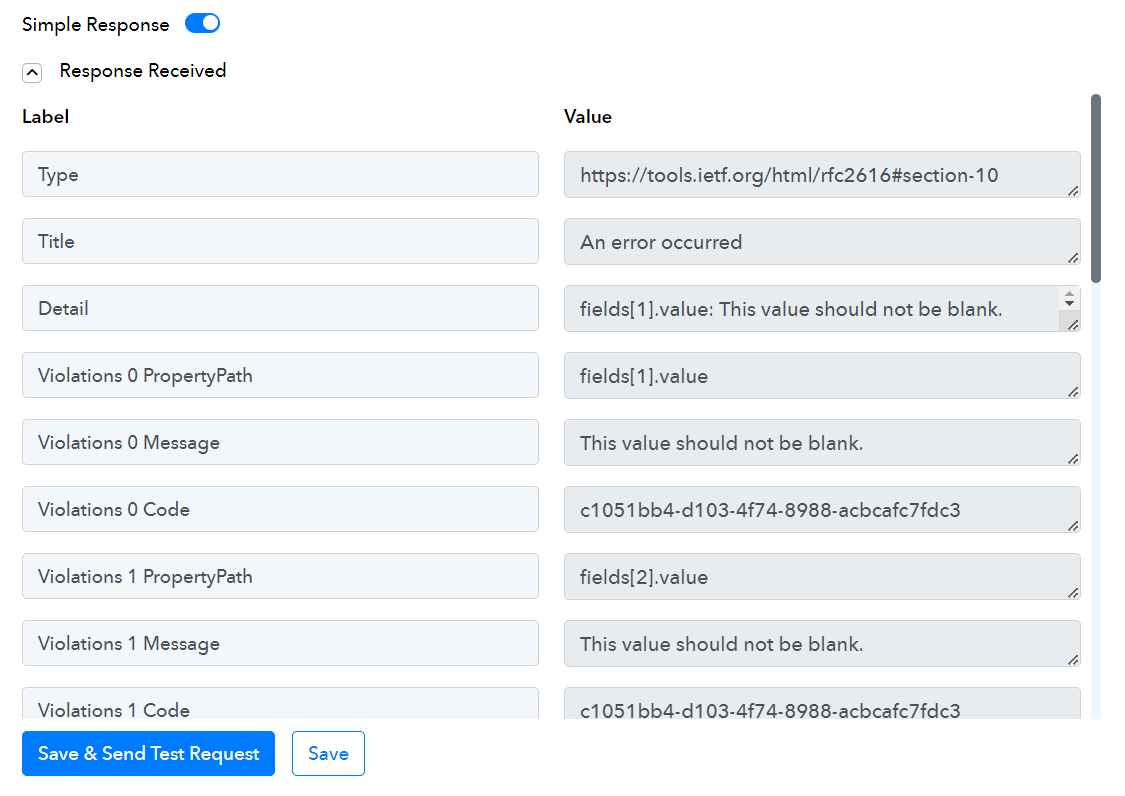
Hey @pawanrajput
Please attempt to include all field values in the action step, and ensure that any necessary fields have been marked as required from your Systeme.io account.
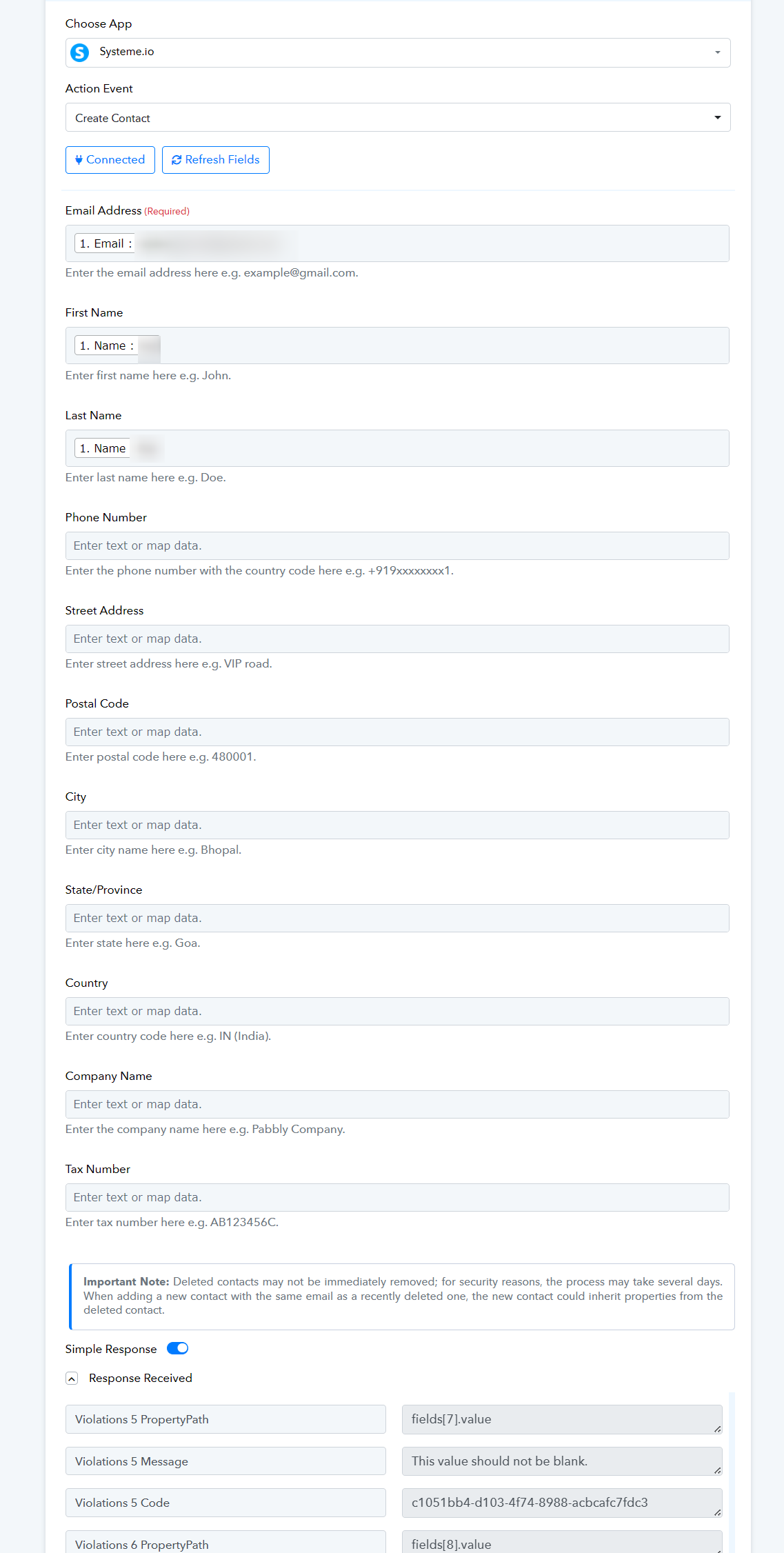
Thanks for the help
and you, too @pawanrajput
issue solved
I'm having the same problem again.
It worked for a time, then it didn't
Attachments
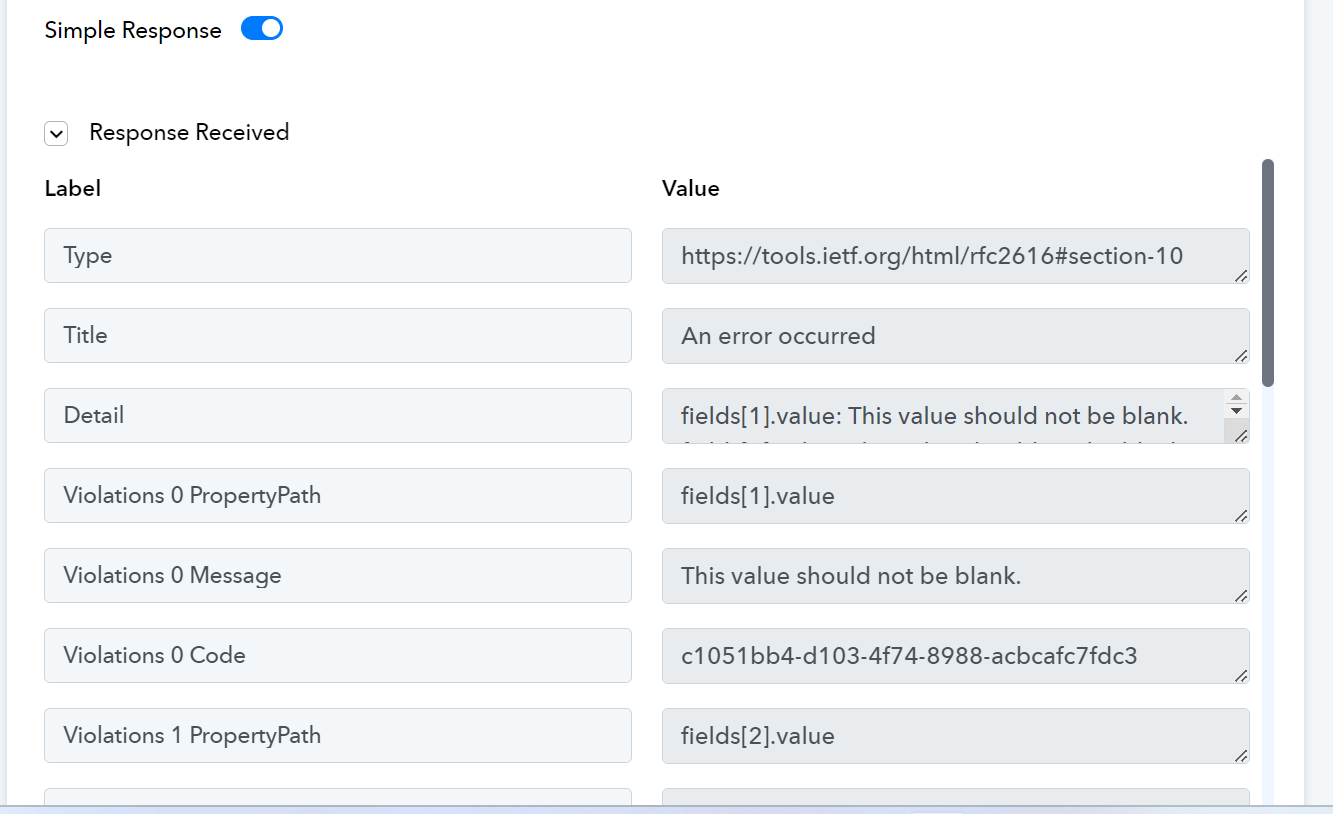
I'm having the same problem again.It worked for a time, then it didn't
Hey @watny
Kindly share the workflow URL once in which you have tried the same.
IjU3NjUwNTY4MDYzMDA0MzU1MjY0NTUzNjUxMzUi_pc
the task id?
this?https://connect.pabbly.com/workflow/mapping/IjU3NjUwNTY4MDYzMDA0MzU1MjY0NTUzNjUxMzUi_pc
Please try to fill in all the boxes when taking action. Make sure to mark any boxes that must be filled in your Systeme.io action step.
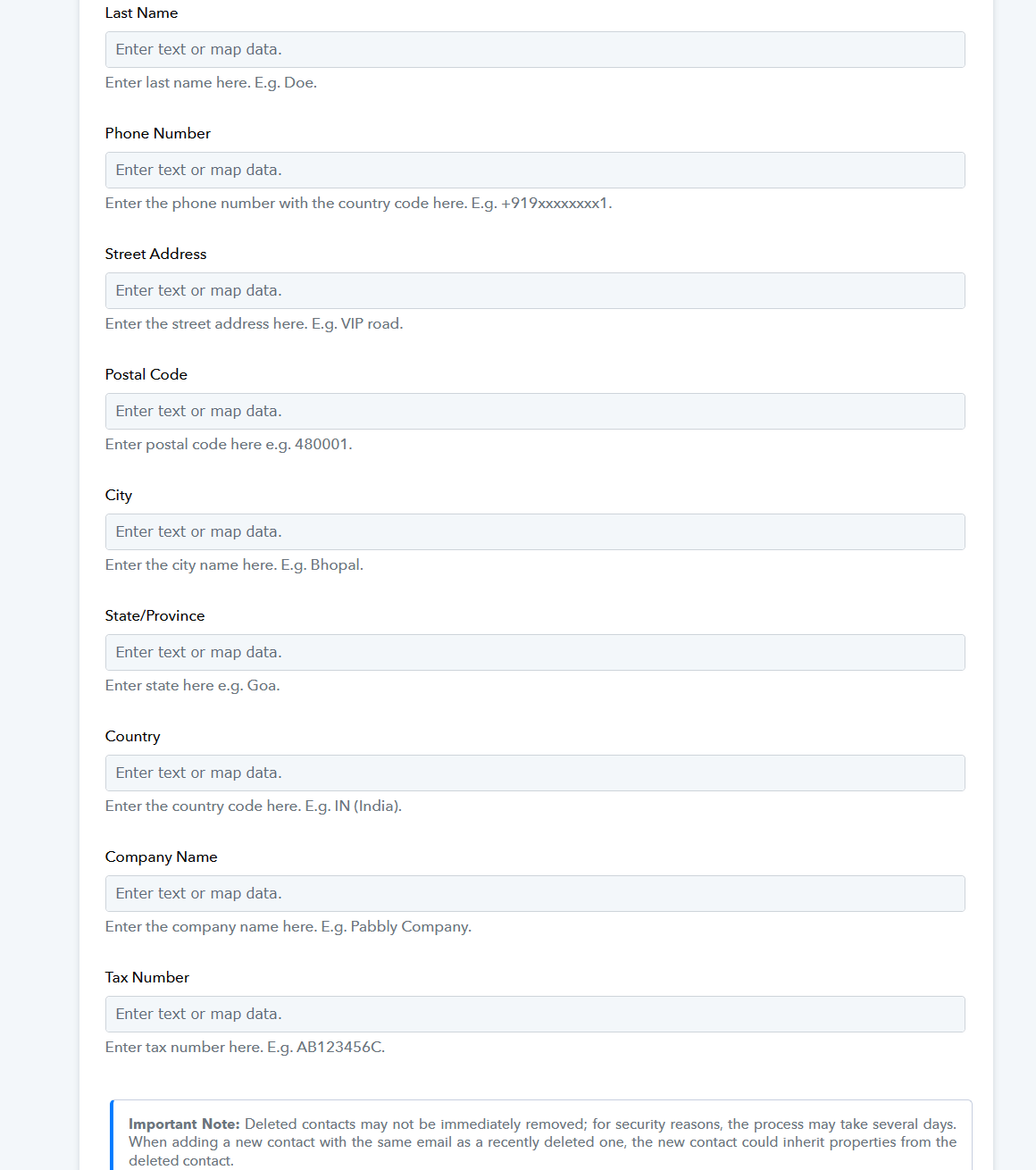
I filled those the first time, and on the 22nd. It looked like it worked a few times because when I went to my system. io contacts, the people who filled out the app form on Facebook have the same info in the boxes they didn't fill out.
Adding people to my contacts on system.io might work, but the third action, which is to add a tag to my contacts, is where I really need the contact ID, which I can't get from the second action(add to contact)
Attachments
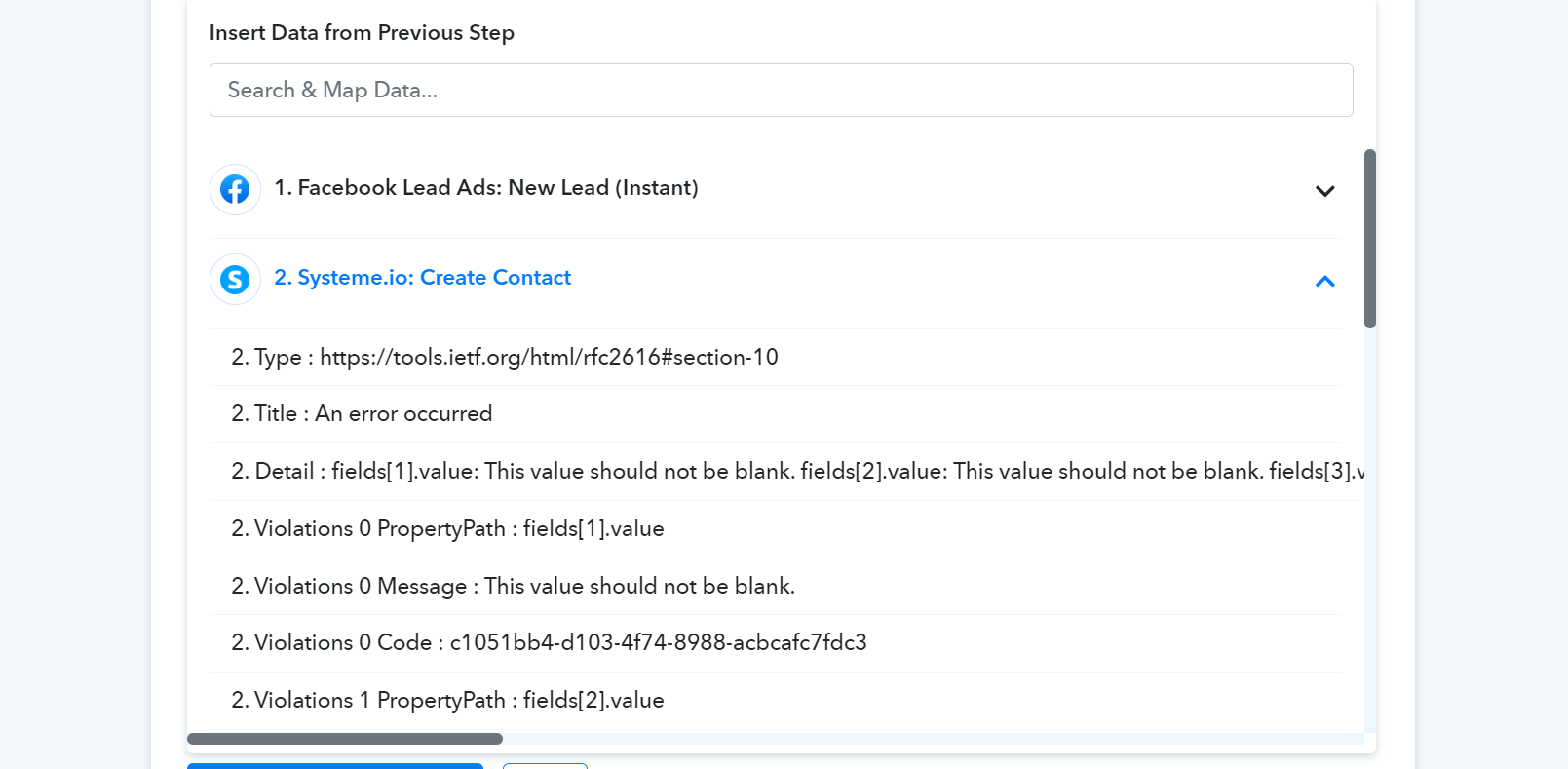
Adding people to my contacts on system.io might work, but the third action, which is to add a tag to my contacts, is where I really need the contact ID, which I can't get from the second action(add to contact)
To get the contact ID in the API response you need to run the action step successfully and for that, you need to pass all the fields.
Else if you do not wish to pass the fields then you can run the API by Pabbly action step for Systeme.io where you can pass the fields accordingly.
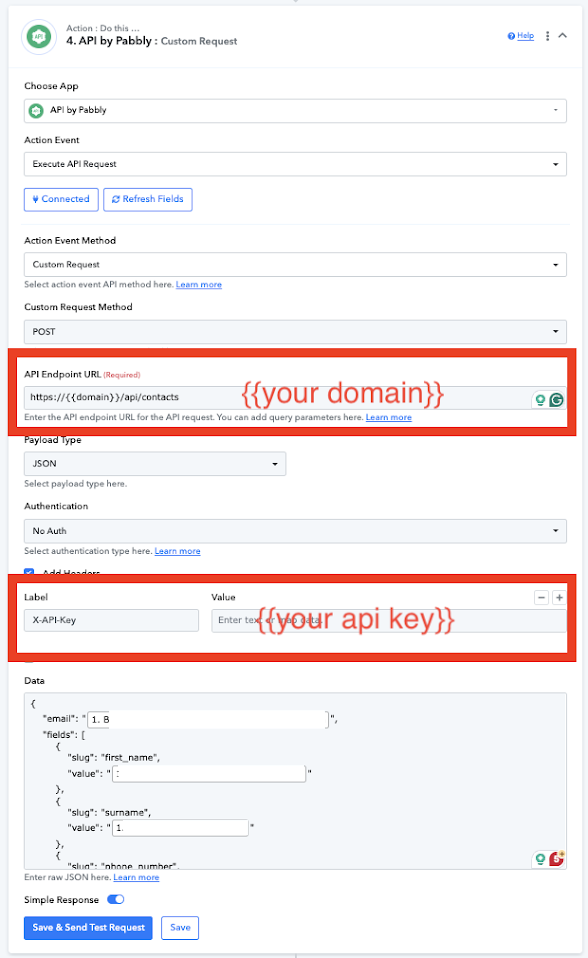
{
    "email": "MAP THE EMAIL FROM ABOVE",
    "fields": [
        {
            "slug": "first_name",
            "value": "MAP THE NAME FROM ABOVE"
        },
        {
            "slug": "surname",
            "value": "MAP THE LAST NAME FROM ABOVE"
        },
        {
            "slug": "phone_number",
            "value": "MAP THE PHONE FROM ABOVE"
        }
    ]
}