Pabbly connect using cart abandoned api
Status: Closed · Asked by skyhill on · 0 views
Hi sir/ma'am
i have no received shipping phone number using pabbly cart abandoned api. i have create a app in shopify store and than use add event by see your youtube video. but i have no received shipping phone number using send test and save . so how can get please provide me good suggession.
please help me. thank you.
Hey @skyhill
Please provide the name of the application and the workflow URL where you tried the same so that we can investigate.
workflow url:- https://connect.pabbly.com/workflow/mapping/IjU3NjUwNTZhMDYzMzA0MzM1MjY1NTUzNzUxMzQi_pc
workflow name: shopify cart abondend
please help me
i have no received shipping phone so please help me
Attachments
Hey @skyhill
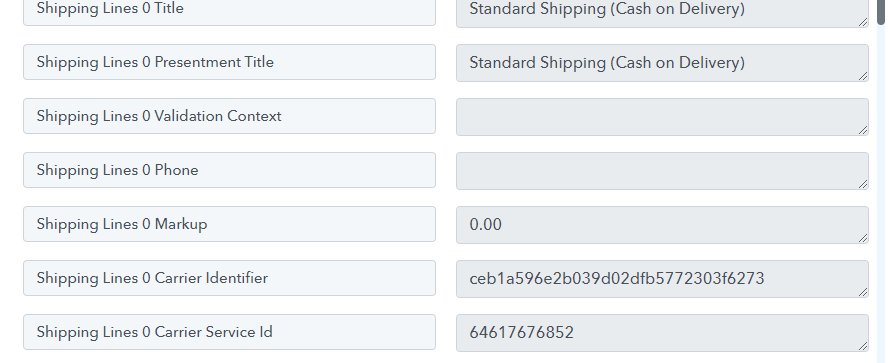
Since the phone number field you have passed doesn't have the phone number in it while getting the Cart Abandoned response.
So, we are trying to add the action step to get the phone number after the user abandons the cart.
Kindly allow us some time.
yes please past actually i am waiting 3 to 5 days. but its issue does not solve so please help me.
yes please past actually i am waiting 3 to 5 days. but its issue does not solve so please help me.
take your time
Team will add the action step and then will check if we can take out the phone number from the abandoned cart's response.
Please allow us sometime.
Hey @skyhill
It seems that when configuring the Shopify trigger event, some options may have been missed, causing the phone numbers not to appear in the trigger response. Please create a new workflow and try again. We have added a new action step to retrieve the customer's phone number and other details. It's possible that the user did not pass it through or it was not configured correctly.
Here is the video tutorial for the same.