Pabbly connect webhook extension issue -regarding
Status: Closed · Asked by karthick on · 0 views
Hi Sir,
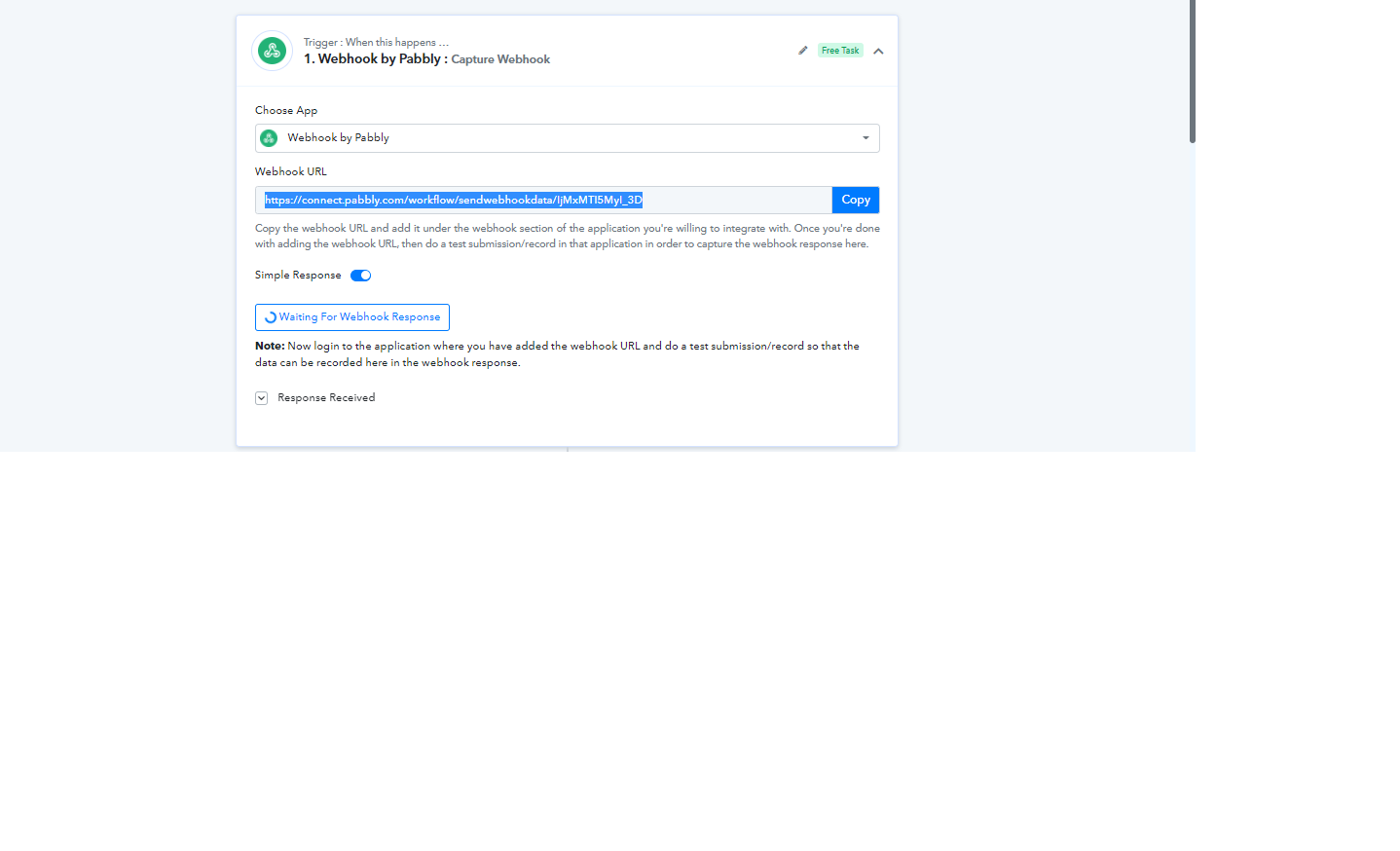
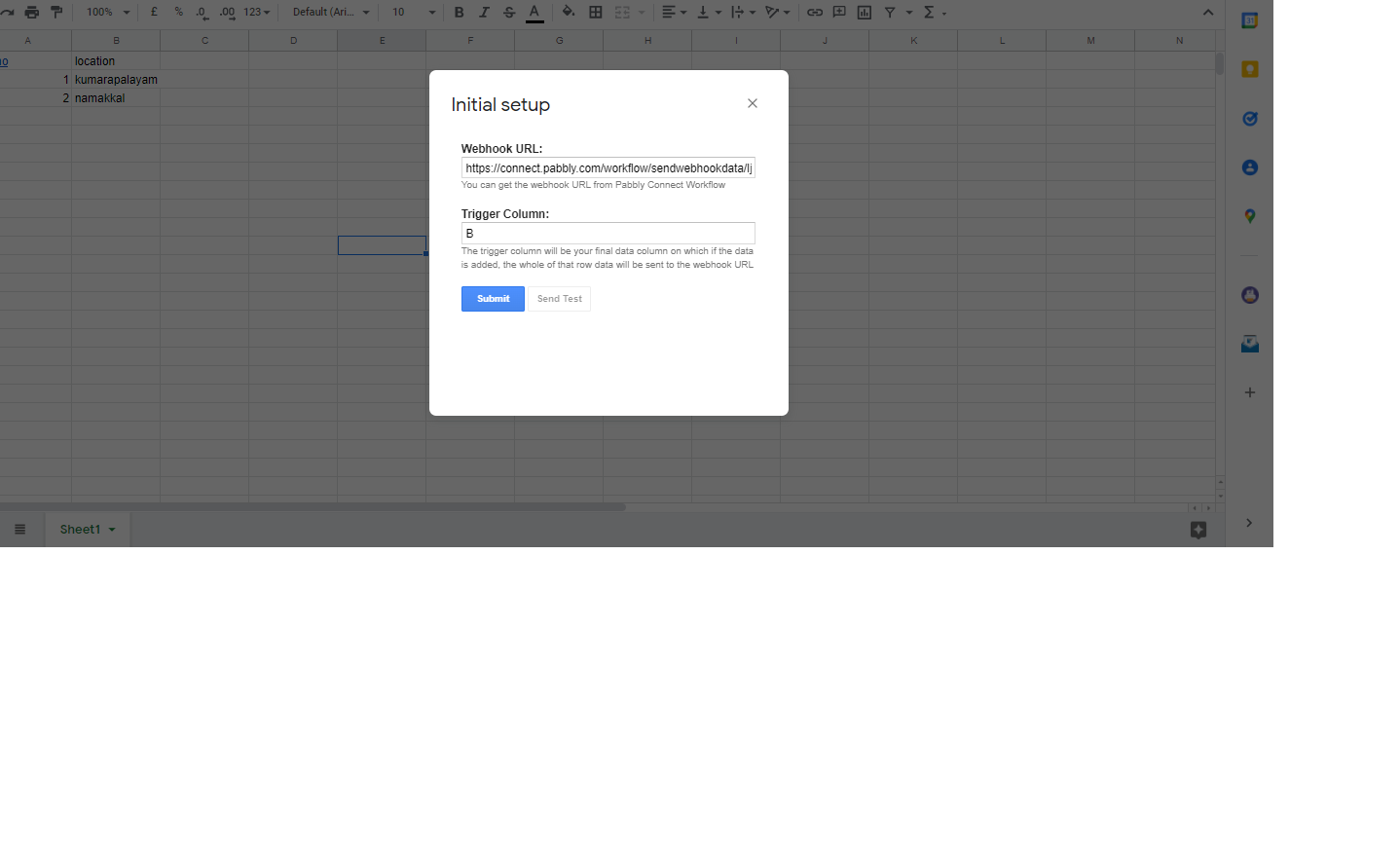
while we trying our pabbly webhhooks to pabbly connect webhooks extension in google sheet is not working properly, when we give sent test after giving webhooks and trigger column is not updating anything,kindly guide us.
Attachments
Hey @karthick
Kindly do the initial setup of your Google Sheet in incognito mode of your browser. There might be some extension in your browser which might be interfering with this. Ensure that you're logged into single Google account while doing the setup.
Moreover, you can refer to our tutorial video for a better understanding.
(Watch the first part of the video)
I've also tried and followed all instructions. The test works but the Send On Event does not work. Please fix or provide solution.
Hey @andrewstrealtor
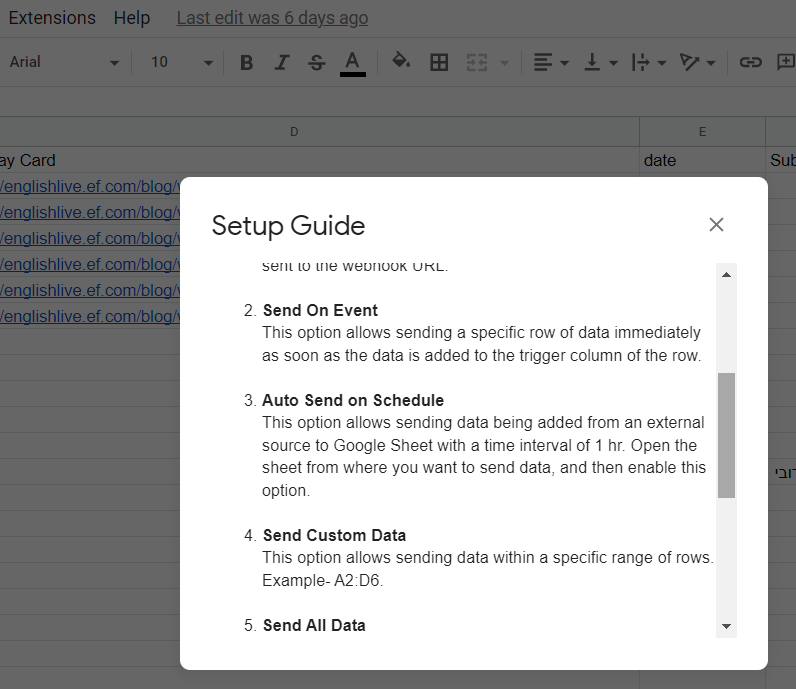
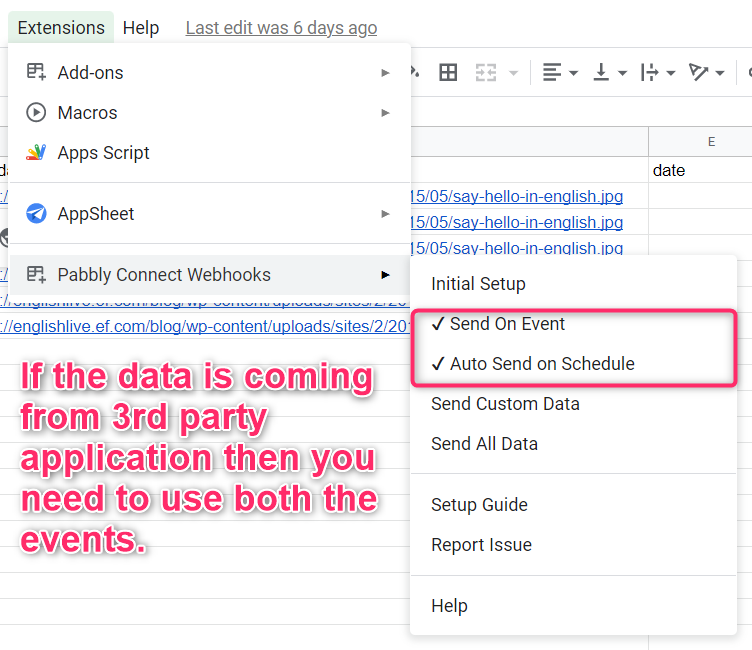
Could you please tell us if your data is coming from another application or if you are manually feeding it? So if you are getting data from a third-party application, in that case, you need to select both the options of "Send On Event" and "Auto Send on Schedule" and by enabling both the options then the data can be forwarded in every 1hr.
And if you are adding the row manually, then kindly select "Send on Event" only and in this case, data is being send immediately. Then try adding a new row to test the workflow.
I got it to work. I didn't realize that a different API key was being generated for each trigger so I solved it by using a single trigger and the multiple routing with the Router plugin for every path.